
Introducció
The FALCAM F38 Backpack Camera Clip V2 with Plate provides a secure and quick-release solution for carrying your camera on backpack straps, belts, or sling straps. Designed for durability and ease of use, it features an Arca-Swiss compatible quick-release system, a robust 30kg (66lb) load capacity, and a dual-lock safety mechanism. This manual provides detailed instructions for proper setup, operation, and maintenance of your camera clip.
Informació de seguretat
- Always ensure the camera plate is securely attached to your camera and the clip is firmly mounted to your strap before use.
- Verify the quick-release mechanism is fully engaged and the safety lock is activated to prevent accidental release.
- Do not exceed the maximum load capacity of 30kg (66lb).
- Regularly inspect the clip and plate for any signs of wear or damage. Discontinue use if damage is observed.
- Mantenir fora de l'abast dels nens.
Configuració
1. Fixació de la placa de fixació ràpida a la càmera
The F38 Quick Release Plate attaches to your camera's 1/4"-20 tripod socket. Ensure the stainless steel and graphite nylon gaskets are properly installed on the plate's screw to prevent loosening and provide a stable connection.
- Locate the 1/4"-20 screw on the F38 Quick Release Plate.
- Align the plate with your camera's tripod socket.
- Tighten the screw firmly using a coin or appropriate tool until the plate is secure and does not rotate.
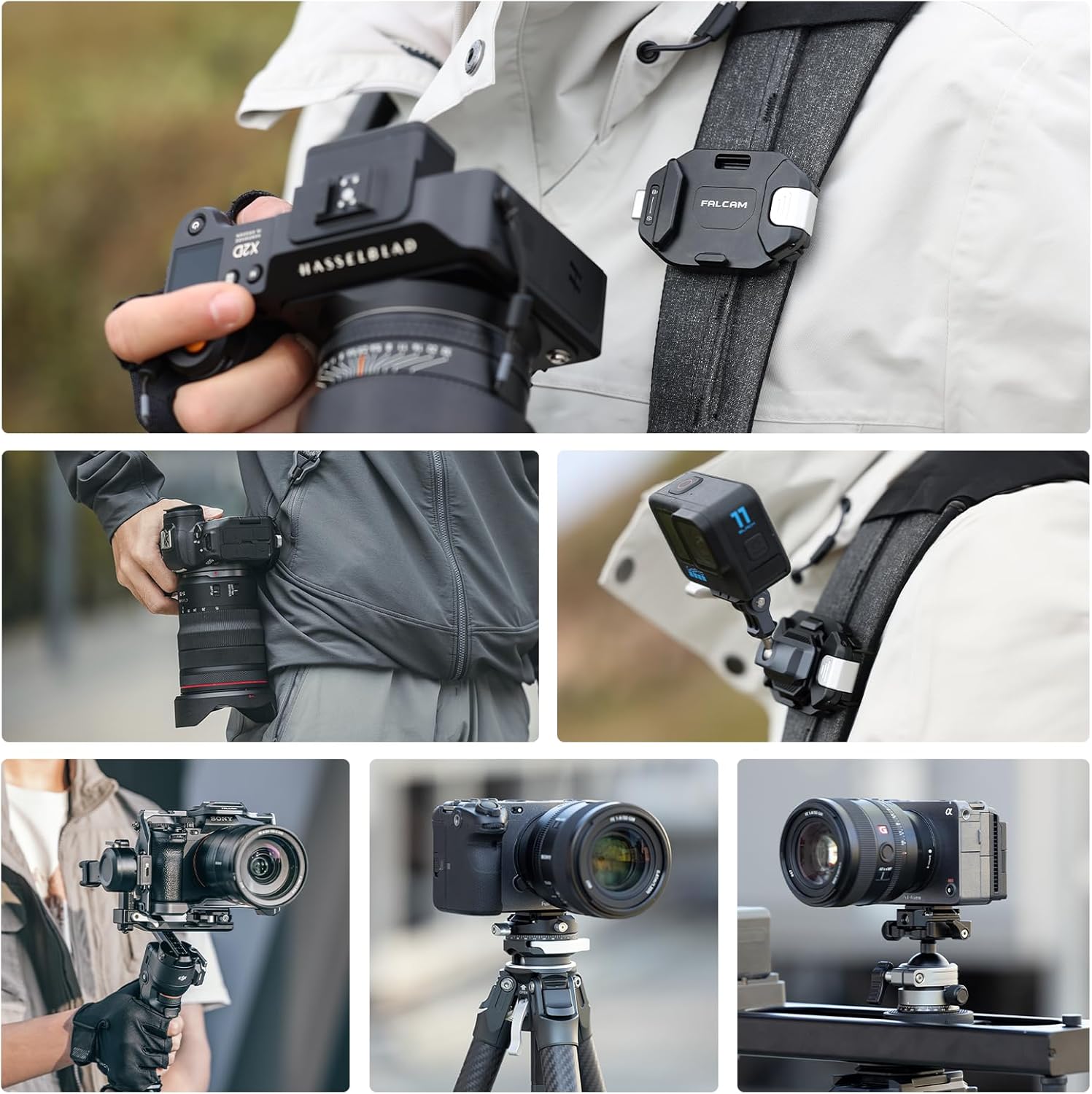
Image: The F38 Quick Release Plate, highlighting the stainless steel and graphite nylon gaskets for secure camera attachment.

Image: The F38 Quick Release Plate can be mounted in any of the four directions on your camera.
2. Attaching the Camera Clip to Your Backpack Strap
The F38 Camera Clip features a T-shaped buckle with 3 clamping gears to accommodate various strap thicknesses (2mm to 20mm) and widths (up to 80mm). The flexible lanyard buckle and thermoplastic backplane ensure a snug fit.
- Identify the desired location on your backpack strap, waist belt, or sling strap.
- Open the T-shaped buckle on the back of the clip.
- Position the clip on the strap. Adjust the clamping gears to match your strap's thickness for a secure fit.
- Close the buckle firmly. Ensure the clip is stable and does not shift or bounce.

Image: The FALCAM F38 Backpack Camera Clip V2 securely attached to a backpack strap.

Image: Detail of the 3-gear adjustment system for varying strap thicknesses (2mm-20mm).

Image: The flexible structure and anti-slip rubber pads ensure a stable, no-bounce carry.
Video: Official FALCAM F38 Quick Release for Backpack demonstration, showing how to attach the clip to a backpack strap.
Instruccions de funcionament
1. Attaching Your Camera to the Clip
The F38 clip features a quick slide-in auto-locking mechanism for instant camera access.
- Ensure the safety lock is in the unlocked position (up).
- Slide the camera (with the attached F38 plate) into the clip from the top.
- The plate will auto-lock with a click. Gently pull on the camera to confirm it is securely fastened.

Image: The F38 plate slides into the clip and auto-locks for quick attachment.
2. Releuasing Your Camera from the Clip
To quickly detach your camera, use the quick-release button.
- Ensure the safety lock is in the unlocked position (up).
- Press the quick-release button located on the side of the clip.
- While holding the button, draw your camera upwards in one fluid motion to release it.
3. Using the Dual-Lock Safety System
The F38 clip includes a safety lock switch to prevent accidental unlocking.
- A pany the camera in place: After attaching your camera, push the quick-release button down to engage the lock. This prevents the button from being pressed accidentally.
- A desbloquejar for release: Push the quick-release button upwards to disengage the lock. You can then press the button to release the camera.

Image: The safety lock switch on the quick-release button provides accidental touch protection.
Manteniment
- Neteja: Wipe the clip and plate with a soft, dry cloth. Avoid using harsh chemicals or abrasive materials.
- Inspecció: Periodically check all moving parts and connections for wear, damage, or debris. Ensure the quick-release mechanism operates smoothly.
- Emmagatzematge: Store the clip in a clean, dry environment when not in use.
Resolució de problemes
| Problema | Causa possible | Solució |
|---|---|---|
| Camera does not release easily. | El bloqueig de seguretat està activat. | Push the quick-release button upwards to disengage the safety lock before pressing to release. |
| Clip feels loose on the backpack strap. | Incorrect gear setting for strap thickness. | Adjust the T-shaped buckle to a tighter gear setting that matches your strap's thickness. |
| Squeaking sound during movement. | Friction between components or strap. | Ensure the clip is tightly secured to the strap. A small amount of lubricant (e.g., silicone spray) can be applied to contact points if necessary, avoiding the quick-release mechanism. |
| Camera plate feels loose on the camera. | Plate screw is not tight or gaskets are missing. | Re-tighten the 1/4"-20 screw on the camera plate. Ensure both the stainless steel and graphite nylon gaskets are present and correctly installed. |
Especificacions
| Característica | Detall |
|---|---|
| Marca | FALCAM |
| Nom del model | F38 Backpack Clip |
| Número de model | F38B3803 |
| Color | Negre |
| Material | Aliatge d'alumini 6061 |
| Pes de l'article | 96 g |
| Dimensions de l'article | 2.95 x 1.89 x 0.86 polzades |
| Capacitat de pes màxim | 30 kg (66 lliures) |
| Dispositius compatibles | Backpack Strap, Tripod (with Arca-Swiss compatible plate) |
| Strap Thickness Compatibility | 2 mm - 20 mm |
| Strap Width Compatibility | Fins a 80 mm |
| Característiques addicionals | Lightweight, Quick Slide-In Auto-Locking, Dual-Lock Safety System, Flexible Structure with Anti-Slip Grip, Dyneema Safety Lanyard |
Garantia i Suport
The FALCAM F38 Backpack Camera Clip V2 with Plate comes with a 1 anys de garantia del fabricant.
For technical support, warranty claims, or further inquiries, please contact FALCAM directly or refer to their official website. If purchased through Amazon, you may also contact the seller, FALCAM, for assistance.
- Fabricant: FALCAM
- Seller (on Amazon): FALCAM
- Assistència en línia: Please visit the official FALCAM weblloc web per obtenir la informació d'assistència i les dades de contacte més actualitzades.