
OMOTON WK012
OMOTON WK012 Ergonomic Wireless Keyboard User Manual
Model: WK012 | Brand: OMOTON
1. Introducció
Thank you for choosing the OMOTON WK012 Ergonomic Wireless Keyboard. This keyboard is designed to provide a natural and comfortable typing experience, reducing strain on your wrists, forearms, and shoulders during extended use. It features a split, curved design, a soft padded wrist rest, 2.4G wireless connectivity, and a long-lasting rechargeable battery. This manual will guide you through the setup, operation, and maintenance of your new keyboard.
2. Característiques clau
- Disseny dividit ergonòmic: The curved and split layout promotes a more natural hand and wrist position, enhancing comfort and reducing fatigue.
- Padded Wrist Rest: Integrated soft memory foam wrist rest provides continuous support for your wrists.
- Connectivitat sense fil 2.4G: Ensures a stable and reliable wireless connection up to 10 meters (33 feet) for seamless use with computers, desktops, and laptops.
- Bateria recarregable: Built-in 500mAh battery offers approximately 1 month or more of usage on a single charge (usage dependent). Includes a Type-C charging cable.
- Escriptura silenciosa: Membrane key construction provides a quiet, comfortable, and smooth typing experience.
- Potes inclinables ajustables: Features 4 foldable feet for multiple angle adjustments to suit your preference.
3. Contingut del paquet
Si us plau, comproveu el contingut del paquet en desempaquetar-lo:
- OMOTON WK012 Ergonomic Wireless Keyboard
- Receptor USB 2.4G
- Cable de càrrega USB-A a tipus C
- Manual d'usuari (aquest document)

Image: The OMOTON WK012 ergonomic wireless keyboard shown with its included USB receiver.
4. Guia de configuració
- Localitza el receptor USB: The 2.4G USB receiver is conveniently stored in a compartment on the back of the keyboard. Gently remove it.
- Connecteu el receptor: Plug the USB receiver into an available USB-A port on your computer, desktop, or laptop.
- Engegueu el teclat: Locate the power switch on the keyboard (usually on the top edge or bottom) and slide it to the "ON" position.
- Connexió automàtica: The keyboard should automatically connect to your device within a few seconds. No additional drivers are typically required for Windows systems.

Image: The OMOTON WK012 keyboard shown alongside its compact USB receiver, illustrating the wireless connection.
5. Instruccions de funcionament
5.1 Mecanografia bàsica
Begin typing as you would with any standard keyboard. The QWERTZ layout is designed for German language input. The split and curved design is intended to naturally align your hands and wrists for improved comfort.

Imatge: Una imatge superior view of a user's hands positioned naturally on the split ergonomic keyboard, demonstrating the comfortable typing posture.
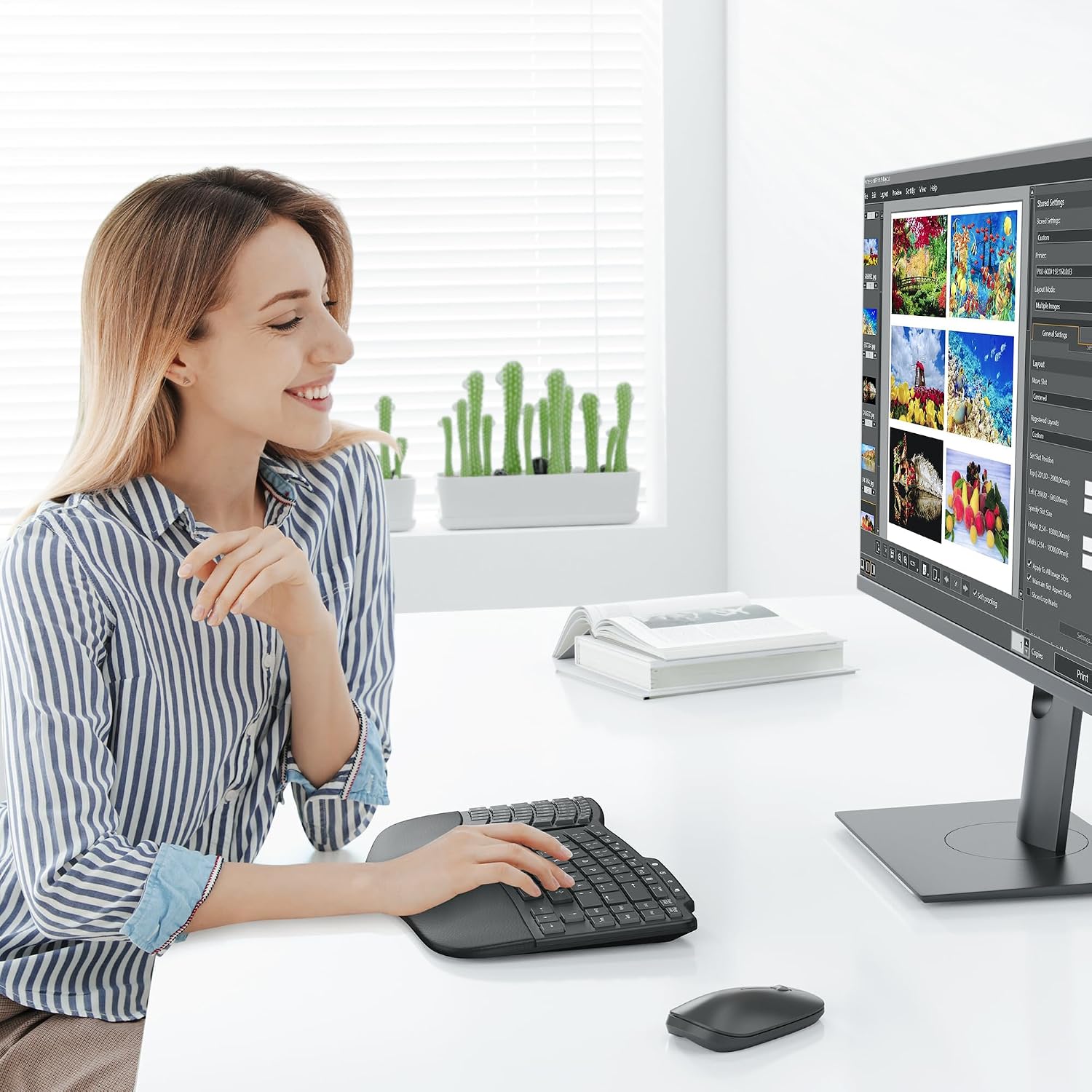
Image: A user typing on the OMOTON WK012 keyboard at a desk, with a monitor and mouse visible, illustrating typical usage.
5.2 Function Keys (F-Keys)
The keyboard features a row of function keys (F1-F12) that also serve as multimedia and shortcut keys. To activate the secondary function, press the Fn simultàniament amb la tecla F desitjada.
| clau | Funció |
|---|---|
| Fn + F1 | Esc / Screen Lock |
| Fn + F2 | Brillantor avall |
| Fn + F3 | Brillantor cap amunt |
| Fn + F4 | Mute / Play/Pause |
| Fn + F5 | Correu electrònic |
| Fn + F6 | Favorites / Search |
| Fn + F7 | Silencia el volum |
| Fn + F8 | Baixa el volum |
| Fn + F9 | Puja el volum |
| Fn + F10 | Pista anterior |
| Fn + F11 | Reproduir/Pausa |
| Fn + F12 | Next Track / Calculator |
| Dedicated Button 1 | Connecta 2.4G |
| Dedicated Button 2 | El meu ordinador |
| Dedicated Button 3 | Obre la pàgina d'inici |
| Dedicated Button 4 | Bloqueig de pantalla |

Image: A detailed diagram showing the layout of the function keys (F1-F12) and dedicated shortcut buttons on the OMOTON WK012 keyboard, with their corresponding functions.
6. Càrrega del teclat
The OMOTON WK012 keyboard is equipped with a built-in 500mAh rechargeable battery. When the battery is low, the indicator light (if present) may flash, or you may experience connection issues.
- Connecteu el cable de càrrega: Insert the Type-C end of the provided charging cable into the charging port on the keyboard.
- Connecteu-vos a la font d'alimentació: Plug the USB-A end of the cable into a USB power adapter (not included), a computer's USB port, or a power bank.
- Indicador de càrrega: A charging indicator light will illuminate (e.g., red) while charging and typically turn off or change color (e.g., green) when fully charged.
Una càrrega completa triga aproximadament 4 hores and provides up to 200 hores of operating time, or about 1 month or more of typical use.
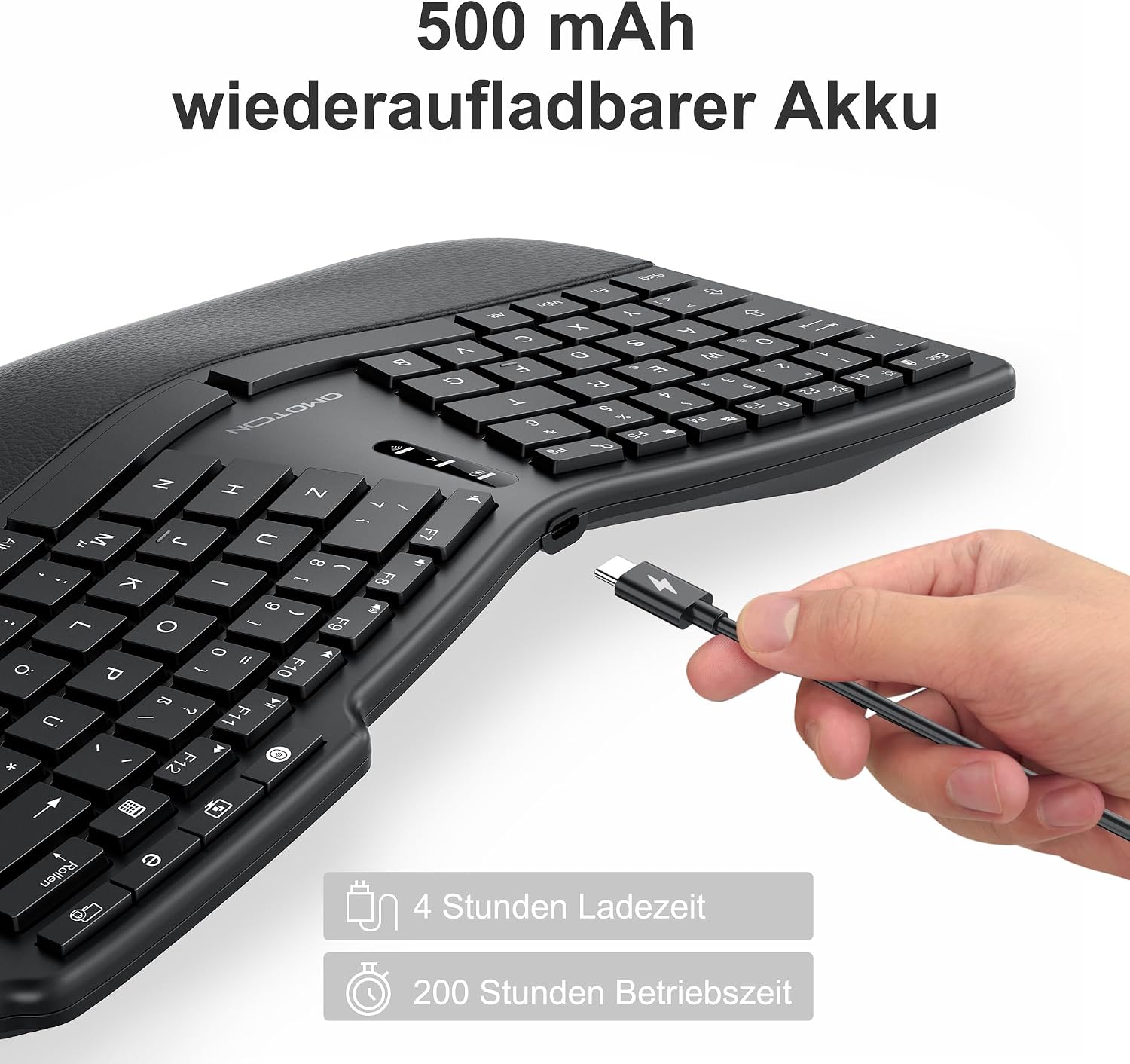
Image: A hand connecting a Type-C charging cable to the OMOTON WK012 keyboard, with text indicating 4 hours charging time and 200 hours operating time.
7. Adjustable Angles
The keyboard features four foldable feet on its underside, allowing you to adjust the typing angle for personalized comfort. You can choose from several tilt options:
- 0° (Pla): The keyboard is in its natural horizontal state with all feet folded.
- 6.2° (Front Feet Extended): Extend the front foldable feet to achieve a 6.2-degree upward tilt.
- 3° (Rear Feet Extended): Extend the rear foldable feet to achieve a 3-degree upward tilt.
- 1.2° (Both Front & Rear Extended): Extend both front and rear foldable feet simultaneously for a 1.2-degree backward tilt.
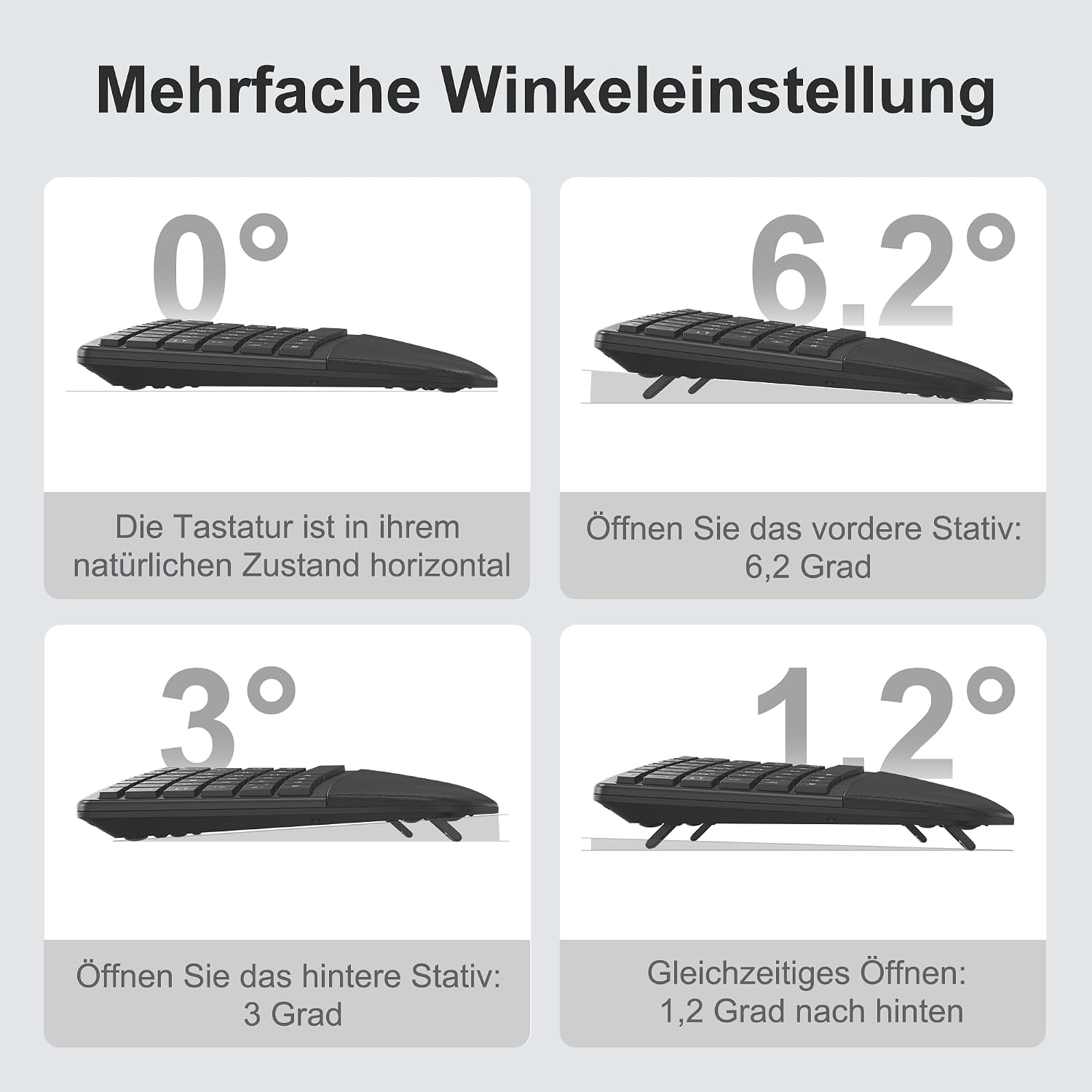
Image: A visual guide illustrating the four different adjustable angles (0°, 6.2°, 3°, 1.2°) of the OMOTON WK012 keyboard using its foldable feet.

Image: A user's hands demonstrating the adjustment of the keyboard's tilt, with small diagrams showing the different angle options.
8. Manteniment
To ensure the longevity and optimal performance of your OMOTON WK012 keyboard, follow these maintenance tips:
- Neteja: Use a soft, dry, lint-free cloth to wipe the keyboard surface. For stubborn dirt, slightly dampNetegeu el drap amb aigua o una solució de neteja suau. Eviteu l'excés d'humitat.
- Eliminació de pols: Feu servir aire comprimit per eliminar la pols i les restes que hi ha entre les tecles.
- Eviteu líquids: Do not spill liquids on the keyboard. If a spill occurs, immediately power off the keyboard and disconnect it from your computer. Allow it to dry completely before attempting to use it again.
- Emmagatzematge: Guardeu el teclat en un lloc fresc i sec, allunyat de la llum solar directa i de temperatures extremes.
- Cura de la bateria: To preserve battery life, avoid fully discharging the battery frequently. Recharge it when the low battery indicator appears. If storing for a long period, charge the battery to about 50% every few months.
9. Solució De Problemes
If you encounter issues with your OMOTON WK012 keyboard, please refer to the following common solutions:
| Problema | Possible solució |
|---|---|
| Keyboard not responding/connecting. |
|
| Les tecles són enganxoses o no responen. |
|
| Durada de la bateria curta. |
|
| Typing feels uncomfortable. |
|
10. Especificacions
| Característica | Detall |
|---|---|
| Marca | OMOTON |
| Número de model | WK012 |
| Tecnologia de connectivitat | Sense fil 2.4G (receptor USB) |
| Dispositius compatibles | Laptop, Desktop Computers (Windows) |
| Descripció del teclat | Ergonomic, Split |
| Característiques especials | Ergonomic, Padded Wrist Rest, Rechargeable |
| Color | Negre |
| Nombre de claus | 78 |
| Material | Plàstic |
| Tipus de bateria | Polímer de liti |
| Capacitat de la bateria | 500 mAh |
| Temps de càrrega | Aprox. 4 hores |
| Temps de funcionament | Approx. 200 hours (or 1 month+) |
| Dimensions (L x A x A) | Aprox. 14.8 polzades x 8.7 polzades x 1.6 polzades |

Image: A diagram showing the approximate dimensions of the OMOTON WK012 keyboard: 14.8 inches in length, 8.7 inches in width, and 1.6 inches in height.
11. Garantia i Suport
OMOTON products are designed and manufactured to the highest quality standards. For information regarding warranty coverage, technical support, or customer service, please refer to the contact information provided on the product packaging or visit the official OMOTON weblloc web. Si us plau, conserveu el comprovant de compra per a reclamacions de garantia.
Ask a question about this manual
Ask about setup, troubleshooting, compatibility, parts, safety, or missing instructions. Manuals+ will review the question and use this page’s manual context to help answer it.