Introducció
This manual provides detailed instructions for the setup, operation, and maintenance of your Roxicosly Cordless Vibrating Clock and Bed Shaker. Please read this manual thoroughly before using the device to ensure proper function and longevity.
Informació important de seguretat
- Mantingueu el dispositiu allunyat de l'aigua i la humitat elevada.
- No exposeu el dispositiu a temperatures extremes ni a la llum solar directa.
- Eviteu deixar caure o sotmetre el dispositiu a forts impactes.
- No intenteu desmuntar o reparar el dispositiu vosaltres mateixos. Contacteu amb l'assistència al client per obtenir assistència.
- Feu servir només el cable USB-C proporcionat per carregar.
- Mantenir fora de l'abast dels nens i mascotes.
Contingut del paquet
Verifiqueu que tots els elements siguin presents al paquet:
- Roxicosly Cordless Vibrating Clock and Bed Shaker
- Cable de càrrega USB-C
- Manual d'usuari (aquest document)
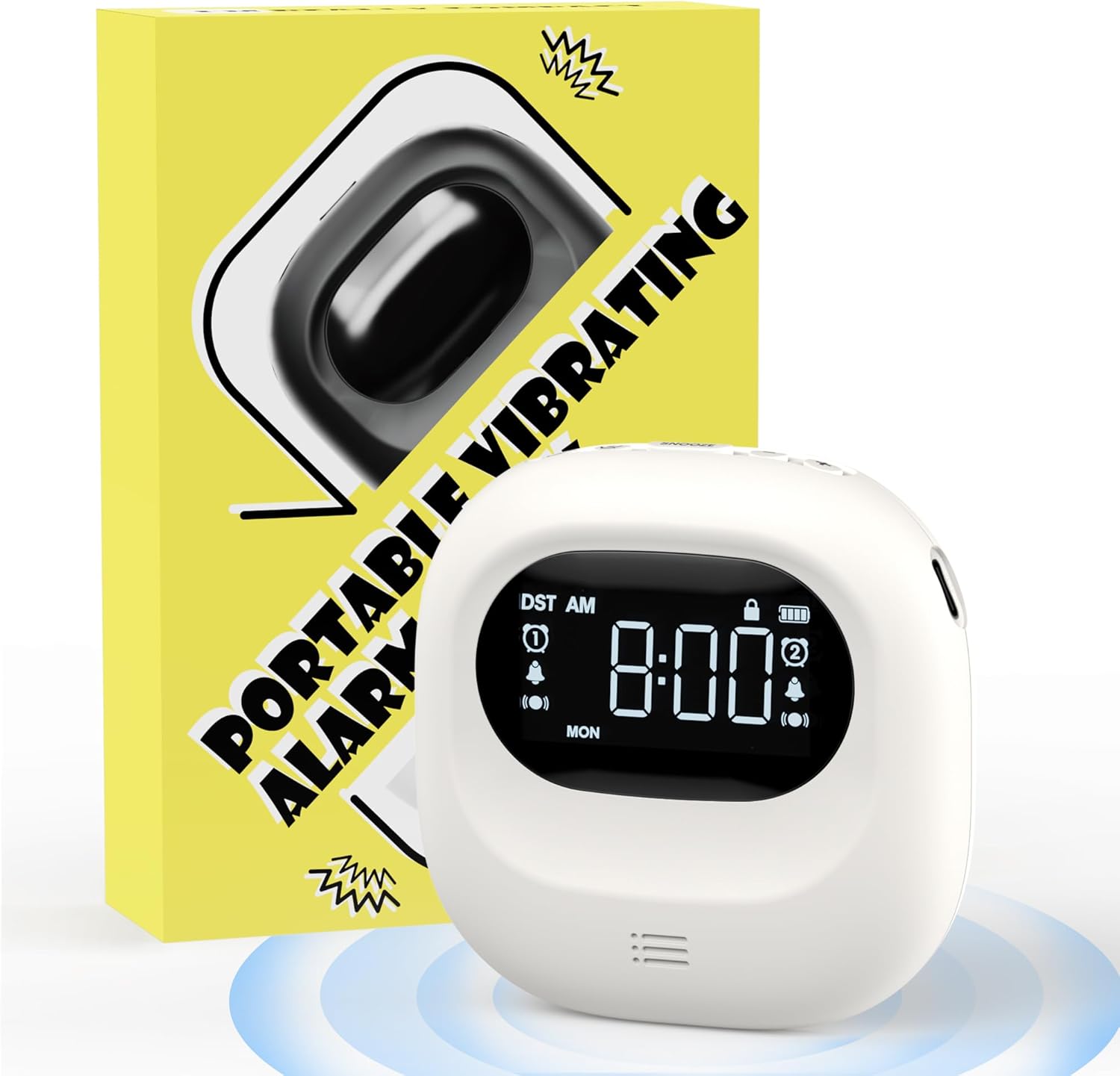
Image: The Roxicosly Cordless Vibrating Clock and Bed Shaker shown alongside its product packaging.
Producte acabatview
The Roxicosly Cordless Vibrating Clock is designed to provide a reliable and discreet wake-up experience. Its compact size and cordless design make it ideal for use under a pillow or for travel.
Característiques principals:
- Disseny sense fil: Operates without tangled wires, offering flexibility in placement.
- Adjustable Vibration Intensity: Choose from High, Medium, or Low vibration levels.
- Múltiples modes d'alarma: Wake up with Vibration+Alarm, Vibration Only, or Alarm Only.
- Doble alarma: Set two independent alarms with Weekday/Weekend/All 7 Days modes.
- Llarga vida útil de la bateria: Built-in 3000mAh rechargeable battery provides up to 160 days of usage on a single charge (lowest settings).
- Càrrega USB-C: Interfície de càrrega convenient i moderna.
- Bloqueig per a nens: Evita les pulsacions accidentals de botons.
- Funció de posposar: Allows for temporary alarm delay.
- Compacte i portàtil: Measures 3.35 x 3.35 x 1 inch, weighing 0.3lb (135g).
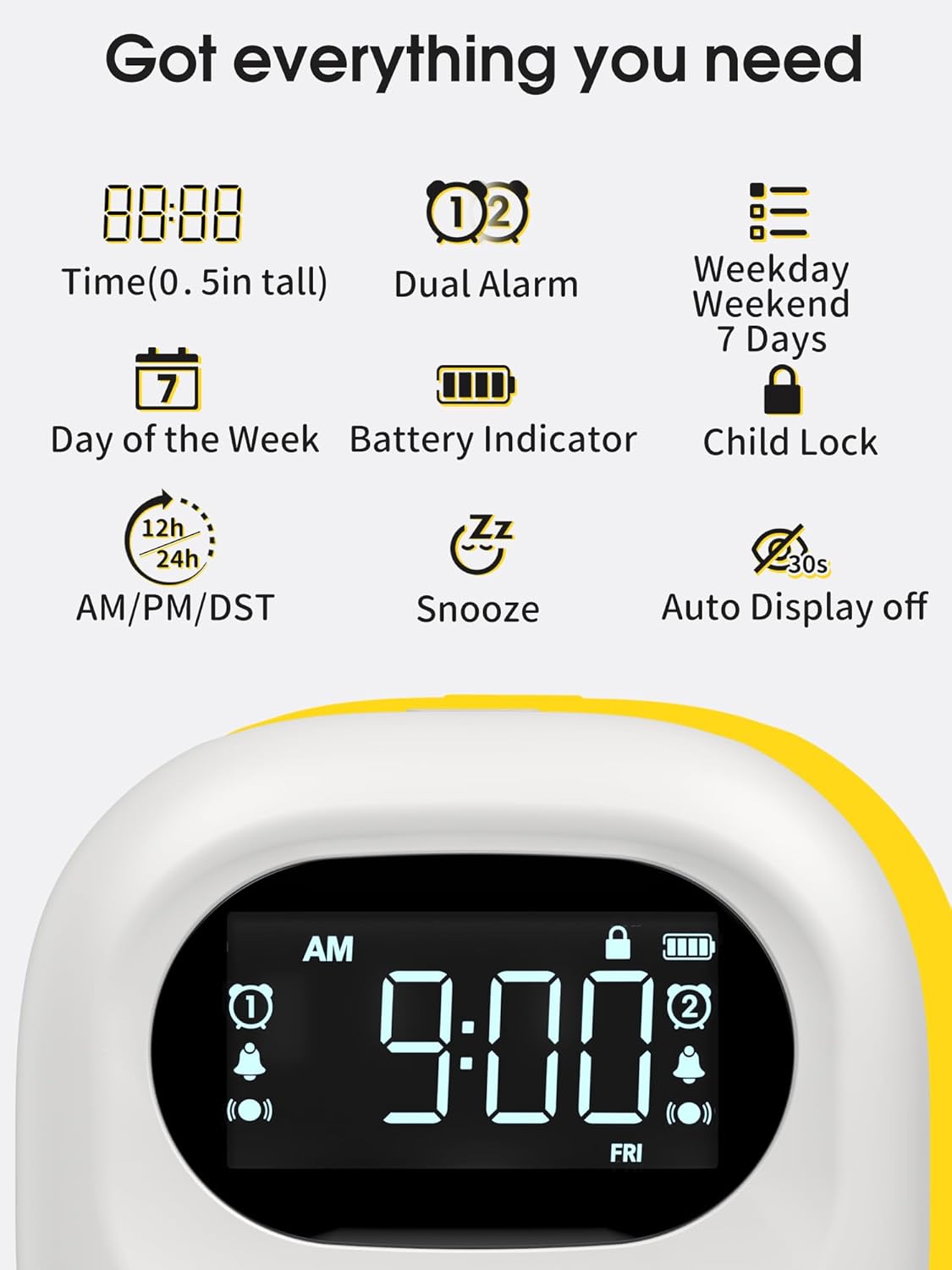
Image: A visual representation of the clock's display, highlighting features such as time, dual alarm indicators, day of the week, battery level, and child lock icon.
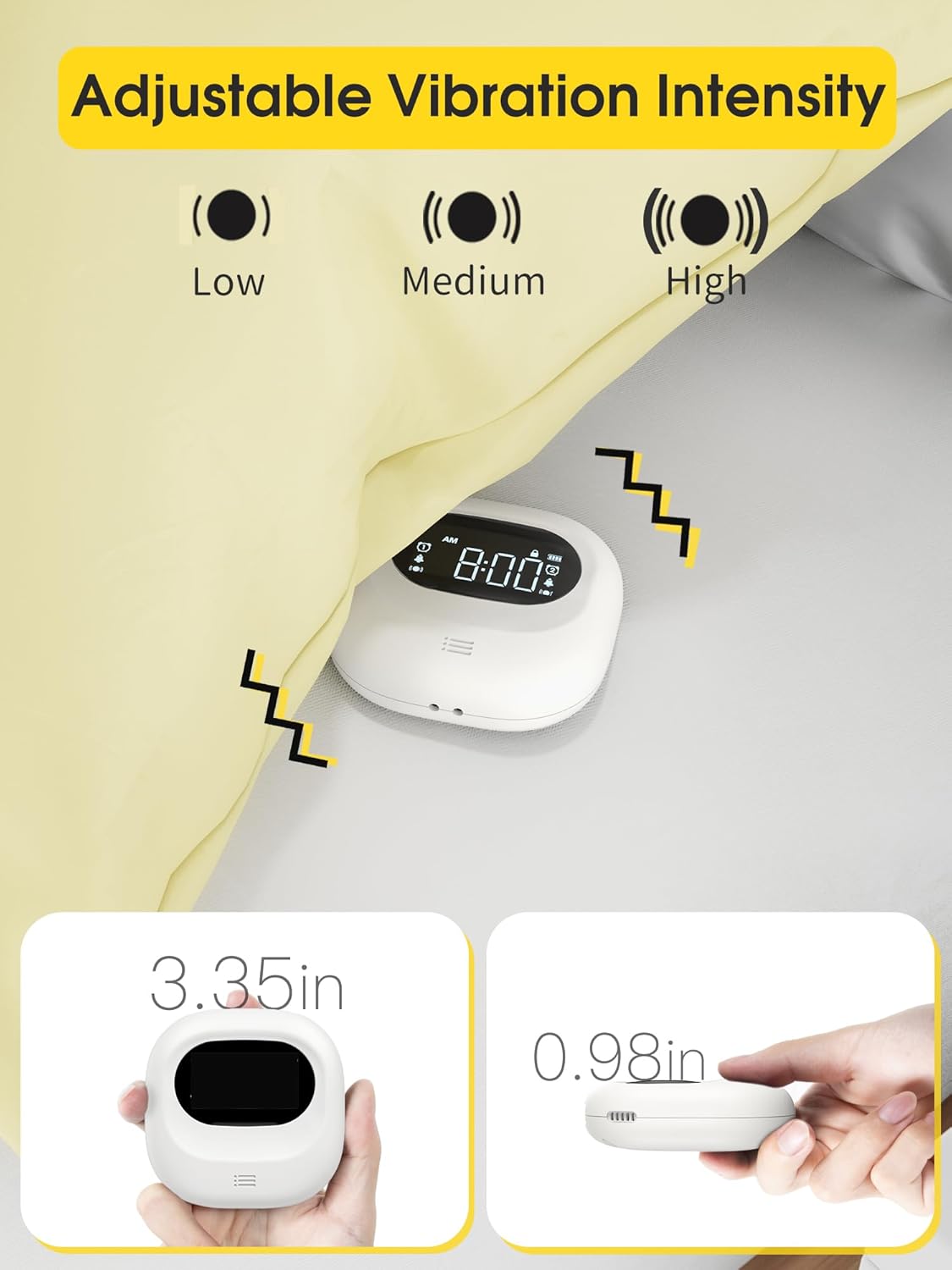
Image: The clock demonstrating its adjustable vibration intensity (Low, Medium, High) and its compact dimensions of 3.35 inches width and 0.98 inches thickness.
Configuració
Càrrega del dispositiu
Before first use, fully charge the clock. Connect the provided USB-C cable to the charging port on the device and plug the other end into a USB power adapter (not included) or a computer USB port. The battery indicator on the screen will show charging status.

Image: The clock connected to a USB-C charging cable, illustrating the charging process and the battery indicator on the display.
Encès inicial
Once charged, the clock will automatically power on. If not, press and hold the power button (if available, otherwise it's always on when charged) to activate the display.
Instruccions de funcionament
Establiment de l'hora
- Press the "Time Set" button (refer to device for exact button label, typically a gear or clock icon).
- Use the "+" and "-" buttons to adjust the hour.
- Press "Time Set" again to move to minute adjustment, then use "+" and "-" buttons.
- Continue pressing "Time Set" to cycle through 12/24-hour format and AM/PM settings.
- Confirm settings by waiting a few seconds or pressing a "Set" button.
Configuració d'alarmes (alarma dual)
El rellotge admet dues alarmes independents (Alarma 1 i Alarma 2).
- Press the "Alarm 1 Set" button (or similar, typically an alarm clock icon with '1').
- Use "+" and "-" buttons to set the desired alarm hour.
- Press "Alarm 1 Set" again to set the alarm minute.
- Cycle through alarm modes (Vibration+Alarm, Vibration Only, Alarm Only) using the "Mode" button or by repeatedly pressing "Alarm 1 Set".
- Adjust alarm volume (if in Alarm or Vibration+Alarm mode) using "+" and "-" buttons.
- Adjust vibration intensity (if in Vibration or Vibration+Alarm mode) using a dedicated vibration button or by cycling through options.
- Set the alarm frequency: Weekday (Mon-Fri), Weekend (Sat-Sun), or All 7 Days (Mon-Sun).
- Repeat steps for "Alarm 2 Set" button to configure the second alarm.
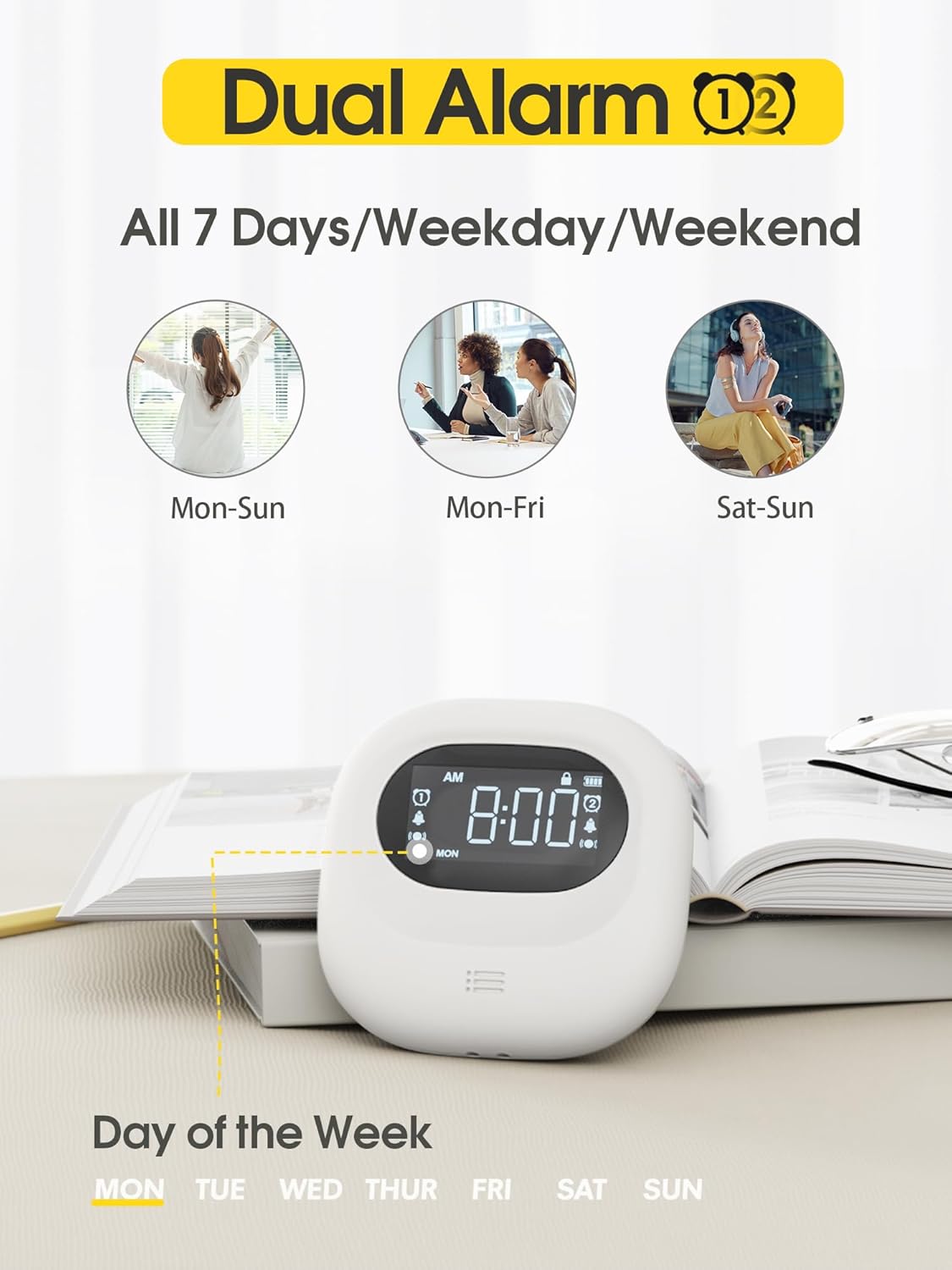
Image: The clock display illustrating the dual alarm feature and options for setting alarms for all 7 days, weekdays, or weekends.

Image: The clock showcasing its three distinct alarm modes: Vibration Only, Buzzer Only (audible alarm), and a combination of Vibration and Buzzer.
Funció de posposar
When an alarm sounds, press the large "Snooze" button (typically located in the center) to temporarily silence the alarm. The alarm will sound again after a set snooze interval (e.g., 9 minutes).
Bloqueig infantil
To prevent accidental changes to settings, slide the "Child Lock" switch on the back of the device to the locked position. This will disable most buttons until unlocked.
Manteniment
Neteja
Netegeu el dispositiu amb un drap suau i sec. No utilitzeu productes de neteja abrasius ni dissolvents, ni submergiu el dispositiu en aigua.
Emmagatzematge
When not in use for extended periods, store the clock in a cool, dry place. Ensure it is fully charged before storing to maintain battery health.
Resolució de problemes
| Problema | Causa possible | Solució |
|---|---|---|
| El dispositiu no s’encén. | Bateria baixa. | Carregueu el dispositiu amb el cable USB-C. |
| L'alarma no sona/vibra. | Alarm is off, volume is too low, or vibration is disabled. | Ensure the alarm is enabled, check alarm mode settings (Vibration+Alarm, Vibration Only, Alarm Only), and adjust volume/vibration intensity. |
| La configuració no es pot canviar. | Child Lock is engaged. | Slide the Child Lock switch on the back of the device to the unlocked position. |
| Inaccurate time display. | Hora no configurada correctament. | Refer to "Setting the Time" section to reset the time. |
Especificacions
- Marca: Roxicosly
- Model: Cordless Vibrating Clock and Bed Shaker
- Color: Negre
- Tipus de visualització: Digital
- Característica especial: Loud Alarm, Adjustable Vibration
- Dimensions del producte: 3.35"W x 3.35"H x 1"D (approximate, based on 0.98in thickness)
- Font d'alimentació: Funciona amb bateria (recarregable)
- Capacitat de la bateria: 3000 mAh
- Port de càrrega: USB-C
- Material del marc: Acrilonitril butadiè estirè (ABS)
- Despertador: Yes, Dual Alarm
- Mode de funcionament: Elèctric
- Forma del rellotge: Viatjar
Garantia i Suport
Roxicosly products are designed for reliability and performance. For warranty information or technical support, please refer to the warranty card included with your purchase or visit the official Roxicosly website. If you encounter any issues not covered in this manual, please contact our customer service team for assistance.
Informació de contacte: Please refer to your product packaging or the Roxicosly official weblloc web per obtenir les dades de contacte més actualitzades.