
1. Introducció
This manual provides detailed instructions for the safe and efficient operation, maintenance, and troubleshooting of your KHZKHC Coin Counter Sorter Machine. Please read this manual thoroughly before using the machine to ensure proper function and longevity.
2. Informació de seguretat
- Ensure the power supply matches the machine's requirements (220V/50Hz or 110V/60Hz).
- Do not operate the machine in excessively humid or dusty environments.
- Mantingueu les mans i la roba solta allunyades de les peces mòbils durant el funcionament.
- Desendolleu la màquina abans de realitzar qualsevol manteniment o neteja.
- This machine sorts coins by diameter and thickness; it does not test for coin authenticity.
3. Contingut del paquet
Verifiqueu que tots els elements que s'enumeren a continuació s'inclouen al vostre paquet:
- Host unit (Coin Counter Sorter Machine) x1
- Suport x2
- Cloth bag x1
- Coin receiving box x1
- Cable d'alimentació x1
- Manual d'instruccions x1
4. Producte acabatview i Components
Familiarize yourself with the main components of your coin counter sorter machine.

Figura 4.1: En general view of the KHZKHC Coin Counter Sorter Machine. This image displays the machine from an angled perspective, showing the large coin hopper at the top, the control panel with digital displays, and the coin sorting mechanism at the bottom.
Components clau:
- Coin Storage Bucket/Hopper: The top-mounted container where coins are initially placed for sorting. It has a large capacity, capable of holding up to 3,000 pieces.
- Coin Receiving Hopper/Box: Located at the bottom, this component collects the sorted coins. A cloth bag or other container can be used here.
- Tauler de control: Features a 5-digit digital tube display for counting and a 4-digit digital tube display for preset numbers, along with control buttons.
- Diameter Adjustment Knob: Used to set the desired coin diameter (14mm to 34mm).
- Maneta d'ajust de gruix: Used to set the desired coin thickness (1.0mm to 3.4mm).

Figura 4.2: Primer pla view of the coin storage bucket. This shows the large capacity hopper where coins are loaded before sorting. It is designed to hold a significant volume of coins for efficient processing.

Figura 4.3: Detail of the adjustment knobs. This image highlights the two rotary knobs used to precisely set the diameter and thickness parameters for the coins to be sorted, ensuring accurate separation.
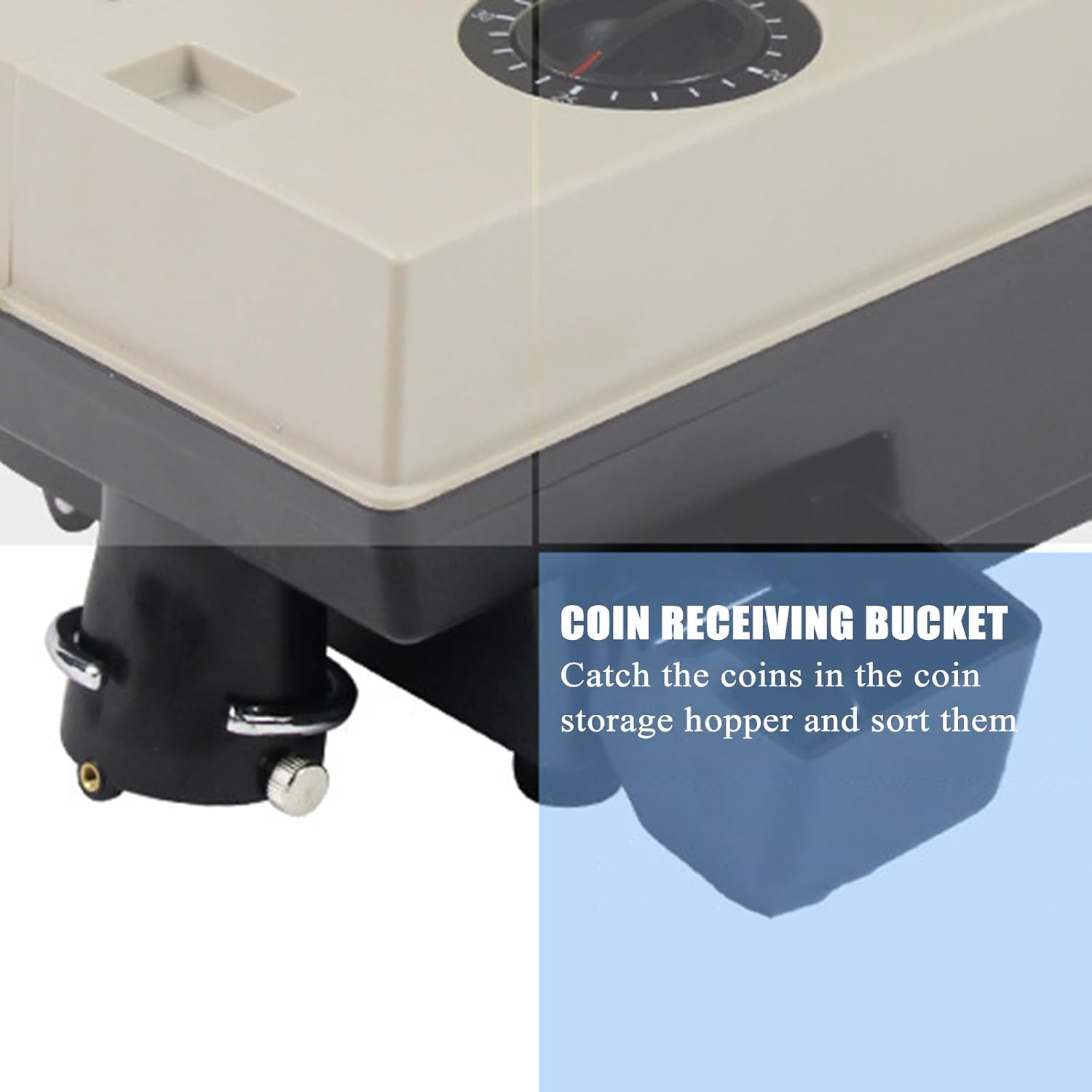
Figura 4.4: View of the coin receiving box. This small container is attached to the bottom of the machine to collect the sorted coins as they exit the sorting mechanism.
5. Configuració
- Desembalatge: Traieu amb cura tots els components de l'embalatge. Conserveu l'embalatge per a futurs transports o emmagatzematges.
- Col·locació: Place the main unit on a stable, level surface. Ensure adequate space around the machine for operation and ventilation.
- Col·loca els suports: Securely attach the two provided brackets to the designated slots on the machine.
- Install Coin Receiving Box: Attach the coin receiving box to the outlet chute at the bottom of the machine. Alternatively, place the provided cloth bag or another suitable container directly under the sorting outlet.
- Connexió d'alimentació: Connect the power cord to the machine and then plug it into a grounded electrical outlet matching the machine's voltage requisits.
6. Instruccions de funcionament
6.1 Funcionament bàsic
- Encès: Turn on the machine using the power switch. The digital displays will illuminate.
- Adjust Coin Parameters:
- Utilitza el Diameter Adjustment Knob to set the desired coin diameter (14mm to 34mm).
- Utilitza el Perilla d'ajust de gruix to set the desired coin thickness (1.0mm to 3.4mm).
- Nota: These settings determine which coins will be counted and sorted. Coins outside these parameters will not be counted.
- Carregar monedes: Place the coins to be sorted into the large coin storage hopper at the top of the machine.
- Start Sorting: Press the "Start" button on the control panel. The machine will begin sorting and counting the coins.
- Pantalla del monitor: The 5-digit digital tube display will show the current count of sorted coins.
- Stop Sorting: Press the "Stop" button to halt the sorting process at any time.
6.2 Preset Sorting
The machine allows you to set a target number of coins to sort. Once this number is reached, the machine will automatically stop.
- Set Preset Number: Before starting, use the control panel buttons to input the desired preset count (1 to 9999) into the 4-digit digital tube display.
- Start Sorting: Press the "Start" button. The machine will sort until the preset number is reached.
- Parada automàtica: Once the preset count is achieved, the machine will automatically stop, and the display will show the reached number.
6.3 Cumulative Counting
The machine can accumulate the total number of coins sorted across multiple operations without automatically clearing the count.
- Refer to the control panel instructions for enabling or disabling the automatic clearing of the count value.
- When cumulative counting is active, the total number of coins sorted will be added to the previous count.
7. Manteniment
Un manteniment regular garanteix un rendiment òptim i allarga la vida útil de la màquina.
- Cleaning Coin Jams: If coins become stuck, turn off and unplug the machine. Remove the side cover to access the internal mechanism and carefully clear any obstructions.
- Substitució del cinturó: Over time, the internal belt may wear out. If sorting performance degrades, turn off and unplug the machine. Remove the side cover and replace the worn belt with a new one. Refer to the specific instructions for belt replacement if provided in a separate service manual.
- Neteja general: Periodically wipe the exterior of the machine with a soft, dry cloth. Avoid using abrasive cleaners or solvents.
8. Solució De Problemes
The machine is equipped with a fault self-checking system that displays corresponding error codes to assist with diagnosis.
- Codis d'error: If a fault occurs, the machine will display a specific fault code on the digital display. Consult the table below (if available in a separate appendix or service guide) for the meaning of each code and recommended actions.
- Coins Not Sorting/Counting:
- Check if the diameter and thickness adjustment knobs are correctly set for the coins being processed.
- Ensure there are no coin jams (refer to Maintenance section).
- Verify the coin receiving box or bag is properly positioned.
- La màquina no s'encén:
- Comproveu si el cable d'alimentació està ben connectat tant a la màquina com a la presa de corrent.
- Assegureu-vos que la presa de corrent funcioni.
9. Especificacions
| Característica | Especificació |
|---|---|
| Nom del producte | Coin Counter Sorting Machine |
| Font d'alimentació | 220V / 50Hz o 110V / 60Hz |
| Consum d'energia de la màquina | 65W (approx) |
| Tray Capacity (Coin Storage Bucket) | 3000 peces |
| Coin Diameter Range | 14 mm ~ 34 mm |
| Coin Thickness Range | 1.0 mm ~ 3.4 mm |
| Display de recompte | 5-digit digital tube display |
| Preset Number Display | 4-digit digital tube display |
| Interval de recompte | 1-99999 |
| Interval preestablert | 1-9999 |
| Velocitat de recompte | 1500 peces/minut |
| Temperatura ambient | 0 °C ~ 40 °C |
| Humitat ambiental | 30% ~ 80% |
| Pes brut | 13.8kg/set |
| Dimensions de la màquina (L x A x A) | 40 cm x 23 cm x 36 cm |

Figura 9.1: Diagram illustrating the dimensions of the coin counter sorter machine. The image shows the length (40cm), width (23cm), and height (36cm) of the unit for placement and space planning.
10. Garantia i Suport
For warranty information, technical support, or service inquiries, please contact KHZKHC customer service through your purchase platform or the official KHZKHC weblloc web. Si us plau, tingueu a mà el model del producte i la data de compra quan us poseu en contacte amb el servei d'assistència.