
AcclaFit KM15
AcclaFit Smart Watch KM15 User Manual
Model: KM15
Introducció
Thank you for choosing the AcclaFit Smart Watch KM15. This manual provides essential information for setting up, operating, and maintaining your new smartwatch. The KM15 is designed to enhance your daily life with its comprehensive fitness tracking, smart communication features, and stylish design. Please read this manual thoroughly to ensure optimal performance and longevity of your device.

Image: The AcclaFit Smart Watch KM15, showcasing its main display with time, date, weather, and activity data, alongside a smaller inset showing an incoming call notification.
Què hi ha a la caixa
Upon opening your AcclaFit Smart Watch KM15 package, please verify that all the following items are included:
- AcclaFit Smart Watch (KM15)
- Manual d'usuari
- Banda de guaita
- Cable de càrrega
Configuració
1. Càrrega del dispositiu
Before first use, fully charge your AcclaFit Smart Watch KM15. Connect the provided charging cable to the charging port on the back of the watch and plug the USB end into a compatible power adapter (not included) or a computer's USB port.

Imatge: Primer pla view of the back of the AcclaFit Smart Watch, highlighting the charging contacts and the optical heart rate sensor.
2. Installing the FitPro App
To unlock the full potential of your smartwatch, download and install the "FitPro" app on your smartphone. The app is compatible with Android 5.0+ and iOS 9.2+ smart phones.
- Scan the QR code provided in the watch's packaging or on the watch screen (if available) to download the app.
- Alternatively, search for "FitPro" in your smartphone's app store (Google Play Store for Android, Apple App Store for iOS).
- You can also visit the official FitPro download page: FitPro Download

Image: A smartphone displaying the FitPro app interface, with a QR code and text indicating compatibility with Android 5.0+ and iOS 9.2+.
3. Emparellament amb el telèfon intel·ligent
- Assegureu-vos que el Bluetooth estigui habilitat al vostre telèfon intel·ligent.
- Open the FitPro app and follow the on-screen instructions to add your device.
- Select "KM15" or the corresponding device name from the list of available Bluetooth devices.
- Confirma la sol·licitud d'emparellament tant al rellotge com al telèfon intel·ligent.
Funcionament del rellotge intel·ligent
Navegació bàsica
- Pantalla tàctil: The 2.01-inch HD full touch screen allows for intuitive navigation. Swipe left, right, up, or down to access different functions and menus.
- Botó lateral: Premeu el botó lateral per activar la pantalla, tornar a la pantalla d'inici o accedir al menú principal.

Image: A person's wrist wearing the AcclaFit Smart Watch, demonstrating the large, clear touch screen display.
Control de trucades i música
The KM15 features a built-in microphone and speaker, enabling direct call management and music control from your wrist.
- Fer/Rebre trucades: After connecting to your phone via the FitPro app, you can make or receive calls directly on the watch.
- Reproducció de música: Control music playback on your smartphone or play music directly through the watch speaker.

Image: A split image showing the AcclaFit Smart Watch with music playback controls on one side and a phone call interface on the other, demonstrating its communication and entertainment features.
Smart Features & Notifications
Stay connected and informed with smart alerts and convenient features:
- Notificacions: Receive alerts for SMS, social media apps (Twitter, Facebook, Messenger, Viber, etc.).
- Control multimèdia: Manage media playback on your phone.
- Ajust de brillantor: Ajusta la brillantor de la pantalla per a una òptima viewing.
- Actualitzacions meteorològiques: Obtén informació meteorològica en temps real.
- Control remot de la càmera: Fes servir el rellotge com a disparador remot per a la càmera del telèfon.
- Recordatoris de sedentarisme: Rep alertes per moure't després de períodes d'inactivitat.
- Alarm & Stopwatch: Utilize built-in alarm and stopwatch functions.
- Troba el meu telèfon: Locate your misplaced smartphone using the watch.

Image: A collage of images showing the AcclaFit Smart Watch displaying incoming calls, social media notifications, and a user interacting with the watch on their wrist.
Fitness & Health Monitoring
The KM15 is equipped with advanced sensors to help you monitor your health and fitness progress.
Múltiples modes esportius
With over 140+ sport modes, the smartwatch tracks your heart rate, distance, calories burned, and total activity time in real-time, helping you optimize your workout rhythm and achieve fitness goals more effectively.
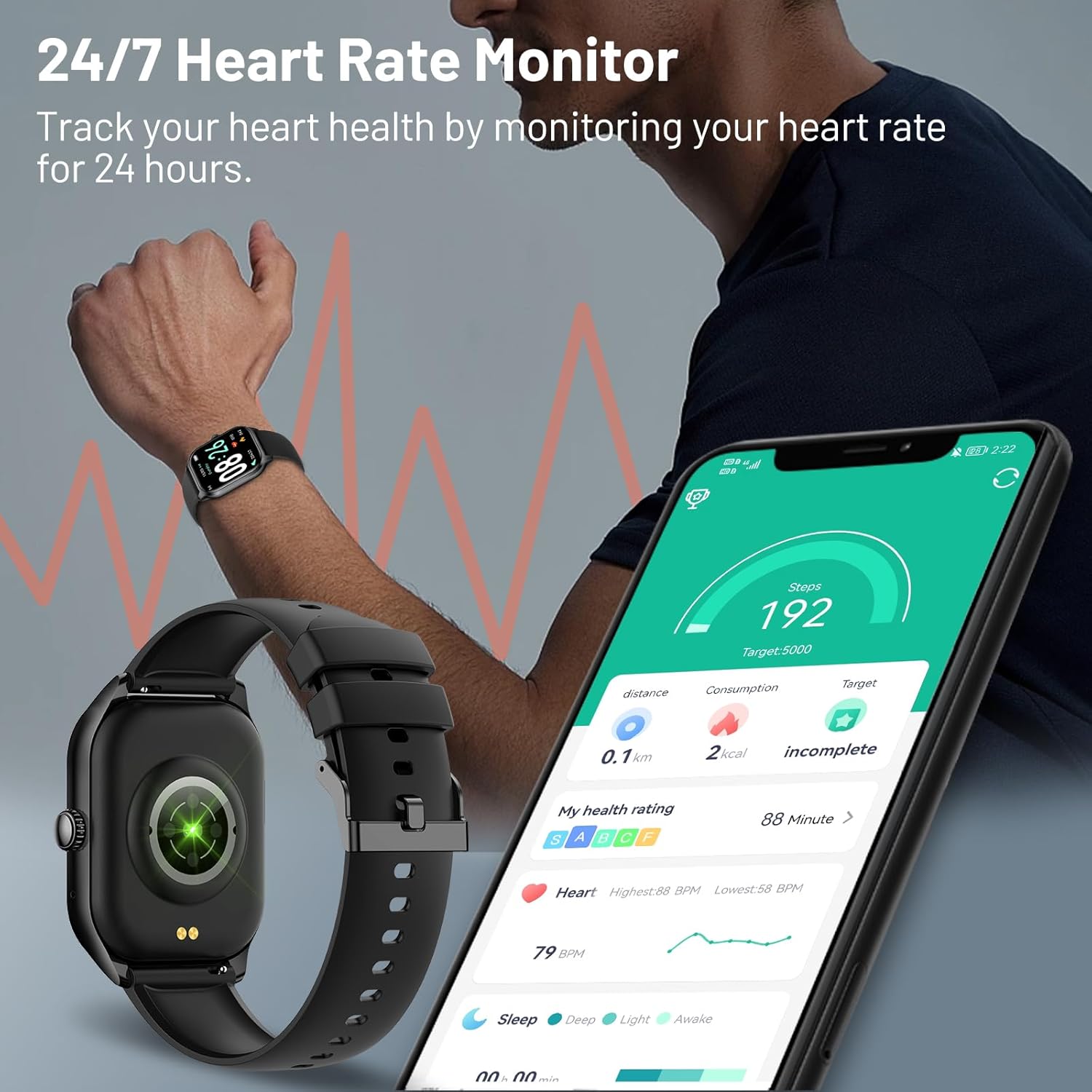
Image: The AcclaFit Smart Watch screen showing a list of sports modes, including Tennis, Volleyball, Football, and Badminton, with a background image of people exercising.

Image: A man running outdoors, with icons representing various sports activities like running, basketball, cycling, and football, emphasizing the watch's multiple sports modes.
Monitor de freqüència cardíaca 24/7
Track your heart health by continuously monitoring your heart rate for 24 hours. Get deep insights into your health, including notifications if you have an irregular rhythm or an unusually high or low heart rate.

Image: A man wearing the AcclaFit Smart Watch, which displays heart rate data. A smartphone in the foreground shows detailed health metrics, including steps, distance, and heart rate graphs.

Image: Three close-up views of the AcclaFit Smart Watch screen, showing real-time readings for heart rate, blood pressure, and blood oxygen saturation (SpO2).
Detecció d'oxigen en sang
The watch supports real-time blood oxygen detection. Drowsiness and fatigue after high-intensity exercise or work can be signs of insufficient oxygen in the body. Raise your wrist to detect the blood oxygen level and help you adjust your state in time.

Image: The AcclaFit Smart Watch worn on a wrist, with a smartphone displaying the FitPro app's blood oxygen (SpO2) monitoring interface, showing current and historical readings.
Monitorització del son
The KM15 can monitor your sleep stages (deep sleep, light sleep, awake time) to help you understand your sleep cycles and track the quality of your rest. Set a schedule on your wrist to turn sleep mode on automatically to mute smartphone notifications and stop your screen from turning on at night.

Image: A woman sleeping comfortably, with the AcclaFit Smart Watch on her wrist displaying sleep duration and a graph of sleep stages.
Personalització
Personalize your AcclaFit Smart Watch KM15 to match your style and preferences.
Esferes de rellotge personalitzades
Choose from over 100 customizable watch faces available through the FitPro app. You can even upload your own photos to create a personalized watch face.

Image: The AcclaFit Smart Watch showcasing its large, high-resolution display with a vibrant dolphin image as a watch face, alongside smaller examples of other customizable watch faces.

Image: A close-up of the AcclaFit Smart Watch displaying a custom watch face with a family photo, illustrating the personalization feature.
Manteniment
Resistència a l'aigua (IP68)
The KM15 is equipped with IP68 waterproof technology. You can wear it while swimming, washing your hands, or showering. It is designed to cope with common water contact in daily life.
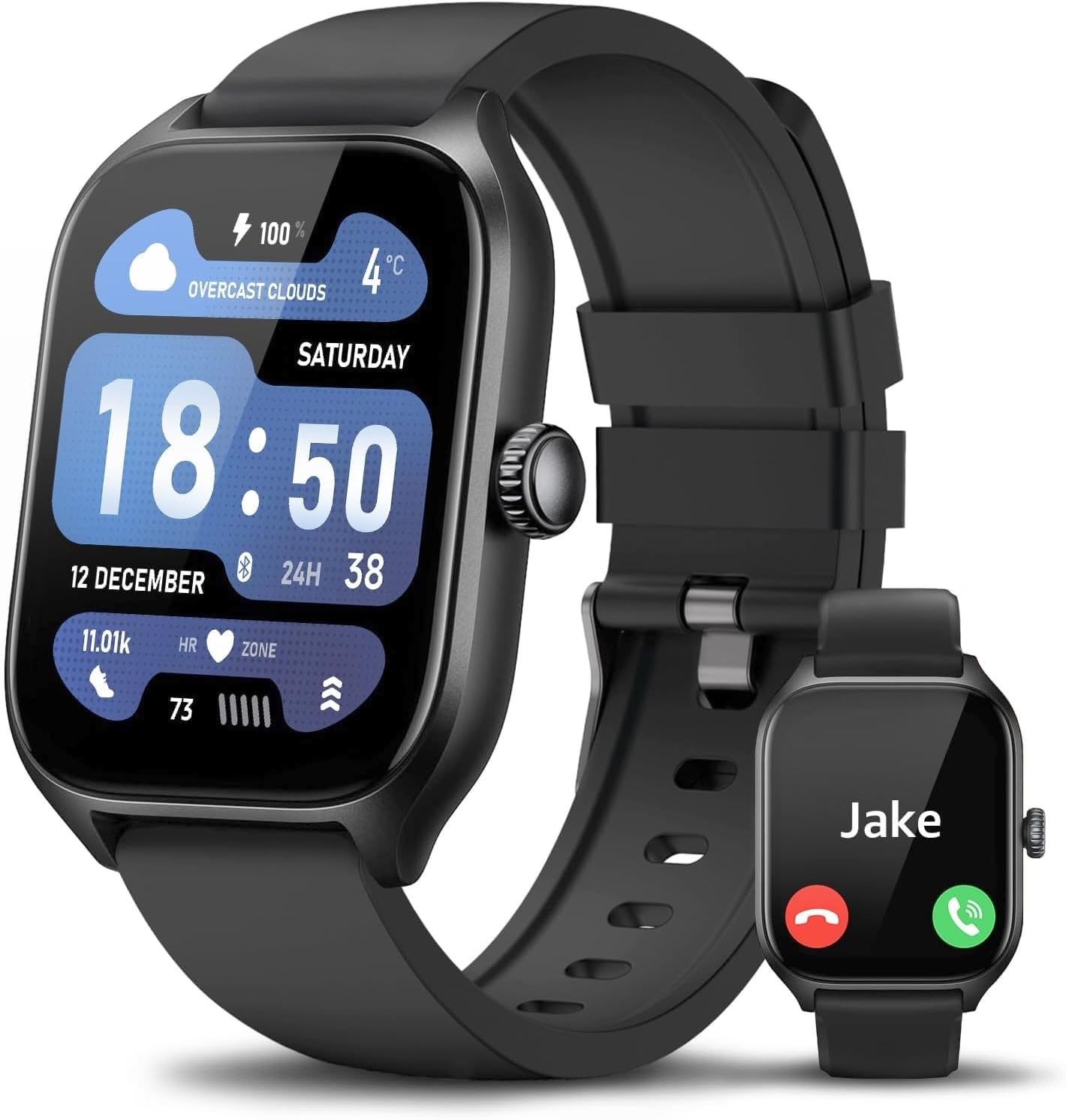
Image: The AcclaFit Smart Watch partially submerged in water, with text indicating "IP68 Wasserdicht" (IP68 Waterproof) and icons for swimming and other water activities.

Image: A person's hand wearing the AcclaFit Smart Watch submerged in a swimming pool, illustrating its IP68 waterproof capability.
Neteja i cura
- Netegeu el rellotge i la corretja regularment amb un drap suau i sec.amp tela.
- Eviteu utilitzar productes químics o materials abrasius.
- Assegureu-vos que els contactes de càrrega estiguin nets i secs abans de carregar.
Resolució de problemes
If you encounter issues with your AcclaFit Smart Watch KM15, please refer to the following common solutions:
| Problema | Possible solució |
|---|---|
| El rellotge no s'encén/no es carrega | Ensure the charging cable is securely connected to both the watch and a power source. Check if the charging contacts are clean. Try a different USB port or power adapter. |
| No es pot emparellar amb el telèfon intel·ligent | Ensure Bluetooth is enabled on your phone and the watch is within range. Restart both the watch and your phone. Clear the Bluetooth cache on your phone. Make sure the FitPro app is updated to the latest version. |
| Inaccurate health data (HR, Steps) | Ensure the watch is worn snugly on your wrist, not too tight or too loose. Clean the sensor on the back of the watch. Calibrate the app if there's an option. Note that smartwatches are not medical devices and readings are for reference only. |
| No apareixen notificacions | Check notification permissions for the FitPro app in your phone's settings. Ensure the app is running in the background. Verify that notifications are enabled within the FitPro app for specific applications. |
| Durada de la bateria curta | Reduce screen brightness. Turn off unnecessary features like continuous heart rate monitoring if not needed. Limit the number of active notifications. |
Especificacions
| Característica | Detall |
|---|---|
| Número de model | KM15 |
| Mida de la pantalla | 2.01 polzades |
| Tipus de visualització | Pantalla tàctil completa HD |
| Connectivitat | Bluetooth |
| Resistència a l'aigua | IP68 |
| Bateria | 1 C battery (included), Lithium Ion composition |
| Capacitat d'emmagatzematge de memòria | 128 MB |
| Sistema operatiu | Wear OS 3.0 |
| Aplicació compatible | FitPro (Android 5.0+ / iOS 9.2+) |
| Dimensions del producte | 26 x 4.5 x 1 cm; 90 g |
| Fabricant | AcclaFit |
| País d'origen | Xina |
Garantia i Suport
For warranty information or technical support, please contact AcclaFit customer service through the contact details provided in your product packaging or on the official AcclaFit weblloc web. Si us plau, conserveu el comprovant de compra per a reclamacions de garantia.
Guaranteed software updates until: unknown.
Ask a question about this manual
Ask about setup, troubleshooting, compatibility, parts, safety, or missing instructions. Manuals+ will review the question and use this page’s manual context to help answer it.