
1. Introducció
This manual provides essential information for the safe and efficient operation of your GOBOULT Drift+ Smart Watch. Please read it thoroughly before using the device to ensure proper functionality and to understand all features. The GOBOULT Drift+ Smart Watch features a 1.85-inch HD display, Bluetooth calling capabilities, comprehensive health monitoring, and multiple sports modes.

Image 1.1: GOBOULT Drift+ Smart Watch overview.

Image 1.2: Key features of the GOBOULT Drift+ Smart Watch.
2. Què hi ha a la caixa
Upon opening your GOBOULT Drift+ Smart Watch package, please verify that all the following items are included:
- GOBOULT Drift+ Smart Watch
- Cable de càrrega
- Manual d'usuari (aquest document)
- Targeta de garantia
3. Configuració
3.1. Càrrega del dispositiu
Before initial use, fully charge your GOBOULT Drift+ Smart Watch. Connect the provided charging cable to the charging port on the back of the watch and a standard USB power adapter (not included). The watch typically takes approximately 2.5 hours to fully charge.
3.2. Instal·lació i emparellament de l'aplicació
To unlock the full potential of your smart watch, download and install the companion application on your smartphone. The app is compatible with both iOS and Android operating systems.
- Scan the QR code in the quick start guide or search for the official GOBOULT app in your smartphone's app store (Google Play Store for Android, Apple App Store for iOS).
- Instal·leu l'aplicació i creeu un compte o inicieu la sessió.
- Assegureu-vos que el Bluetooth estigui habilitat al vostre telèfon intel·ligent.
- Open the GOBOULT app, navigate to the device pairing section, and select your Drift+ Smart Watch from the list of available devices.
- Follow the on-screen prompts on both your watch and smartphone to complete the pairing process.
4. Com utilitzar el rellotge intel·ligent
4.1. Pantalla i navegació
The GOBOULT Drift+ features a 1.85-inch HD display with 500 nits brightness, ensuring clear visibility even in bright outdoor conditions. Navigate through menus and functions by swiping across the touchscreen and using the physical button on the side.
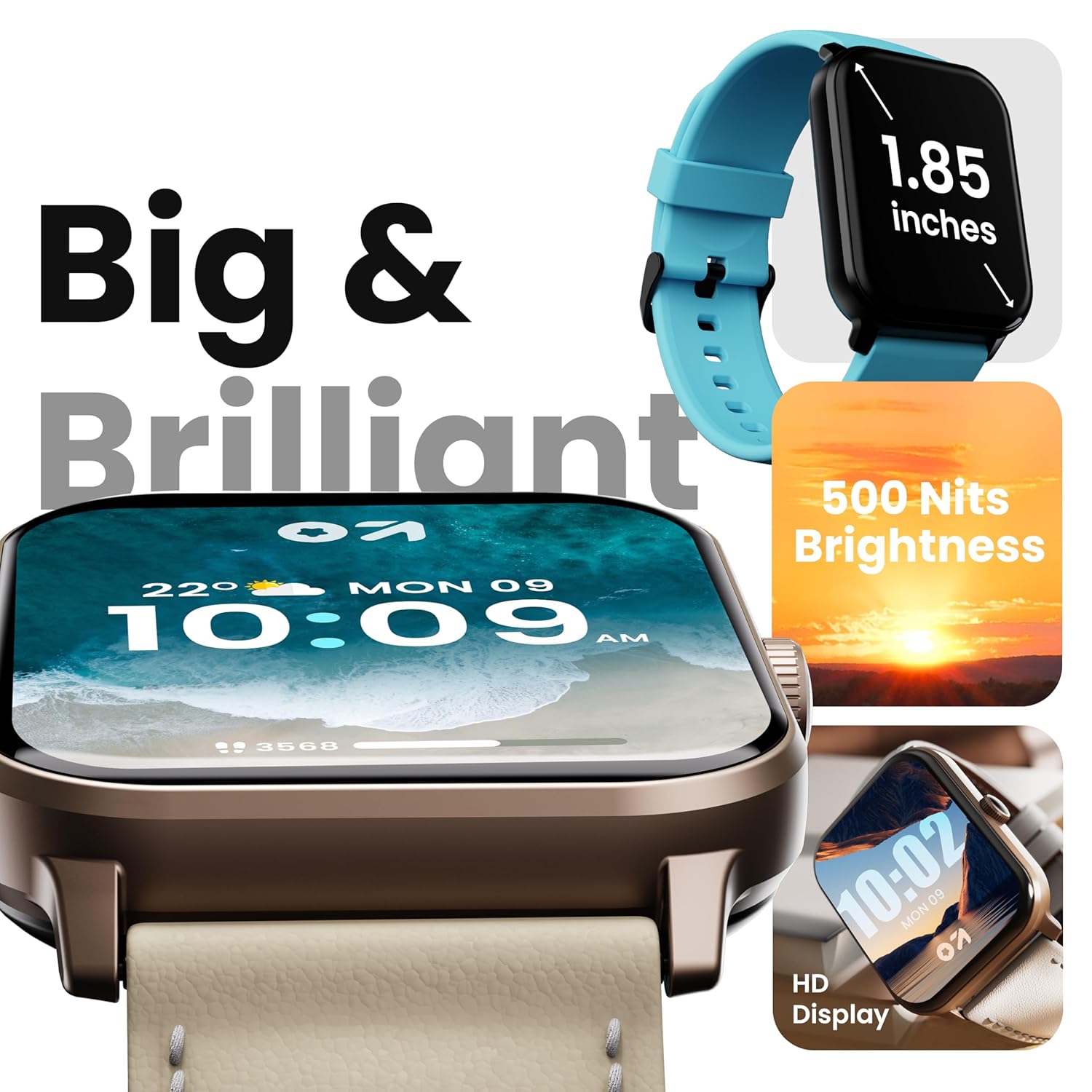
Image 4.1: High-definition display of the Drift+ Smart Watch.
4.2. Trucades per Bluetooth
The smart watch supports seamless Bluetooth calling with a built-in speaker and microphone. Once paired with your smartphone, you can answer, reject, or make calls directly from your wrist.
- Contestar trucades: When an incoming call is received, tap the green icon on the watch screen.
- Fer trucades: Access the dial pad or contact list through the watch interface to initiate a call.

Image 4.2: Bluetooth calling feature in action.
4.3. Monitorització de la salut
The Drift+ Smart Watch provides comprehensive health insights through various sensors:
- Monitorització de la freqüència cardíaca les 24 hores del dia: Registra contínuament la teva freqüència cardíaca durant tot el dia.
- SpO2 Blood Oxygen Tracking: Mesura els nivells de saturació d'oxigen a la sang.
- Monitorització de la pressió arterial: Provides estimates of blood pressure.
- Seguiment del cicle menstrual femení: Ajuda a controlar i predir els cicles menstruals.
- Recordatoris de beure aigua: Et recomana que et mantinguis hidratat/da.
- Recordatoris de sedentarisme: Encourages movement after periods of inactivity.
Note: Health monitoring data is for reference only and should not be used for medical diagnosis or treatment. Consult a medical professional for health-related concerns.

Image 4.3: Health monitoring features.
4.4. Modes esportius
The watch offers over 100 sports modes to track various physical activities. Select your desired sport from the watch menu to record data such as steps, distance, calories burned, and duration.

Image 4.4: Tracking activity with sports modes.
4.5. Esferes de rellotge i personalització
Personalize your watch with over 150 cloud-based watch faces. You can also create custom watch faces through the companion app to match your style.

Image 4.5: Watch face customization options.
4.6. Smart Notifications and AI Voice Assistant
Receive notifications from your favorite social applications and messages directly on your watch. The integrated AI voice assistant provides hands-free assistance for various tasks.
5. Manteniment
5.1. Resistència a l'aigua (IP68)
The GOBOULT Drift+ Smart Watch is IP68 water-resistant, meaning it is protected against dust and can withstand immersion in water up to 1.5 meters for up to 30 minutes. It is suitable for daily use, such as hand washing or light rain exposure. Avoid using it during swimming, diving, or in hot water/steam environments.

Image 5.1: IP68 water resistance.
5.2. Neteja i cura
Per mantenir l'aspecte i la funcionalitat del rellotge:
- Netegeu el rellotge i la corretja regularment amb un drap suau i sec.
- Si cal, utilitzeu una mica damp drap per netejar i després assecar bé.
- Eviteu utilitzar productes químics agressius, netejadors abrasius o dissolvents.
- Mantingueu els contactes de càrrega nets i secs.
5.3. Gestió de la bateria
The GOBOULT Drift+ offers extended battery life:
- Up to 7 days in regular usage mode.
- Up to 2-3 days with heavy Bluetooth calling.
- Up to 25 days in standby mode.
To optimize battery life, consider adjusting screen brightness, limiting background app refresh, and disabling unnecessary notifications.

Image 5.2: Battery life details.
6. Solució De Problemes
If you encounter issues with your GOBOULT Drift+ Smart Watch, refer to the following common solutions:
| Problema | Possible solució |
|---|---|
| El rellotge no s'encén | Assegura't que el rellotge estigui completament carregat. Connecta'l al carregador durant almenys 30 minuts. |
| No es pot emparellar amb el telèfon intel·ligent | Ensure Bluetooth is enabled on your phone and watch. Restart both devices. Make sure the watch is within range of your phone. Check if the app is updated. |
| Dades de salut inexactes | Assegureu-vos que el rellotge estigui ben ajustat al canell, ni massa ajustat ni massa fluix. Netegeu el sensor de la part posterior del rellotge. Eviteu un moviment excessiu durant les mesures. |
| No s'han rebut notificacions | Check app permissions on your phone to ensure notifications are allowed. Verify that notifications are enabled within the GOBOULT app settings. Ensure the watch is connected via Bluetooth. |
| Problemes amb les trucades per Bluetooth | Ensure the watch is properly connected for calls (sometimes a separate Bluetooth connection is needed for audio). Check volume settings on both watch and phone. |
7. Especificacions
| Característica | Detall |
|---|---|
| Marca | GOBOULT |
| Nom del model | Drift+ |
| Número de model de l'article | 8906133851347 |
| Mida de la pantalla | 1.85 polzades |
| Brillantor | 500 Nit |
| Resistència a l'aigua | IP68 |
| Connectivitat | Bluetooth 5.1 |
| Compatibilitat de sistemes operatius | iOS, Android |
| Tipus de bateria | Polímer de liti |
| Temps de càrrega de la bateria | 2.5 hores |
| Durada mitjana de la bateria | 7 Days (normal usage) |
| Pes de l'article | 38 g |
| Components inclosos | Rellotge intel·ligent, cable de càrrega, manual d'usuari, targeta de garantia |
8. Garantia i Suport
Your GOBOULT Drift+ Smart Watch comes with a standard manufacturer's warranty. Please refer to the included Warranty Card for specific terms, conditions, and duration of coverage. For technical support, service, or warranty claims, please contact GOBOULT customer service through the contact information provided on the warranty card or the official GOBOULT weblloc.
Manufacturer: Exotic Mile Private Limited, Boult Audio, B-67 Wazirpur Industrial Area, New Delhi 110052