
Introducció
Gràcies per la compraasing the SURFOU N95K Wireless Doorbell. This manual provides detailed instructions for the installation, operation, and maintenance of your new doorbell system. Please read this manual thoroughly before use to ensure proper functionality and to maximize the product's lifespan. This system includes one transmitter (push button) and two receivers (chimes).
Característiques del producte
- A punt per utilitzar: The doorbell set is pre-paired at the factory, allowing for immediate use upon receipt. No complex wiring or professional electrician is required.
- Interval sense fil ampliat: Offers a stable signal with strong anti-interference capabilities and 1-to-1 pairing. The wireless range can reach up to 400 meters (approximately 1312 feet) in an open, obstacle-free environment, suitable for various home and business settings.
- Sistema ampliable: Equipped with multiple learning codes and robust anti-interference technology. The system can be expanded by pairing additional SURFOU wireless doorbell components. Different melodies can be assigned to individual transmitters for precise identification of the activated door.
- Customizable Melodies & Volume: Choose from 55 classic melodies to suit your preference. The volume is adjustable across 5 levels, ranging from 0dB (silent mode) to 110dB.
- Alerta visual: Features an LED breathing light that flashes when the doorbell rings, providing a visual alert for the hearing impaired or in noisy environments.
- Funció de memòria: Retains your selected melody and volume settings even after a power outage, eliminating the need for re-configuration.
- Durador i resistent a la intempèrie: The transmitter is IP55 dustproof and waterproof, designed to withstand operating temperatures from -30°C to 70°C (-22°F to 158°F), making it suitable for various weather conditions.
- Eficient energètic: The transmitter operates on a 12V 23A battery with low power consumption, providing a lifespan of up to 3 years, reducing the frequency of battery replacement.
Contingut del paquet
Si us plau, verifiqueu que tots els elements siguin presents al paquet:
- 1 x Wireless Transmitter (Push Button)
- 2 x Plug-in Receivers (Chimes)
- 1 x 12V 23A Alkaline Battery (pre-installed in transmitter)
- 2 x Double-sided Adhesive Tapes
- 2 x cargols de muntatge
- 2 x Ancoratges de paret
- 1 x Manual d'usuari (aquest document)
Configuració i instal·lació
The SURFOU N95K Wireless Doorbell is designed for easy installation. The transmitter and receivers are pre-paired for your convenience.
1. Instal·lació del receptor
- Select a suitable indoor power outlet for each receiver. Consider locations where the chime can be easily heard throughout your desired area.
- Plug each receiver directly into a standard AC power outlet. The receiver will light up, indicating it is powered on and ready.
2. Instal·lació del transmissor
Choose a mounting location for the transmitter (push button) near your door. Ensure the surface is clean and dry.
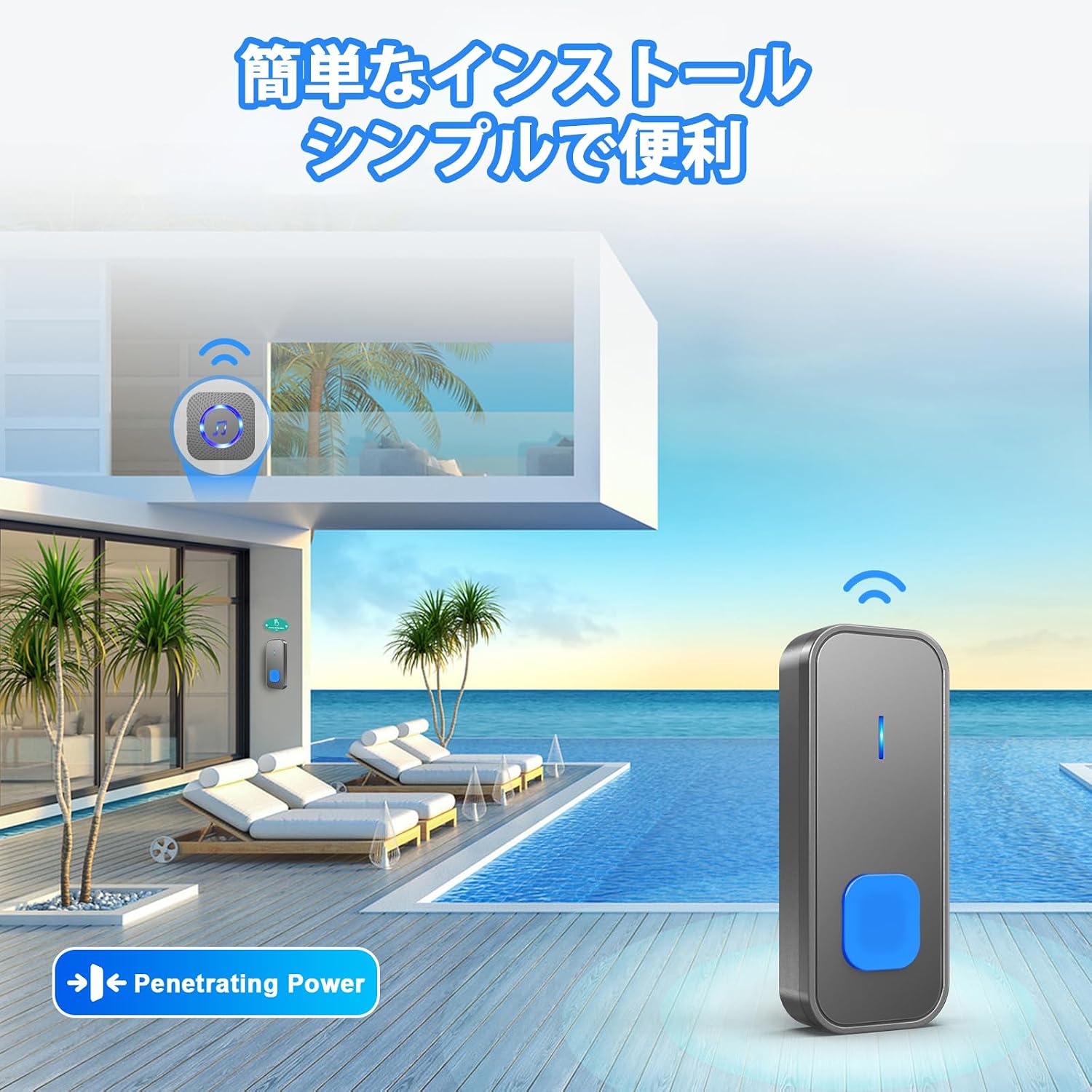
Figure 1: Easy installation of the SURFOU wireless doorbell system.
Method A: Using Double-Sided Adhesive Tape
- Clean the back of the transmitter and the desired mounting surface thoroughly.
- Peel off one side of the protective film from the double-sided adhesive tape and firmly attach it to the back of the transmitter.
- Peel off the other side of the protective film and press the transmitter firmly onto the wall or door frame for at least 30 seconds.
Method B: Using Screws
- Obriu la tapa posterior del transmissor.
- Mark the desired screw positions on the wall using the holes on the transmitter's back cover as a guide.
- Drill pilot holes at the marked positions. Insert wall anchors if necessary.
- Fixeu la coberta posterior a la paret amb els cargols proporcionats.
- Snap the transmitter unit onto its secured back cover.
3. Pairing Additional Transmitters/Receivers (Optional)
If you wish to add more transmitters or receivers, or if the existing units lose pairing:
- Connecteu el receptor.
- Premeu i manteniu premut el botó de volum del receptor durant 5 segons fins que l'indicador LED parpellegi ràpidament. Això indica el mode d'emparellament.
- Immediately press the push button on the transmitter. The receiver will chime and its LED will flash slowly, confirming successful pairing.
- Repeat for each additional transmitter or receiver.

Figure 2: The system supports multiple learning codes and unlimited expansion, allowing receivers to be placed in various locations like the entrance, back gate, and different rooms.
Instruccions de funcionament
1. Canvi de melodies
To select a different melody:
- Press the 'Melody Selection' button on the side of the receiver to cycle through the 55 available tunes.
- Once you hear your desired melody, stop pressing the button. The receiver will automatically save this selection due to its memory function.
2. Ajust de volum
Per ajustar el nivell de volum:
- Press the 'Volume' button on the side of the receiver to cycle through the 5 volume levels (0dB to 110dB).
- The lowest setting (0dB) activates silent mode, where only the LED light flashes.

Figure 3: The receiver offers 55 chimes and 5 volume levels, including a silent mode, suitable for various situations like sleeping or classroom settings.
3. Assigning Different Melodies to Multiple Transmitters
If you have multiple transmitters (e.g., front door, back door), you can assign a unique melody to each:
- Select your desired melody on the receiver using the 'Melody Selection' button.
- Enter pairing mode by pressing and holding the volume button for 5 seconds until the LED flashes rapidly.
- Immediately press the specific transmitter button you want to assign that melody to. The receiver will chime with the selected melody, confirming the assignment.
- Repeat this process for each additional transmitter with a different melody.
Manteniment
1. Neteja
- Wipe the doorbell units with a soft, dry cloth.
- No utilitzeu netejadors abrasius, dissolvents ni productes químics agressius, ja que poden danyar la superfície o els components interns.
2. Substitució de la bateria del transmissor
The transmitter uses a 12V 23A alkaline battery, which typically lasts up to 3 years. If the transmitter stops working or its range decreases significantly, the battery may need replacement.
- Carefully open the back cover of the transmitter using a small screwdriver or by prying it open if it's a snap-on design.
- Remove the old 12V 23A battery.
- Insert a new 12V 23A alkaline battery, ensuring correct polarity (+/-).
- Tanqueu la coberta posterior de manera segura.
3. Consideracions ambientals
The transmitter is IP55 rated, offering protection against dust and water splashes. While it can withstand various weather conditions, avoid submerging it in water or exposing it to extreme, prolonged moisture.
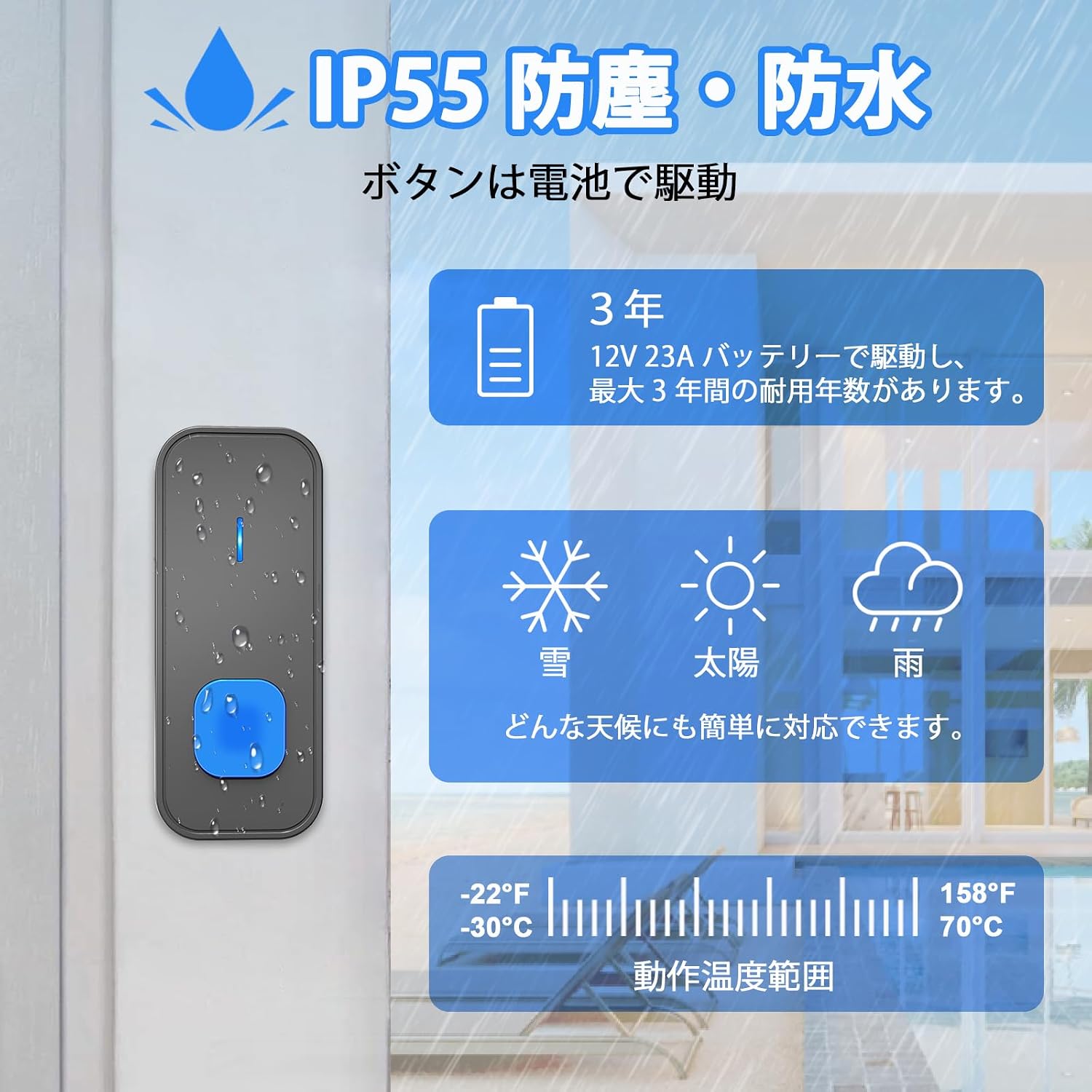
Figure 4: The IP55 rated transmitter is designed to operate reliably in diverse weather conditions and temperatures.
Resolució de problemes
| Problema | Causa possible | Solució |
|---|---|---|
| El timbre no sona. | 1. Transmitter battery is dead. 2. Receiver is unplugged or not powered. 3. Transmitter and receiver are not paired. 4. Distance is too far or too many obstacles. | 1. Replace the 12V 23A battery in the transmitter. 2. Ensure the receiver is securely plugged into a working power outlet. 3. Re-pair the transmitter and receiver (refer to 'Pairing' section). 4. Reduce the distance between units or relocate the receiver to a more central position. |
| Curt abast operatiu. | 1. Metal structures, thick walls, or other electronic devices interfering with the signal. 2. Low transmitter battery. | 1. Relocate the receiver or transmitter to avoid interference. Avoid mounting the transmitter on metal surfaces. 2. Substituïu la bateria del transmissor. |
| El LED del receptor parpelleja però no hi ha so. | Volume is set to silent mode (0dB). | Press the 'Volume' button to increase the volume level. |
| Receiver rings unexpectedly. | Interferències d'altres dispositius sense fil. | Re-pair the transmitter and receiver to reset the signal code. |
Especificacions
| Característica | Detall |
|---|---|
| Número de model | N95K |
| Marca | SURFOU |
| abast sense fils | Up to 400 meters (open air) |
| Melodies | 55 melodies seleccionables |
| Nivells de volum | 5 nivells (de 0 dB a 110 dB) |
| Font d'alimentació del transmissor | 1 x 12V 23A Alkaline Battery |
| Font d'alimentació del receptor | CA (endollable) |
| Classificació d'impermeabilitat (transmissor) | IP55 |
| Temperatura de funcionament | -30 °C a 70 °C (-22 °F a 158 °F) |
| Dimensions del paquet | 10.2 x 7.8 x 7.4 cm (4.0 x 3.1 x 2.9 polzades) |
| Pes del paquet | 0.15 kg (0.33 lliures) |

Figure 5: Dimensions of the SURFOU wireless doorbell components.
Garantia i Suport
SURFOU products are designed for reliability and performance. For warranty information or technical support, please refer to the contact details provided with your purchase or visit the official SURFOU weblloc web. Si us plau, conserveu el comprovant de compra per a reclamacions de garantia.