
1. Producte acabatview
The SURFOU Wireless Doorbell system provides a convenient and reliable solution for your home or office. It features a battery-powered transmitter with IP55 waterproof and dustproof rating for outdoor use, and a plug-in receiver for indoor placement. Enjoy a wide selection of 55 chime melodies and 5 adjustable volume levels, ensuring you never miss a visitor.

Image: The SURFOU Wireless Doorbell system, showing the white, square receiver with a blue illuminated ring and the rectangular, white transmitter.
Les característiques clau inclouen:
- Receptor: Offers 55 distinct chime melodies and 5 volume settings (0-110 dB). A blue light indicator on the receiver flashes when the transmitter is pressed, ensuring notification even in mute mode.
- Transmissor: Boasts an IP55 waterproof and dustproof rating, making it suitable for outdoor installation without concern for rain or dust ingress. It is powered by a 23A12V alkaline battery, which is easy to replace.
- Sistema ampliable: Easily add more transmitters or receivers as needed. Simply re-pair new units to integrate them into your existing system.
- Optimized Power: The outdoor transmitter uses battery power for convenience, while the indoor receiver plugs into a wall outlet, eliminating the need for complex wiring.
- Fàcil instal·lació: Can be installed using either the included double-sided adhesive tape or screws for a more secure mounting.
2. Configuració
2.1. Desembalatge
Traieu amb cura tots els components de l'embalatge. Assegureu-vos de tenir els elements següents:
- 1 x Receptor de timbre sense fil
- 1 x Transmissor de timbre sense fil
- 1 x 23A12V Alkaline Battery (pre-installed in transmitter)
- 2 x Double-sided Adhesive Tapes
- 2 x cargols
- 2 x Ancoratges de paret
- 1 tornavís petit

Image: The doorbell components including the receiver, transmitter, battery, screwdriver, screws, and adhesive tapes, illustrating two installation methods.
2.2. Instal·lació
Instal·lació del transmissor:
Trieu una ubicació adequada per al transmissor, normalment a prop de la porta principal. Assegureu-vos que la superfície estigui neta i seca.
- Method 1: Using Double-Sided Adhesive Tape
Peel off one side of the protective film from the double-sided adhesive tape and firmly attach it to the back of the transmitter. Peel off the other side and press the transmitter firmly onto the desired clean surface for at least 30 seconds. - Method 2: Using Screws (Recommended for long-term stability)
Open the transmitter casing using the provided screwdriver. Mark the positions for drilling holes on the wall. Drill two holes, insert the wall anchors, and then secure the transmitter to the wall using the screws. Close the casing.
Instal·lació del receptor:
Plug the receiver into any standard electrical outlet indoors. For optimal performance, choose a central location within your home to maximize signal range.
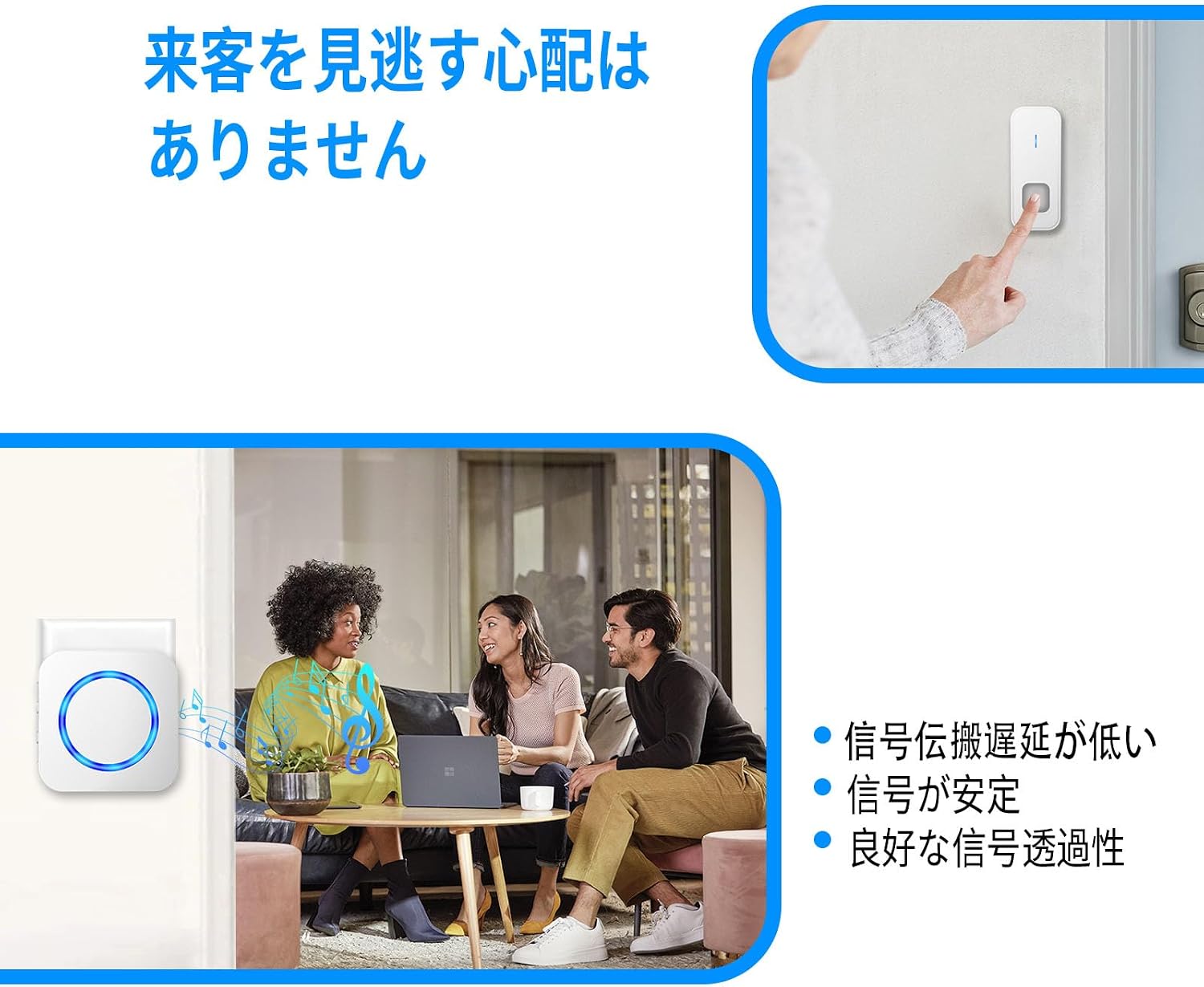
Image: The receiver unit plugged into a wall outlet, illustrating its plug-and-play functionality.
2.3. Pairing (If adding new units or re-pairing)
The units are pre-paired from the factory. If you need to pair new units or re-pair existing ones:
- Connecteu el receptor.
- Press and hold the 'Volume' button on the receiver for approximately 5 seconds until the blue LED light flashes rapidly. This indicates pairing mode.
- Immediately press the transmitter button. The receiver will chime and the LED will stop flashing, indicating successful pairing.
- Repeat for additional transmitters if necessary.
3. Instruccions de funcionament
3.1. Selecció de timbre
The receiver offers 55 different chime melodies. To change the chime:
- Press the 'Forward' or 'Backward' button on the side of the receiver to cycle through the available melodies.
- Once you find a desired melody, it will be automatically saved as your default chime.

Image: The receiver unit displaying music notes and volume levels (0dB, 40dB, 70dB, 90dB, 120dB), indicating its memory function for previously set music and volume.
3.2. Ajust de volum
The receiver has 5 adjustable volume levels, ranging from 0 dB (mute) to 110 dB. To adjust the volume:
- Press the 'Volume' button on the side of the receiver repeatedly to cycle through the volume levels.
- Select the appropriate volume for your environment (e.g., office, rest time, noisy scenes).
3.3. Funció de silenci
When the receiver is set to mute (0 dB volume level), the blue LED light on the receiver will still flash when the transmitter button is pressed. This visual indicator ensures you are aware of a visitor even when the chime is silent.

Image: A person pressing the doorbell transmitter button, and another image showing the receiver flashing a blue light indoors, indicating that visitors will not be missed due to stable signal transmission.
4. Manteniment
4.1. Neteja
To clean the doorbell units, wipe them gently with a soft, dry cloth. Do not use abrasive cleaners or solvents, as these may damage the surface.
4.2. Substitució de la bateria del transmissor
The transmitter is powered by a 23A12V alkaline battery. When the signal weakens or the transmitter stops working, it may be time to replace the battery.
- Open the transmitter casing using the small screwdriver provided.
- Traieu amb cura la bateria antiga.
- Insert a new 23A12V alkaline battery, ensuring correct polarity (+/-).
- Tanqueu l'emissor casing de manera segura.
4.3. Waterproof and Dustproof Rating
The transmitter has an IP55 rating, meaning it is protected against dust ingress and low-pressure water jets from any direction. While it is highly resistant to outdoor elements like rain, it is not designed to be submerged in water. Avoid immersing the transmitter in water.

Image: The transmitter unit with water droplets, illustrating its IP55 waterproof and dustproof rating. Also shown are operating temperature ranges (-22°F to 158°F) and battery life (1-3 years).
5. Solució De Problemes
- No sound from receiver:
Check if the receiver is properly plugged into a working power outlet. Ensure the volume is not set to 0 dB (mute). If the issue persists, try re-pairing the transmitter and receiver as described in Section 2.3. - Transmitter not working:
Check the battery in the transmitter. Replace it if necessary (refer to Section 4.2). Ensure the transmitter is within the effective range of the receiver. - Short signal range:
While the theoretical maximum range is 300 meters in an open area, actual range may be reduced by obstacles such as walls, metal structures, or other electronic devices causing interference. Try relocating the receiver to a more central position or closer to the transmitter. - Interference from other devices:
If you experience erratic behavior, try changing the chime melody. This may help avoid interference from other wireless devices operating on similar frequencies.
6. Especificacions
| Característica | Especificació |
|---|---|
| Marca | SURFOU |
| Nom del model | 1T1-W |
| Dimensions del paquet | 10.1 x 7.9 x 7.4 cm |
| Pes de l'article | 150 g |
| Color | Blanc |
| abast sense fils | Fins a 300 metres (zona oberta) |
| Chime Melodies | 55 opcions |
| Nivells de volum | 5 levels (0-110 dB) |
| Transmitter Rating | IP55 resistent a l'aigua i a la pols |
| Bateria del transmissor | Bateria alcalina 23A12V |
| Alimentació del receptor | Endoll de CA |
| Primera data disponible | 2023/12/21 |
7. Garantia i Suport
SURFOU products are designed for reliability and performance. For specific warranty details, please refer to the product packaging or contact your retailer. If you encounter any issues or require technical assistance, please reach out to SURFOU customer support through the contact information provided on the product packaging or the official SURFOU weblloc.