
1. Introducció
Thank you for choosing the Migipaws Interactive Donut Cat Toy. This automatic toy is designed to stimulate your cat's natural hunting instincts with its moving feather, catnip, and squeaking sounds. Please read this manual carefully before use to ensure proper operation and maintenance.

Image 1.1: The Migipaws Interactive Donut Cat Toy, showing its design with a moving feather and a cat observing it.
2. Informació de seguretat
- Aquest producte està pensat només per a ús en mascotes. Mantingueu-lo fora de l'abast dels nens.
- Inspect the toy regularly for damage. Discontinue use if any parts are broken or detached to prevent choking hazards.
- No intenteu desmuntar ni modificar la joguina.
- The toy contains a rechargeable battery. Do not expose to extreme temperatures or water.
- Aquest producte és no es pot rentar. Clean only with a dry or slightly damp tela.
3. Contingut del paquet
Si us plau, reviseu el paquet per assegurar-vos que hi ha tots els elements:
- 1 x Migipaws Interactive Donut Cat Toy
- 1 x USB-Type C Charging Cable
- 1 x Extra Feather Replacement
4. Configuració
4.1 Càrrega inicial
Before first use, fully charge the toy. Locate the USB-C charging port on the underside of the toy.
- Connect the provided USB-Type C cable to the toy's charging port.
- Connecteu l'altre extrem del cable USB a un adaptador de corrent USB compatible (no inclòs) o a un port USB de l'ordinador.
- The charging indicator light (if present) will show charging status. A full charge typically takes a few hours.

Image 4.1: The USB-C charging port located on the bottom of the toy.
4.2 Attaching/Replacing Feathers
The toy comes with a feather attachment. An extra feather is included for replacement.
- Gently pull the existing feather attachment upwards to remove it from the central mechanism.
- Align the base of the new feather attachment with the central slot.
- Premeu fermament fins que encaixi al seu lloc.

Image 4.2: Illustration of how to attach or replace the feather accessory.
5. Instruccions de funcionament
5.1 Engegada/apagada
Locate the power switch on the underside of the toy. Slide the switch to the 'ON' position to activate the toy, and to 'OFF' to power it down.
5.2 Funcionament automàtic
The Migipaws Donut Cat Toy features a motion sensor. Once powered on, the toy will:
- Automatically trigger irregular, intermittent rotation of the feather when a cat approaches.
- Operate for approximately 3 minutes per activation cycle.
- Automatically stop after 3 minutes and enter standby mode, awaiting further interaction.
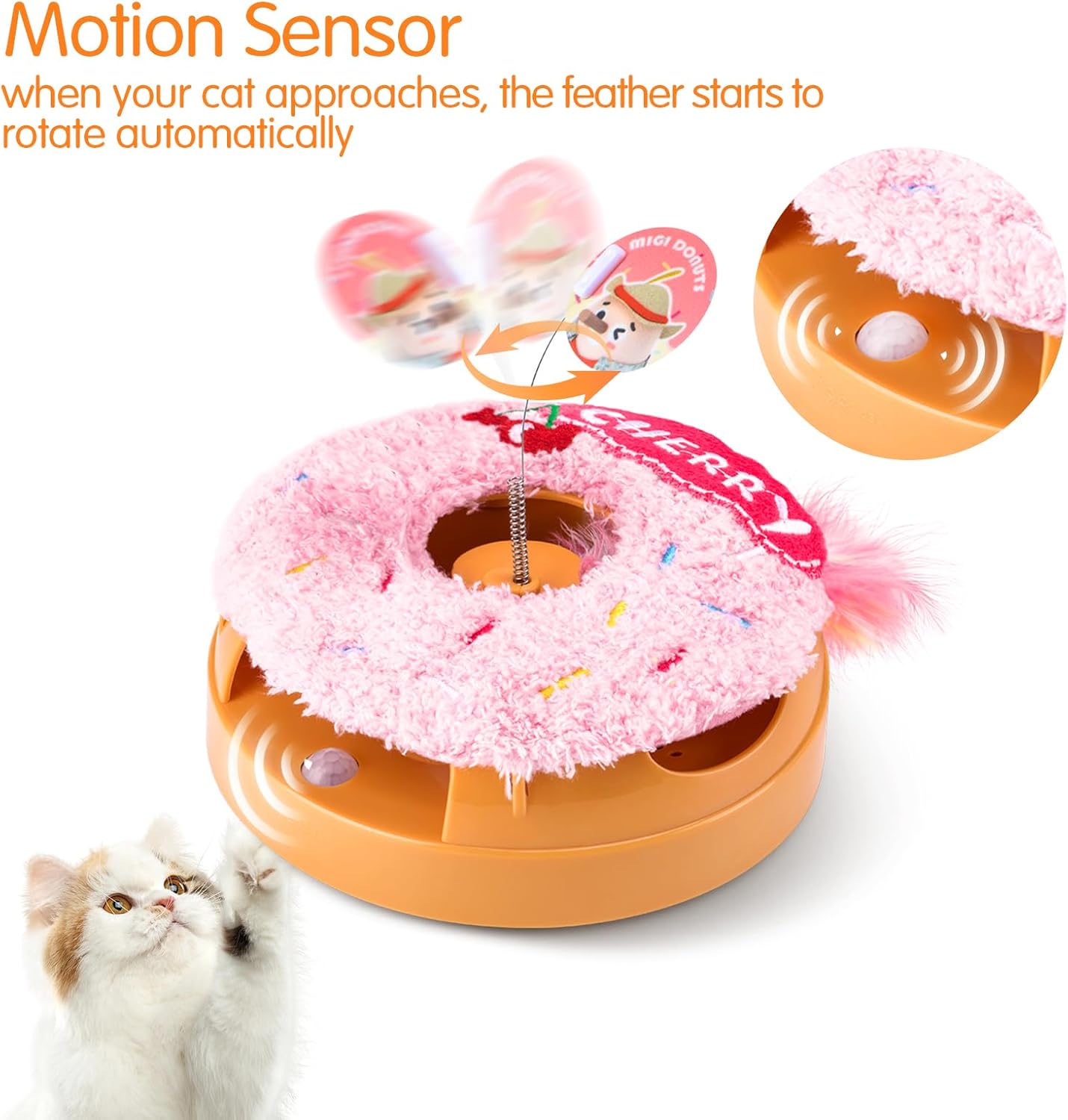
Image 5.1: The toy's motion sensor detects a cat's presence, initiating feather movement.
5.3 Engaging Features
The toy incorporates several features to keep your cat engaged:
- Moving Feather: The feather rotates irregularly, mimicking prey.
- Hierba gatera: The plush cover contains catnip to attract and excite cats.
- Sons de grinyols: Integrated sounds further stimulate hunting instincts.

Image 5.2: Cats interacting with the toy's moving feather and other features.
6. Manteniment
6.1 Neteja
As the toy contains electronic components and a battery, it is no es pot rentar. To clean:
- Ensure the toy is powered off.
- Wipe the surface with a dry, soft cloth.
- For stubborn spots, use a slightly damp cloth and immediately dry the area.
- No utilitzeu productes químics ni productes de neteja abrasius.
6.2 Feather Replacement
The feather attachment is designed to be replaceable. Refer to Section 4.2 for instructions on how to replace it when it becomes worn or damaged.
7. Solució De Problemes
| Problema | Causa possible | Solució |
|---|---|---|
| La joguina no s'encén. | La bateria està esgotada. | Charge the toy using the provided USB-C cable. |
| Feather does not move. | Toy is not powered on or battery is low. Feather is jammed or detached. | Ensure power switch is ON. Charge the toy. Check if the feather is properly attached and not obstructed. |
| Toy stops too quickly. | Normal operation cycle (3 minutes). Low battery. | This is normal behavior. If it stops significantly sooner, recharge the toy. |
| Cat shows no interest. | Individual cat preference. | Try introducing the toy during active playtimes. Ensure catnip is fresh (if applicable). |
8. Especificacions
- Nom del model: Migipaws Donut Smart Interactive Cat Toy
- Número de model de l'article: Migipaws Donut
- Dimensions (LxWxH): 5 x 5 x 2.2 polzades
- Pes de l'article: 7.8 unces
- Material: Acrilonitril butadiè estirè (ABS)
- Font d'alimentació: Rechargeable Battery (USB-Type C charging)
- Públic objectiu: House Cats (All Life Stages, All Breed Sizes)
- Usos específics: Interior
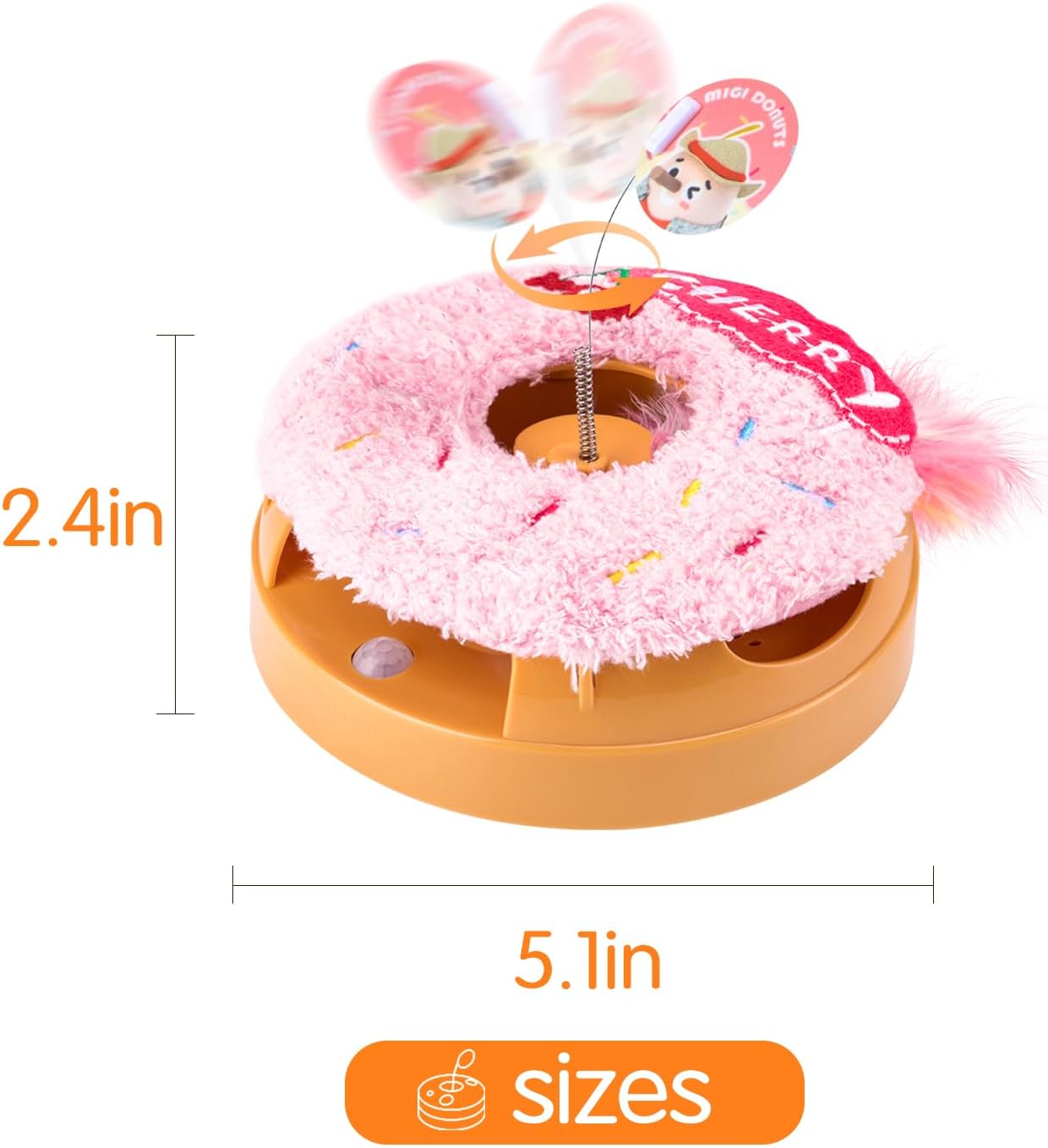
Image 8.1: Product dimensions for the Migipaws Donut Cat Toy.
9. Garantia
This Migipaws product comes with a 2 mesos de garantia from the date of purchase. This warranty covers manufacturing defects under normal use. It does not cover damage caused by misuse, accidents, unauthorized modifications, or normal wear and tear. Please retain your proof of purchase for warranty claims.
10. Atenció al client
If you have any questions, concerns, or require assistance with your Migipaws Interactive Donut Cat Toy, please contact our customer support team. Refer to the retailer's weblloc web o la documentació de la compra per obtenir informació de contacte.
For more information about Migipaws products, visit the official Migipaws store: Migipaws Store on Amazon


