
1. Introducció
This manual provides essential information for the proper use, setup, and maintenance of your Allteq DIN Cable. The Allteq DIN cable is a high-quality cable designed for connecting various audio and electronic devices. It features 5-pin male DIN connectors on both ends and has a length of 2 meters, making it suitable for a wide range of applications.
2. Informació de seguretat
- Manejar amb cura: Avoid excessive bending, twisting, or pulling of the cable, as this can damage internal wires.
- Condicions ambientals: Do not expose the cable to extreme temperatures, direct sunlight, moisture, or corrosive substances.
- Connexió adequada: Always ensure connectors are aligned correctly before inserting to prevent damage to the cable or connected devices.
- Emmagatzematge: When not in use, store the cable in a clean, dry place, preferably coiled loosely.
3. Configuració i connexió
The Allteq DIN Cable is designed for straightforward plug-and-play connectivity. Follow these steps to connect your devices:
- Identifica els ports: Locate the 5-pin DIN input and output ports on the devices you wish to connect.
- Connecta el primer extrem: Gently insert one end of the Allteq DIN cable into the corresponding port on your first device. Ensure it is fully seated.
- Connecta el segon extrem: Insert the other end of the Allteq DIN cable into the corresponding port on your second device.
- Verifica la connexió: Ensure both connectors are securely in place. Avoid forcing the connectors, as this can cause damage.
Example applications include connecting a computer to a monitor, a musical instrument to an amplifier, or a MIDI controller to a computer.
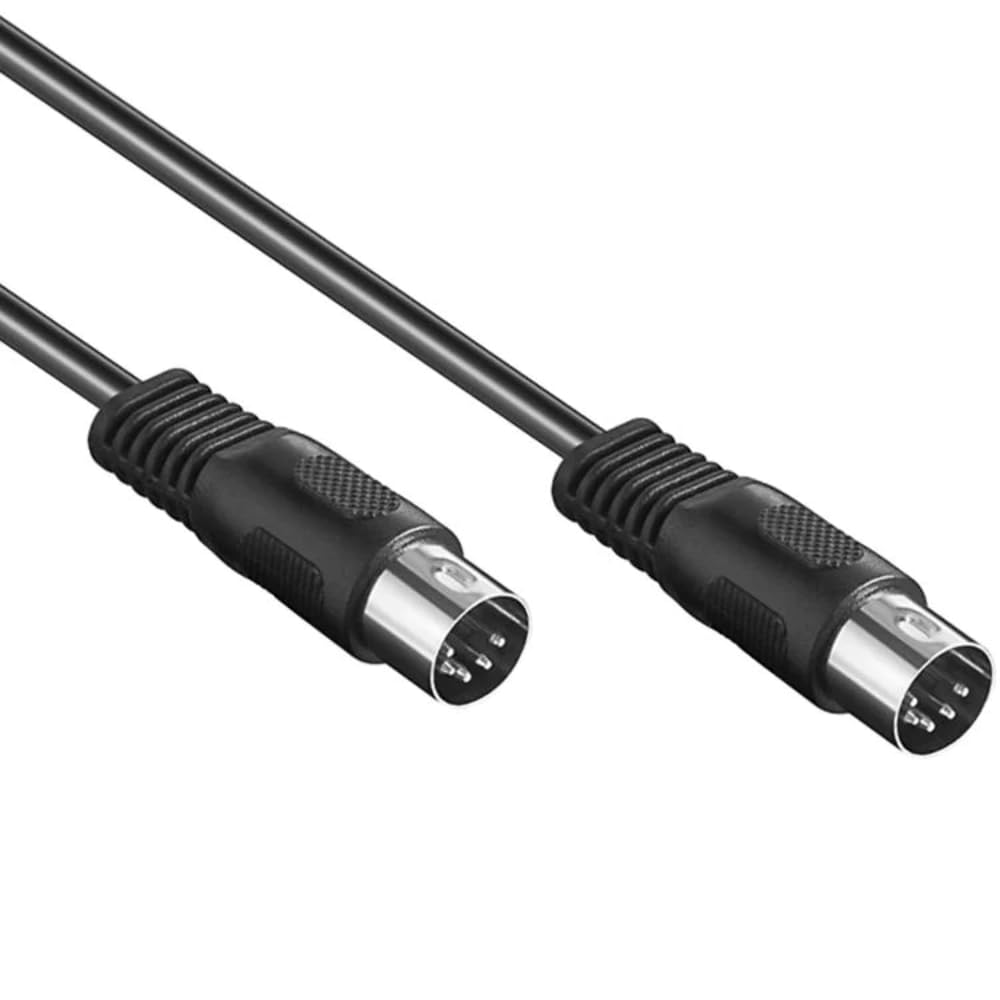
Figure 1: The Allteq DIN Cable with 5-pin male connectors. This image illustrates the cable's design, featuring durable construction and standard 5-pin male DIN plugs on each end, suitable for various audio and data connections.
4. Instruccions de funcionament
Once the Allteq DIN Cable is securely connected between your devices, its operation is passive. The cable facilitates the transmission of signals between the connected equipment. Ensure that both connected devices are powered on and configured correctly according to their respective user manuals to enable proper signal flow.
- Transmissió del senyal: The cable transmits audio or data signals as intended by the connected devices.
- Configuració del dispositiu: Refer to the manuals of your source and destination devices for specific settings related to input/output selection and signal processing.
5. Manteniment i cura
To ensure the longevity and optimal performance of your Allteq DIN Cable, follow these maintenance guidelines:
- Neteja: Use a soft, dry cloth to wipe the cable and connectors. Avoid using liquid cleaners or solvents, as these can damage the cable's insulation or contacts.
- Emmagatzematge: When not in use, coil the cable loosely. Do not wrap it tightly around objects or create sharp bends, which can stress the internal wiring.
- Inspecció: Periodically inspect the cable for any signs of wear, such as frayed insulation, bent pins, or damaged connectors. If damage is observed, discontinue use.
- Protecció: Keep the cable away from pets, sharp objects, and heavy furniture that could pinch or cut it.
6. Solució De Problemes
If you experience issues with your Allteq DIN Cable, consider the following troubleshooting steps:
- No Signal/Intermittent Signal:
- Ensure both ends of the cable are fully and securely inserted into their respective ports.
- Check if the connected devices are powered on and functioning correctly.
- Verify that the correct input/output sources are selected on your devices.
- Prova d'utilitzar un cable diferent (si en tens) per descartar que el cable sigui l'origen del problema.
- Inspect the cable for visible damage (cuts, kinks, bent pins).
- Poor Audio/Video Quality:
- Ensure the cable is not running near sources of electromagnetic interference (e.g., power cables, large motors).
- Check the settings on your audio/video equipment to ensure optimal signal processing.
- Netegeu els connectors suaument amb un drap sec i sense borrissol per eliminar la pols o les restes.
7. Especificacions
| Característica | Especificació |
|---|---|
| Marca | Allteq |
| Tipus de producte | DIN Cable |
| Tipus de connector | 5-pin Male DIN (both ends) |
| Longitud del cable | 2 metres |
| ASIN | B0CQW4DVY2 |
| Primera data disponible | 1 d'abril de 2023 |