
1. Introducció
The XDUOO XQ-50 Pro 2 is a high-fidelity Bluetooth audio receiver, converter, and decoder designed to upgrade your existing audio system with wireless capabilities. It allows you to stream high-quality audio from your Bluetooth-enabled devices to your amplifier, active speakers, or DAC, transforming them into wireless audio systems. This device features advanced decoding and conversion chips to ensure excellent sound reproduction.
This manual provides detailed instructions for the setup, operation, maintenance, and troubleshooting of your XDUOO XQ-50 Pro 2. Please read it thoroughly before using the product to ensure optimal performance and longevity.

Image 1.1: Front angled view of the XDUOO XQ-50 Pro 2 unit, showcasing its compact design and display screen.
2. Característiques del producte
- Connectivitat Bluetooth 5.1: Utilizes Qualcomm QCC5125 Bluetooth receiver chip, supporting AAC, SBC, aptX, aptX_LL, aptX_HD, and LDAC audio encoding formats for high-definition wireless audio streaming.
- Construcció robusta: Features a high-strength aluminum alloy housing for durability and an external detachable high-gain Bluetooth antenna for stable signal transmission.
- High-Performance Conversion: Incorporates the CS8406 digital audio conversion chip to convert Bluetooth signals into high-quality optical and coaxial digital outputs.
- Premium Decoding: Equipped with the ES9018K2M decoding chip, providing high signal-to-noise ratio and low distortion analog audio signals.
- PC USB DAC Support: Functions as a USB sound card when connected to a computer, offering plug-and-play functionality for high-quality coaxial, optical, and analog audio output.
- Sortides versàtils: Provides coaxial, optical, and AUX analog outputs, allowing connection to various audio systems, including those without built-in decoding functions.
- OLED Screen Display: Features a clear OLED screen to display current track information, sample rate, and Bluetooth codec.
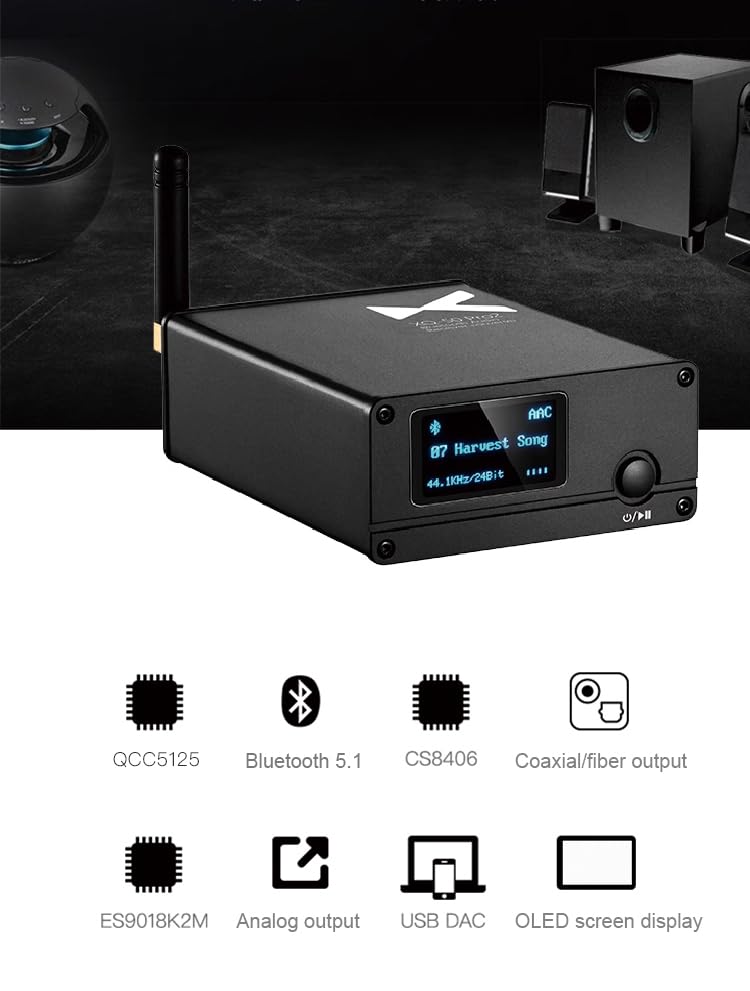
Image 2.1: Diagram highlighting the core components and features: QCC5125 chip, Bluetooth 5.1, CS8406 chip, Coaxial/Fiber output, ES9018K2M chip, Analog output, USB DAC, and OLED screen display.
3. Contingut del paquet
Si us plau, comproveu el paquet per veure si hi ha els elements següents:
- XDUOO XQ-50 Pro 2 Unit
- Antena Bluetooth
- Cable d'alimentació USB (tipus C)
- Manual d'usuari
If any items are missing or damaged, please contact your retailer or LEAUDIO customer support.
4. Instruccions de configuració
Follow these steps to set up your XDUOO XQ-50 Pro 2:
- Attach the Bluetooth Antenna: Carefully screw the provided Bluetooth antenna into the antenna connector on the rear panel of the XQ-50 Pro 2. Ensure it is securely fastened but do not overtighten.
- Connectar l'alimentació: Connect the USB power cable to the DC 5V Type-C port on the rear panel of the XQ-50 Pro 2. Plug the other end into a suitable USB power adapter (not included) or a USB port on a computer.
- Connecta la sortida d'àudio: Choose one of the following output methods to connect the XQ-50 Pro 2 to your audio system:
- Sortida coaxial: Use a coaxial cable to connect the "COAXIAL OUT" port on the XQ-50 Pro 2 to the coaxial input of your amplifier o DAC.
- Sortida òptica: Use an optical fiber cable to connect the "OPTICAL OUT" port on the XQ-50 Pro 2 to the optical input of your amplifier o DAC.
- Analog AUX Output: Use an RCA cable to connect the "AUX-OUT" (R and L) ports on the XQ-50 Pro 2 to the analog RCA inputs of your amplifier o altaveus actius.
- (Optional) PC USB DAC Connection: To use the XQ-50 Pro 2 as a USB DAC for your computer, connect a USB cable from your computer's USB port to the DC 5V Type-C port on the XQ-50 Pro 2. The device should be recognized automatically as an audio output device.
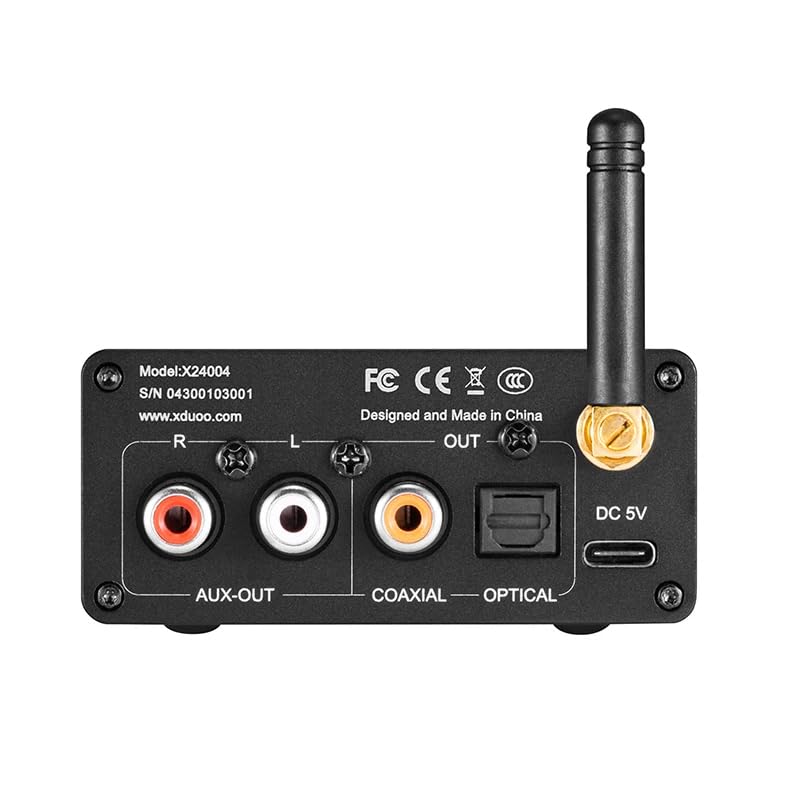
Image 4.1: Rear panel of the XDUOO XQ-50 Pro 2, illustrating the AUX-OUT (R/L), Coaxial OUT, Optical OUT, DC 5V (Type-C) power/USB DAC port, and Bluetooth antenna connector.
5. Instruccions de funcionament
- Encès/apagat: Press and hold the multi-function button (usually marked with power/play/pause icon) on the front panel to power the unit on or off. The OLED screen will illuminate upon power-on.
- Emparellament Bluetooth:
- When powered on, the XQ-50 Pro 2 will automatically enter Bluetooth pairing mode if no device is connected. The Bluetooth icon on the OLED screen will flash.
- Al dispositiu font (telèfon intel·ligent, tauleta, ordinador), activeu el Bluetooth i cerqueu els dispositius disponibles.
- Select "XDUOO XQ-50 Pro 2" from the list of devices to pair.
- Once successfully paired, the Bluetooth icon on the OLED screen will stop flashing and remain solid. The screen will display the connected codec (e.g., AAC, LDAC) and current audio information.
- To disconnect or force pairing mode, refer to your source device's Bluetooth settings or the XQ-50 Pro 2's specific button functions (if available, typically a short press on the multi-function button might toggle pairing or play/pause).
- Reproducció d'àudio:
- Once paired, start playing audio on your source device. The audio will be transmitted wirelessly to the XQ-50 Pro 2.
- The OLED screen will display information such as the current track number (if supported by the source), sample rate (e.g., 44.1KHz), and bit depth (e.g., 24Bit).
- Ajusteu el volum del vostre amplifier or active speakers. The XQ-50 Pro 2 typically provides a fixed line-level output.
- Using as PC USB DAC:
- Connect the XQ-50 Pro 2 to your computer via a USB cable as described in the Setup section.
- On your computer's sound settings, select "XDUOO XQ-50 Pro 2" (or similar) as the audio output device.
- Play audio from your computer. The XQ-50 Pro 2 will output the audio through its coaxial, optical, and analog AUX ports.
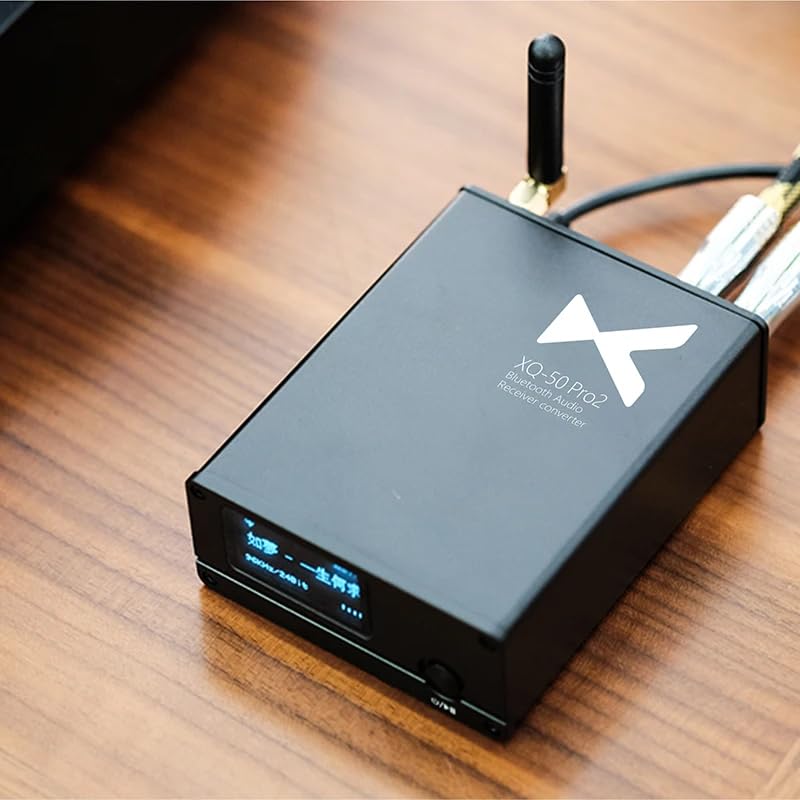
Image 5.1: The XDUOO XQ-50 Pro 2 in an operational setup, connected to other audio components, demonstrating its role in a home audio system.
6. Manteniment
- Neteja: Use a soft, dry cloth to clean the exterior of the unit. Do not use liquid cleaners or abrasive materials, as they may damage the finish or internal components.
- Emmagatzematge: Quan no l'utilitzeu durant períodes prolongats, guardeu la unitat en un lloc fresc i sec, allunyat de la llum solar directa i de temperatures extremes.
- Manipulació: Avoid dropping the unit or subjecting it to strong impacts. Handle the antenna and cables carefully to prevent damage.
- Ventilació: Ensure the unit has adequate ventilation to prevent overheating. Do not block ventilation openings.
7. Solució De Problemes
| Problema | Causa possible | Solució |
|---|---|---|
| Sense poder | Power cable not connected properly; faulty power adapter. | Ensure the USB power cable is securely connected to the unit and a working power source. Try a different USB power adapter. |
| Sense sortida de so | Connexió incorrecta del cable d'àudio; entrada incorrecta seleccionada a amplifier/DAC; volume too low; device not paired. | Verify audio cables are correctly connected. Select the correct input on your amplifier/DAC. Increase volume. Ensure Bluetooth is successfully paired. |
| El Bluetooth no es connecta/emparella | XQ-50 Pro 2 not in pairing mode; source device Bluetooth off; too far from source; interference. | Ensure XQ-50 Pro 2 is powered on and Bluetooth icon is flashing. Enable Bluetooth on your source device. Move devices closer. Avoid strong Wi-Fi or other wireless interference. |
| Mala qualitat del so | Weak Bluetooth signal; low-quality audio source; incorrect codec. | Move source device closer to XQ-50 Pro 2. Use high-quality audio files. Ensure your source device is transmitting a high-definition Bluetooth codec (e.g., aptX HD, LDAC) if supported. |
| PC USB DAC not recognized | USB cable issue; driver issue (rare for plug-and-play). | Try a different USB cable or USB port on your computer. Restart your computer. Check sound settings to ensure XQ-50 Pro 2 is selected. |
8. Especificacions
| Característica | Detall |
|---|---|
| Model | XQ-50 Pro 2 |
| Xip Bluetooth | Qualcomm QCC5125 |
| Versió Bluetooth | 5.1 |
| Còdecs Bluetooth compatibles | AAC, SBC, aptX, aptX_LL, aptX_HD, LDAC |
| Xip de conversió digital | CS8406 |
| Xip de descodificació | ES9018K2M |
| Sortides | Coaxial, Optical, Analog AUX (RCA L/R) |
| USB DAC Support | Yes (via Type-C port) |
| Material de l'habitatge | Aliatge d'alumini d'alta resistència |
| Entrada de potència | DC 5V (tipus C) |
| Tipus de muntatge | Taula de taula |
| Tipus d'interfície | USB |
| Nombre de canals | 6 |
9. Garantia i Suport
LEAUDIO products are designed for reliability and performance. This product is covered by a limited warranty against defects in materials and workmanship. For specific warranty terms and conditions, please refer to the warranty card included with your product or contact LEAUDIO customer support.
For technical assistance, troubleshooting, or warranty claims, please contact LEAUDIO customer support through their official weblloc web o la informació de contacte proporcionada amb la compra.