
Producte acabatview
The Baseus 65W USB C Charger is a compact and powerful charging solution featuring GaN technology. It includes three ports (two USB-C and one USB-A) for simultaneous charging of multiple devices, offering fast charging capabilities for a wide range of electronics including smartphones, tablets, and laptops.
This charger is designed for efficiency and portability, making it suitable for various environments from home to travel.
Què hi ha a la caixa
- Baseus 65W USB C Charger
- 100W USB-C to USB-C Cable with E-marker Chip
- Guia d'usuari

Image: The Baseus 65W USB C Charger shown with its included 100W USB-C to USB-C cable.
Configuració
- Desplegueu les pues: Estireu suaument les pues plegables del cos del carregador.
- Connecteu-vos a la presa de corrent: Insert the charger firmly into a standard wall power outlet (Type A - 2 pin, North American).
- Connexió de dispositius: Use appropriate USB-C or USB-A cables to connect your devices to the charger's available ports. For optimal fast charging, use the included 100W USB-C to USB-C cable or other high-quality cables.

Image: The Baseus 65W USB C Charger with its foldable prongs extended, ready for use.
Video: Demonstrates the foldable prongs and compact design of the Baseus 65W USB C Charger.
Instruccions de funcionament
Dispositius de càrrega
The Baseus 65W charger features three output ports: two USB-C ports and one USB-A port. It supports various fast-charging protocols, including 45W Samsung Super Fast Charging.
- Càrrega d'un sol port: When only one port is in use, the charger delivers maximum power output. For example, a single USB-C port can provide up to 65W, capable of charging a MacBook Pro 13" in approximately 2 hours.
- Càrrega multiport: When multiple devices are connected, the charger intelligently distributes power across the ports.
Compartició intel·ligent d'energia
The charger automatically adjusts power output based on the number and type of connected devices to ensure efficient and safe charging.
- Port USB-C únic: Fins a 65W.
- Single USB-A Port: Fins a 60W.
- Two Ports (e.g., USB-C1 + USB-C2): Typically 45W + 18W.
- Three Ports (USB-C1 + USB-C2 + USB-A): El poder es distribueix, per exempleampés a dir, 45W + 15W.
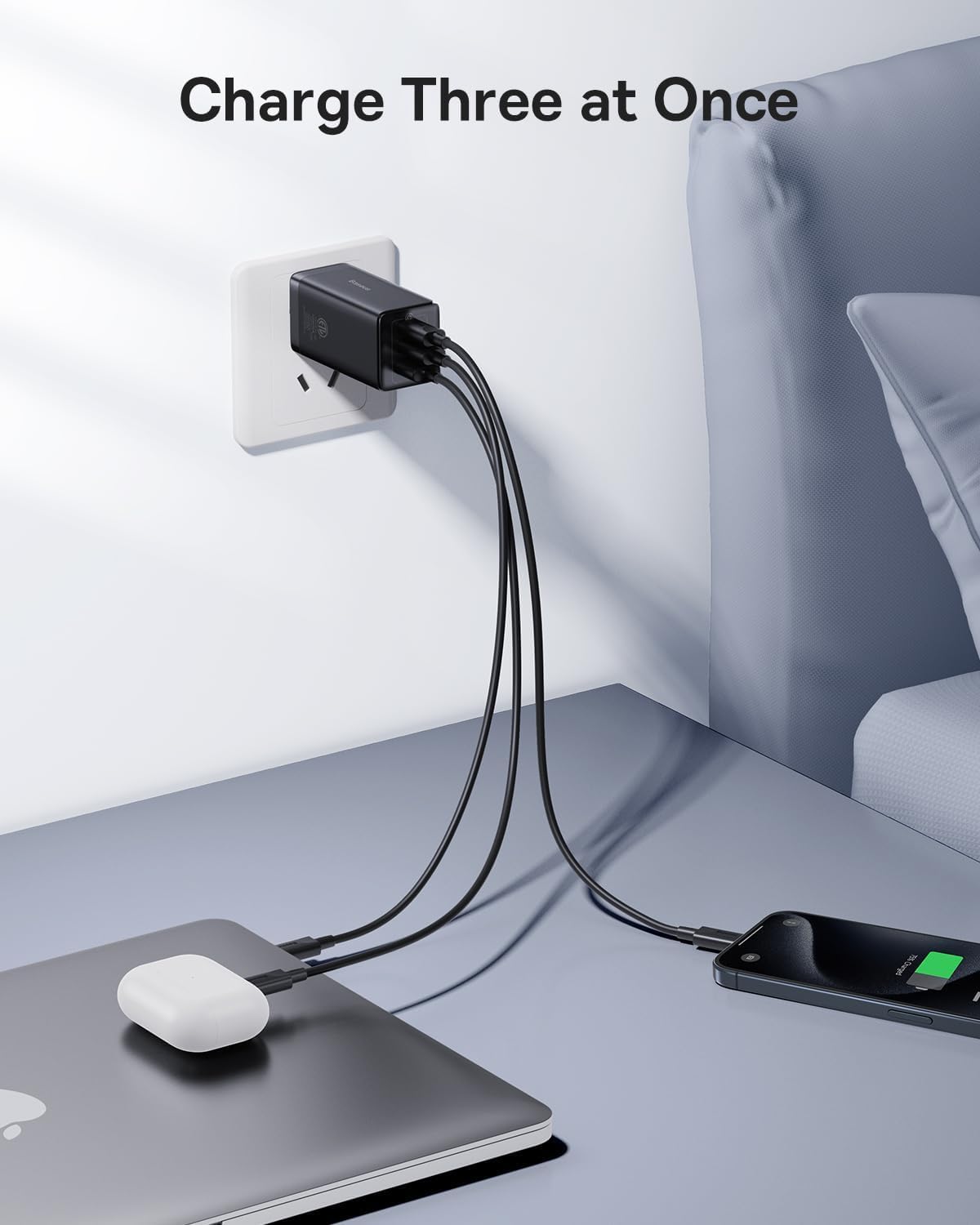
Image: The Baseus 65W USB C Charger connected to a wall outlet, charging a laptop, earbuds, and a smartphone simultaneously.

Image: A diagram showing the power distribution (in watts) for single, two, and three-port charging scenarios with the Baseus 65W charger.
Manteniment
- Neteja: Disconnect the charger from the power outlet before cleaning. Use a dry, soft cloth to wipe the surface. Do not use liquid cleaners or aerosols.
- Emmagatzematge: Quan no el feu servir, plegueu les puntes per a un emmagatzematge compacte. Guardeu el carregador en un lloc fresc i sec, allunyat de la llum solar directa i de temperatures extremes.
- Manipulació: Avoid dropping the charger or subjecting it to strong impacts. Do not attempt to disassemble or repair the charger yourself.
Resolució de problemes
| Problema | Causa possible | Solució |
|---|---|---|
| El dispositiu no es carrega o es carrega lentament. |
|
|
| El carregador s'escalfa durant el funcionament. | Normal operation, especially during fast charging or when multiple devices are connected. | This is normal. The GaN technology helps manage heat efficiently. If it becomes excessively hot to touch, disconnect immediately and contact support. |
| USB-A port not working. | Port malfunction or incompatible device/cable. | Try a different USB-A cable and device. If the issue persists, contact customer service for assistance. |
| Charger pulls out of outlet easily. | Loose outlet or heavy cables pulling down. | Ensure the outlet is not worn. Position cables to minimize downward pull on the charger. |
Especificacions
| Característica | Detall |
|---|---|
| Marca | Baseus |
| Número de model | CCGAN65S5 |
| Tipus de connector | USB tipus C, USB tipus A |
| Ports USB totals | 3 (2x USB-C, 1x USB-A) |
| Wattage | 65W (Max Output) |
| Entrada Voltage | 240 volts_of_alternating_current (Standard North American) |
| Corrent de sortida | 5 A |
| Característica especial | Fast Charging, GaN Technology, Foldable Prongs |
| Color | Negre |
| Factor de forma | Plegable |
| Dispositius compatibles | Tablets, Rog Ally, Laptops, iPhone (15/15 Plus/15 Pro/15 Pro Max/14/14 Plus/14 Pro/14 Pro Max/13/13 Mini/13 Pro/13 Pro Max/12/12 Mini/12 Pro/12 Pro Max/XS/XS Max/XR/X /11/11 Pro/11 Pro max/8 Plus/8/7/6), Samsung (Galaxy S22+/S22/ S21 Ultra/S21+/ S21/ S20 Ultra/ S20+/ S20/S10/S10+/S9/S9+/S8/S8+ / Note20+/20/Note10+/10/Note 9/Note 8/ Note 7/Z Fold2 / Z Flip), LG (V60/ V50/ G8/ G7), Oneplus (9 Pro/9/8T/8 Pro/8/7 pro/6T), Google Pixel (3/4/4a/5), MacBook Air (2020)/ MacBook Pro (13" 2017/ 13" 2020 / 15" 2017/ 16" / 12" / Air 13" / Air 12"), iPad Pro (12.9"/11"/10.5"/9.7"), iPad Air (1/2/3/4) / iPad mini (1/2/3/4/5), AirPods / AirPods Pro / Apple Watch (6/SE/3), Surface Pro 7 / HP Stream 14"/Omen 17/Envy 13t/Spectre x360 13t, DELL Latitude 7380/XPS 13/16, ASUS ROG zephyrus G14/Zenbook13/14/15/flip 15/TUF A15/Vivobook 14/15/17, Lenovo ThinkPad X1 Carbon / X1 YOGA/YOGA 730/YOGA 920 /YOGA 930 /X1 NANO / E14 / E15/ T490s /T495s/T480s/X270/X390/T470 /E490 / IdeaPad 3 /5 / flex 5, MSI GS66 / MSI PRESTIGE 15, Nintendo Switch Dock, and more. |
Garantia i Suport
Informació de la garantia
Aquest producte Baseus inclou un 2 any de garantia from the date of purchase, covering manufacturing defects and normal operational failures.
Atenció al client
For technical assistance, troubleshooting, or warranty claims, please contact Baseus customer service. You can typically find contact information through your purchase platform (e.g., Amazon order details page) by selecting "Ask a question" or "Send message" to the seller.
All messages are generally answered within 48 hours.

Image: Baseus product showcasing design awards, indicating quality and innovation.