1. Introducció
This user manual provides detailed instructions for the G Shape Ear Piece GP328 PTT Mic Earpiece, designed to enhance communication for users of compatible Motorola 2-way radios. This earpiece offers clear audio transmission and reception, along with a sensitive Push-to-Talk (PTT) microphone for reliable communication.
1.1 Contingut del paquet
- 1 x G Shape Ear Piece GP328 PTT Mic Earpiece
1.2 Compatibilitat
This earpiece is compatible with Motorola Multi-Pin plug 2-way radio models, including but not limited to:
- HT Series: HT750, HT1250, HT1250LS, HT1550, HT1550XLS
- GP Series: GP140, GP240, GP280, GP328, GP330, GP340, GP360, GP380, GP540, GP580, GP640, GP680, GP1280
- Sèrie MT: MT850, MT850LS, MT950, MT8250, MT8250LS, MT9250
- Sèrie PRO: PRO860, PRO5350, PRO5450, PRO5460, PRO5550, PRO5750, PRO7150, PRO7350, PRO7450, PRO7550
- PTX Series: PTX700, PTX760
- MTX Series: MTX950, MTX960
2. Producte acabatview
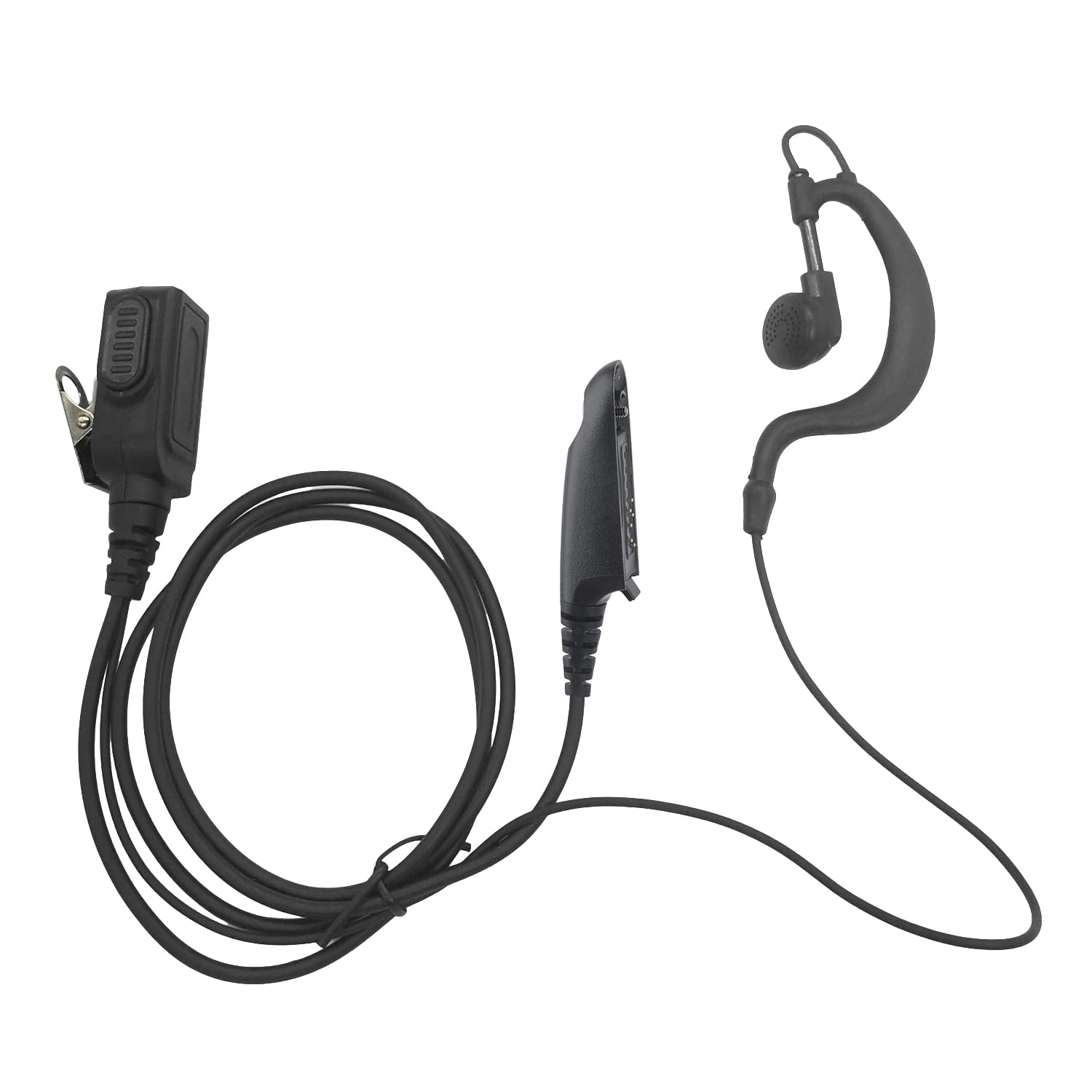
Figura 2.1: Complet view of the earpiece, PTT unit, and connector.
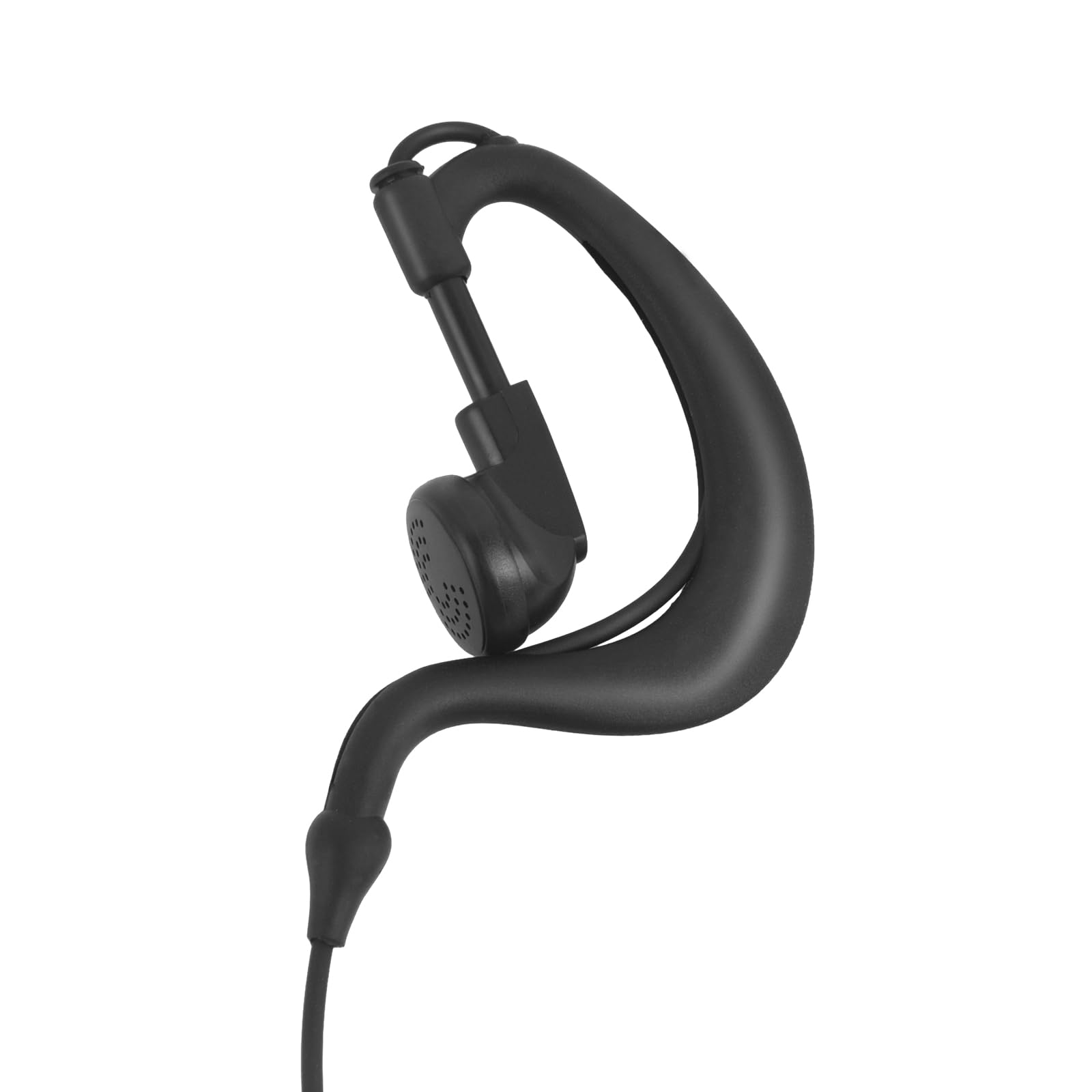
Figure 2.2: Close-up of the G-shape ear hook and earpiece.
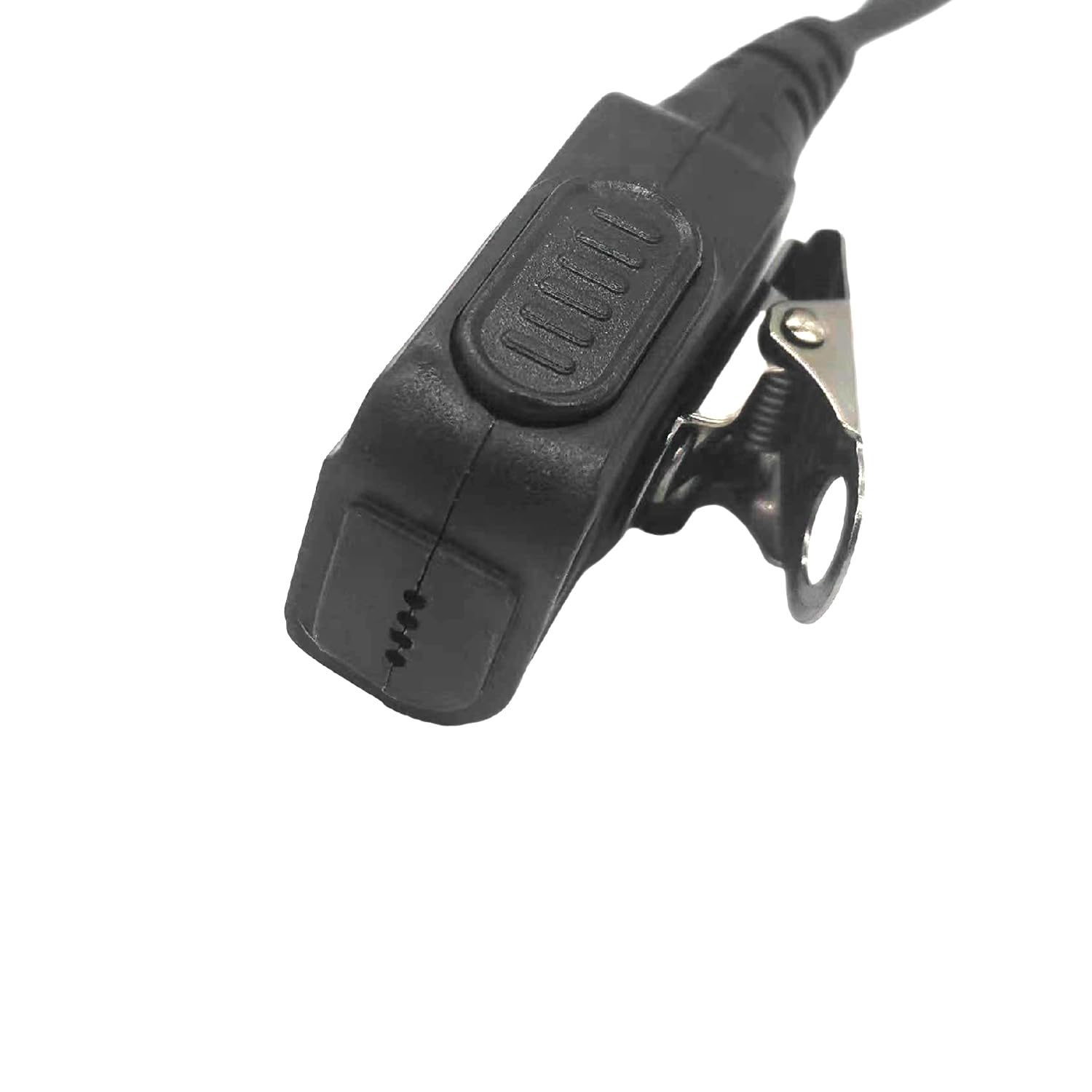
Figure 2.3: Close-up of the PTT button and clip.
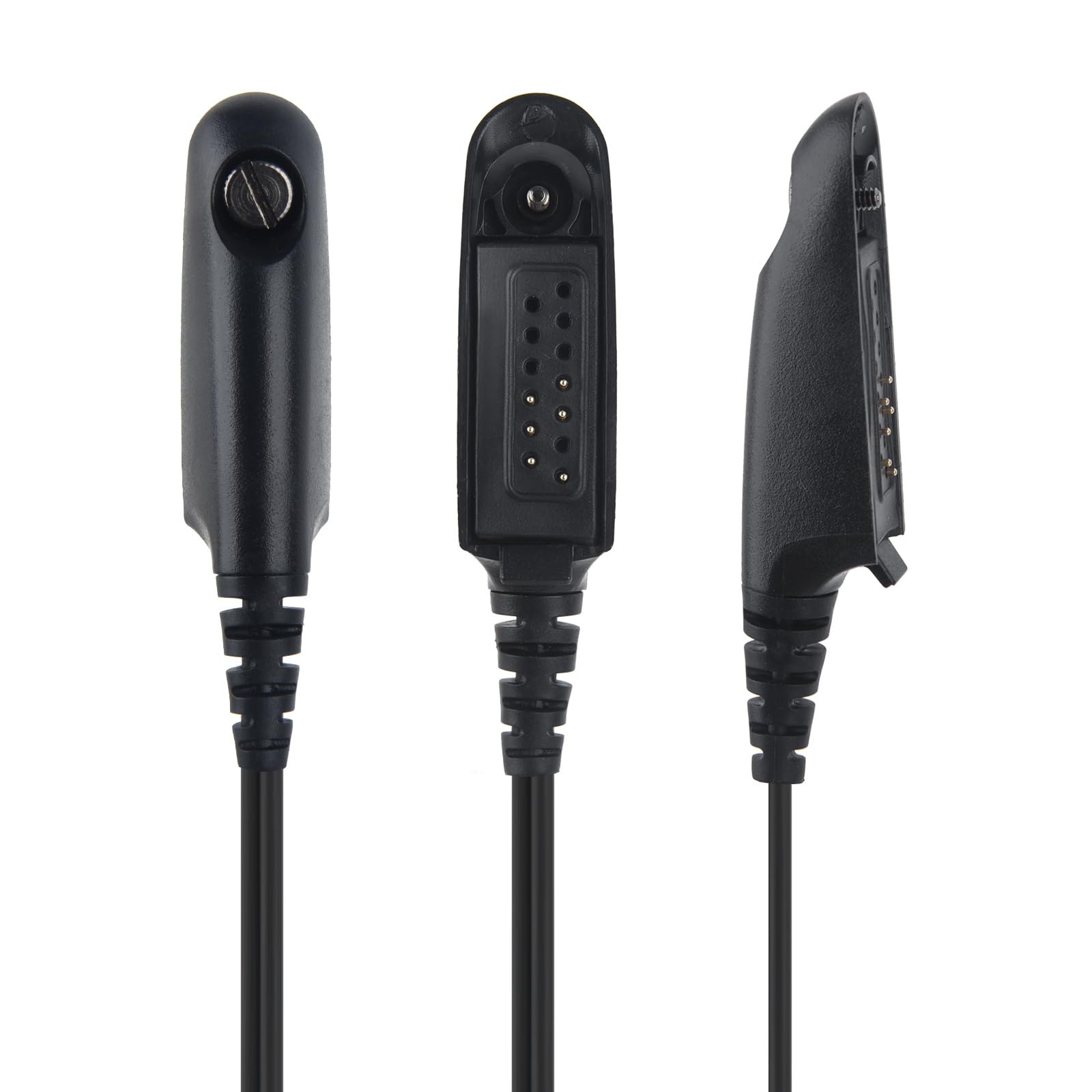
Figura 2.4: Diversos views of the multi-pin connector.
3. Configuració
3.1 Connecting the Earpiece
- Power Off Radio: Ensure your Motorola 2-way radio is powered off before connecting the earpiece.
- Alinea el connector: Align the multi-pin connector of the earpiece with the corresponding port on your radio.
- Insert Firmly: Gently push the connector firmly into the radio's port until it clicks securely into place.
- Secure PTT Unit: Secure the PTT unit to your clothing (e.g., collar, lapel) using the integrated clip for easy access during operation.
- Adjust Earpiece: Adjust the G-shape ear hook over your ear for a comfortable and secure fit. The earpiece should rest comfortably in your ear.
- Engegar la ràdio: Once connected, power on your radio.
4. Instruccions de funcionament
4.1 Recepció d'àudio
Once the earpiece is properly connected and the radio is powered on, audio from your radio will be transmitted directly to the earpiece. Adjust your radio's volume control for optimal listening comfort and clarity.
4.2 Transmitting Audio (Push-to-Talk - PTT)
To transmit your voice, press and hold the Push-to-Talk (PTT) button located on the inline unit. Speak clearly into the microphone. Release the PTT button when you are finished speaking to return to receive mode.
4.3 Clear Sound
The earpiece is engineered to provide clear audio transmission and reception, ensuring effective communication even in noisy environments.
4.4 Sensitive PTT and Microphone
The integrated PTT button and microphone are highly sensitive, designed to pick up your voice effectively and provide responsive transmission.
5. Manteniment i cura
- Neteja: Wipe the earpiece, PTT unit, and cable with a soft, dry cloth. Do not use harsh chemicals, abrasive cleaners, or immerse the unit in water.
- Emmagatzematge: Store the earpiece in a cool, dry place away from direct sunlight, extreme temperatures, and excessive humidity.
- Cura del cable: Avoid sharp bends, kinks, or excessive pulling on the reinforced TPU cable to prevent internal wire damage.
- Connector: Keep the multi-pin connector clean and free of dust or debris to ensure a reliable and stable connection with your radio.
6. Solució De Problemes
6.1 No Audio from Earpiece
- Ensure the earpiece connector is fully and securely inserted into the radio's port.
- Check the radio's volume level and increase it if necessary.
- Verify that the radio is powered on and functioning correctly.
6.2 Cannot Transmit (PTT not working)
- Ensure the PTT button is fully depressed when attempting to transmit.
- Check the earpiece connection to the radio for any looseness.
- Confirm that your radio is in a transmit-enabled mode and not experiencing any internal errors.
6.3 Poor Audio Quality (Static, Muffled Sound)
- Check for any visible damage to the earpiece speaker or microphone.
- Ensure the earpiece and microphone are clean and free of obstructions.
- Verify the radio's signal strength and audio settings. Move to an area with better reception if signal is weak.
7. Especificacions
| Característica | Detall |
|---|---|
| Components inclosos | Auricular |
| Interval d'edat (descripció) | Adult |
| Material | Silicone, Plastic, Rubber |
| Usos específics per al producte | Professional Communication |
| Dispositius compatibles | Motorola 2-way radio models |
| Característica del cable | Reinforced TPU Cable |
| Mètode de control | Remote (PTT) |
| Nombre d'articles | 1 |
| Tipus de controlador d'àudio | Conductor dinàmic |
| Forma de l'auricular | Over-Ear with Hook (G-Shape) |
| Pes de l'article | 1.58 unces |
| Tecnologia de connectivitat | Amb cable |
| Factor de forma | G Shape |
| Col·locació de l'orella | Sobre l'orella |
8. Garantia i Suport
This product comes with a warranty period of 1 year from the date of purchase. For technical support, troubleshooting assistance, or to inquire about warranty claims, please contact the seller or manufacturer directly through the platform where the product was purchased.
Si us plau, conserveu el comprovant de compra per validar la garantia.


