
iProda 15.6-inch Portable Monitor
Manual d'usuari del monitor portàtil iProda de 15.6 polzades
Model: 15.6-inch Portable Monitor
Marca: iProda
1. Introducció
Thank you for choosing the iProda 15.6-inch Portable Monitor. This device is designed to enhance your productivity and entertainment by providing a versatile second screen for your laptop, PC, smartphone, and gaming consoles. This manual will guide you through the setup, operation, and maintenance of your new monitor.
2. Característiques del producte
- 15.6-inch Full HD (1080p) IPS Display: Experimenta colors vibrants i una àmplia gamma viewangles d'ajust.
- Freqüència de refresc de 60 Hz: Ensures smooth visuals for work and entertainment.
- Pantalla antireflexos: Reduces reflections for comfortable viewen diferents condicions d'il·luminació.
- Lleuger i portàtil: Weighing approximately 1.2 kg (2.6 lbs) and only 0.6 cm (0.24 inches) thick, it's ideal for on-the-go use.
- Connectivitat Plug and Play: Simple setup with USB-C or HDMI.
- Altaveus integrats: Àudio integrat per a més comoditat.
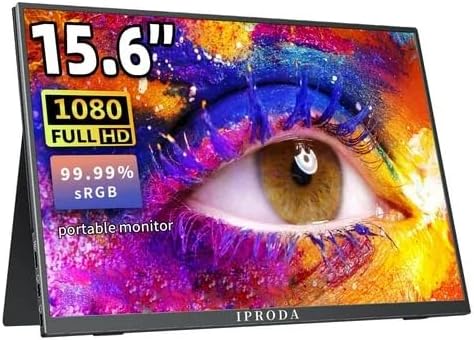
Figure 2.1: iProda 15.6-inch Portable Monitor showcasing its 1080 Full HD resolution and sRGB color accuracy.

Figure 2.2: Close-up of the iProda portable monitor screen highlighting IPS technology and a 178-degree super wide viewing angle for an excellent visual experience.
3. Guia de configuració
The iProda portable monitor is designed for easy plug-and-play setup. Follow these steps to connect your device:
- Connexió d'alimentació: Connect the monitor to a power source using the provided USB-C cable and a compatible power adapter (not always included, check packaging).
- Connexió de vídeo:
- USB-C (Full Function): If your device (laptop, smartphone) has a full-function USB-C port that supports video output and power delivery, simply connect a single USB-C cable from your device to one of the monitor's USB-C ports.
- Mini HDMI: Connect a mini HDMI to HDMI cable from the monitor's mini HDMI port to your device's HDMI port. You will also need to connect a USB-C cable for power.
- Àudio (opcional): If you prefer to use external headphones or speakers, connect them to the 3.5mm audio jack on the monitor.
- Configuració del dispositiu: Your device should automatically detect the monitor. If not, you may need to adjust display settings in your operating system (e.g., Windows Display Settings, macOS System Preferences).
4. Instruccions de funcionament
The monitor features intuitive controls for adjusting settings:
- Botó d'engegada / Botó de retorn: Press and hold to power on/off. Short press to return to the previous menu in OSD settings.
- Dial-wheel Switch (OSD Settings):
- Premsa: Enter the On-Screen Display (OSD) menu.
- Scroll Up/Down: Navegueu per les opcions del menú o ajusteu els valors.
- Press (while in menu): Confirmeu la selecció.
The OSD menu allows you to adjust brightness, contrast, color settings, input source, and other display parameters.
5. Connectivity and Compatibility
The iProda portable monitor offers broad compatibility with various devices:
- USB-C (x2, Full Function): Connects to laptops, PCs, tablets, and smartphones that support DisplayPort Alternate Mode and Power Delivery.
- Mini HDMI (x1): Connects to devices with an HDMI output, including laptops, PCs, gaming consoles (Xbox, PlayStation, Nintendo Switch), and media players.
- Presa per a auriculars de 3.5 mm (x1): Per connectar dispositius d'àudio externs.
Dispositius compatibles inclouen:
- Ordinadors d'escriptori
- Ordinadors portàtils (Windows, macOS)
- Tauletes
- Smartphones (with full-function USB-C)
- Nintendo Switch
- PlayStation 4/5
- Xbox One/Series X|S

Figure 5.1: Port layout and compatible devices for the iProda portable monitor.
6. Modes d'ús
When connected to a laptop or PC, the iProda portable monitor supports various display modes:
- Mode duplicat: Displays the same content on both your primary screen and the portable monitor. Ideal for presentations or sharing content.
- Mode d'ampliació: Extends your desktop across both screens, providing more screen real estate for multitasking. Drag windows between screens.
- Mode només segona pantalla: Displays content only on the portable monitor, with your primary screen turned off. Useful for focusing on a single display or when using the portable monitor as the main display.

Figure 6.1: Display modes (Duplicate, Extend, Second Screen Only) with a laptop.
7. Aplicacions i casos d'ús
The iProda portable monitor is versatile for various scenarios:
- Daily Work & Business: Enhance productivity by extending your workspace for spreadsheets, documents, and presentations.
- Phone Extension: Transform your smartphone into a larger display for media consumption or light productivity tasks.
- On-the-GO: Its lightweight design makes it perfect for travel, remote work, or mobile presentations.
- Jocs: Connect to your favorite gaming consoles for an immersive gaming experience anywhere.
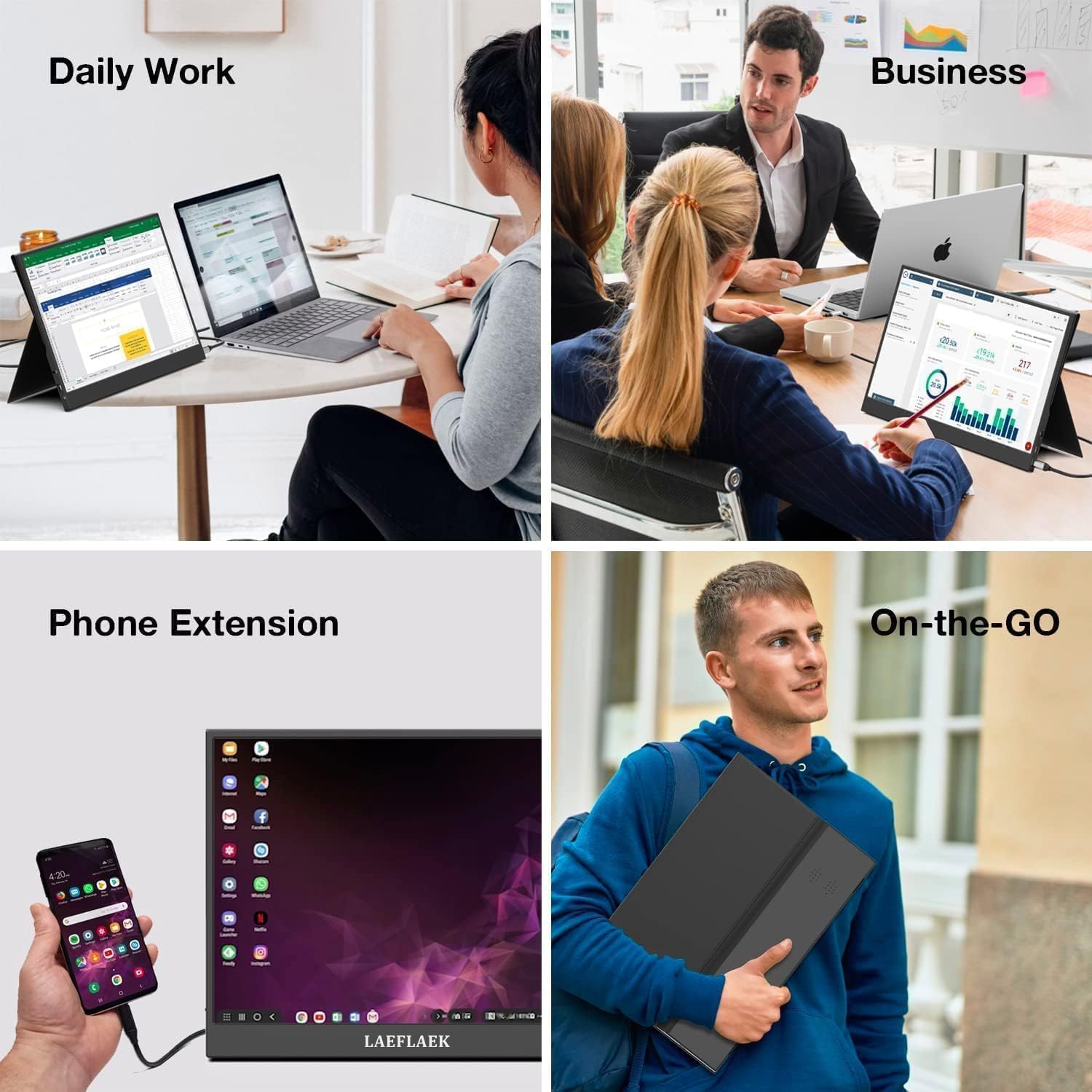
Figure 7.1: Various applications of the iProda portable monitor.

Figure 7.2: iProda portable monitor used for gaming with various consoles.
8. Manteniment
To ensure the longevity and optimal performance of your iProda portable monitor, follow these maintenance guidelines:
- Neteja de la pantalla: Utilitzeu un drap suau i sense pelusa lleugerament dampened with water or a screen-cleaning solution. Do not spray liquid directly onto the screen. Avoid using harsh chemicals or abrasive materials.
- Neteja de la Casing: Netegeu la part c del monitorasinamb un drap suau i sec.
- Emmagatzematge: When not in use, store the monitor in a cool, dry place, preferably in its original packaging or a protective sleeve to prevent dust and scratches.
- Manipulació: Always handle the monitor by its edges. Avoid applying pressure to the screen.
9. Solució De Problemes
If you encounter issues with your iProda portable monitor, refer to the following common problems and solutions:
| Problema | Causa possible | Solució |
|---|---|---|
| Sense senyal / Pantalla negra | Incorrect input source selected; Loose cable connection; Insufficient power; Device not outputting video. | Check cable connections; Ensure monitor is powered; Select correct input source via OSD; Verify device's video output settings. |
| Sense poder | Power cable not connected; Power adapter faulty; USB-C port on device not providing enough power. | Ensure power cable is securely connected; Try a different power adapter/USB-C port; Use an external power source if needed. |
| Pantalla parpellejant | Faulty cable; Interference; Graphics driver issue. | Try a different cable; Ensure no strong electromagnetic interference; Update graphics drivers on your connected device. |
| No Audio from Monitor | Monitor volume too low; Audio output not set to monitor; External speakers/headphones connected. | Adjust monitor volume via OSD; Set audio output to the monitor in your device's sound settings; Disconnect external audio devices if using monitor speakers. |
If the problem persists after trying these solutions, please contact iProda customer support for further assistance.
10. Especificacions
| Característica | Especificació |
|---|---|
| Mida de la pantalla | 15.6 polzades |
| Tipus de visualització | IPS, Anti-glare |
| Resolució | Full HD (1920 x 1080) |
| Freqüència d'actualització | 60 Hz |
| Relació d'aspecte | 16:9 |
| Connectivitat | 2x USB-C (Full Function), 1x Mini HDMI, 1x 3.5mm Audio Jack |
| Pes | Aprox. 1.2 kg (2.6 lliures) |
| Gruix | Aprox. 0.6 cm (0.24 polzades) |
| Altaveus incorporats | Sí |
11. Garantia i Suport
Your iProda portable monitor comes with a standard manufacturer's warranty. Please refer to the warranty card included in your product packaging for specific terms and conditions.
For technical support, troubleshooting assistance, or warranty claims, please contact iProda customer service through the contact information provided on the official iProda weblloc web o la vostra plataforma de compra.
Please have your product model and purchase details ready when contacting support.
Ask a question about this manual
Ask about setup, troubleshooting, compatibility, parts, safety, or missing instructions. Manuals+ will review the question and use this page’s manual context to help answer it.