
Introducció
This manual provides detailed instructions for the installation, operation, and maintenance of your VEEZOOM PTZ Outdoor Wi-Fi Camera (Model WS-204A). Please read this manual thoroughly before using the product to ensure proper function and safety. Keep this manual for future reference.
Informació de seguretat
- Ensure the power supply meets the camera's requirements to prevent damage.
- Do not attempt to disassemble or modify the camera. This will void the warranty and may cause electric shock or injury.
- Install the camera in a location where it is protected from direct impact or extreme temperatures beyond its operating range.
- Keep the camera away from strong electromagnetic fields.
- Use only authorized accessories and power adapters.
- Assegureu-vos que tots els cables estiguin connectats correctament i protegits de danys ambientals.
Contingut del paquet
Si us plau, comproveu el contingut del paquet en rebre'l. Si falta algun article o hi ha algun dany, poseu-vos en contacte amb el servei d'atenció al client.
- VEEZOOM PTZ Outdoor Wi-Fi Camera
- Adaptador d'alimentació
- Cargols i ancoratges de muntatge
- Waterproof Kit for Cable Connections
- Manual d'usuari
Producte acabatview
The VEEZOOM PTZ Outdoor Wi-Fi Camera is designed for comprehensive outdoor surveillance, featuring 4 MP resolution, color night vision, and pan-tilt-zoom capabilities for 360-degree coverage.

Imatge: Frontal view of the VEEZOOM PTZ Outdoor Wi-Fi Camera, showing its main lens and antenna design.
Guia de configuració
1. App Download and Account Registration
Cerca the recommended application (e.g., Tuya Smart or similar smart home app) in your smartphone's app store (iOS or Android). Download and install the app, then register for an account and log in.
2. Encendre la càmera
Connect the camera to the power adapter and plug it into an electrical outlet. The camera will power on and initiate its self-test sequence. Wait for the indicator light to flash, indicating it is ready for connection.
3. Connexió a la xarxa
The camera supports dual-band Wi-Fi (2.4 GHz and 5 GHz). For optimal stability and penetration through walls, a 2.4 GHz network is recommended. Follow the in-app instructions to add the device:
- Open the app and tap 'Add Device' or the '+' icon.
- Select 'Security & Video Surveillance' and then 'Smart Camera'.
- Follow the prompts to connect the camera to your Wi-Fi network. This typically involves scanning a QR code displayed on your phone with the camera lens or using an AP hotspot connection.
- Once connected, the camera's indicator light will turn solid, and you will hear a confirmation sound.

Image: The VEEZOOM camera mounted on a wall, illustrating its dual-band Wi-Fi (2.4GHz/5GHz) and Bluetooth connectivity for easy setup.
4. Instal·lació física i muntatge
The camera can be mounted on a wall, door, or ceiling. Choose a location that provides the desired viewangle d'inclinació i que estigui dins de l'abast de la vostra xarxa Wi-Fi i la font d'alimentació.
- Mark the drilling points using the mounting template (if provided).
- Perfora forats i insereix els ancoratges de paret.
- Fixeu el suport de muntatge a la superfície amb els cargols proporcionats.
- Fixeu la càmera al suport de muntatge.
- Ensure all cable connections are waterproofed using the provided kit for outdoor installations.
Instruccions de funcionament
1. PTZ (Pan, Tilt, Zoom) Control
The camera offers 355° pan and 180° tilt control, providing full 360-degree coverage of your surveillance area. Use the controls within the mobile application to remotely adjust the camera's viewing angle and utilize the 3x digital zoom function.
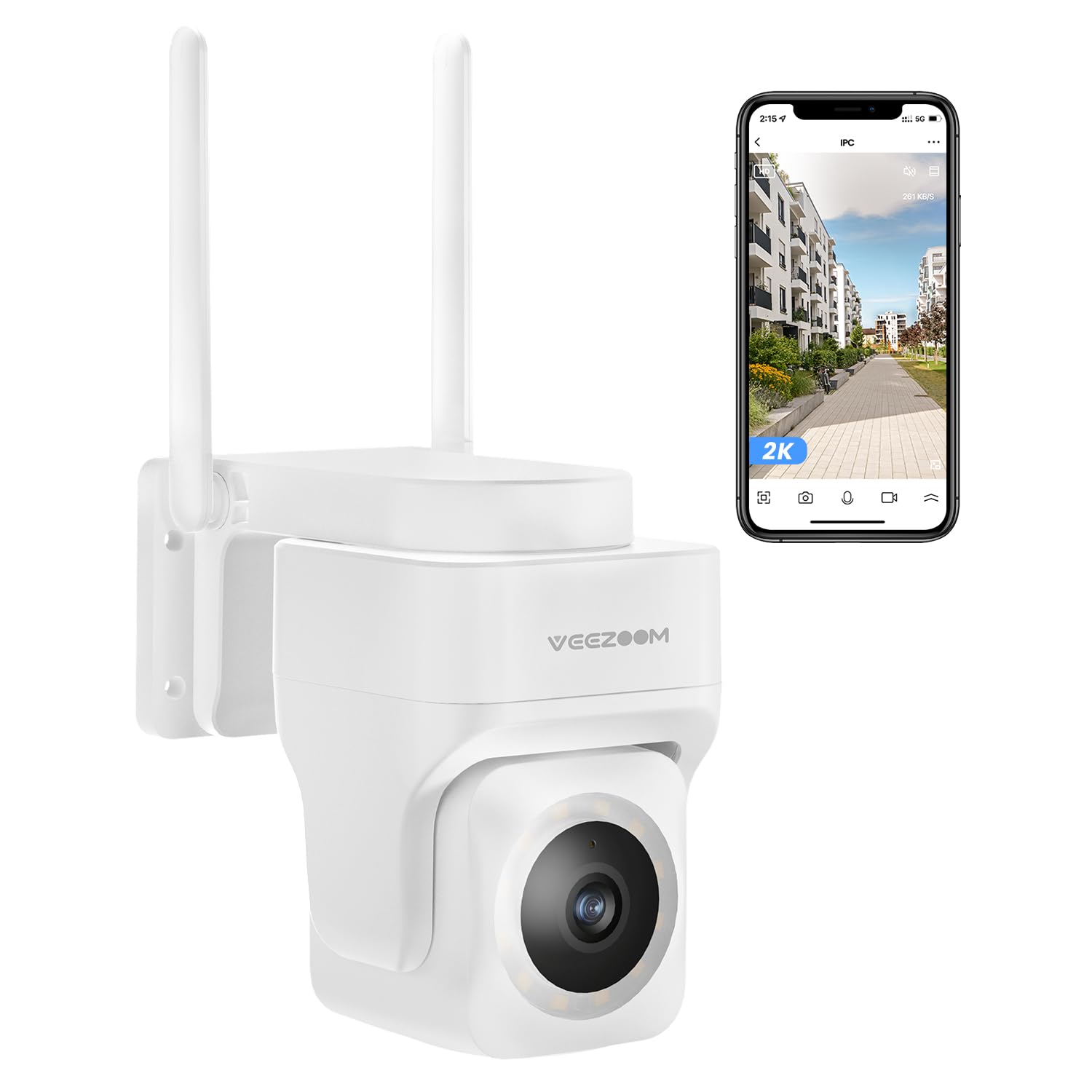
Image: An illustration demonstrating the 355° pan and 180° tilt control of the VEEZOOM camera, providing full coverage. A smartphone screen shows the live feed with control options.
2. Visió nocturna en color
The camera is equipped with full-color night vision, allowing you to see clear, vivid details even in low-light conditions. This feature enhances security by providing more identifiable images at night compared to traditional black and white night vision.

Image: The VEEZOOM camera mounted outdoors at night, with its integrated light illuminating the area for full-color night vision, as seen on a smartphone screen.
3. Motion Detection and Instant Alerts
The camera features advanced human detection to minimize false alarms. When motion or a human figure is detected, you will receive instant notifications on your smartphone, allowing for real-time response to potential threats.

Image: A scene showing two people walking past a house, with a green box highlighting human detection by the VEEZOOM camera. A smartphone displays a 'Human body detected' notification.
4. Àudio bidireccional
Utilize the built-in microphone and speaker for two-way communication. You can listen to what's happening around the camera and speak through the camera to communicate with visitors or deter intruders.
5. Light and Sound Warning
The camera can be configured to activate a light and/or sound alarm upon detection of suspicious activity, serving as a deterrent to unwelcome individuals.
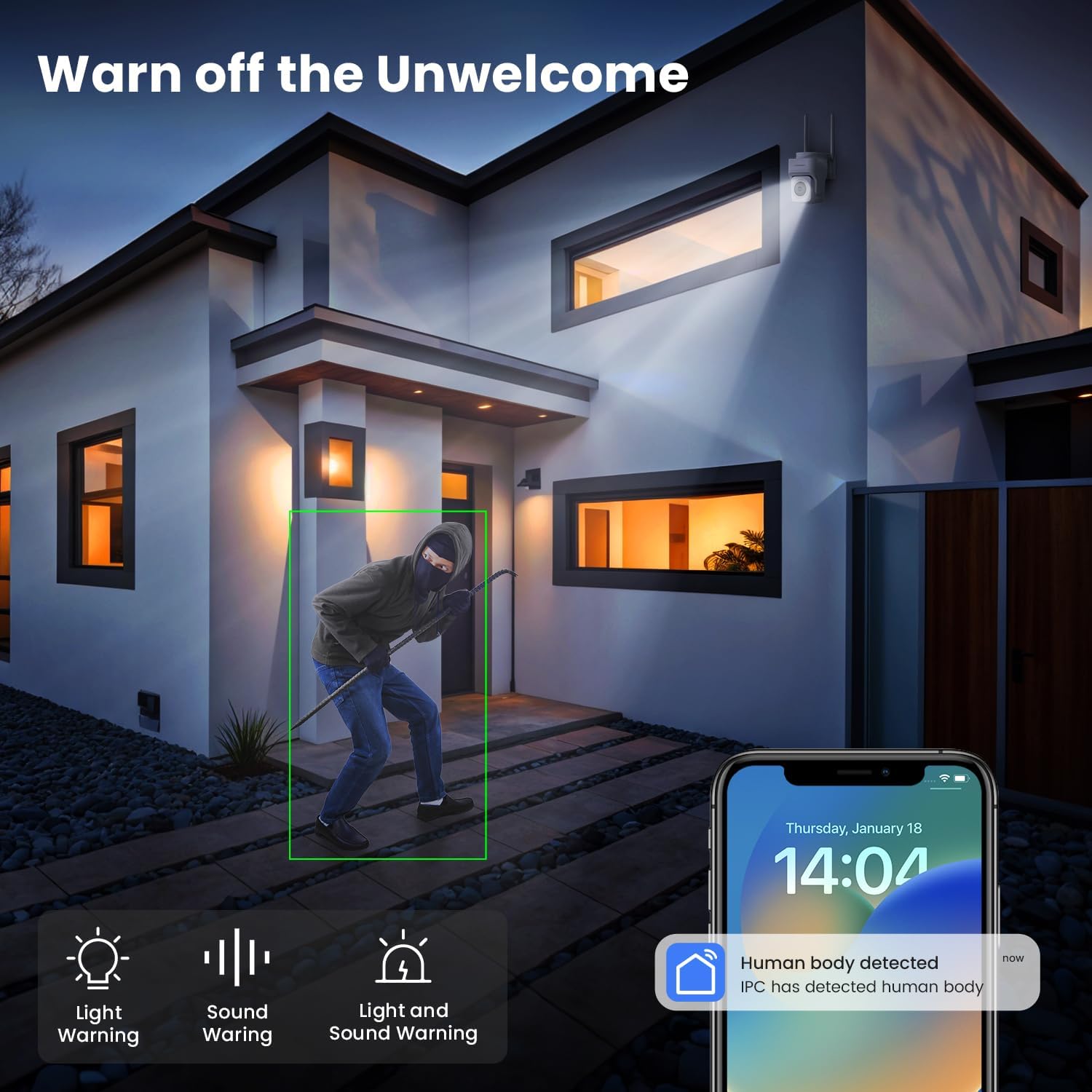
Image: A night scene depicting a person in a hoodie near a house, with the VEEZOOM camera's light and sound warning icons displayed, indicating its deterrent capabilities.
6. Opcions d'emmagatzematge
La càmera ofereix solucions d'emmagatzematge flexibles:
- Emmagatzematge local: Supports a Micro SD card up to 128 GB (not included) for continuous recording or event-triggered recordings.
- Emmagatzematge al núvol: Optional cloud storage service (subscription may be required) provides secure off-site backup of your video recordings.
Manteniment
1. Neteja de la càmera
Regularly clean the camera lens and housing with a soft, dry cloth to ensure clear image quality. Do not use harsh chemicals or abrasive cleaners.
2. Actualitzacions de firmware
Check the mobile application periodically for available firmware updates. Keeping your camera's firmware up-to-date ensures optimal performance, security, and access to new features.
3. Protecció del Medi Ambient
The camera is waterproof, snowproof, and anti-exposure, designed to withstand various outdoor conditions from -10°C to 45°C.

Image: The VEEZOOM camera mounted outdoors during heavy rain, illustrating its weatherproof, snowproof, and anti-exposure features for all-day protection across a temperature range of -10°C to 45°C.
Resolució de problemes
- Càmera fora de línia: Ensure the camera is powered on and within Wi-Fi range. Check your router's internet connection. Try restarting the camera and your router.
- No es pot connectar a la Wi-Fi: Verify your Wi-Fi password. Ensure you are connecting to a 2.4 GHz network for initial setup if experiencing issues with 5 GHz. Move the camera closer to the router during setup.
- Poca qualitat d'imatge: Clean the camera lens. Ensure there are no obstructions. Check your internet speed; a stable connection is required for high-resolution streaming.
- La detecció de moviment no funciona: Check the motion detection settings in the app. Adjust sensitivity levels. Ensure the detection area is correctly configured.
- No recording to SD card: Ensure the SD card is correctly inserted, formatted within the app, and not full. Check recording settings in the app.
Especificacions
| Característica | Detall |
|---|---|
| Número de model | WS-204A |
| Resolució | 4 MP (1440p) |
| Velocitat de fotogrames de vídeo | 20 fps |
| Interval de panoràmica/inclinació | Panorama 355°, inclinació 180° |
| Zoom | Zoom digital de 3x |
| Visió nocturna | Color Night Vision (up to 10 meters) |
| Connectivitat | Wi-Fi (2.4G & 5G support, 2.4G recommended for stability) |
| Característiques especials | Two-way audio, Motion detection, Human detection, Local recording, PTZ Technology, Light & Sound Alarm |
| Emmagatzematge | Micro SD card (up to 128GB, not included), Cloud Storage (optional) |
| Ús interior/exterior | A l'aire lliure |
| Resistència a l'aigua | Impermeable |
| Temperatura de funcionament | -10 °C a 45 °C |
| Font d'alimentació | Cable elèctric |
| Tipus de muntatge | Wall mount, Door mount, Ceiling mount (Screw-in installation) |
| Dispositius compatibles | Smartphone, tauleta |
| Dimensions del producte | 11.8 x 12.6 x 12.25 cm |
| Pes del producte | 490 grams |

Image: A visual comparison demonstrating the clarity of 2K resolution versus 1080p, highlighting the superior detail provided by the VEEZOOM camera's 4 MP (2K) sensor.
Informació de la garantia
VEEZOOM products typically come with a limited warranty. Please refer to the warranty card included with your product or visit the official VEEZOOM weblloc web per obtenir informació detallada sobre els termes i condicions de la garantia. Conserveu el rebut de compra com a comprovant de compra per a reclamacions de garantia.
Atenció al client
If you encounter any issues or have questions not covered in this manual, please contact VEEZOOM customer support through their official website or the contact information provided in your product packaging. Provide your model number (WS-204A) and a detailed description of the issue for faster assistance.