
TECKNET TK-MS009
Manual d'usuari del ratolí silenciós sense fil recarregable TECKNET
Model: TK-MS009
1. Introducció
Thank you for choosing the TECKNET Wireless Rechargeable Silent Mouse. This manual provides detailed instructions on how to set up, operate, and maintain your new mouse, ensuring optimal performance and longevity. Designed for comfort and efficiency, this mouse features silent clicks, adjustable DPI, and a long-lasting rechargeable battery, making it ideal for various computing tasks.
2. Contingut del paquet
Please check the package contents carefully. If any items are missing or damaged, please contact TECKNET customer support.
- 1 x TECKNET Wireless Rechargeable Silent Mouse
- 1 x Receptor USB (guardat al compartiment de la bateria del ratolí)
- 1 x cable de càrrega USB-C
- 1 x Manual d'usuari (aquest document)
3. Producte acabatview
Familiarize yourself with the components of your TECKNET Wireless Mouse.

Figura 3.1: Davant view of the TECKNET Wireless Rechargeable Silent Mouse and its included USB-C charging cable.

Figura 3.2: Illustration highlighting the ergonomic design of the mouse, which fits the natural curvature of the human palm for comfortable use.
Components del ratolí:
- Botó de clic esquerre
- Botó de clic dret
- Roda de desplaçament
- Botó d'ajust de DPI
- Forward Button (Side)
- Backward Button (Side)
- USB-C Charging Port (Front)
- Power ON/OFF Switch (Bottom)
- USB Receiver Storage Slot (Bottom)
4. Configuració
Follow these steps to set up your TECKNET Wireless Mouse.
- Retrieve the USB Receiver: Locate the USB receiver stored in the battery compartment on the bottom of the mouse. Gently pull it out.
- Connecteu el receptor USB: Plug the USB receiver into an available USB port on your computer (PC, laptop, Chromebook, Mac).
- Engegar el ratolí: Flip the ON/OFF switch located on the bottom of the mouse to the "ON" position.
- Connexió automàtica: The mouse will automatically connect to your computer. No additional drivers are required for most operating systems (Windows 11/10/8.1/8/7/Vista/XP, Linux). For Mac OS, side buttons may not be available.
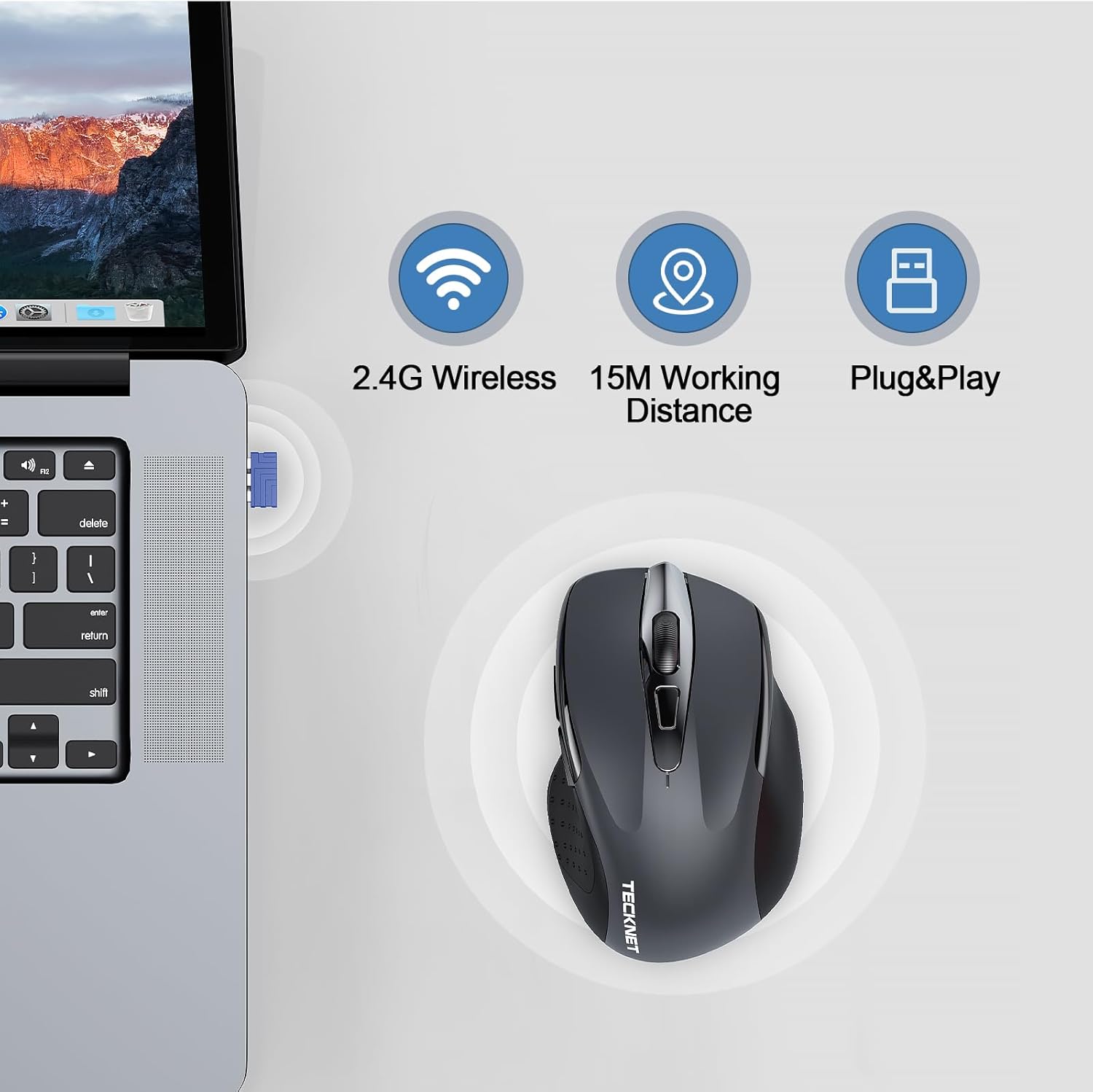
Figura 4.1: The USB receiver being inserted into a laptop's USB port, demonstrating the 2.4G wireless connection and plug-and-play functionality.
Your mouse is now ready for use. The effective working distance is up to 15 meters (49 feet).
5. Instruccions de funcionament
5.1 Ajust de DPI
The mouse features 6 adjustable DPI levels to suit various tasks, from precise design work to fast-paced gaming. Press the DPI button (located behind the scroll wheel) to cycle through the sensitivity settings.
- Available DPI settings: 800 / 1200 / 1600 / 2400 / 3200 / 4800 DPI.
- A higher DPI setting results in faster cursor movement.

Figura 5.1: Visual representation of the mouse's 6 adjustable DPI levels, indicating high precision and adaptability for different user needs.
5.2 Funció de clic silenciós
The TECKNET mouse is designed with silent click technology, reducing click noise by up to 90%. This feature provides a quiet working environment, ideal for offices, libraries, or late-night use without disturbing others.

Figura 5.2: A user demonstrating the silent click feature of the mouse, highlighting its benefit in maintaining a quiet and focused environment.
5.3 Mode d'estalvi d'energia
To conserve battery life, the mouse features an intelligent power-saving mode:
- Repòs automàtic: The mouse will automatically enter sleep mode after a period of inactivity.
- Desperta: To reactivate the mouse, simply click any button.
- Apagat manual: For extended periods of non-use, switch the power button on the bottom of the mouse to "OFF".
6. Càrrega del ratolí
The TECKNET mouse is equipped with a built-in 700mAh rechargeable battery, offering extended usage on a single charge.
- Connecteu el cable: Insert the USB-C end of the charging cable into the charging port on the front of the mouse.
- Connecteu-vos a l'alimentació: Plug the USB-A end of the charging cable into a USB power source (e.g., computer USB port, USB wall adapter).
- Indicador de càrrega: Un indicador lluminós del ratolí mostrarà l'estat de càrrega.
- Temps de càrrega: Una càrrega completa triga aproximadament 2 hores.
- Ús durant la càrrega: You can continue to use the mouse even while it is charging.
- Durada de la bateria: A full charge can provide 1 to 2 months of use, depending on usage patterns.

Figura 6.1: The TECKNET mouse connected to a power source via its USB-C charging cable, illustrating its long-lasting 700mAh battery life.
7. Manteniment
Per garantir la longevitat i el rendiment òptim del ratolí, seguiu aquestes pautes de manteniment:
- Neteja: Feu servir un drap suau i sec per netejar la superfície del ratolí. Per a la brutícia persistent, netegeu lleugerament.ampNetegeu el drap amb aigua o una solució de neteja suau. Eviteu productes químics agressius o materials abrasius.
- Emmagatzematge: When not in use for extended periods, store the mouse in a cool, dry place. It is recommended to turn off the mouse to conserve battery.
- Eviteu condicions extremes: No exposeu el ratolí a temperatures extremes, llum solar directa ni humitat elevada.
- Manejar amb cura: Eviteu deixar caure el ratolí o sotmetre'l a impactes forts.
8. Solució De Problemes
If you encounter issues with your TECKNET Wireless Mouse, please refer to the following common problems and solutions:
| Problema | Causa possible | Solució |
|---|---|---|
| El ratolí no respon | Low battery; Mouse is off; USB receiver not connected; Driver issue. | Charge the mouse; Turn on the mouse; Re-plug the USB receiver; Try a different USB port; Restart your computer. |
| El moviment del cursor és erràtic o brusc | Sensor òptic brut; superfície inadequada; interferències. | Clean the optical sensor with a soft cloth; Use the mouse on a smooth, non-reflective surface or a mouse pad; Move closer to the receiver; Remove other 2.4GHz devices. |
| El ratolí es desconnecta sovint | Low battery; Too far from receiver; Interference. | Charge the mouse; Ensure mouse is within 15m of receiver; Minimize interference from other wireless devices. |
| Side buttons not working (Mac OS) | Limitació del sistema operatiu. | This is a known compatibility limitation with Mac OS. The main click and scroll functions will work normally. |
If the problem persists after trying these solutions, please contact TECKNET customer support for further assistance.
9. Especificacions
| Característica | Detall |
|---|---|
| Marca | TECNET |
| Nom del model | TK-MS009 |
| Tecnologia de connectivitat | Sense fil 2.4G (receptor USB) |
| Tecnologia de detecció de moviment | Òptic |
| Nivells de DPI | 800 / 1200 / 1600 / 2400 / 3200 / 4800 DPI (Adjustable) |
| Nombre de botons | 6 (Esquerra, Dreta, Roda de desplaçament, DPI, Endavant, Enrere) |
| Orientació de la mà | D'acord |
| Tipus de bateria | Built-in 700mAh Rechargeable Battery (1 C-cell equivalent) |
| Port de càrrega | USB-C |
| Effective Working Distance | Fins a 15 metres (49 peus) |
| Característiques especials | Portable, Silent Click, Ergonomic Design, Wireless, Rechargeable |
| Compatibilitat de la plataforma de maquinari | PC, Laptop, Chromebook |
| Compatibilitat amb SO | Windows 11/10/8.1/8/7/Vista/XP, Linux, Mac OS (side buttons not available) |
10. Garantia i Suport
TECKNET provides a comprehensive warranty for this product.
- Període de garantia: TECKNET offers up to 3 years of warranty service for registered users.
- Atenció al client: If you encounter any problems during the use of your TECKNET mouse, please contact our professional customer service team as soon as possible. We are committed to assisting you in resolving any issues.
- Informació de contacte: Please refer to the contact details provided on the TECKNET official website or the product packaging for the most up-to-date support information.
Documents relacionatsTK-MS009


Ask a question about this manual
Ask about setup, troubleshooting, compatibility, parts, safety, or missing instructions. Manuals+ will review the question and use this page’s manual context to help answer it.