
VOX AP3HG
VOX amPlug 3 High Gain Headphone Guitar AmpManual d'instruccions de lifier
Model: AP3HG
Introducció
Gràcies per la compraasinla VOX amPlug 3 High Gain Headphone Guitar Amplifier. This compact and portable device allows you to enjoy high-quality guitar tones and practice silently using headphones. Designed for electric guitars, it features multiple amplifier modes, built-in effects, and rhythm patterns to enhance your playing experience.

Imatge: Frontal view de la amPlug 3 High Gain unit.
Contingut del paquet
- VOX amPlug 3 High Gain Headphone Guitar Ampmés viu
- 2 x piles AAA
- Manual d'instruccions (aquest document)
Característiques clau
- High-Gain Tones: Delivers searing, overdriven tones suitable for heavy rock and metal genres.
- Three Dynamic Modes: Includes High Gain for intense distortion, Mid Boost for added punch, and Gain Boost for even more overdrive.
- Nine Rhythm Patterns: Features selectable rhythm patterns including metal, hard rock, and punk, ideal for practice and jamming.
- Advanced Analog Circuitry: Captures the aggressive sound and fast response characteristic of high-gain ampaixecadors.
- Compacte i portàtil: Ultra-lightweight design (40 grams excluding batteries) for easy transport.
- Llarga vida útil de la bateria: Operates on two AAA batteries, providing up to 17 hours of continuous playtime.
- Entrada auxiliar: Allows connection of external audio sources to play along with your favorite tracks.
- Foldable Plug Mechanism: Rotates 180 degrees for optimal positioning and convenient storage.
- Apagat automàtic: Conserves battery life by automatically shutting down when not in use.
Controls i Funcions

Imatge: Superior view de la amPlug 3 High Gain showing the control knobs and FX button.
- 1. GAIN Knob: Adjusts the amount of distortion or overdrive. Turn clockwise for more gain, counter-clockwise for less.
- 2. TONE Knob: Controls the tonal characteristics, from brighter (clockwise) to warmer (counter-clockwise).
- 3. VOLUME Knob: Sets the overall output volume to your headphones.
- 4. FX Button: Cycles through built-in effects (Chorus, Delay, Reverb) and rhythm patterns. Press briefly to change.
- 5. AUX Input (3.5mm jack): Connect an external audio player (e.g., smartphone, MP3 player) to play along with music.
- 6. Headphone Output (3.5mm jack): Connecteu els auriculars aquí.
- 7. Guitar Input (1/4-inch plug): Plugs directly into your electric guitar's output jack. This plug rotates 180 degrees.
- 8. Botó d'engegada: Manteniu premut per encendre o apagar la unitat.
Guia de configuració
- Insereix les piles:
Obriu la tapa del compartiment de la bateria a la part posterior del amPlug unit. Insert two AAA batteries, ensuring correct polarity (+/-). Close the cover securely.

Image: Battery compartment with AAA batteries.
- Connecta't a la guitarra:
Plug the 1/4-inch jack of the amPlug 3 directly into your electric guitar's output jack. The plug can rotate 180 degrees to accommodate various guitar body shapes and playing positions.
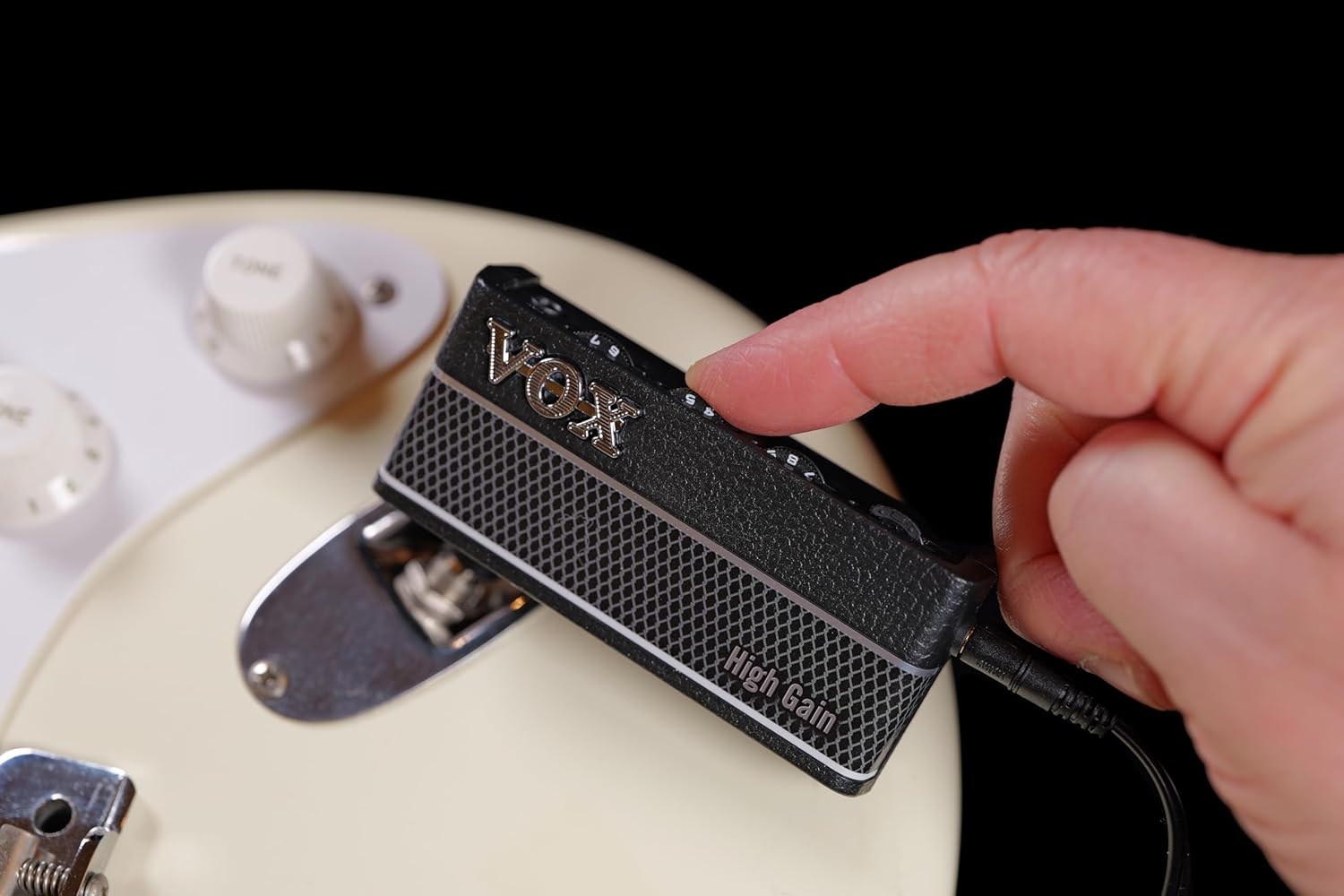
Imatge: amPlug 3 connected to a guitar.
- Connecteu els auriculars:
Plug your headphones into the 3.5mm headphone output jack on the amPUnitat de 3 terminals.

Image: Headphones being plugged into the amPlug 3.
Instruccions de funcionament
Encès/Apagat
Press and hold the Power button (located on the side) for approximately 1 second to turn the amPlug 3 on or off. A small LED indicator will illuminate when the unit is powered on.
Adjusting Tone and Volume
Use the GAIN, TONE, and VOLUME knobs on the top of the unit to adjust your desired sound. Experiment with different settings to find your preferred tone.
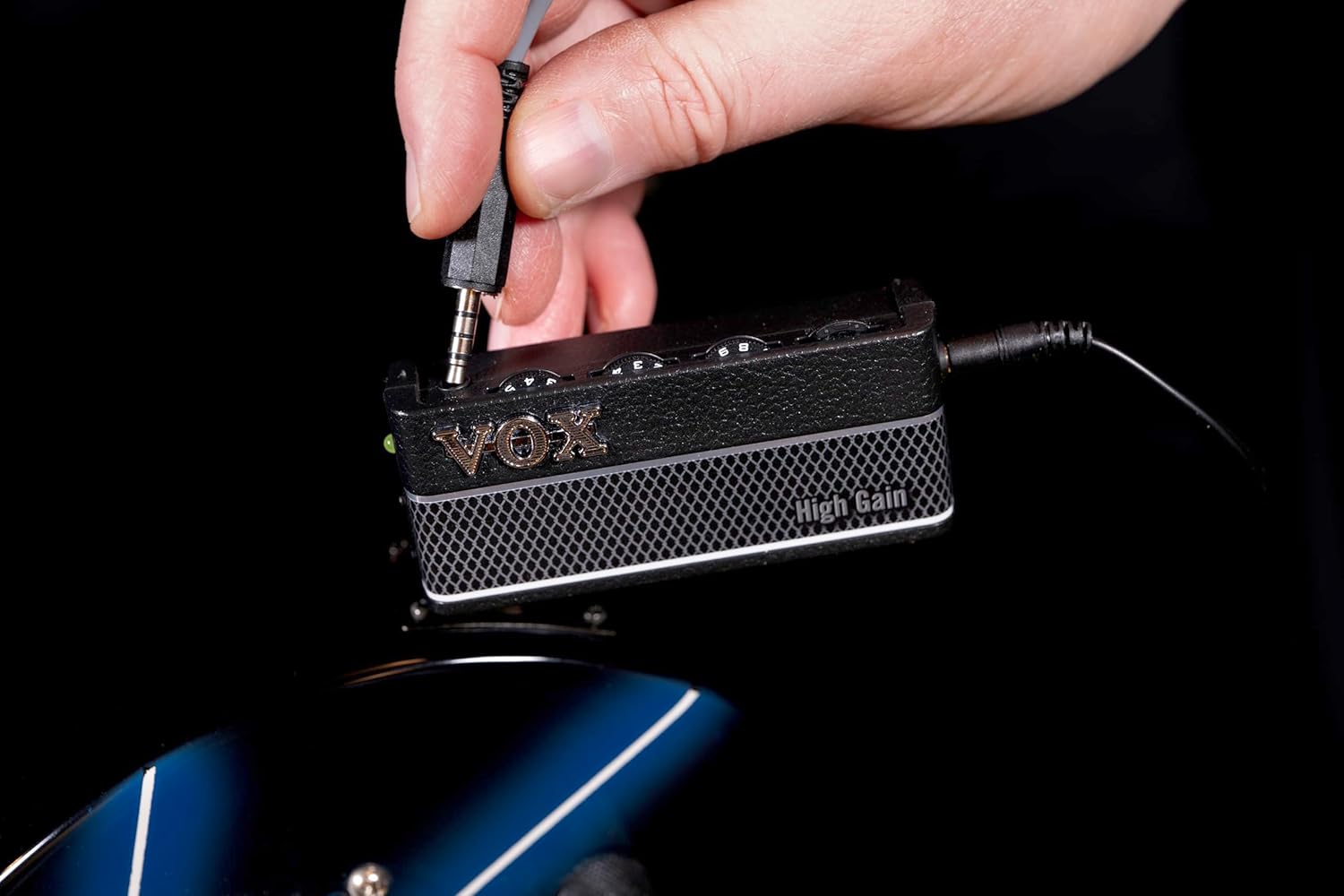
Image: Adjusting the amPlug 3 controls.
Selecting Effects and Rhythms
Press the FX button (small button on the top right) to cycle through the available effects (Chorus, Delay, Reverb) and rhythm patterns. Each press will advance to the next option. Refer to the detailed product specifications for a full list of available effects and rhythms.
Utilitzant l'entrada AUX
Connect an external audio device to the AUX input jack using a 3.5mm stereo cable. You can then play along with your favorite music or backing tracks through your headphones. The volume of the external audio can be controlled by your external device.
Manteniment
Canvi de bateria
When the sound becomes distorted or the LED indicator dims, it is time to replace the batteries. Open the battery compartment on the back of the unit and replace the two AAA batteries with new ones, observing correct polarity. Always use fresh batteries for optimal performance.
Neteja
Wipe the unit with a soft, dry cloth. Do not use abrasive cleaners, waxes, or solvents as these may damage the finish.
Resolució de problemes
| Problema | Causa possible | Solució |
|---|---|---|
| No se sent so dels auriculars. |
|
|
| El so està distorsionat o feble. |
|
|
| La unitat s'apaga inesperadament. |
|
|
Especificacions
| Número de model | AP3HG |
| Dimensions (L x A x A) | 1.42" de profunditat x 5.12" d'amplada x 7.2" d'alçada (aprox. 36 x 130 x 183 mm) |
| Pes | 2.12 ounces (approx. 60 grams) excluding batteries |
| Font d'alimentació | 2 x piles AAA |
| Durada de la bateria | Up to 17 hours (approximate, may vary with usage) |
| Jacks d'entrada/sortida | 1/4" Guitar Input, 3.5mm Headphone Output, 3.5mm AUX Input |
| Efectes | Cor, Retard, Reverberació |
| Patrons de ritme | 9 patterns (Metal, Hard Rock, Punk, etc.) |
| Material | Plàstic |
Informació important de seguretat
- No exposeu la unitat a la pluja, la humitat o les temperatures extremes.
- Eviteu deixar caure la unitat ni sotmetre-la a impactes forts.
- No intenteu desmuntar ni modificar la unitat.
- Traieu les bateries si la unitat no s'utilitzarà durant un període prolongat.
- Eliminar les bateries segons la normativa local.
- L'escolta prolongada a nivells de volum elevats pot causar danys auditius.
Garantia i Suport
For warranty information and customer support, please refer to the official VOX website or contact your local VOX distributor. Keep your purchase receipt as proof of purchase for warranty claims.
Fabricant: VOX
Weblloc: www.voxamps.com
Ask a question about this manual
Ask about setup, troubleshooting, compatibility, parts, safety, or missing instructions. Manuals+ will review the question and use this page’s manual context to help answer it.