
ATOMSTACK AC1
Manual d'usuari de la càmera de gravat làser ATOMSTACK Maker AC1
Model: AC1
1. Introducció
This manual provides detailed instructions for the installation, operation, and maintenance of your ATOMSTACK Maker AC1 Laser Engraver Camera. The AC1 camera is designed to enhance your laser engraving experience by offering precise positioning, work preview, multitasking capabilities, and video recording features when integrated with LightBurn software.
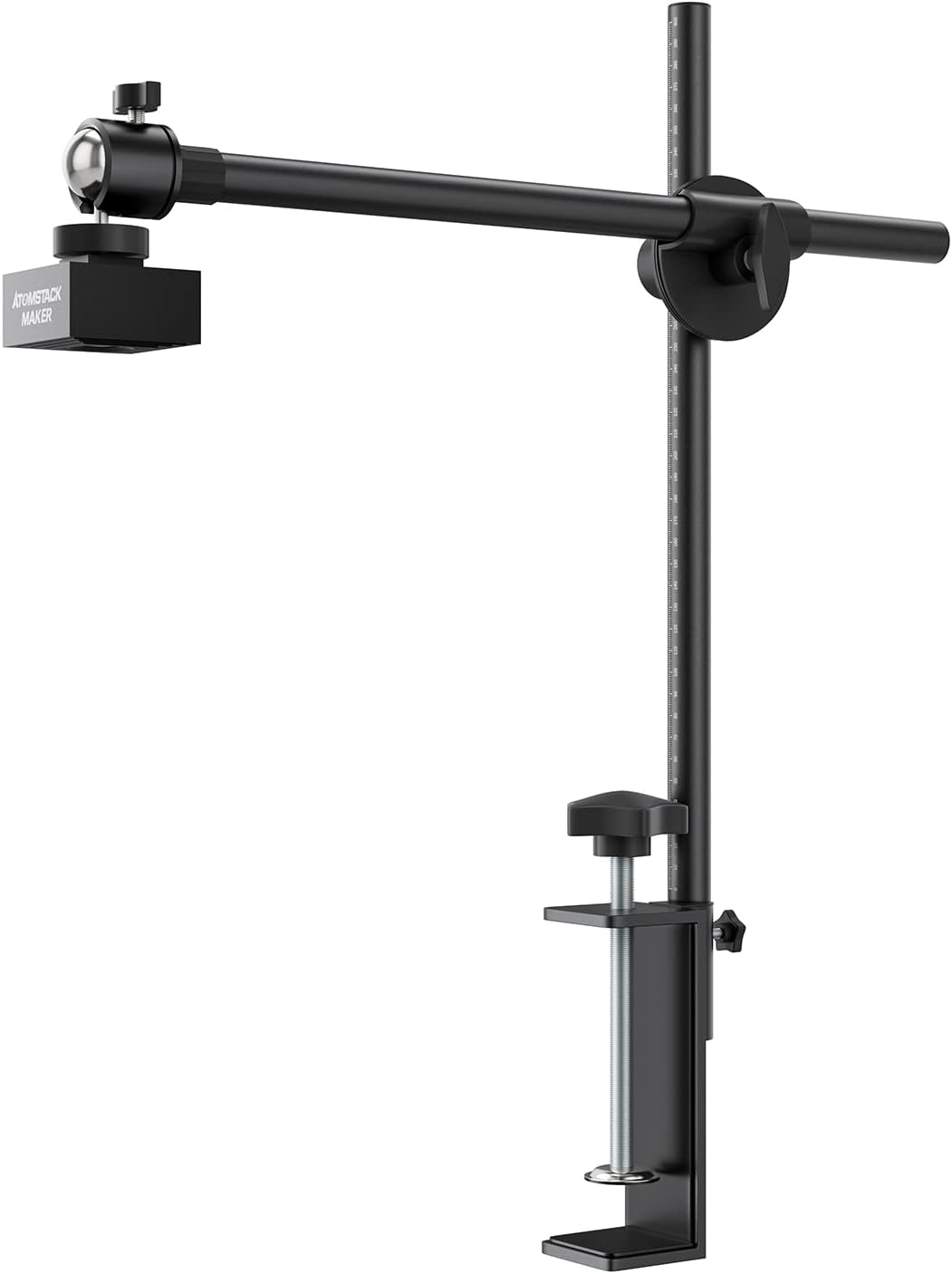
Figure 1: ATOMSTACK Maker AC1 Laser Engraver Camera setup.
2. Informació de seguretat
Please read and understand all safety instructions before using the ATOMSTACK Maker AC1 Camera with your laser engraver. Failure to follow these instructions may result in injury or damage to the equipment.
- Always wear appropriate laser safety glasses when operating a laser engraver.
- Ensure the camera is securely mounted and stable to prevent accidental falls.
- Do not look directly into the laser beam or the camera lens during laser operation.
- Mantingueu la zona de treball lliure de materials inflamables.
- Ensure proper ventilation when operating the laser engraver.
3. Contingut del paquet
Verifiqueu que tots els elements que s'enumeren a continuació s'inclouen al vostre paquet:

Figure 2: ATOMSTACK Maker AC1 Camera package contents.
- AC1 Camera Unit
- Camera Bracket (Base, Bracket, Connector)
- Cable USB
- Kraft Paper (for calibration)
- Focusing Piece
- Soft Ruler
4. Configuració
4.1. Camera Bracket Installation
Assemble the camera bracket components as shown in the video. Ensure all connections are secure.
Video 1: Installation of the camera bracket and initial setup steps.
4.2. Muntatge de la càmera
Attach the assembled camera bracket to your laser engraver. Adjust the height so that the distance between the working plane and the camera lens is approximately 420mm. Align the center of the camera lens with the cross position on your work surface as accurately as possible.
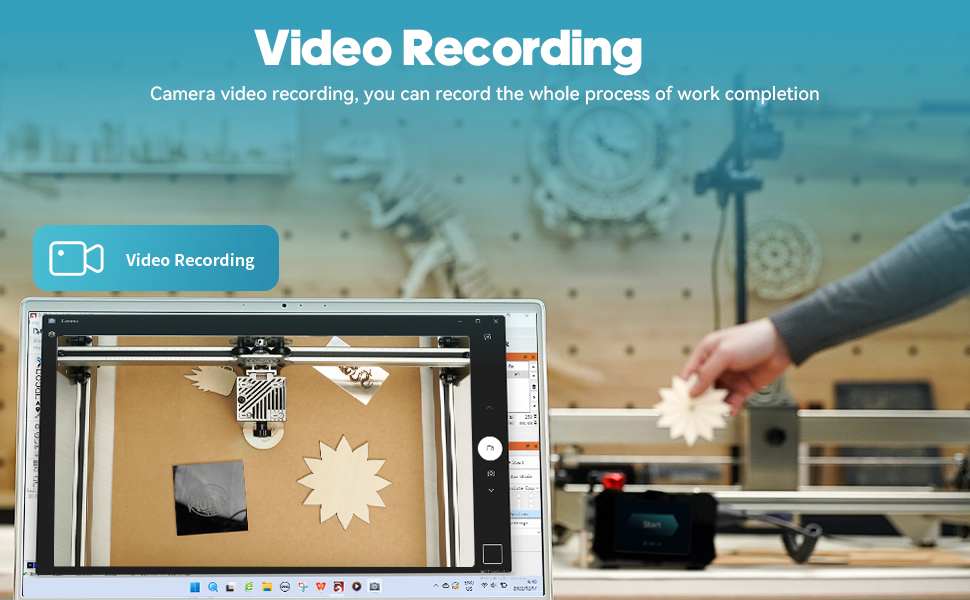
Figure 3: Camera mounting and coverage area illustration.
4.3. Connecting to LightBurn
Connect the AC1 camera to your computer via the provided USB cable. Open LightBurn software. Navigate to the 'Window' menu and ensure 'Camera Control' is checked. In the 'Camera Control' window, select 'USB Camera' from the dropdown menu.
4.4. Lens Calibration
To ensure accurate positioning, perform lens calibration:
- In LightBurn's 'Camera Control' window, click the 'Calibrate Camera Lens' option.
- Place the provided dot pattern card flat in the working area of the engraver.
- Capture images of the pattern card in five different positions: center, top-left, top-right, bottom-left, and bottom-right. Ensure the pattern is clearly visible in each capture.
- Follow the on-screen prompts to complete the lens calibration.
4.5. Camera Alignment
After lens calibration, proceed with camera alignment:
- In LightBurn's 'Camera Control' window, click the 'Calibrate Camera Alignment' option.
- Place four 100mm x 100mm cardboard squares in the corners of your engraver's working area.
- Engrave a 400mm x 400mm cross pattern onto these cardboard squares.
- Flip the cardboard squares over to the other side.
- In the Camera Alignment Wizard, click 'Capture Image'.
- Carefully click the intersection points of the engraved cross pattern on each of the four cardboard squares in the correct numerical order (1-4) as prompted by the software. Zoom in for precision.
- Complete the alignment process by following the remaining on-screen instructions.
5. Instruccions de funcionament
5.1. Work Preview
The AC1 camera provides a live preview of your work area directly within LightBurn. This feature allows you to visualize your design on the material before engraving, eliminating the need for manual positioning and reducing material waste. The software automatically identifies and recognizes the pattern to be engraved.

Figure 4: Live work preview in LightBurn using the AC1 camera.
5.2. Precise Positioning
The camera's auto-precise positioning technology allows for accurate placement of your designs. After calibration, the camera can automatically locate objects with a positioning error of less than 1mm, ensuring your engravings are exactly where you intend them to be.

Figure 5: Precise positioning with the AC1 camera, demonstrating sub-millimeter accuracy.
5.3. Multitasking Engraving
With the AC1 camera, you can engrave on various materials simultaneously without needing to preview each one individually. This significantly boosts engraving efficiency, especially when working with multiple small items or different material types.
Video 2: Demonstration of multitasking engraving with the ATOMSTACK Maker AC1 Camera.
5.4. HD Video Recording
The AC1 camera features an industrial wide-angle lens and supports HD video recording. You can capture the entire engraving process through delayed shooting (time-lapse), making your creative journey visible and shareable. This is ideal for documenting projects or sharing your work on social platforms.

Figura 6: Enregistrament de vídeo HD del procés de gravat.
6. Manteniment
Regular maintenance ensures optimal performance and longevity of your ATOMSTACK Maker AC1 Camera.
- Neteja de la lent: Gently wipe the camera lens with a soft, lint-free cloth. For stubborn smudges, use a lens cleaning solution designed for optical surfaces.
- Gestió de cables: Ensure the USB cable is not kinked or under tension. Proper cable management prevents damage and ensures a stable connection.
- Actualitzacions de programari: Periodically check the LightBurn weblloc web per a actualitzacions de programari per garantir la compatibilitat i l'accés a les darreres funcions i millores.
- Emmagatzematge: Quan no la feu servir, guardeu la càmera en un lloc net i sec, allunyat de la llum solar directa i de temperatures extremes.
7. Solució De Problemes
If you encounter issues with your ATOMSTACK Maker AC1 Camera, refer to the following common solutions:
- Càmera no detectada:
- Assegureu-vos que el cable USB estigui connectat correctament tant a la càmera com a l'ordinador.
- Try connecting the camera to a different USB port.
- Restart LightBurn and/or your computer.
- Verify that the camera drivers are correctly installed (usually plug-and-play for Windows/Mac).
- Poor Image Quality/Distortion:
- Assegureu-vos que la lent de la càmera estigui neta i sense pols ni taques.
- Re-run the Lens Calibration and Camera Alignment procedures in LightBurn.
- Check that the camera is mounted at the recommended height (420mm from the work surface).
- Posicionament incorrecte:
- Re-perform the Camera Alignment process carefully, ensuring precise clicks on the intersection points.
- Verify that the material is flat and securely placed on the engraver bed.
- Ensure the engraver's origin is correctly set in LightBurn.
- LightBurn Software Issues:
- Consult the official LightBurn documentation or support forums for software-specific issues.
- Ensure your LightBurn software is up to date.
8. Especificacions
| Característica | Especificació |
|---|---|
| Model | AC1 |
| Fabricant | Atomstack |
| Pes de l'article | 2.97 lliures |
| Dimensions del producte | 0.39 x 0.39 x 0.39 polzades |
| Color | Negre |
| Quantitat de paquet d'articles | 1 |
| Resolució de píxels | 5MP (500W pixel) |
| Camp de tir | 400x400mm (ideal for frame engraving machines within 450x450mm) |
| Positioning Error | Menys de 1 mm |
| Compatibilitat | LightBurn software, all ATOMSTACK laser engraving machines, and various brands of frame laser engraving machines. Supports Windows and Mac systems. |
9. Garantia i Suport
9.1. Informació de la garantia
The ATOMSTACK Maker AC1 Camera comes with a one-year warranty policy. Please retain your proof of purchase for warranty claims.
9.2. Atenció al client
For technical assistance, troubleshooting, or warranty inquiries, please contact ATOMSTACK Official Store customer support. You can typically find contact information on the official ATOMSTACK weblloc web o a través de la vostra plataforma de compra.
Ask a question about this manual
Ask about setup, troubleshooting, compatibility, parts, safety, or missing instructions. Manuals+ will review the question and use this page’s manual context to help answer it.