
1. Introducció
Thank you for choosing the VOLTCRAFT WBS-120 Thermal Imager. This device is a compact and powerful thermal imaging camera designed for use with Android smartphones via a USB-C® connection. It provides accurate temperature measurements and thermal imaging from -20°C to 400°C, with a resolution of 120 x 90 pixels and a 25Hz refresh rate, making it ideal for various applications including electrical inspections, HVAC diagnostics, building inspections, and more. Please read this manual thoroughly before operating the device to ensure safe and efficient use.
2. Instruccions de seguretat
Observeu sempre les següents precaucions de seguretat per evitar lesions o danys al dispositiu.
- Do not point the thermal imager directly at extremely high-intensity energy sources (e.g., the sun, lasers) as this may damage the detector.
- No exposeu el dispositiu a temperatures extremes, humitat ni ambients corrosius.
- Eviteu deixar caure o sotmetre el dispositiu a forts impactes.
- No intenteu desmuntar ni modificar el dispositiu. Les reparacions només les ha de realitzar personal qualificat.
- Ensure the USB-C port on your Android device is clean and free of debris before connecting the thermal imager.
- Use the device within its specified operating temperature range (-20°C to 400°C).
- Keep the lens clean using a soft, lint-free cloth. Do not use abrasive cleaners.
3. Contingut del paquet
Si us plau, comproveu el contingut del paquet en desembalar-lo. Si falta algun article o hi ha algun malmès, poseu-vos en contacte amb el vostre distribuïdor.
- VOLTCRAFT WBS-120 Thermal Imager
- Funda protectora
- Manual d'usuari (aquest document)
4. Producte acabatview
Familiarize yourself with the components of your VOLTCRAFT WBS-120 Thermal Imager.

Figura 4.1: Frontal view of the VOLTCRAFT WBS-120 Thermal Imager, showing the USB-C connector and the thermal lens.

Figura 4.2: Esquena view of the VOLTCRAFT WBS-120 Thermal Imager, highlighting the compact design and USB-C connector.
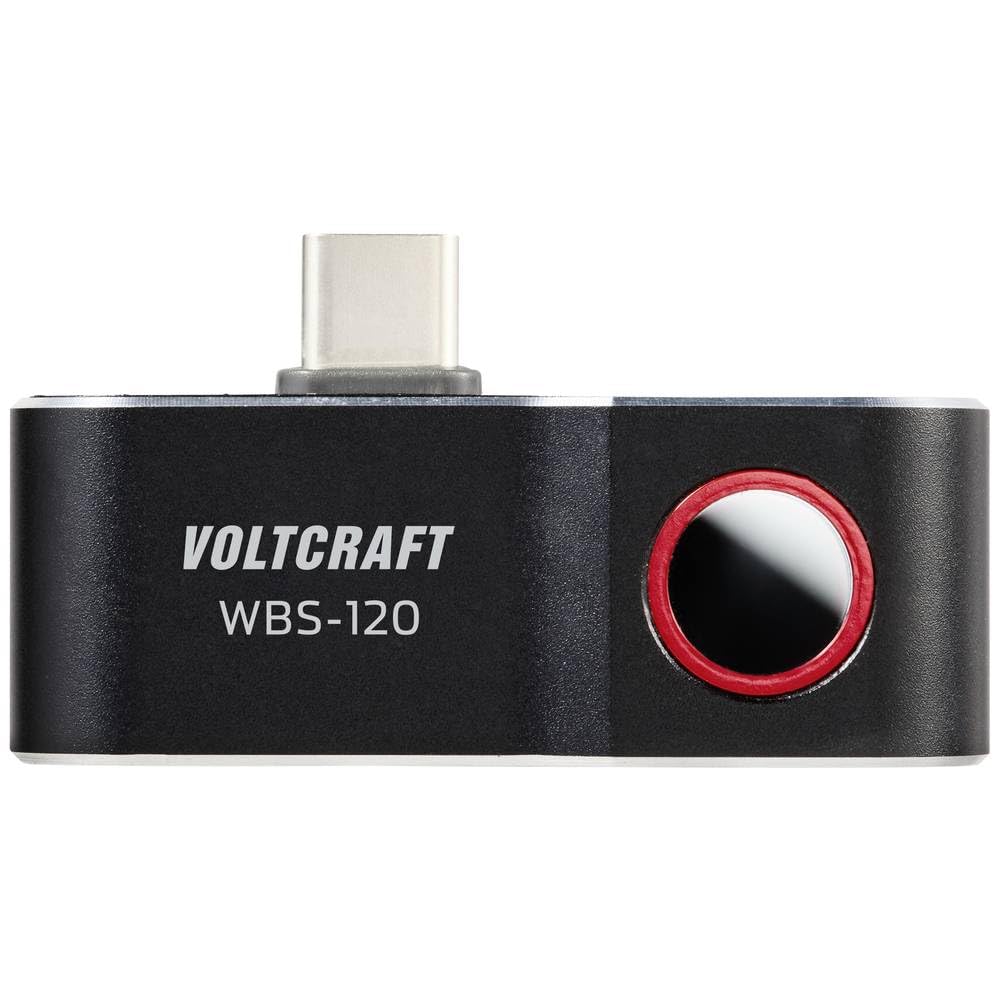
Figura 4.3: superior view of the VOLTCRAFT WBS-120, showing the thermal lens and the USB-C connector in an upright position.
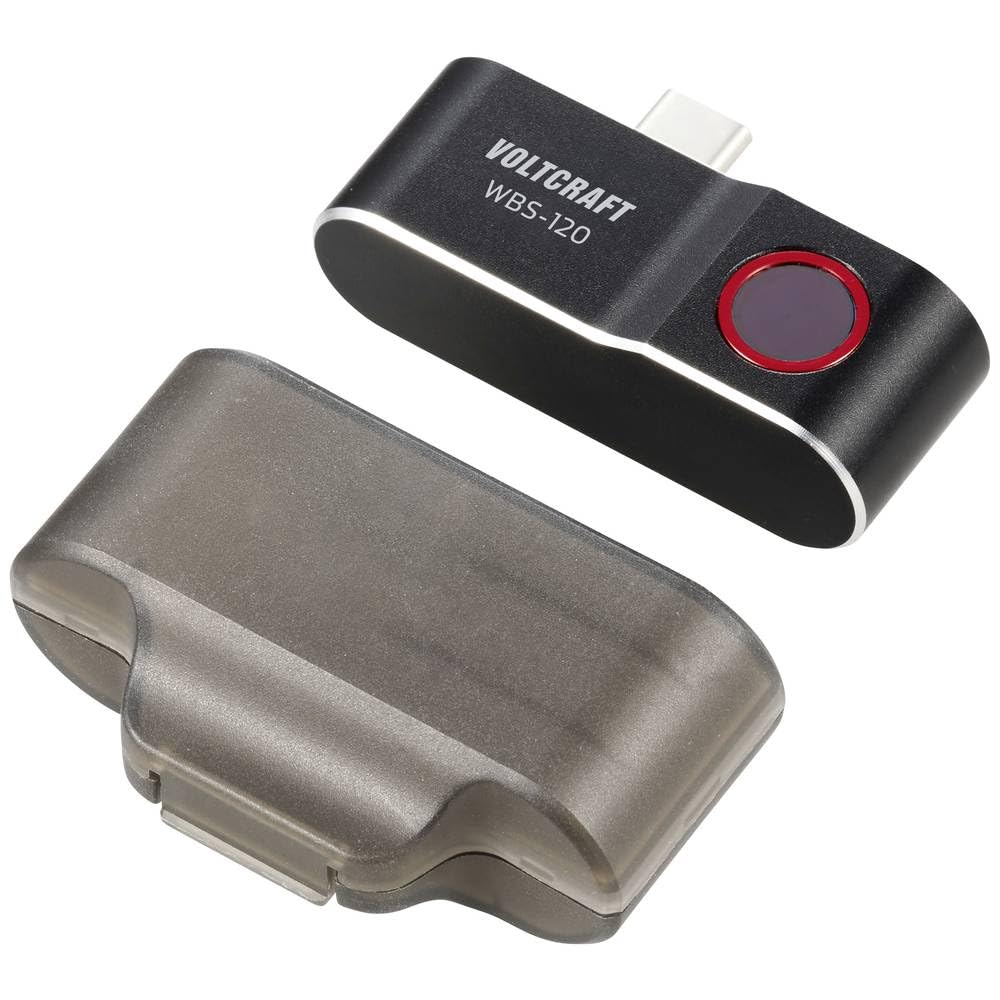
Figure 4.4: The VOLTCRAFT WBS-120 Thermal Imager alongside its transparent protective case.
5. Configuració
Follow these steps to set up your VOLTCRAFT WBS-120 Thermal Imager for first use.
- Descarrega l'aplicació: Cerca the official VOLTCRAFT thermal imaging app on the Google Play Store. Install the app on your Android smartphone.
- Enable OTG Function (if necessary): Some Android devices require the "OTG" (On-The-Go) function to be enabled in their settings for external USB devices to be recognized. Check your phone's settings if the device is not detected.
- Connecteu el dispositiu: Carefully plug the USB-C connector of the VOLTCRAFT WBS-120 into the USB-C port of your Android smartphone.
- Inicieu l'aplicació: Open the installed VOLTCRAFT thermal imaging app. The app should automatically detect the connected thermal imager and display the thermal image.
- Calibració inicial: The device may perform a brief self-calibration upon first connection or when ambient temperature changes significantly. This is normal.
6. Instruccions de funcionament
This section provides guidance on operating the VOLTCRAFT WBS-120 Thermal Imager with its dedicated application.
6.1 Funcionament bàsic
- Live Thermal View: Once connected and the app is open, the screen will display a live thermal image.
- Mesura de la temperatura: The app typically displays the temperature of the central point, as well as the hottest and coldest points within the field of view.
- Palette Selection: Most thermal imaging apps allow you to change the color palette (e.g., Iron, Rainbow, Grayscale) to better visualize temperature differences. Access this option within the app settings.
- Captura d'imatge: Use the app's interface to capture thermal images or record thermal videos. These will be saved to your smartphone's gallery.
6.2 Advanced Features (App Dependent)
The specific features available may vary depending on the version of the VOLTCRAFT app.
- Ajust d'emissivitat: For accurate temperature readings, especially on different materials, adjust the emissivity setting in the app. Refer to the app's help section for common emissivity values.
- Alarmes de temperatura: Set high or low temperature alarms to be notified when temperatures exceed or fall below a specified threshold.
- Spot/Area Measurement: The app may allow you to add multiple spot meters or define areas for temperature analysis.
- Informes: Some apps offer features to generate basic reports from captured thermal images.
For detailed instructions on specific app features, refer to the in-app help or the app's dedicated user guide.
7. Manteniment
Proper maintenance ensures the longevity and accuracy of your thermal imager.
- Neteja de la lent: Use a soft, clean, lint-free cloth to gently wipe the thermal lens. For stubborn dirt, a small amount of lens cleaning solution designed for optical lenses can be applied to the cloth (not directly to the lens). Do not use abrasive materials or solvents.
- Neteja del cos: Wipe the device body with a soft, damp drap. No submergiu el dispositiu en aigua ni utilitzeu productes químics agressius.
- Emmagatzematge: When not in use, store the thermal imager in its protective case in a cool, dry place, away from direct sunlight and extreme temperatures.
- Actualitzacions de firmware: Periodically check the VOLTCRAFT app for any available firmware updates for the thermal imager. Updates can improve performance and add new features.
8. Solució De Problemes
If you encounter issues with your VOLTCRAFT WBS-120, refer to the following common problems and solutions.
| Problema | Causa possible | Solució |
|---|---|---|
| Device not recognized by phone. |
|
|
| Thermal image is blurry or unclear. |
|
|
| Lectures de temperatura inexactes. |
|
|
If the problem persists, please contact VOLTCRAFT customer support.
9. Especificacions
| Paràmetre | Valor |
|---|---|
| Número de model | VC-14378990 |
| Interval de temperatura | -20 °C a 400 °C |
| Resolució infraroja | 120 x 90 píxels |
| Velocitat de fotogrames | 25 Hz |
| Interfície | USB-C® (for Android) |
| Dimensions (L x A x A) | 2.8 x 1.6 x 5.2 cm |
| Pes | 21 grams |
| Fabricant | VOLTCRAFT |
10. Garantia i Suport
VOLTCRAFT products are designed for reliability and performance.
10.1 Informació de la garantia
This product comes with a standard manufacturer's warranty. Please refer to the warranty card included in your product packaging or visit the official VOLTCRAFT weblloc web per obtenir informació detallada sobre els termes i condicions de la garantia específics de la vostra regió. Conserveu el comprovant de compra per a reclamacions de garantia.
10.2 Atenció al client
For technical assistance, troubleshooting, or service inquiries, please contact VOLTCRAFT customer support.
- Assistència en línia: Visit the official VOLTCRAFT website for FAQs, software downloads, and support contact information.
- Informació de contacte: Specific contact details (phone, email) can usually be found on the VOLTCRAFT weblloc web o a la documentació del producte.
When contacting support, please have your product model number (VC-14378990) and purchase details ready.