
1. Introducció
Thank you for choosing the OSCAL PowerMax 3600 Portable Power Station and PM200 Solar Panel. This manual provides essential information for the safe and efficient operation, setup, and maintenance of your device. Please read this manual thoroughly before use and retain it for future reference.
Precaucions de seguretat
- No desmunteu, no repareu ni modifiqueu la unitat.
- Mantingueu la unitat allunyada del foc, l'aigua i les temperatures extremes.
- Assegureu-vos una ventilació adequada durant l'ús i la càrrega.
- Eviteu deixar caure la unitat ni sotmetre-la a impactes forts.
- Mantenir fora de l'abast dels nens i mascotes.
2. Producte acabatview
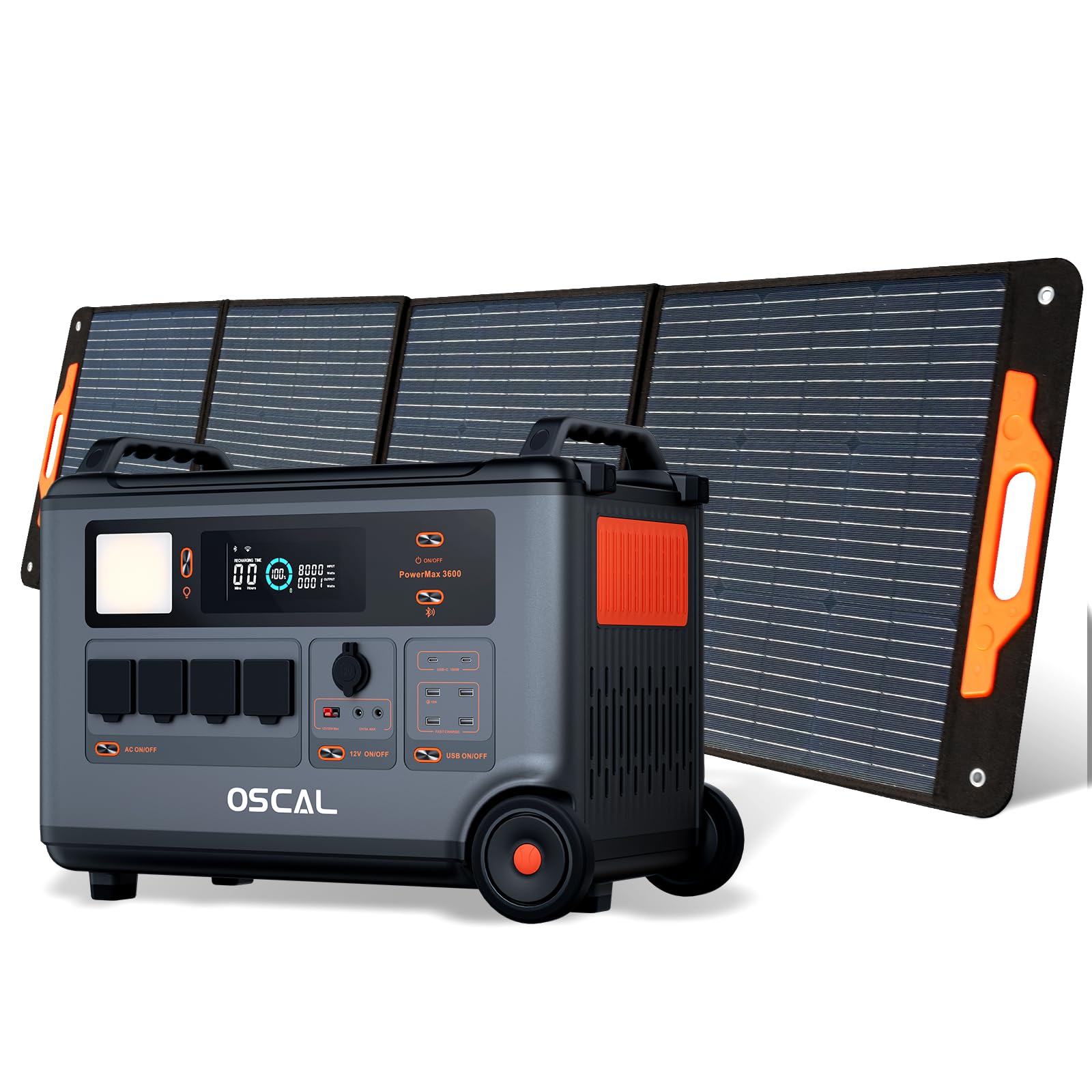
The OSCAL PowerMax 3600 is a high-capacity portable power station designed for various applications, from outdoor adventures to emergency home backup. It features a robust LiFePO4 battery and multiple output ports.
Característiques principals:
- Alta capacitat: 3600 Wh base capacity, expandable up to 57,600 Wh with additional batteries.
- Sortida potent: 6000 W peak output, capable of powering most household appliances.
- Bateria LiFePO4: Safe, stable, and durable with over 3500 charge cycles (to 80% capacity).
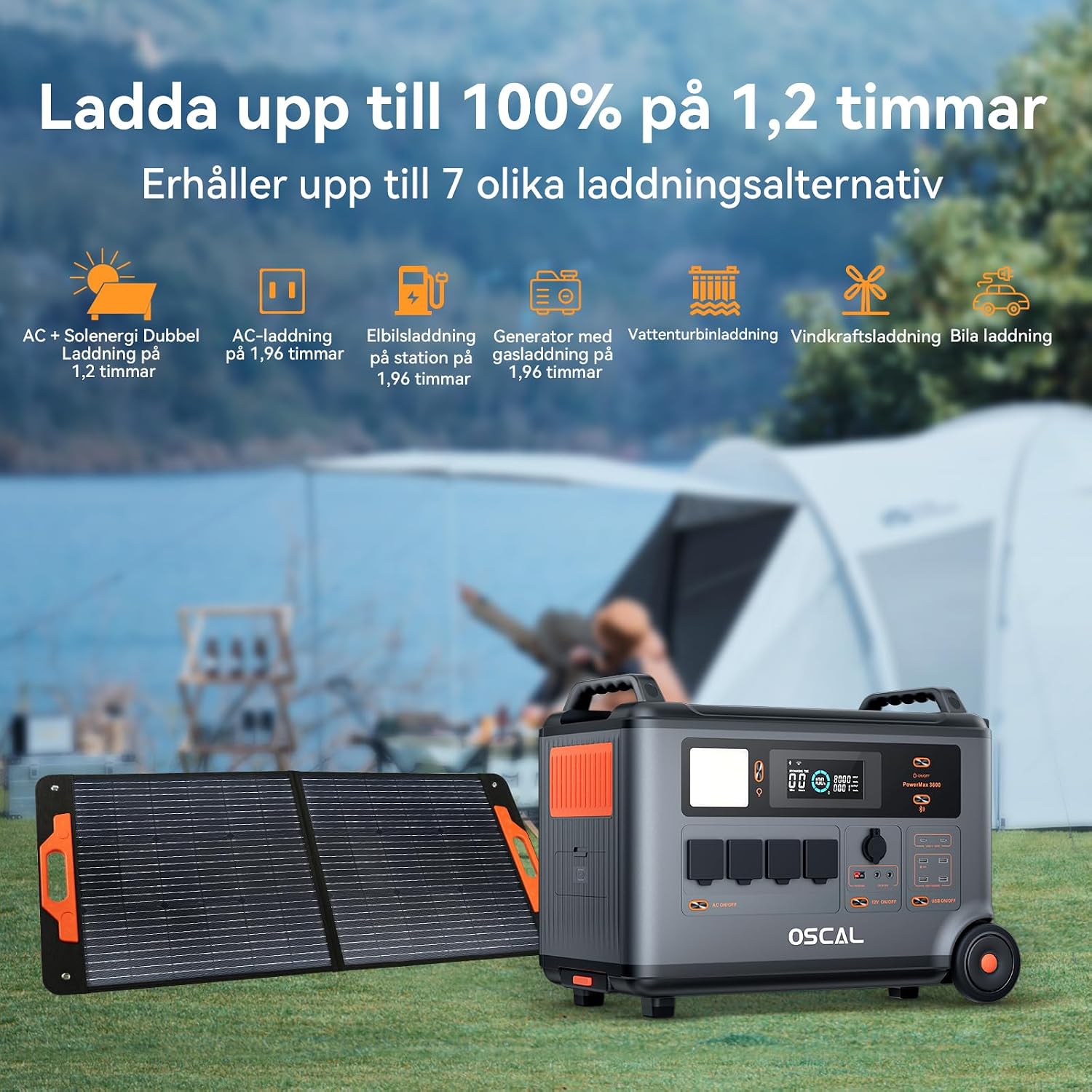
- Càrrega ràpida: Fully charged in 1.2 hours with dual AC and solar input.
- Font d'alimentació ininterrompuda (UPS): Automatic switchover in 5-8 ms during power outages.
- Control intel·ligent: Monitor and control via the OSCAL smartphone application (Wi-Fi/Bluetooth).
- Disseny durador: Splash-proof, dust-proof, 0.8M vertical drop protection, UV-resistant, and UL94V-0 fire rating.

3. Configuració
3.1 Desembalatge i inspecció inicial
Carefully remove all components from the packaging. Verify that all items listed in the 'What you will get' section are present and undamaged. If any items are missing or damaged, contact customer support immediately.
3.2 Càrrega inicial
Before first use, fully charge the PowerMax 3600. Connect the AC charging cable to the unit's AC input port and then to a standard wall outlet. The display will indicate the charging status. A full charge typically takes 1.2 hours with combined AC and solar input, or 1.96 hours with AC only.
3.3 Connecting the PM200 Solar Panel
To charge using solar power, unfold the PM200 solar panel and position it in direct sunlight. Connect the MC4 to Anderson cable (or other compatible cable) from the solar panel to the PowerMax 3600's solar input port. The unit will automatically detect the solar input and begin charging.

4. Instruccions de funcionament
4.1 Engegada/apagada
Premeu i manteniu premut el botó d'engegada principal durant uns segons per encendre o apagar la unitat. La pantalla s'il·luminarà en activar-la.
4.2 Ús de sortides de CA
Press the AC power button to activate the AC outlets. Plug your devices into the available AC ports. The PowerMax 3600 provides a pure sine wave output, suitable for sensitive electronics. The unit has 4 AC outlets.
4.3 Using DC Outputs (USB-A, USB-C, 12V)
Press the DC power button to activate the DC outputs. Connect your USB-powered devices to the 4 USB-A ports or 2 USB-C ports (100W each). The 12V car port and other DC outputs are also available for compatible devices.

4.4 Comprensió de la pantalla
The integrated display shows real-time information including battery level, input/output wattage, remaining run time, and active ports. Refer to the on-screen icons for specific indicators.
4.5 Funció de sistema d'alimentació ininterrompuda (SAI)
When connected to an AC wall outlet and powering devices, the PowerMax 3600 acts as a UPS. In the event of a power outage, it automatically switches to battery power within 5 to 8 milliseconds, ensuring continuous operation for connected devices like computers or medical equipment (e.g., CPAP machines).

4.6 Smart Remote Control (OSCAL App)
Download the OSCAL application from your smartphone's app store. Pair the PowerMax 3600 via Wi-Fi or Bluetooth to monitor battery status, control outputs, and perform firmware updates remotely.

5. Mètodes de càrrega
The PowerMax 3600 supports multiple charging methods to ensure you always have power.
- Presa de corrent de paret: Connect the included AC charging cable to a standard wall outlet.
- Càrrega solar: Use the PM200 solar panel or other compatible solar panels via the MC4 input.
- Càrrega del cotxe: Charge from your vehicle's 12V cigarette lighter port using the included car charging cable.
- Estació de càrrega de vehicles elèctrics: The unit can be charged at an electric vehicle charging station (up to 2200W input).
- Generador: Connect to a gasoline generator for charging (up to 2200W input).
- Bateria de plom-àcid: Supports charging from lead-acid batteries for emergency situations.


6. Manteniment
6.1 Cura de la bateria
The PowerMax 3600 uses LiFePO4 batteries, known for their longevity. To maximize battery lifespan:
- Eviteu descarregar completament la bateria amb freqüència.
- Guardeu la unitat amb un nivell de càrrega entre el 50% i el 80% si no la feu servir durant períodes prolongats.
- Recarrega la unitat cada 3-6 mesos durant l'emmagatzematge per evitar una descàrrega profunda.

6.2 Neteja
Use a dry, soft cloth to clean the exterior of the unit. Do not use abrasive cleaners or solvents. Ensure all ports are free from dust and debris.
6.3 Emmagatzematge
Store the PowerMax 3600 in a cool, dry place, away from direct sunlight and extreme temperatures. Ensure the unit is turned off during storage.
7. Solució De Problemes
Si teniu problemes amb el vostre PowerMax 3600, consulteu els següents problemes i solucions habituals:
| Problema | Causa possible | Solució |
|---|---|---|
| La unitat no s'encén | Battery is completely discharged; Power button not pressed long enough. | Charge the unit using AC power; Press and hold the power button for 3-5 seconds. |
| No output from AC/DC ports | AC/DC output not activated; Device draws too much power; Overload protection triggered. | Press the respective AC/DC button; Check device wattage; Restart the unit and reduce load. |
| La càrrega solar no funciona | Insufficient sunlight; Incorrect panel connection; Damaged solar panel/cable. | Ensure direct sunlight; Verify cable connections; Test with another solar panel/cable if possible. |
| Problemes de connexió de l'aplicació | Bluetooth/Wi-Fi desactivat; Unitat massa lluny del telèfon; Aplicació no actualitzada. | Ensure Bluetooth/Wi-Fi is on; Move phone closer to unit; Update the OSCAL app. |
Si el problema persisteix, poseu-vos en contacte amb el servei d'atenció al client d'OSCAL.
8. Especificacions
| Característica | Detall |
|---|---|
| Marca | OSCAL |
| Número de model | BP3600-PM3600 (PowerMax 3600) |
| Tipus de bateria | LiFePO4 |
| Capacitat | 3600 Wh (expandable up to 57,600 Wh) |
| Potència de sortida de CA. | 3600 W (Rated), 6000 W (Peak) |
| Total de preses de corrent altern | 4 |
| Sortides USB-A | 4 |
| Sortides USB-C | 2 (100 W each) |
| Entrada Voltage | 12 Volts (DC input for car/solar) |
| Freqüència | 60 Hz |
| Charging Time (AC + Solar) | 1.2 hores (fins al 100%) |
| Charging Time (AC only) | 1.96 hores (fins al 100%) |
| Temps de canvi del SAI | 5-8 ms |
| Vida útil | Més de 3500 cicles (fins al 80% de la capacitat) |
| Dimensions (L x A x A) | 48 cm x 44 cm x 35 cm |
| Pes | 44.45 quilos |
| Material | ABS |
| Característiques especials | Extra-long battery life, Energy efficient, BMS protection (over-voltage, baix voltage, over-current, over-charge, low/high temperature, short-circuit) |
9. Garantia i Suport
9.1 Informació de la garantia
L'OSCAL PowerMax 3600 inclou un Garantia del fabricant de 5 anysAquesta garantia cobreix els defectes de materials i de fabricació en condicions d'ús normal. Si us plau, conserveu el comprovant de compra per a reclamacions de garantia.
9.2 Components inclosos
El paquet inclou:
- PowerMax 3600 Portable Charging Station
- PM200 Portable Solar Panel
- Cable de càrrega de CA.
- Cable de càrrega de cotxe
- Solar Charging Cable (MC4 to Anderson, MC4 to 7909, 6530, XT60, 5521)
- Manual d'usuari
- Targeta de garantia
9.3 Atenció al client
For technical assistance, warranty claims, or any questions regarding your OSCAL PowerMax 3600, please refer to the contact information provided on your warranty card or visit the official OSCAL website. 24-hour after-sales support is available.


