
Dexnor DK004
Dexnor Keyboard Case User Manual
Model: DK004 | Brand: Dexnor
For Samsung Galaxy Tab S8/S7 11 Inches
Introducció
Thank you for choosing the Dexnor Keyboard Case for your Samsung Galaxy Tab S8/S7. This manual provides detailed instructions for setting up, operating, and maintaining your new keyboard case, ensuring you get the most out of its features. This case transforms your tablet into a versatile laptop-like device, enhancing productivity and convenience.
Compatibilitat
This keyboard case is designed exclusively for the following 11-inch Samsung Galaxy Tab models:
- Samsung Galaxy Tab S8 2022 (Models: SM-X700, SM-X706)
- Samsung Galaxy Tab S7 2020 (Models: SM-T870, SM-T875, SM-T876)
Note: This case is NOT compatible with the Tab S7+/S8+/S7 FE 12.4-inch models. Please verify your tablet model before use.
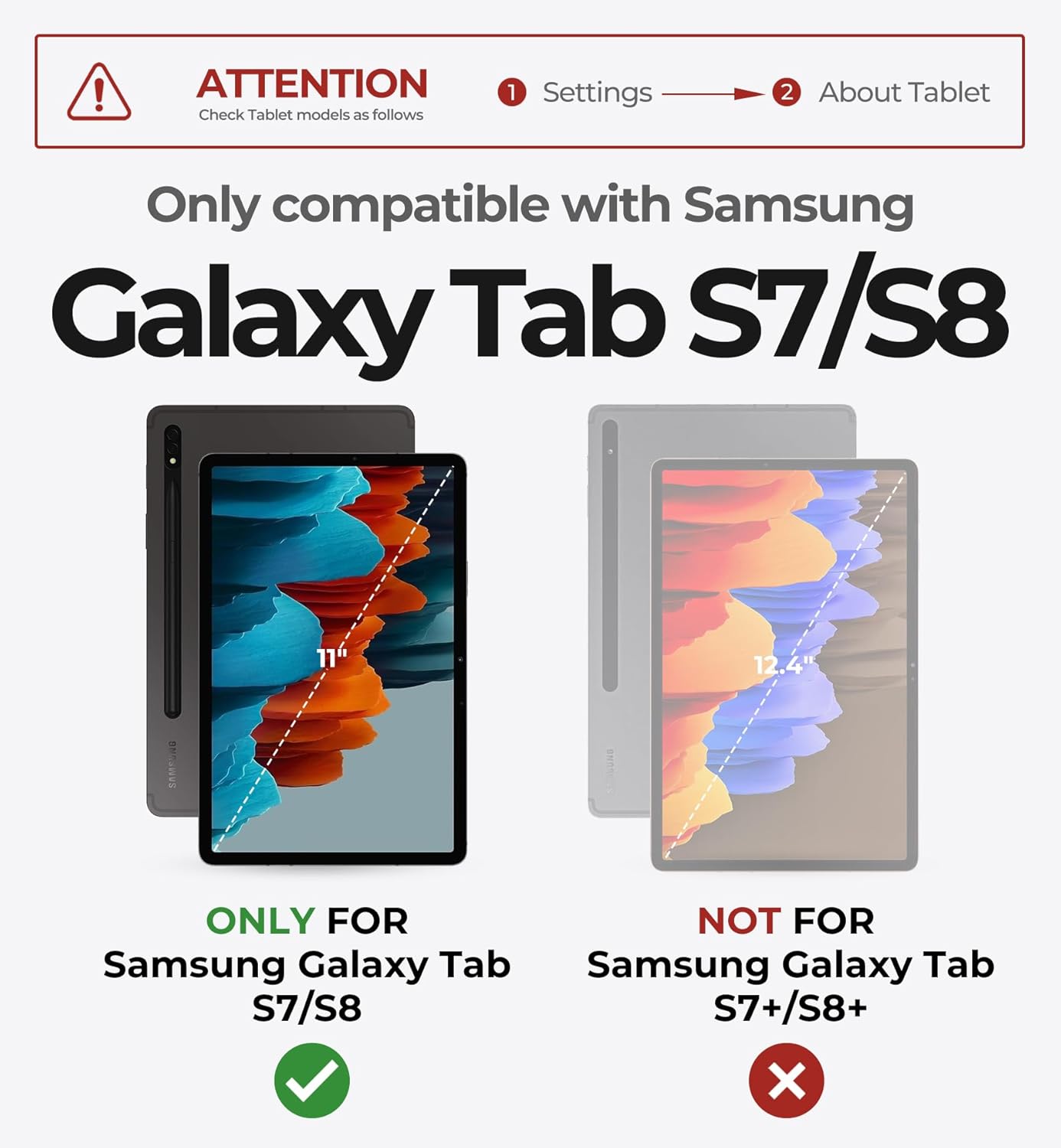
Image: Visual guide for tablet model compatibility.
Què hi ha a la caixa
En obrir el paquet, assegureu-vos que hi hagi tots els elements següents:
- 1 x Dexnor Bluetooth Keyboard Case
- 1 x cable de càrrega USB-C
- 1 x Manual d'usuari (aquest document)
- 1 x Quick-start Guide
Guia de configuració
1. Attaching Your Tablet
The Dexnor Keyboard Case features a sturdy aluminum alloy hinge with embedded magnets for secure attachment. Simply align your Samsung Galaxy Tab with the magnetic back panel of the case. The magnets will automatically snap the tablet into place, transforming it into a laptop-like setup.

Image: Demonstrates the magnetic attachment and adjustable viewangle de ing.

Image: Illustrates the floating cantilever mechanism for optimal viewangles d'ajust.
2. Càrrega del teclat
Before first use, fully charge the keyboard. Connect the included USB-C charging cable to the keyboard's charging port and a power source. The keyboard has a 650mAh battery, providing long working and standby times.
- Temps de càrrega: Aproximadament 3.5 hores per a una càrrega completa.
- Working Time: Up to 200 hours on a single charge (without backlight).
- Standby Time: Up to 1200 hours.

Image: Visual representation of the keyboard's extended battery life.
3. Emparellament Bluetooth
- Turn on the keyboard by sliding the power switch. The Bluetooth indicator light will begin to flash.
- On your Samsung Galaxy Tab, go to Configuració > Dispositius connectats > Bluetooth.
- Ensure Bluetooth is enabled on your tablet.
- Select "Dexnor Keyboard" from the list of available devices.
- Follow any on-screen prompts to complete the pairing process. The indicator light on the keyboard will turn solid or off once successfully paired.
Video: Demonstrates the setup and use of the Dexnor Keyboard Case, including pairing and various functionalities.
Instruccions de funcionament
Funcions del teclat
- Tecles retroil·luminades: The keyboard features 7 solid color backlights and 3 adjustable brightness levels. Use the dedicated backlight key (often a lightbulb icon or Fn + a specific key) to cycle through colors and brightness settings.
- Tecles de drecera: A full row of shortcut keys is available for quick access to common functions, enhancing productivity. These may include media controls, volume, and screen brightness.
- Scissor Mechanisms: The keys are designed with scissor mechanisms for a comfortable and responsive typing experience.
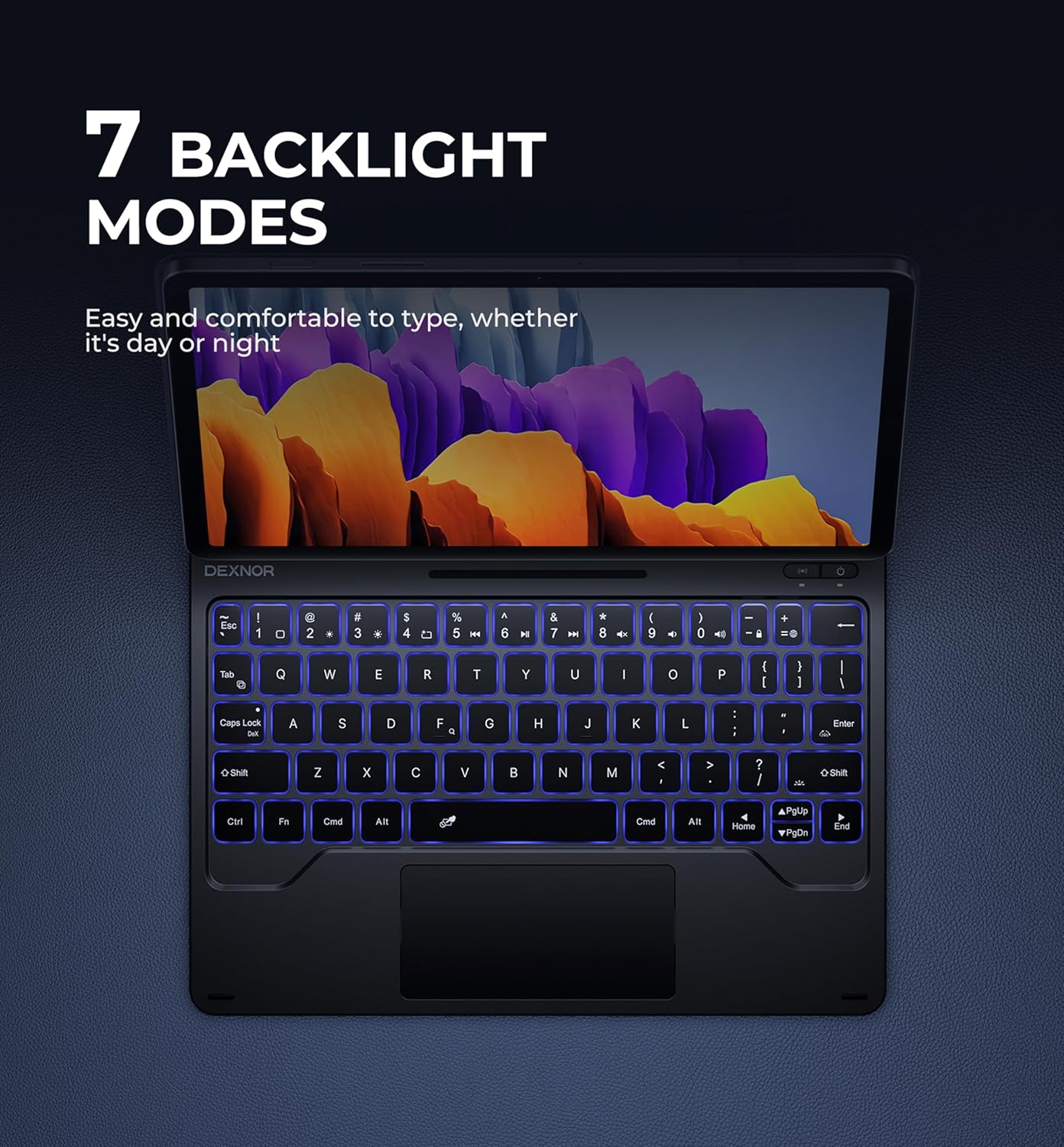
Image: Displays the keyboard with its various backlight color options.

Image: Highlights the dedicated row of shortcut keys for quick access to functions.
Trackpad multitàctil
The integrated high-precision multi-touch trackpad supports various gestures for efficient navigation, similar to a laptop. This allows for precise control when editing documents, browsing the web, or building presentations.
- Toc amb un sol dit: Feu clic amb el botó esquerre.
- Toc amb dos dits: Clic dret.
- Desplaçament de dos dits: Desplaça't amunt/avall o esquerra/dreta.
- Pessigueu per ampliar: Apropar/reduir el contingut.
- Three-finger swipe: Navigate between open applications or desktops (functionality may vary based on tablet OS settings).

Image: Features the multi-touch trackpad, Type-C charging port, and highlights the anti-scratch PU leather and auto wake/sleep function.
S Pen Holders
The case provides two convenient locations for your S Pen:
- Built-in Magnetic Holder: Located within the keyboard section for secure storage when not in use.
- Cut-out Slot: On the back cover, designed for both charging and storage of your S Pen, ensuring quick access and preventing loss.

Image: Illustrates the two dedicated S Pen storage options for convenience and security.
Auto Wake/Sleep Function
The case supports an auto wake/sleep function. Opening the case will automatically wake your tablet, and closing it will put your tablet to sleep, conserving battery power for both the tablet and the keyboard.
Manteniment
To ensure the longevity and optimal performance of your Dexnor Keyboard Case, follow these maintenance guidelines:
- Neteja: Use a soft, lint-free cloth to gently wipe the keyboard and case surfaces. For stubborn marks, slightly dampen the cloth with water or a mild, non-abrasive cleaner. Avoid harsh chemicals or abrasive materials.
- Emmagatzematge: When not in use for extended periods, store the keyboard case in a cool, dry place. Ensure the case is closed to protect the tablet and keyboard.
- Eviteu líquids: Keep the keyboard case away from liquids to prevent damage to the electronic components.
- Manejar amb cura: While durable, avoid dropping the case or subjecting it to excessive force, which could damage the hinge or internal components.
Resolució de problemes
If you encounter any issues with your Dexnor Keyboard Case, please refer to the following common solutions:
- El teclat no es connecta:
- Assegureu-vos que el teclat estigui carregat i encès.
- Verify Bluetooth is enabled on your tablet.
- Forget the device in your tablet's Bluetooth settings and attempt to re-pair.
- Restart both your tablet and the keyboard.
- Les tecles no responen:
- Comproveu si el teclat està connectat correctament via Bluetooth.
- Assegureu-vos que el teclat estigui carregat.
- Clean any debris from around the keys.
- Trackpad Not Working:
- Ensure the keyboard is connected.
- Check tablet settings for trackpad or mouse options to ensure it's enabled.
- Netegeu la superfície del trackpad.
- Problemes de retroiluminació:
- Press the backlight key (or Fn + backlight key) to cycle through settings.
- Ensure the keyboard has sufficient charge.
If problems persist after trying these steps, please contact Dexnor customer support for further assistance.
Especificacions
| Característica | Detall |
|---|---|
| Dimensions del producte | 10.2 x 8.07 x 0.75 polzades |
| Pes de l'article | 1.53 lliures |
| Fabricant | Dexnor |
| Número de model de l'article | DK004 |
| Bateries | 1 bateria de ions de liti (inclosa) |
| Dispositius compatibles | Samsung Galaxy Tab S7 11 inches Tablet, Samsung Galaxy Tab S8 11 inches Tablet |
| Tecnologia de connectivitat | Bluetooth |
| Descripció del teclat | Multi Funcional |
| Nombre de claus | 64 |
| Il·luminació del teclat | RGB (7 colors, 3 brightness levels) |
| Estil | Magic Style (Floating Cantilever) |
Garantia i Suport
Dexnor provides a Garantia del fabricant de 1 anys for this product, covering defects in materials and workmanship under normal use. Additionally, lifetime technical support is available.
For warranty claims, technical assistance, or any other inquiries, please contact Dexnor customer support through the retailer's platform or visit the official Dexnor weblloc.
Si us plau, conserveu el comprovant de compra per motius de garantia.
Documents relacionatsDK004


Ask a question about this manual
Ask about setup, troubleshooting, compatibility, parts, safety, or missing instructions. Manuals+ will review the question and use this page’s manual context to help answer it.