
FDUCE W13 Dual Wireless Microphone System
Manual d'instruccions
Introducció
This manual provides detailed instructions for the setup, operation, and maintenance of your FDUCE W13 Dual Wireless Microphone System. Please read this manual thoroughly before using the product to ensure proper function and longevity. This system is designed for various audio applications, including karaoke, parties, weddings, and outdoor events, offering clear sound and reliable wireless performance.
Contingut del paquet
Verifiqueu que tots els elements que s'enumeren a continuació s'inclouen al vostre paquet:
- 2 micròfons de mà
- 1 x Receptor sense fil
- 1 x cable d'alimentació
- 2 anells antilliscants
- 2 fundes d'escuma
- 1 x Manual d'instruccions (aquest document)
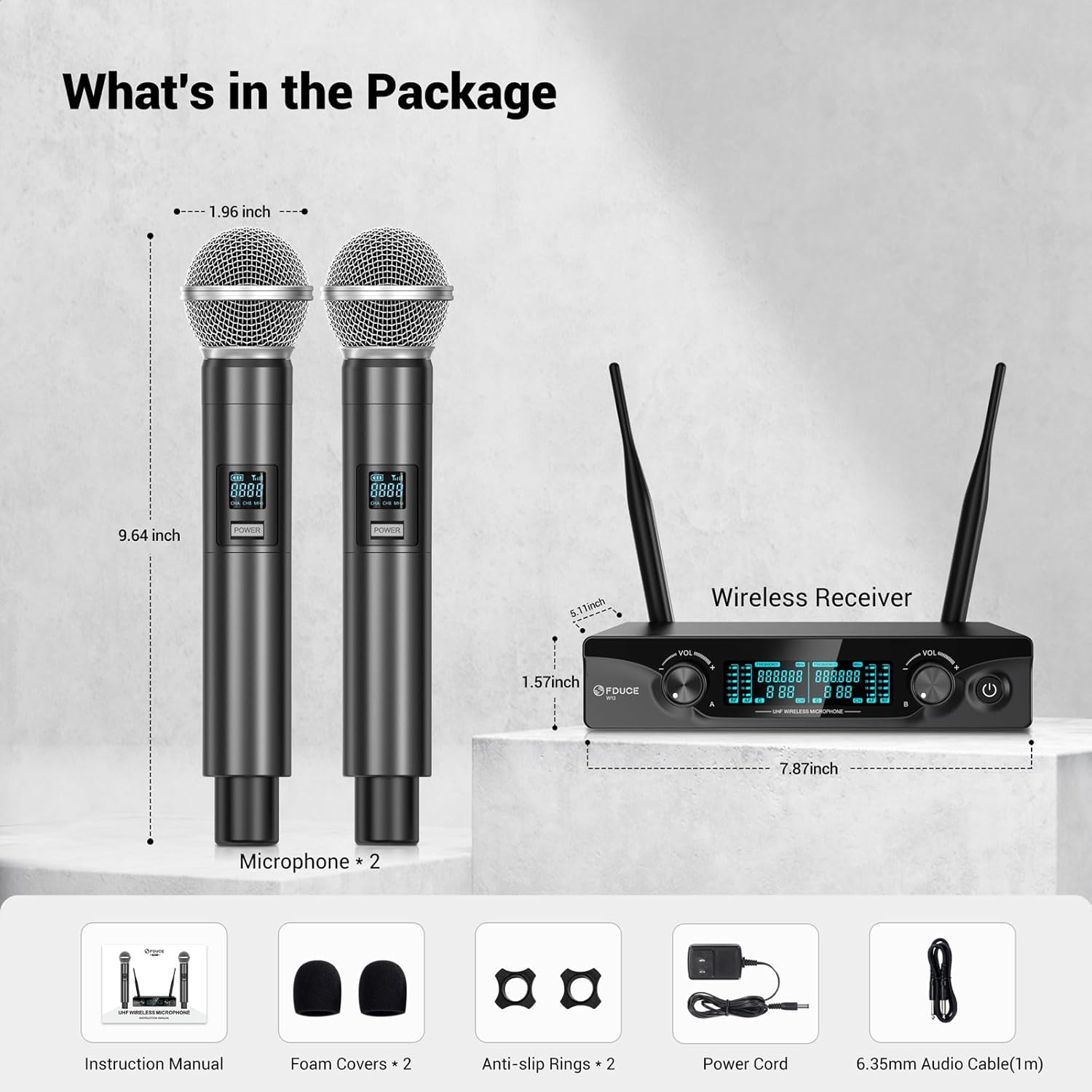
Image: Contents of the FDUCE W13 Dual Wireless Microphone System package.
Producte acabatview
Receiver Components

Imatge: Detallada view of the FDUCE W13 Wireless Receiver, highlighting its components.
- Antenna A/B: For wireless signal reception.
- Balanced XLR Output (CHB/A): Professional audio output connections.
- Entrada d'alimentació de CC: Es connecta a l'adaptador de corrent.
- Pantalla LCD: Shows channel and frequency information.
- CHA/CHB Volume Control: Adjusts the output volume for each microphone channel.
- Botó d'encesa: Encén/apaga el receptor.
- 6.35mm (1/4") Audio Output Jack: Standard audio output connection.
Microphone Components

Imatge: Detallada view of the FDUCE W13 Handheld Microphone, highlighting its features.
- Indicador de bateria: Mostra el nivell actual de la bateria.
- Indicador de senyal: Shows wireless signal strength.
- Visualització del canal: Indicates the current channel (CHA 1-15, CHB 16-30).
- Botó d'encesa: Premeu llargament per activar/desactivar el micròfon.
- Botó de canvi de canal: Press to change the UHF channel.
- Compartiment de la bateria: Requereix 2 piles AA (no incloses).
Instruccions de configuració
- Connecteu el receptor:
Connect the power cord to the DC Power Input on the receiver and plug it into a power outlet. Press and hold the power button on the receiver to turn it on. The LCD display will illuminate.
- Connexió al sistema d'àudio:
Connecteu el receptor al vostre amplifier, karaoke machine, or speakers using either the 6.35mm audio output jack or the balanced XLR output jacks. Ensure the connection is made to the "MIC IN" input on your audio device.

Image: Connection diagram for XLR audio output.

Image: Connection diagram for 6.35mm audio output.
- Instal·leu les piles del micròfon:
Unscrew the bottom part of each microphone and insert 2 AA batteries (not included), observing the correct polarity. Screw the bottom part back on securely.
- Micròfons d'encesa:
Press and hold the power button on each microphone to turn it on. The microphone and receiver will automatically match and connect. The microphone's display will show its channel and battery status.
- Optimal Boot Order:
For best performance, follow this sequence when powering on your system: Audio Mixer → Audio Amplifier → Speaker → Receiver → Microphone.
- Optimal Shutdown Order:
To prevent unexpected noise, follow this sequence when powering off: Microphone → Receiver → Speaker → Audio Amplifier → Audio Mixer.

Image: Visual guide for quick setup steps.
Instruccions de funcionament
Ajust de volum
Use the individual CHA and CHB volume control knobs on the receiver to adjust the output level of each microphone. Start with the volume low and gradually increase it to avoid feedback or distortion.
Canvi de canals
Each microphone has 15 UHF adjustable channels, allowing for a total of 30 channels (1-15 for CHA, 16-30 for CHB). To change a microphone's channel, press the 'Channel Switch Button' on the microphone. The receiver's display will update to show the new channel. This feature helps avoid radio interference, especially when using multiple wireless systems.

Image: Receiver LCD display showing channel information.

Image: Microphone LCD display and channel switch button.
abast sense fils
The system offers a wireless transmission range of up to 200 feet (60 meters) in optimal conditions. Ensure a clear line of sight between the microphones and the receiver for the best signal stability and to minimize interference.
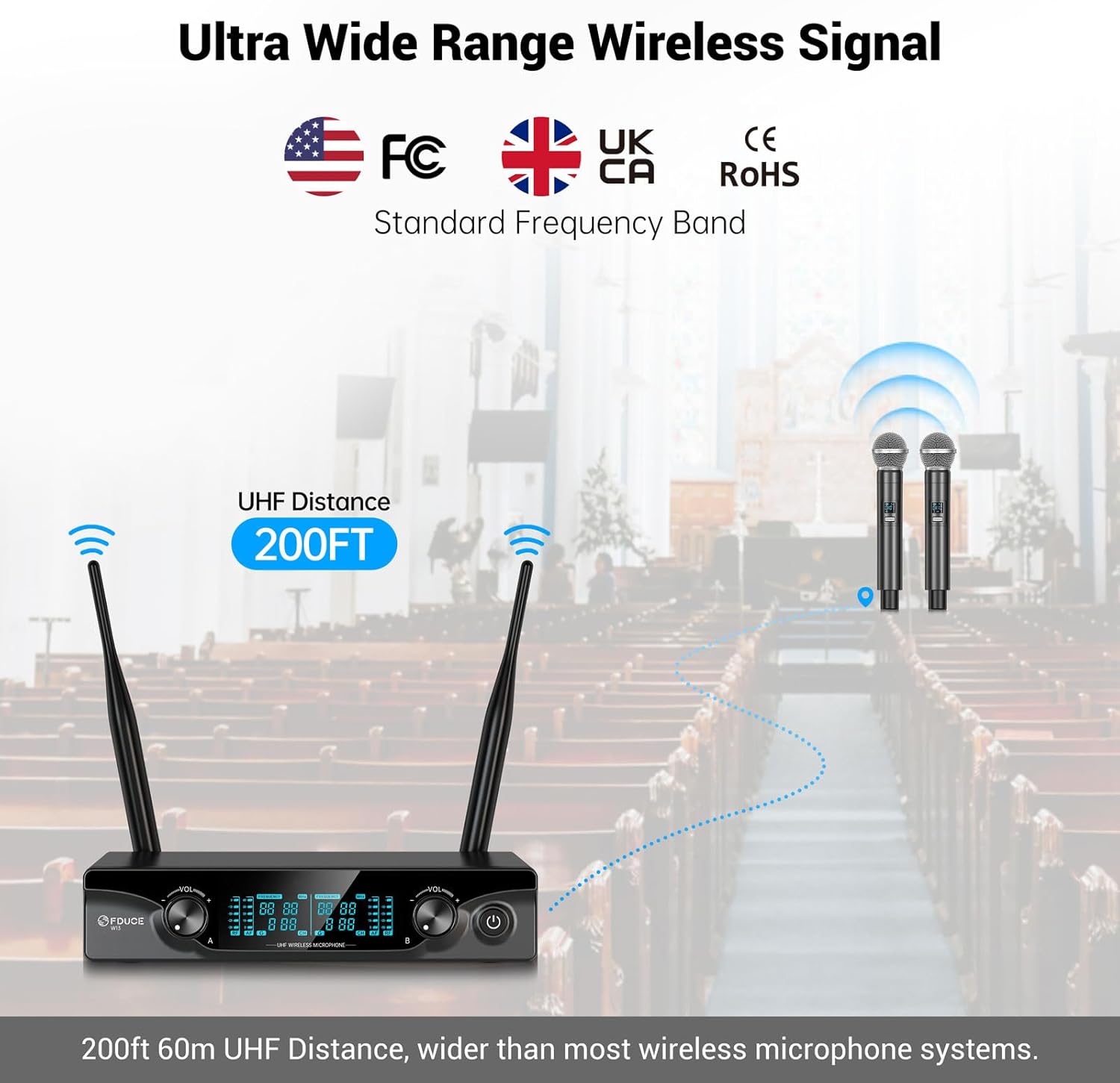
Image: Illustration of the 200ft wireless range.
Manteniment
- Neteja: Feu servir un drap suau i sec per netejar els micròfons i el receptor. No utilitzeu netejadors líquids ni dissolvents.
- Cura de la bateria: Remove batteries from the microphones if they will not be used for an extended period to prevent leakage.
- Emmagatzematge: Guardeu el sistema en un lloc fresc i sec, allunyat de la llum solar directa i de temperatures extremes.
- Manipulació: Handle microphones and receiver with care to avoid physical damage.
Resolució de problemes
| Problema | Causa possible | Solució |
|---|---|---|
| Sense sortida de so | Microphone/Receiver off; Low batteries; Incorrect connection; Volume too low. | Ensure all devices are powered on. Replace microphone batteries. Check all audio cable connections. Increase receiver and speaker volume. |
| Interferència/Estàtica | Other wireless devices; Obstructions; Channel conflict. | Move away from other electronic devices. Ensure clear line of sight. Change microphone channel. |
| El micròfon no s'aparella | Microphone/Receiver not powered on; Out of range. | Ensure both are powered on. Bring microphone closer to receiver. |
| Curt abast de transmissió | Obstructions; Environmental interference. | Ensure clear line of sight. Avoid dense objects or walls between microphone and receiver. |
Especificacions
| Nom del model | W13 |
| Marca | FDUCE |
| Tecnologia de connectivitat | Auxiliary, UHF |
| Tipus de connector | Jack de 6.35 mm, XLR |
| Característica especial | Control de volum |
| Dispositius compatibles | Amplifier, Audio Interface, Audio Mixer, Karaoke Machine, PA System |
| Color | Gris |
| Material | Plàstic |
| Usos recomanats | Karaoke, Singing |
| Patró polar | Unidireccional (cardioide) |
| Sensibilitat d'àudio | 96 decibels |
| Impedància | 600 ohms |
| Ràtio senyal / soroll | 96 dB |
| Resposta de freqüència | 902-928 MHz (UHF) |
| Nombre de canals | 10 (2x5 adjustable channels per mic) |
| Pes de l'article | 1.96 lliures (0.89 quilograms) |
| Dimensions del producte (L x A x A) | 7.87 x 5.12 x 9.45 polzades |
| Font d'alimentació | Battery Powered (2x AA per mic) |
Garantia i Suport
FDUCE products are designed for reliability and performance. For warranty information or technical support, please refer to the contact details provided with your purchase documentation or visit the official FDUCE weblloc web. Conserveu el rebut de compra com a comprovant de compra per a reclamacions de garantia.