
CANDY CSO 696TWMBB6-80
Manual d'usuari de la rentadora inverter Candy Smart Pro
Model: CSO 696TWMBB6-80
1. Informació important de seguretat
Please read this manual carefully before installing and using your washing machine. Keep this manual for future reference.
- Seguretat elèctrica: Ensure the washing machine is connected to a properly grounded electrical outlet. Do not use extension cords or adapters.
- Connexió d'aigua: Connect the water inlet hose to a cold water tap. Ensure all connections are tight to prevent leaks.
- Instal·lació: The appliance must be installed on a firm, level floor. Remove all transit bolts before use to prevent damage and excessive vibration.
- Nens i animals de companyia: Mantingueu els nens i les mascotes lluny de l'aparell durant el funcionament.
- Manteniment: Disconnect the appliance from the power supply before performing any cleaning or maintenance.
2. Producte acabatview
The Candy Smart Pro Inverter washing machine is designed for efficient and convenient laundry care. It features an innovative Speed-Drive Motor and Quick&Clean system for fast and effective washing.
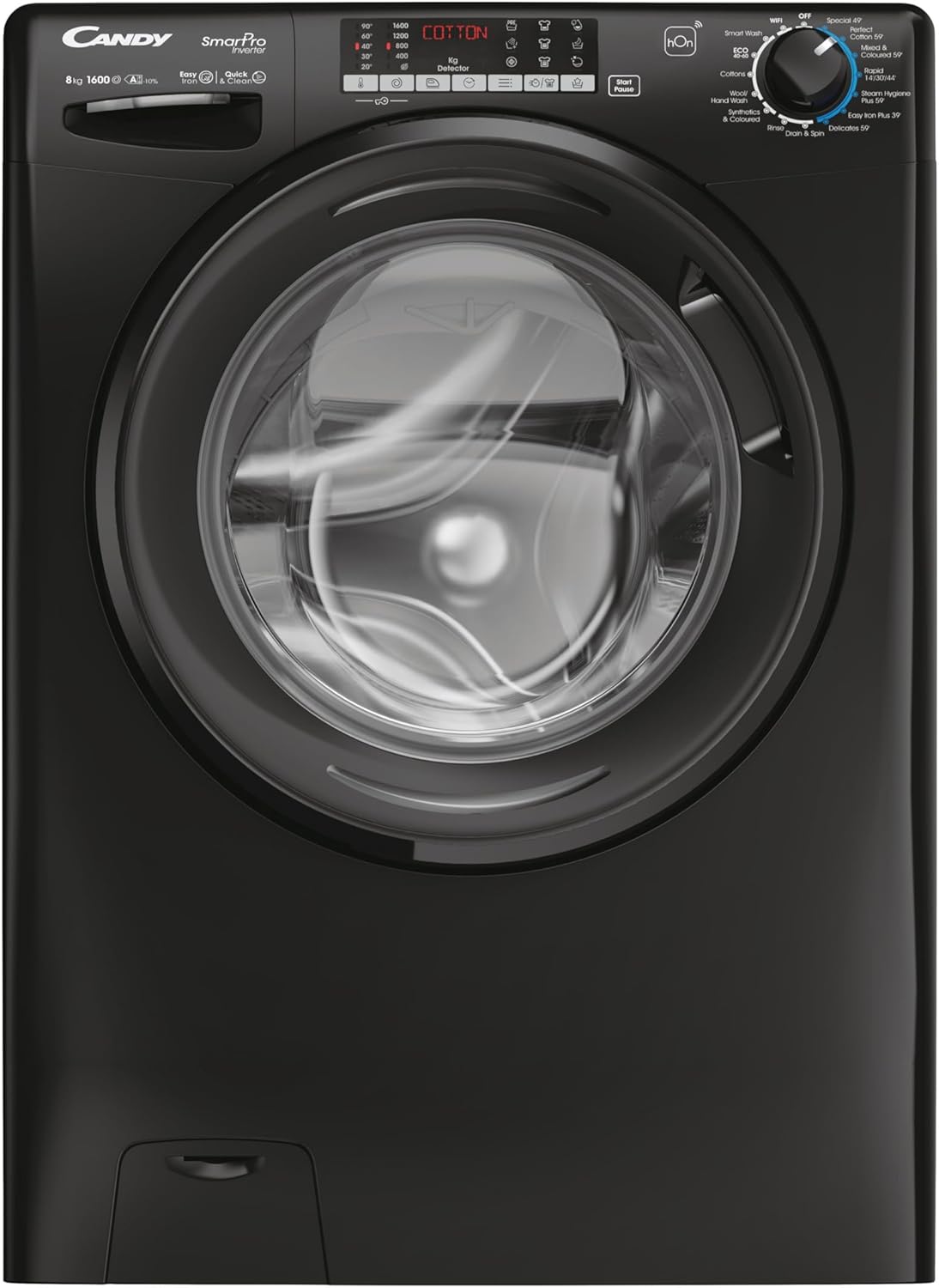
This image shows the front of the Candy Smart Pro Inverter washing machine, highlighting its sleek black design and central loading door. The control panel is visible at the top, featuring various program selections and a digital display.
Components clau:
- Tauler de control: Used to select wash programs, adjust settings, and start/pause cycles.
- Calaix de detergents: For adding detergent, fabric softener, and pre-wash agents.
- Tambor: Stainless steel drum for washing clothes.
- Porta: Front-loading door with a secure latch.
- Accés al filtre: Located at the bottom front for easy access to the drain pump filter.
3. Configuració
Desembalatge i col·locació:
- Traieu amb cura tots els materials d'embalatge.
- Position the washing machine on a flat, stable surface. Ensure there is adequate space around the appliance for ventilation and access.
Eliminació dels cargols de trànsit:
Before first use, it is crucial to remove the transit bolts located at the rear of the machine. These bolts secure the drum during transport and must be removed to prevent damage during operation.
- Locate the transit bolts on the back panel.
- Use a wrench to loosen and remove each bolt.
- Insert the plastic caps (supplied with the machine) into the holes.
Connexió d'aigua i electricitat:
- Connect the water inlet hose to a cold water tap. Hand-tighten the connection, then use a wrench to tighten it further, ensuring no leaks.
- Col·loqueu la mànega de desguàs en un tub de desguàs o pica adequat, assegurant-vos que estigui ben fixada per evitar que es desplaci durant el desguàs.
- Connecteu el cable d'alimentació a una presa elèctrica amb connexió a terra.
4. Instruccions de funcionament
Càrrega de la bugaderia:
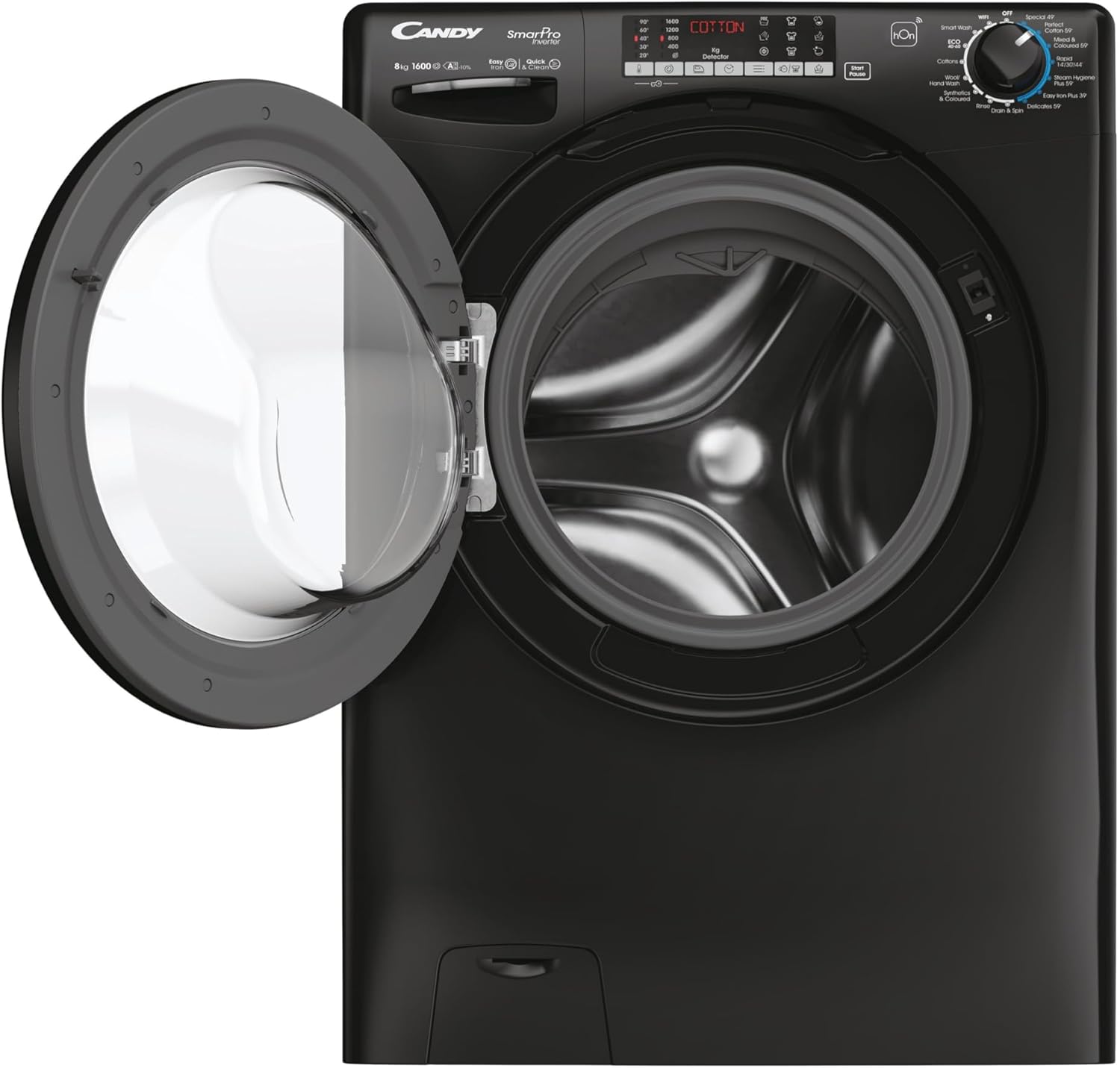
This image displays the Candy Smart Pro Inverter washing machine with its door open, revealing the spacious drum ready for laundry. This view is useful for understanding how to load clothes.
- Obriu la porta de la rentadora.
- Load laundry into the drum, ensuring not to overload. Leave enough space for clothes to tumble freely.
- Tanqueu la porta fermament fins que faci clic.
Addició de detergent:

This close-up image shows the detergent drawer pulled out, indicating the compartments for pre-wash, main wash detergent, and fabric softener. This helps users identify where to add their laundry products.
- Traieu el calaix del detergent.
- Afegiu la quantitat adequada de detergent al compartiment de rentat principal.
- If desired, add fabric softener to the designated compartment.
- Empenyeu el calaix del detergent completament cap a dins.
Selecció d'un programa de rentat:
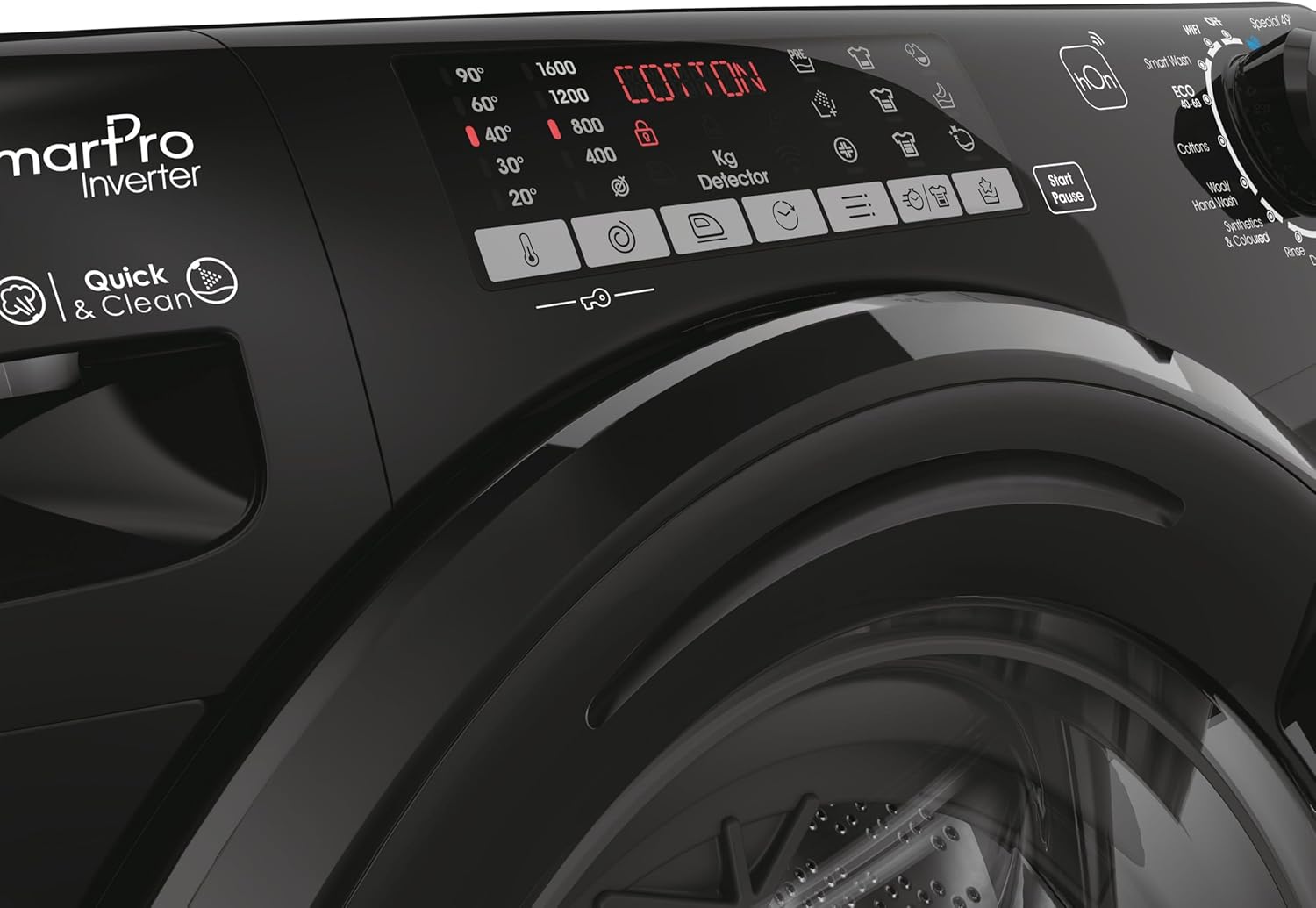
Aquesta imatge ofereix un detall view of the washing machine's control panel, focusing on the program selection dial and digital display. It shows various wash options like 'Smart Wash', 'Cottons', 'Wool', 'Synthetics', 'Quick Wash', and 'Easy Iron Plus 39''.
- Turn the program selector dial to choose the desired wash program (e.g., Cotton, Synthetics, Quick Wash).
- Adjust additional settings such as temperature and spin speed using the corresponding buttons on the control panel, if available for the selected program.
Inici d'un cicle de rentat:
- Premeu el botó «Inici/Pausa» per iniciar el cicle de rentat.
- La màquina continuarà automàticament amb el programa seleccionat.
Ending a Wash Cycle:
- Once the program is complete, the machine will signal its finish.
- Obre la porta i treu la roba bruta.
- Deixeu la porta lleugerament entreoberta per permetre que el tambor s'assequi a l'aire i evitar olors.
5. Manteniment
Neteja del calaix del detergent:
- Regularly clean the detergent drawer to prevent residue buildup.
- Pull out the drawer completely and rinse it under running water.
- Use a brush to remove any stubborn residue.
- Wipe the drawer housing clean before reinserting the drawer.
Neteja del filtre de la bomba de drenatge:
- Periodically clean the drain pump filter to ensure proper drainage.
- Open the filter cover at the bottom front of the machine.
- Col·loca un recipient poc profund a sota per recollir l'aigua residual.
- Slowly unscrew the filter and remove any lint, coins, or foreign objects.
- Clean the filter under running water and screw it back in firmly. Close the cover.
Neteja de l'exterior:
- Netegeu les superfícies exteriors amb un damp tela.
- No utilitzeu netejadors abrasius ni dissolvents.
6. Solució De Problemes
If you encounter issues with your washing machine, refer to the table below for common problems and solutions.
| Problema | Causa possible | Solució |
|---|---|---|
| La màquina no arrenca | Cable d'alimentació no connectat; Porta no tancada correctament; Programa no seleccionat; Botó d'inici/pausa no premut. | Check power connection; Ensure door is firmly closed; Select a program; Press Start/Pause. |
| Sense ingesta d'aigua | Aixeta d'aigua tancada; mànega d'entrada d'aigua doblegada; subministrament d'aigua tallat. | Obriu l'aixeta d'aigua; Redreceu la mànega; Comproveu el subministrament d'aigua de la llar. |
| La màquina vibra excessivament | Perns de transport no trets; Màquina no anivellada; Càrrega desigual. | Traieu els cargols de transport; Ajusteu els peus de nivellació; Redistribuïu la roba al tambor. |
| L'aigua no drena | Mànega de desguàs doblegada o bloquejada; filtre de la bomba de desguàs obstruït. | Reviseu i netegeu la mànega de desguàs; Netegeu el filtre de la bomba de desguàs. |
| Residus de detergent al calaix | Insufficient water pressure; Detergent drawer clogged. | Check water pressure; Clean detergent drawer. |
7. Especificacions
Detailed technical specifications for the Candy Smart Pro Inverter Washing Machine.
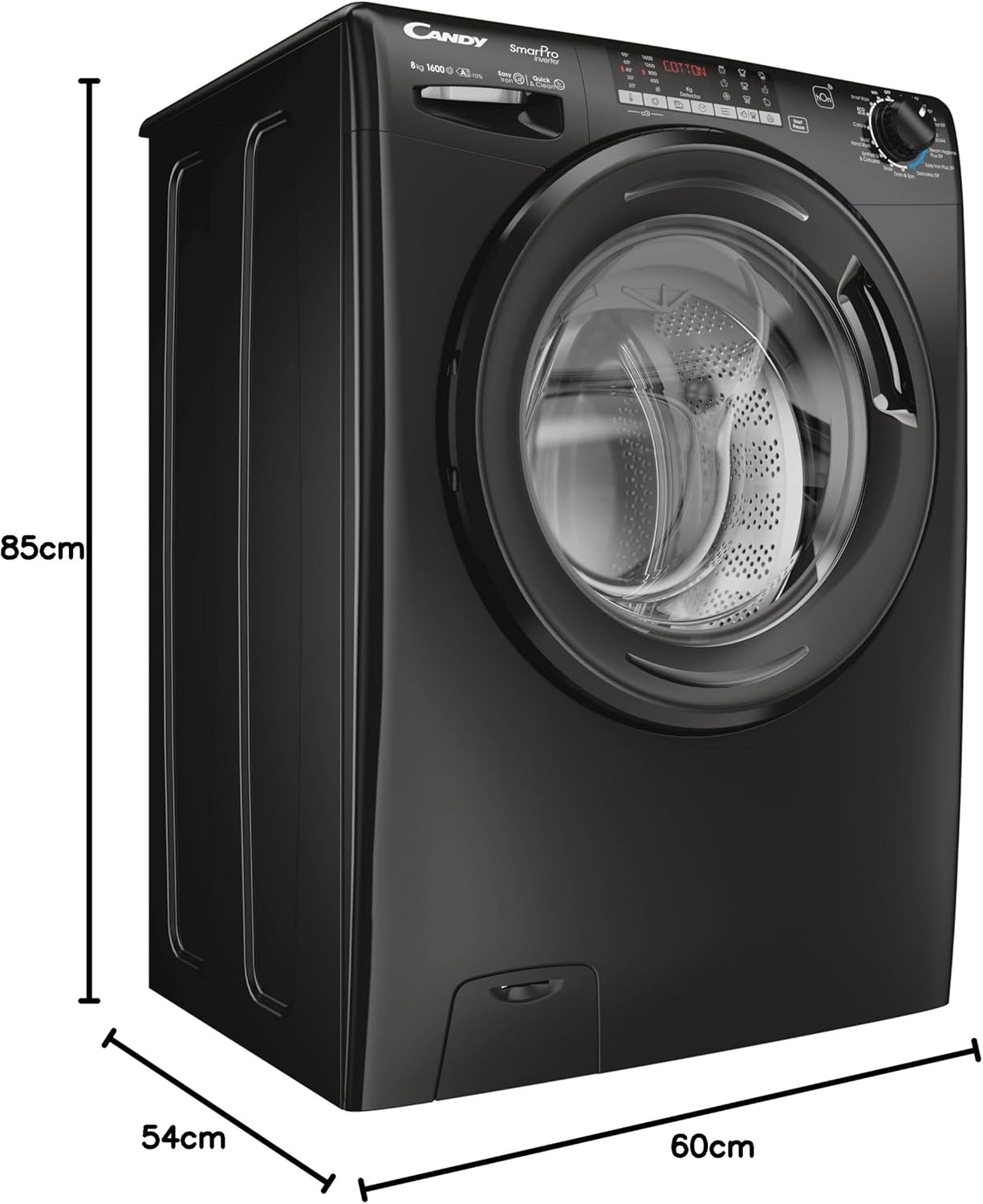
This image illustrates the physical dimensions of the washing machine, showing its height (85cm), depth (54cm), and width (60cm). This is crucial for installation planning.
| Característica | Detall |
|---|---|
| Marca | CARAMELOS |
| Model | CSO 696TWMBB6-80 |
| Capacitat | 9 quilos |
| Velocitat de rotació màxima | 1600 RPM |
| Dimensions del producte (P x A x A) | 54 x 60 x 85 cm |
| Pes de l'article | 64 kg |
| Consum anual d'energia | 45 quilowatts-hora |
| Nivell de soroll (gir) | 78 dB |
| Tipus d'instal·lació | Autònom |
| Color | Negre |
| Localització d'accés | Càrrega frontal |
| Característiques especials | Rentat ràpid |
| Components inclosos | Machine, User Manual, Energy Label, Pipes |
8. Garantia i Suport
For detailed warranty information and customer support, please refer to the warranty card or the full user manual included with your appliance. You may also visit the official CANDY weblloc web per obtenir més ajuda i dades de contacte.
The manufacturer is Haier.
Ask a question about this manual
Ask about setup, troubleshooting, compatibility, parts, safety, or missing instructions. Manuals+ will review the question and use this page’s manual context to help answer it.