
GRAUGEAR G-M2U4-40G-F
GRAUGEAR 40Gbps M.2 NVMe SSD Enclosure User Manual
Model: G-M2U4-40G-F
1. Introducció
This manual provides detailed instructions for the installation, operation, and maintenance of your GRAUGEAR 40Gbps M.2 NVMe SSD Enclosure. This high-performance enclosure is designed for M.2 NVMe SSDs, offering ultra-fast data transfer speeds up to 40Gbps via USB4 and Thunderbolt 4/3 compatibility. It features an advanced cooling system with a built-in fan and dual-pipe heatsink to ensure optimal performance and longevity of your SSD.

Figure 1: GRAUGEAR 40Gbps M.2 NVMe SSD Enclosure with included cables.
2. Contingut del paquet
Please verify that all items listed below are included in your package. If any items are missing or damaged, please contact GRAUGEAR customer support.
- GRAUGEAR 40Gbps M.2 NVMe SSD Enclosure (G-M2U4-40G-F)
- Cable USB-C a USB-C
- Destornillador
- Conjunt de cargols
- Coixinet tèrmic
- Manual d'usuari (aquest document)
- Targeta de servei

Figure 2: The retail packaging of the GRAUGEAR enclosure, indicating included accessories.
3. Característiques
- 40Gbps Ultra High Speed: Supports USB 4.0 with ASM2464PD chipset for data transmission speeds up to 40Gbps. Compatible with Thunderbolt 4/3 and backward compatible with USB 3.2/3.1/3.0/2.0.
- Dissipació de calor eficient: Features a built-in cooling fan, copper heat pipes, and an aluminum heatsink to prevent SSD overheating and maintain high transfer rates.
- Refrigeració òptima: Highly optimized 30mm fan with low-noise operation reduces M.2 SSD heat by up to 60%.
- Direct Touch Heatpipes: Dual copper heat pipes with Direct Touch Heatpipes (DTH) technology ensure even and fast heat conduction from the SSD.
- Estabilitat i seguretat: Advanced ASM2464PD controller provides short-circuit, over-current, and multi-protection for data safety.
- Funció de repòs automàtica: Automatically enters sleep mode after 10 minutes of inactivity to conserve power and extend SSD lifespan.

Figure 3: Key features of the GRAUGEAR 40Gbps M.2 NVMe SSD Enclosure, including speed, chip, auto-sleep, heat pipe, and fan.

Figure 4: Illustration of the direct contact heat pipe technology for efficient heat transfer.
4. Compatibilitat
4.1 Supported SSD Types
The GRAUGEAR enclosure exclusively supports SSD M.2 NVMe with a form factor of 2280 mm (22mm width, 80mm length). It does no support M.2 SATA/SATA SSDs or other NVMe SSD sizes (e.g., 2230, 2242, 2260).

Figure 5: Visual guide indicating support for 2280 M-Key NVMe/PCIe SSDs only.
4.2 Compatible Devices and Operating Systems
The enclosure is compatible with a wide range of devices and operating systems, leveraging its USB-C (USB4) interface.

Figura 6: Mésview of compatible devices (Desktop, Laptop, PS5, iPad, iPhone, Smart TV, Router, Computer, Tablet) and operating systems (Windows, macOS, iPadOS, Android, Linux).

Figure 7: Detailed system requirements for various operating systems and CPU architectures.
For optimal 40Gbps transfer speeds, ensure your device has a USB 4.0 or Thunderbolt 4 interface and that your operating system and NVMe firmware are updated to the latest versions. Backward compatibility will limit the speed, and some older devices may not recognize the enclosure.
5. Configuració i instal·lació
Follow these steps to install your M.2 NVMe SSD into the GRAUGEAR enclosure.
- Prepareu el recinte: Using the provided screwdriver, carefully remove the screws securing the enclosure's cover. Gently slide open the enclosure to reveal the internal M.2 slot.
- Instal·leu l'SSD: Align your 2280 M.2 NVMe SSD with the M-Key slot inside the enclosure. Insert the SSD firmly but gently into the slot at an angle. Once seated, press down the end of the SSD and secure it with the provided screw.
- Aplicar coixinet tèrmic: Peel off the protective films from both sides of the thermal pad. Carefully place the thermal pad onto the top surface of the installed SSD, ensuring it covers the main controller chip and NAND flash modules for effective heat transfer.
- Torneu a muntar la carcassa: Carefully slide the enclosure cover back into place, ensuring it aligns correctly. Secure the cover with the screws you removed earlier.
- Connecta't al dispositiu: Use the provided USB-C to USB-C cable to connect the enclosure to your computer or compatible device.
Nota important:
- Ensure the SSD is correctly oriented before insertion to prevent damage.
- Only 2280 M-Key NVMe SSDs are supported. Attempting to install other types may damage the enclosure or SSD.
- For new SSDs, you may need to initialize and format the drive through your operating system's Disk Management (Windows) or Disk Utility (macOS) before it can be used.
6. Instruccions de funcionament
6.1 Connecting and Disconnecting
Connect the enclosure to your device using the supplied USB-C cable. The enclosure is plug-and-play and should be recognized automatically by compatible operating systems. To safely disconnect, always eject the drive through your operating system's safe removal procedure before unplugging the cable.
6.2 Transferència de dades
Once connected and recognized, the SSD in the enclosure will appear as an external drive. You can drag and drop files, copy, paste, and perform other file operations as you would with any other storage device.
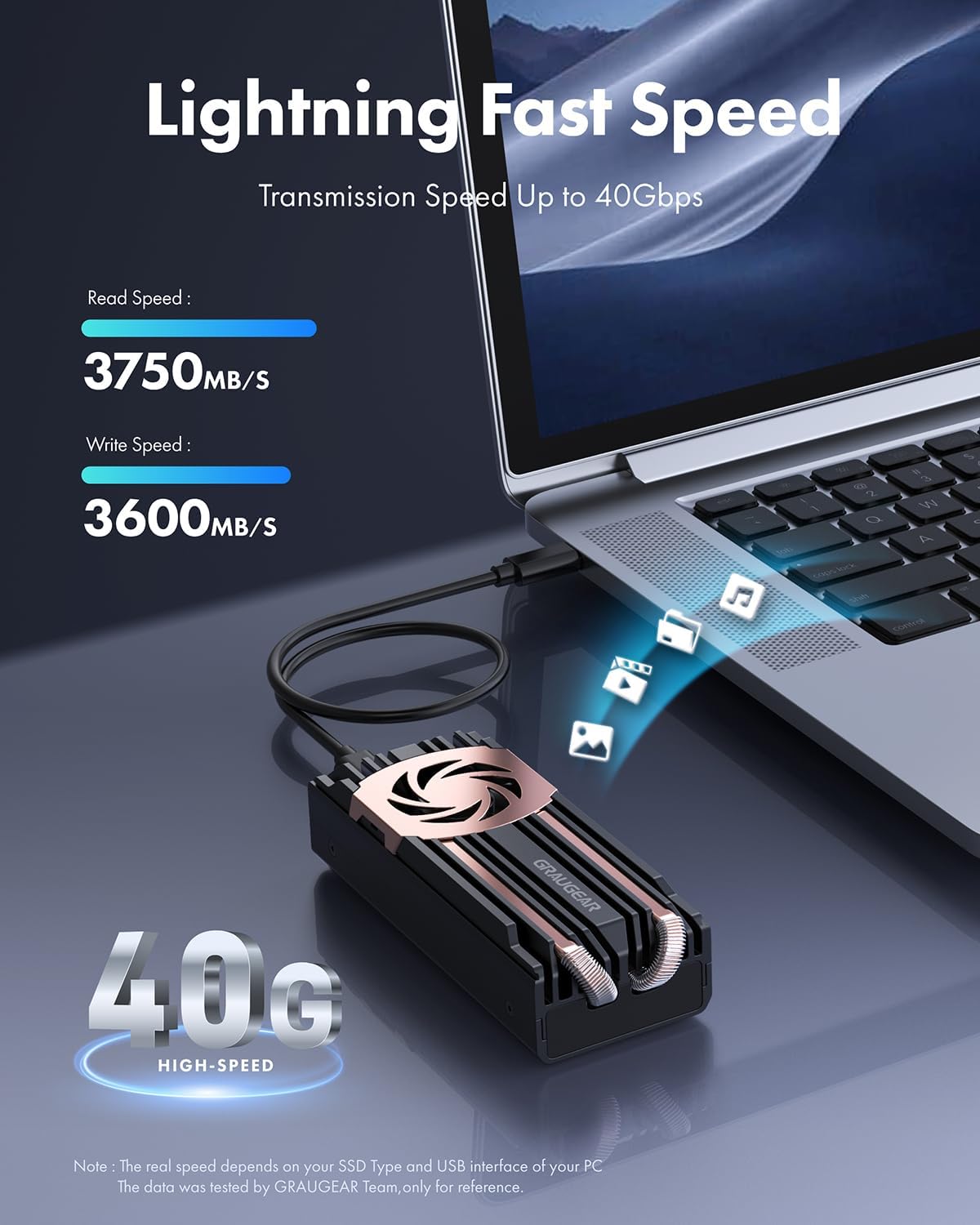
Figure 8: The enclosure connected to a laptop, demonstrating high-speed data transfer capabilities (up to 40Gbps).

Figura 9: Example of measured transmission speeds, showcasing the enclosure's performance with a high-end SSD.
6.3 indicador LED
The enclosure features an LED indicator for power and activity status. Refer to the following table for LED behavior:
| LED estat | Significat |
|---|---|
| Blau sòlid | Power On / Idle |
| Blau intermitent | Data Transfer / Activity |
| Apagat | No Power / Sleep Mode |
7. Manteniment
Proper maintenance ensures the longevity and optimal performance of your GRAUGEAR SSD enclosure.
- Neteja: Feu servir un drap suau i sec per netejar l'exterior de la carcassa. Eviteu netejadors líquids o materials abrasius.
- Sistema de refrigeració: The built-in fan and heatsink are designed for efficient cooling. Ensure the fan vents are not obstructed to allow proper airflow.
- Gestió de la temperatura: While the enclosure has an active cooling system, avoid operating it in excessively hot environments or direct sunlight.
- Actualitzacions de firmware: Periodically check the GRAUGEAR weblloc (www.graugear.de) for any firmware updates for the enclosure's controller chip (ASM2464PD) to ensure continued compatibility and performance.

Figure 10: Graph illustrating the temperature reduction achieved by the built-in cooling fan compared to other solutions.
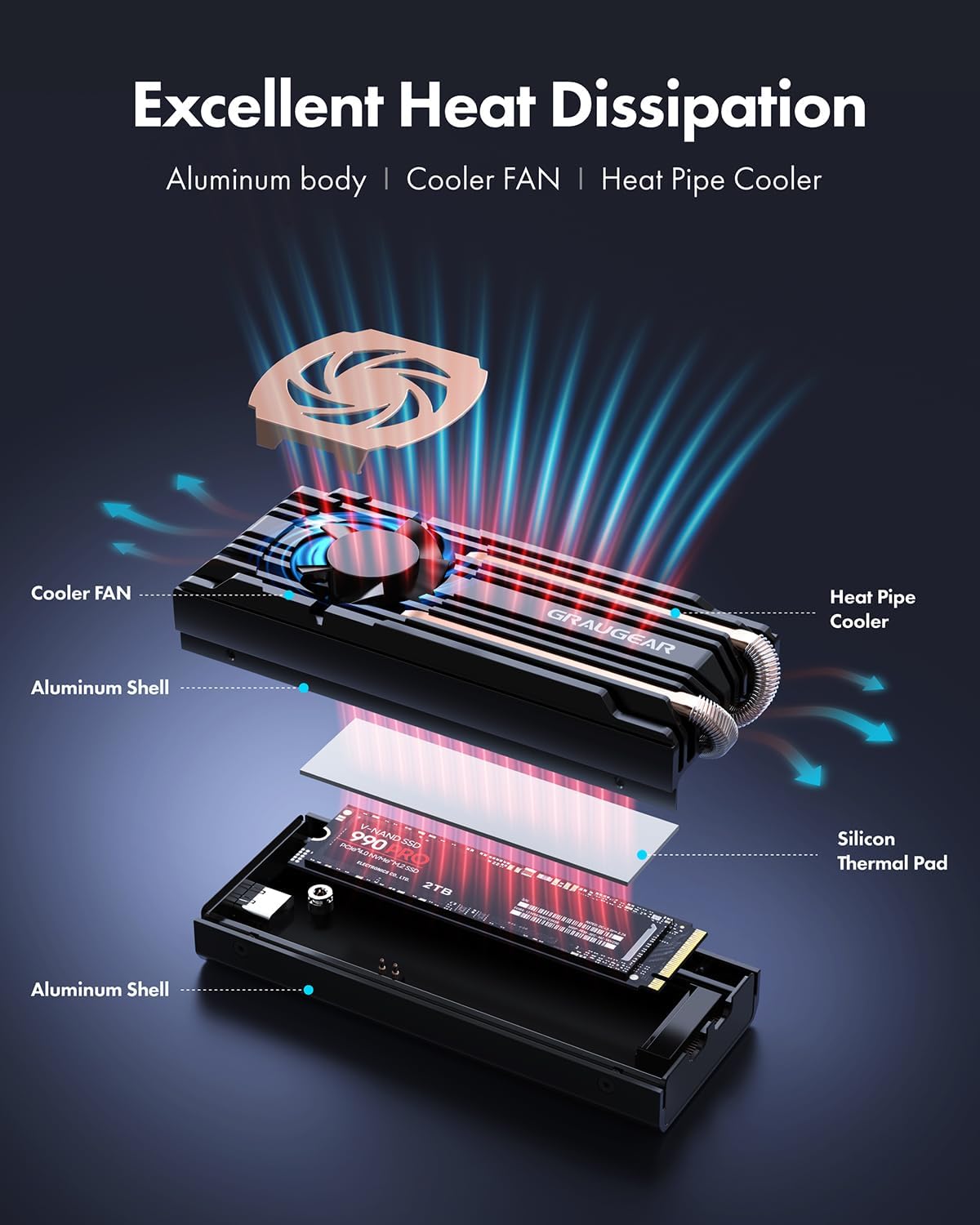
Figura 11: Explotat view showing the aluminum body, cooler fan, heat pipe cooler, and silicon thermal pad contributing to excellent heat dissipation.
8. Solució De Problemes
If you encounter issues with your GRAUGEAR SSD enclosure, refer to the following common problems and solutions:
| Problema | Possible causa/solució |
|---|---|
| Carcassa no reconeguda per l'ordinador. |
|
| Velocitats de transferència de dades lentes. |
|
| La carcassa es veu calenta. |
|
| Fan making unusual noise. |
|
9. Especificacions
Detailed technical specifications for the GRAUGEAR 40Gbps M.2 NVMe SSD Enclosure (Model: G-M2U4-40G-F).
| Característica | Detall |
|---|---|
| Número de model | G-M2U4-40G-F |
| Interfície interna | M.2 M-Key (PCIe Gen4x4) |
| Interfície externa | USB4 (USB-C) |
| Controller Chipset | ASM2464PD |
| SSD compatible | M.2 NVMe SSD 2280 |
| Taxa màxima de transferència de dades | 40Gbps (USB4) |
| Capacitat màxima d'emmagatzematge de memòria | 8 TB |
| Sistema de refrigeració | Built-in 30mm Fan, Dual Copper Heat Pipes, Aluminum Heatsink |
| Material | Alumini, metall |
| Color | Negre |
| Dimensions del producte (L x A x A) | 3.21" x 1.65" x 1.02" (8.15 cm x 4.19 cm x 2.59 cm) |
| Pes de l'article | 9.6 unces (272 grams) |
| Longitud del cable | 35 cm / 13.78 polzades |
| Fabricant | CHAB GmbH |

Figure 12: Diagram showing the physical dimensions and key specifications of the enclosure.
10. Garantia i Suport
GRAUGEAR products come with a standard warranty. For specific warranty terms and conditions, please refer to the service card included in your package or visit the official GRAUGEAR weblloc.
For technical support, troubleshooting assistance, or warranty claims, please contact GRAUGEAR customer service:
- Weblloc: www.graugear.de
- Correu electrònic: info@graugear.de
- Telèfon: +49 (0)40 7163 6372 (Germany)
Please have your model number (G-M2U4-40G-F) and purchase information ready when contacting support.
Ask a question about this manual
Ask about setup, troubleshooting, compatibility, parts, safety, or missing instructions. Manuals+ will review the question and use this page’s manual context to help answer it.