
Introducció
This user manual provides comprehensive instructions for the Retevis L61 Network Walkie Talkie. The L61 is a rugged 4G-enabled Push-to-Talk over Cellular (POC) radio designed for long-range communication, featuring GPS functionality, group calling, and over-the-air programming. Please read this manual thoroughly before operating your device to ensure proper use and optimal performance.
Contingut del paquet

Figura 1: Accessoris inclosos
En obrir el paquet, comproveu que hi hagi tots els elements següents:
- L61 4G Network Radio (x2)
- Clip de cinturó (x2)
- Charging Line (x2)
- Bateria de ions de liti de 2500 mAh (x2)
- Manual d'usuari (x2)
Si falta algun article o està danyat, poseu-vos en contacte amb el servei d'atenció al client immediatament.
Producte acabatview
The Retevis L61 is designed for robust and reliable communication across vast distances, leveraging 2G/4G network capabilities. Its compact design ensures portability while offering advanced features for various professional and personal uses.
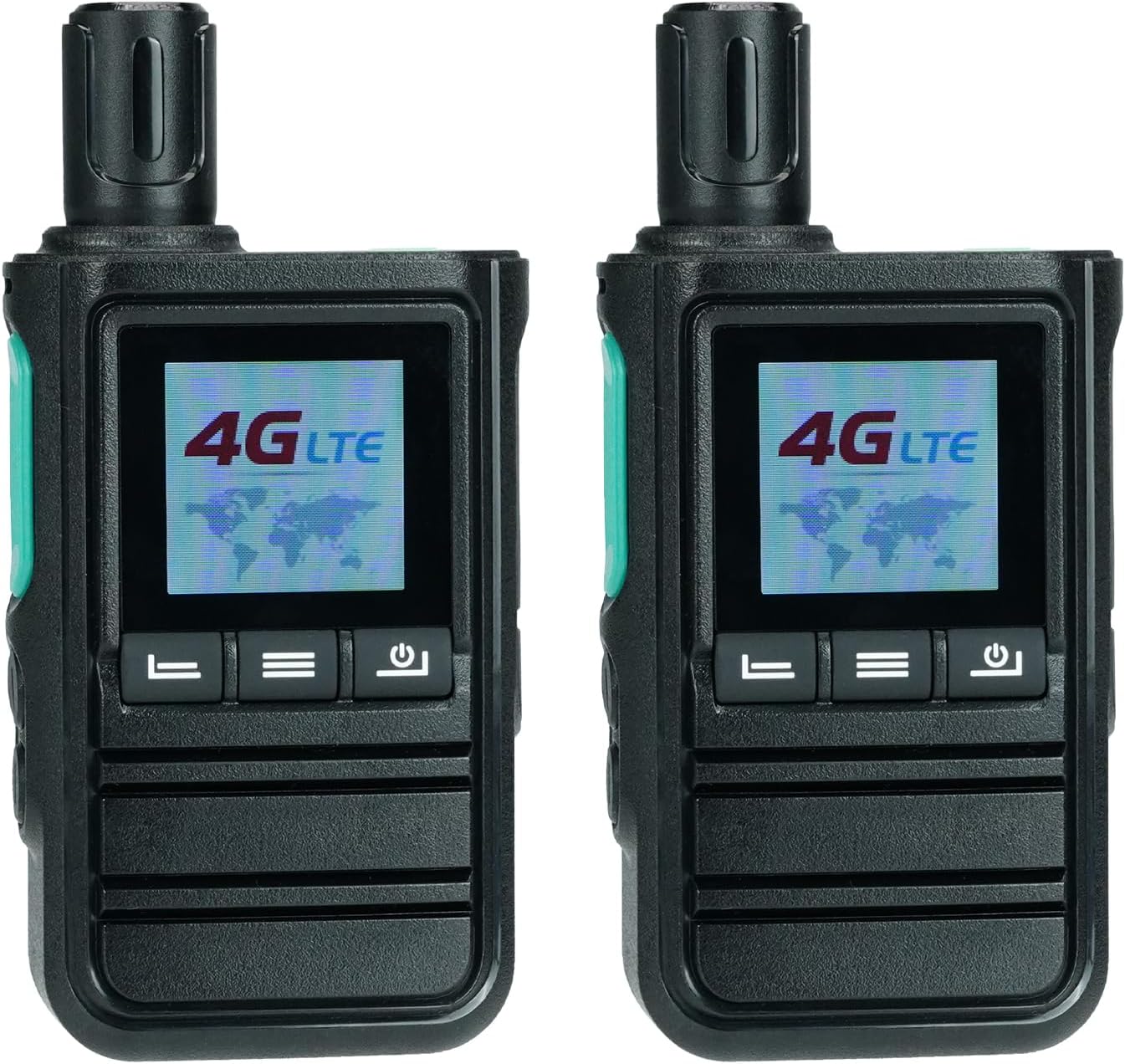
Figure 2: Retevis L61 Network Walkie Talkies
Característiques principals:
- Unlimited Range: Supports 2G/4G networks for communication without distance limitations, even in remote areas.
- Funcionalitat GPS: Enables real-time location tracking for team coordination and emergency alerts, enhancing safety.
- Comunicació flexible: Supports individual, group, and friend communication modes to suit various operational needs.
- Dual Alarm Modes: Includes a walkie talkie alarm for personal safety and a GPS fencing alarm for driving safety.
- Over-the-Air Edition: Allows for easy configuration and updates without the need for physical cable connections.
- Disseny compacte: Measuring 116mm high, it is easy to hold and carry for extended periods.
- Llarga vida útil de la bateria: Equipped with a 2500mAh battery, providing up to 30 hours of standby time and 12 hours of work time.
- Càrrega tipus C: Conveniently rechargeable via computer or power bank, with a low battery alert feature.
- Dual SIM Card Support: Features two card slots for utilizing different networks, ensuring versatile connectivity.
Configuració
1. Instal·lació de la bateria
The Retevis L61 comes with a 2500mAh Li-ion battery. To install:
- Assegureu-vos que el dispositiu estigui apagat.
- Localitzeu la tapa del compartiment de la bateria a la part posterior de la ràdio.
- Slide the cover downwards or unlatch it to open.
- Insert the 2500mAh Li-ion battery, aligning the contacts correctly.
- Substituïu la tapa del compartiment de la bateria i fixeu-la.

Figure 3: Battery and Charging Overview
2. Instal·lació de la targeta SIM
The L61 supports dual SIM cards for flexible network connectivity.
- With the battery removed, locate the two SIM card slots.
- Insert your 2G/4G compatible SIM cards into the designated slots, ensuring correct orientation.
- Replace the battery and battery cover.

Figure 4: Dual SIM Card Slots
3. Càrrega inicial
Abans del primer ús, carregueu completament el dispositiu.
- Connect the provided Type-C charging cable to the radio's charging port.
- Connect the other end of the cable to a compatible USB power adapter, computer, or power bank.
- The charging indicator will show the charging status. Once fully charged, the indicator will change (refer to device screen for details).
Instruccions de funcionament
1. Encendre/apagar
- To power on, long press the power button until the screen illuminates.
- To power off, long press the power button until the device shuts down.
2. Basic Communication (PTT Button)
The Push-to-Talk (PTT) button is central to communication.
- To transmit: Press and hold the PTT button on the side of the radio. Speak clearly into the microphone.
- To receive: Release the PTT button to listen for incoming transmissions.
Video 1: Demonstrates how to use the Retevis L61 walkie talkies, including basic PTT operation and menu navigation.
3. Group, Individual, and Friend Calls
The L61 supports various call types for flexible communication scenarios.
- Trucada de grup: Communicate with all members within a pre-defined group.
- Individual Call: Initiate a private conversation with a specific user.
- Friend Call: Communicate with designated contacts.

Figure 5: Call Modes
4. Funcionalitat del GPS
Utilize the integrated GPS for location tracking and safety features.
- Real-time Location: Track the precise location of team members on a dispatch system.
- GPS Fencing: Set virtual boundaries to receive alerts if a device enters or exits a specified area, useful for route adherence and safety.

Figure 6: GPS Tracking and Fencing
5. Over-the-Air Edition (OTA)
The L61 supports over-the-air programming, eliminating the need for physical cables for configuration updates.
- Connect the radio to a network.
- Access the programming software (details typically provided by your service provider or Retevis support).
- Update settings, channels, or features remotely.

Figure 7: Over-the-Air Programming
6. Alarma SOS
In emergencies, the SOS alarm can be activated to alert your team.
- Long press the designated SOS button (refer to your device's physical layout for exact button location).
- The device will emit an alarm sound and send an emergency signal to pre-configured contacts or the dispatch system.

Figure 8: SOS Alarm Activation
7. Ajust de volum
Adjust the speaker volume to a comfortable level using the navigation buttons.
Video 2: Demonstrates how to adjust the volume settings on the Retevis L61 walkie talkie.
Manteniment
Proper maintenance ensures the longevity and optimal performance of your Retevis L61.
- Cura de la bateria:
- Eviteu descarregar completament la bateria amb freqüència.
- Carregueu la bateria en un lloc fresc i sec.
- If storing the radio for extended periods, charge the battery to about 50% before storage.
- Neteja:
- Netegeu la superfície de la ràdio amb un drap suauamp tela.
- No utilitzeu productes químics ni productes de neteja abrasius.
- Ensure the charging port and other openings are free from dust and debris.
- Emmagatzematge:
- Store the radio in a dry, cool environment away from direct sunlight and extreme temperatures.
- Mantenir fora de l'abast dels nens.
Resolució de problemes
| Problema | Causa possible | Solució |
|---|---|---|
| Sense connexió de xarxa. | No SIM card installed, incorrect SIM card, or out of network coverage. | Ensure SIM cards are correctly installed. Check network coverage in your area. Contact your network provider if issues persist. |
| No es pot transmetre ni rebre. | PTT button not pressed correctly, device not powered on, or not in a group/channel. | Press and hold the PTT button firmly. Ensure the device is powered on and properly configured for the desired communication group. |
| Back clip cannot be installed. | Misalignment or manufacturing variation. | Carefully align the back clip with the designated slots. If the issue persists, please contact Retevis customer support via Amazon message for assistance. |
| GPS location not accurate. | Poor satellite signal, indoor use, or interference. | Mou-te a una zona oberta amb cel clar view. Avoid areas with high buildings or dense foliage. |
Especificacions
| Característica | Detall |
|---|---|
| Marca | Retevis |
| Número de model | L61 |
| Bateries | Necessites 2 piles de ions de liti (incloses) |
| Dimensions del producte | 3.51 x 5.46 x 11.6 cm; 293 g (or 35L x 55W x 116H millimetres) |
| Tecnologia de connectivitat | Tipus-C |
| Característiques especials | Programming Over-The-Air, Dual SIM card, Single/Group/Friend Call, 2G/4G Network, GPS function |
| Font d'alimentació | Funciona amb bateria |
| Bandes de ràdio compatibles | 4G |
| Nivell de resistència a l'aigua | No resistent a l'aigua |
| País d'origen | Xina |
Garantia i Suport
Retevis products are designed for reliability and performance. For warranty information, please refer to the documentation included with your purchase or visit the official Retevis website. For technical support, troubleshooting assistance, or inquiries regarding your Retevis L61 Network Walkie Talkie, please contact Retevis customer service through the platform where you purchased the product.
For specific issues like the back clip installation, as noted in the troubleshooting section, direct contact via Amazon message to the seller "RetevisDirect" is recommended.