
Introducció
This manual provides detailed instructions for the installation, operation, and maintenance of your Eiszuso 150M USB2.0 Wireless Network Card. This device is designed to provide wireless connectivity for computers running Windows, Linux, and Android operating systems, featuring a detachable 2dBi antenna for enhanced signal reception.

Image: The Eiszuso 150M USB2.0 Wireless Network Card with its detachable 2dBi antenna.
Contingut del paquet
Si us plau, verifiqueu que tots els elements siguin presents al vostre paquet:
- Eiszuso 150M USB2.0 Wireless Network Card
- Detachable 2dBi Omnidirectional Antenna
- Driver CD (if included)
Instruccions de configuració
- Connecteu l'antena: Carefully screw the detachable 2dBi omnidirectional antenna onto the USB wireless network card. Ensure it is securely fastened but do not overtighten.
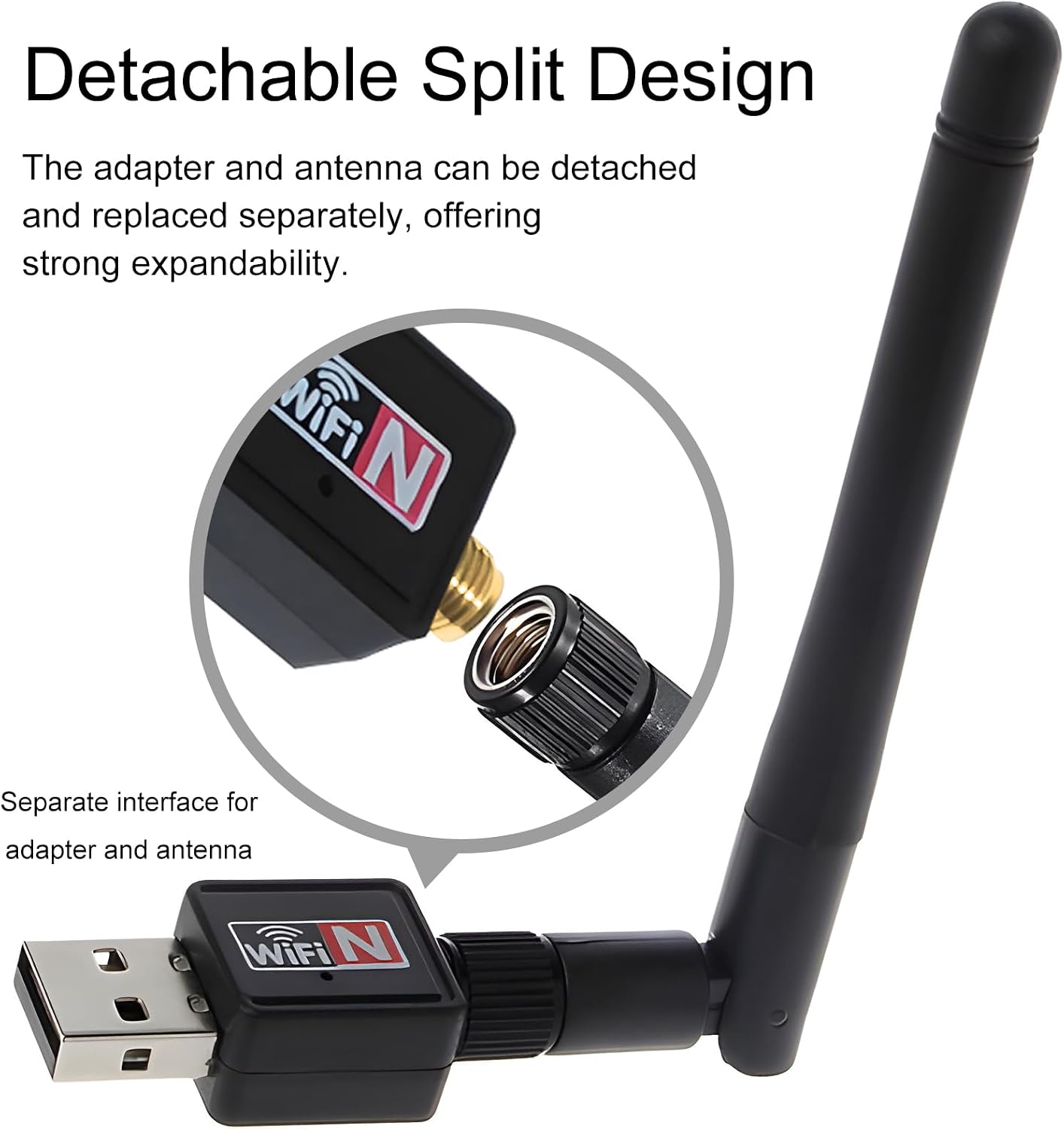
Image: Illustration of how to attach the detachable antenna to the USB adapter.
- Inseriu al port USB: Plug the assembled wireless network card into an available USB 2.0 port on your computer or compatible device.
- Instal·lació del controlador:
- Windows:
For most modern Windows operating systems (Windows 10/11), the driver may install automatically. If not, insert the provided driver CD and follow the on-screen instructions. Alternatively, download the latest driver from the Eiszuso support website (if available) by searching for "RTL8188ETV driver".
- Linux:
Linux distributions often have built-in support for the RTL8188ETV chipset. If the device is not recognized automatically, you may need to install specific kernel modules or drivers. Consult your distribution's documentation or community forums for "RTL8188ETV Linux driver installation".
- Android:
For Android devices, driver support is typically integrated into the device's firmware. Ensure your Android device supports external USB Wi-Fi adapters. No separate driver installation is usually required.

Image: The network card is compatible with Windows, Linux, and Android operating systems.
- Windows:
Instruccions de funcionament
- Connect to a Wireless Network (Windows/Linux):
- Once the driver is installed, your system should detect the wireless network card.
- Open your operating system's network settings or Wi-Fi menu.
- Select your desired Wi-Fi network (SSID) from the list of available networks.
- Enter the network password (security key) if prompted.
- The device should now connect to the wireless network.
- Adjusting Antenna Position: The antenna supports multi-dimensional rotation (360° vertical, 90° horizontal) to optimize signal reception. Adjust its position for the best signal strength and stability.

Image: The antenna can be rotated 360 degrees vertically and 90 degrees horizontally for optimal signal reception.
- Using with Android Devices:
For Android devices, ensure the device supports USB OTG (On-The-Go) and external Wi-Fi adapters. Once plugged in, the Android system should automatically recognize and use the adapter for wireless connectivity.
Manteniment
- Neteja: Feu servir un drap suau i sec per netejar el dispositiu. No utilitzeu netejadors líquids ni dissolvents.
- Cura de l'antena: Handle the detachable antenna with care. Avoid excessive force when attaching or detaching it.
- Emmagatzematge: Quan no l'utilitzeu, emmagatzemeu el dispositiu en un lloc fresc i sec, lluny de la llum solar directa i de temperatures extremes.
- Actualitzacions de firmware/controladors: Periodically check the Eiszuso support website for updated drivers or firmware to ensure optimal performance and compatibility.
Resolució de problemes
- Dispositiu no detectat:
- Ensure the device is fully plugged into a functional USB port.
- Prova amb un port USB diferent.
- Torneu a instal·lar els controladors.
- Reinicieu l'ordinador.
- No es pot connectar a Wi-Fi:
- Verify that the correct Wi-Fi password has been entered.
- Assegureu-vos que el vostre encaminador estigui encès i emetent un senyal.
- Comproveu si altres dispositius es poden connectar a la mateixa xarxa Wi-Fi.
- Adjust the antenna position for better signal reception.
- Restart your router and the computer.
- Velocitat de connexió lenta:
- Ensure the antenna is positioned optimally.
- Comproveu si hi ha interferències d'altres dispositius electrònics.
- Update the device drivers.
- Verify that your internet service provider is delivering the expected speed.
Especificacions
| Característica | Detall |
|---|---|
| Model | RTL8188ETV |
| Interfície | USB 2.0 |
| Estàndard sense fils | IEEE 802.11n/g/b |
| Velocitat de transferència de dades | Fins a 150 Mbps |
| Tipus d'antena | Detachable 2dBi Omnidirectional Antenna |
| Sistemes operatius | Windows, Linux, Android |
| Chipset | RTL8188ETV |
| Dimensions (aprox.) | 5.16 x 3.19 x 0.75 polzades (paquet) |
| Pes (aprox.) | 0.634 unces |

Image: Approximate dimensions of the Eiszuso USB Wireless Network Card.
Garantia i Suport
For warranty information and technical support, please refer to the documentation provided with your purchase or visit the official Eiszuso weblloc. Conserveu el rebut de compra per a reclamacions de garantia.