
NZXT CM-H72FB-01
NZXT H7 Flow 2024 Mid-Tower ATX Airflow PC Case Instruction Manual
Marca: NZXT | Model: CM-H72FB-01
Introducció
The NZXT H7 Flow 2024 is a mid-tower ATX PC case designed for optimal airflow and efficient cooling. This manual provides essential information for assembling, operating, and maintaining your PC build within this chassis. It highlights key features, specifications, and important considerations for a smooth user experience.

Figure 1: NZXT H7 Flow 2024 Mid-Tower ATX Airflow PC Case (Black)
Característiques clau
- Dedicated GPU Cooling: Supports up to three 120mm fans at the bottom for direct airflow to the graphics card, enhancing cooling performance.

Figure 2: Dedicated GPU Cooling Fan Mounts
- Out-of-the-Box Performance: Includes three pre-installed 120mm fans in the front for immediate and effective cooling.

Figure 3: Pre-installed Front Fans
- Optimized for Airflow: Features high-performance mesh panels on the front and top to maximize air intake and exhaust, while also acting as dust filters.

Figura 4: Disseny de flux d'aire optimitzat
- Large Radiator Support: Accommodates radiators up to 420mm in the front and 360mm in the top, providing extensive liquid cooling options.

Figure 5: Radiator Mounting Locations
- Fàcil gestió de cables: An intuitive cable management system with wide channels, built-in hooks, and included straps simplifies cable routing and organization.

Figure 6: Cable Management System
- 10-Fan Capacity: Supports up to 10 fans in total: three at the top, three in the front, three at the bottom, and one in the rear for comprehensive cooling.

Figure 7: Fan Mounting Options
- Top I/O Ports: Conveniently located top panel with 2x USB-A and 1x USB-C ports for easy access to peripherals.

Figure 8: Top I/O Ports
- Tool-less Panel Access: Front, top, and side panels can be removed without tools, simplifying the building and upgrading process.
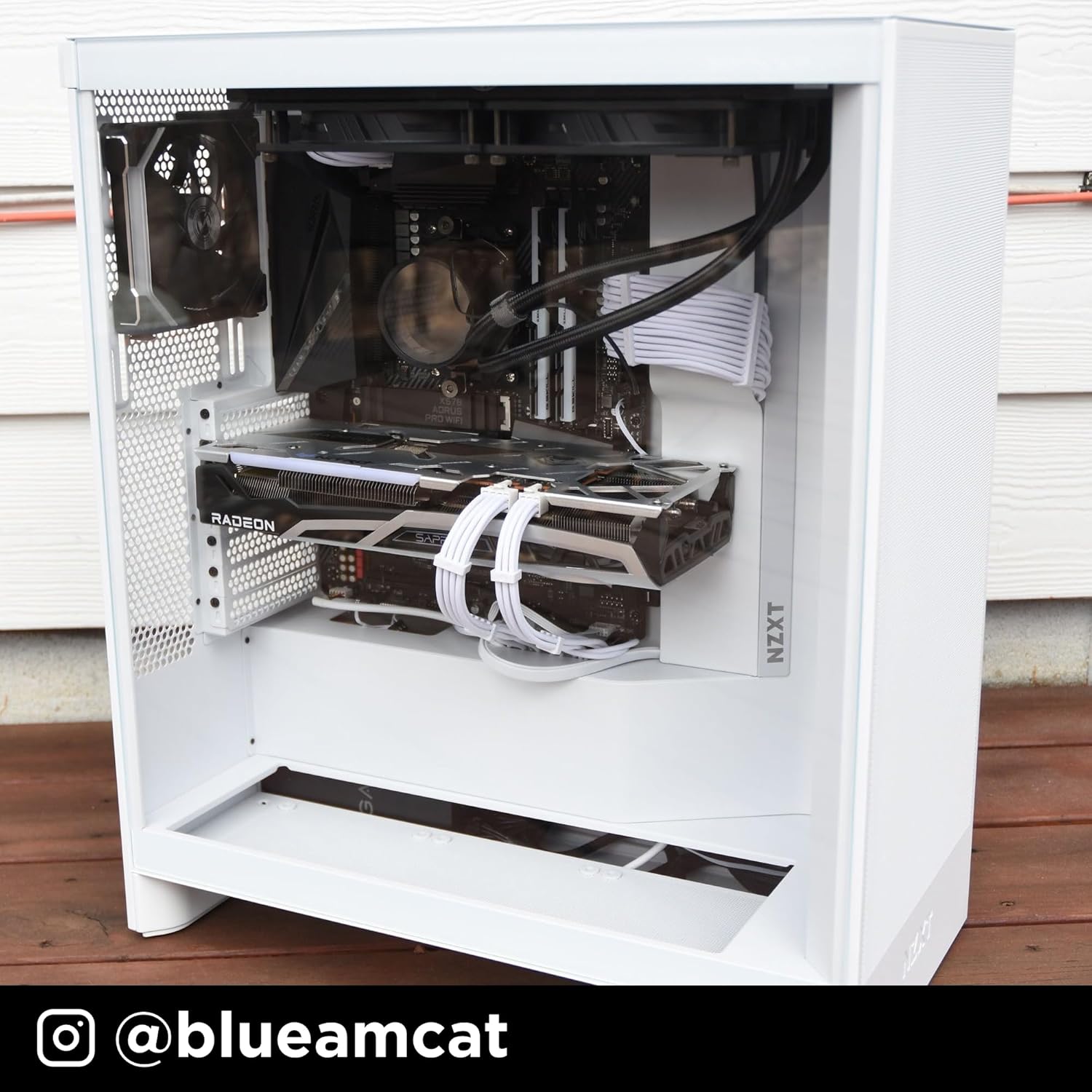
Figure 9: Tool-less Panel Removal
Instruccions de configuració
- Desembalatge: Carefully remove the case from its packaging. Remove any protective films from the tempered glass panels.
- Eliminació del panell: Access the interior by gently pulling off the side panels, front panel, and top panel. These are designed for tool-less removal.
- Instal·lació de la placa base: Install your ATX motherboard. Ensure standoffs are correctly aligned. The case supports ATX motherboards.
- Instal·lació de la font d'alimentació: Mount your power supply unit (PSU) in the bottom compartment.
- Instal·lació de la unitat d'emmagatzematge: Install 3.5-inch hard drives or 2.5-inch solid-state drives into the designated bays.
- Instal·lació de la targeta gràfica (GPU): Install your graphics card into the appropriate PCIe slot. Consider installing up to three 120mm fans at the bottom of the case for direct GPU cooling.
- Instal·lació de ventilador i radiador: Install additional fans or liquid cooling radiators as needed. The case supports up to 420mm radiators in the front and 360mm in the top.
- Gestió de cables: Utilize the integrated cable routing channels, hooks, and included straps behind the motherboard tray to organize and secure cables.
- Torneu a muntar els panells: Once all components are installed and cables are managed, reattach the side, front, and top panels.
Funcionament de la caixa del vostre PC
The NZXT H7 Flow 2024 is designed to provide optimal airflow for your PC components. Ensure that all fans are correctly oriented for intake and exhaust to maintain proper internal temperatures. The pre-installed front fans act as intake, drawing cool air into the system. The mesh panels facilitate unrestricted airflow, contributing to efficient cooling.
Video 1: NZXT H7 Flow 2024 Overview. This video demonstrates the key features and design of the NZXT H7 Flow 2024 PC case, including its airflow capabilities and internal layout.
Manteniment
Un manteniment regular ajuda a garantir un rendiment òptim i una llarga vida útil dels components del teu PC.
- Neteja de pols: Periodically remove the mesh panels (front and top) and clean them to prevent dust buildup. Use compressed air or a soft brush to clean fans and internal components.
- Reinstal·lació del panell: Ensure all panels are securely reattached after cleaning or maintenance to maintain structural integrity and airflow.
Vídeo 2: Producte acabatviewAquest vídeo ofereix una visió generalview of the product, which can be helpful for understanding its components and how to access them for maintenance.
Resolució de problemes
- High Component Temperatures:
- Verify all case fans are spinning and correctly oriented for optimal airflow (intake at front/bottom, exhaust at rear/top).
- Clean any dust buildup on mesh panels, fans, and heatsinks.
- Assegureu-vos que no hi hagi cables que obstrueixin les vies del flux d'aire dins de la carcassa.
- Soroll excessiu del ventilador:
- Check if fan screws are tightened properly.
- Assegureu-vos que cap cable toqui les aspes del ventilador.
- Consider replacing noisy fans if they are old or damaged.
- Difficulty Removing Panels:
- Apply gentle, even pressure when pulling panels. They are designed for tool-less removal but may require a firm pull.
- Ensure no internal components or cables are snagging the panels.
Especificacions
| Característica | Detall |
|---|---|
| Marca | NZXT |
| Nom del model | CM-H72FB-01 |
| Tipus de cas | Torre mitja |
| Compatibilitat amb la placa base | ATX |
| Color | Negre |
| Material | Metall, plàstic |
| Tipus de muntatge de la font d'alimentació | Muntatge inferior |
| Mètode de refrigeració | Aire |
| Mida del ventilador | 120 mil·límetres |
| Total Expansion Slots Quantity | 7 |
| Total USB 2.0 Ports | 2 |
| Total USB 3.0 Ports | 3 |
| Factor de forma del disc dur | 3.5 polzades |
| Internal Bays Quantity | 1 |
| Number of Fans (Included) | 3 |
| Pes de l'article | 11.35 quilos |
| Dimensions de l'article (D x W x H) | 18.43 "P x 9.6" W x 21.42" H |
| Característiques especials | Triple front fan, large radiator backing plate, dedicated GPU cooling |
Garantia i Suport
The NZXT H7 Flow 2024 PC case comes with a 2 any de garantia del fabricant. For technical support, product information, or warranty claims, please visit the official NZXT store or contact their customer service.
Official NZXT Store: NZXT Store on Amazon
Documents relacionatsCM-H72FB-01


Ask a question about this manual
Ask about setup, troubleshooting, compatibility, parts, safety, or missing instructions. Manuals+ will review the question and use this page’s manual context to help answer it.