
Introducció
Thank you for choosing the ADE WS2322 Digital Indoor Thermometer and Hygrometer. This device is designed to provide accurate measurements of indoor temperature and humidity, along with timekeeping and alarm functions. Please read this manual carefully before use to ensure proper operation and to maximize the lifespan of your device.
Informació de seguretat
- Mantingueu el dispositiu allunyat de temperatures extremes, llum solar directa i humitat elevada.
- No exposeu el dispositiu a aigua o altres líquids.
- No intenteu desmuntar ni reparar el dispositiu vosaltres mateixos. Poseu-vos en contacte amb personal de servei qualificat.
- Mantingueu les piles fora de l'abast dels nens. Desfeu-vos de les piles usades correctament d'acord amb la normativa local.
- Netegeu el dispositiu amb un drap suau i sec. No utilitzeu productes de neteja abrasius ni dissolvents.
Contingut del paquet
Si us plau, comproveu el contingut del paquet per assegurar-vos que hi hagi tots els elements:
- 1 x ADE WS2322 Digital Indoor Thermometer and Hygrometer
- 1 x piles AAA
- 1 x manual d'instruccions
Producte acabatview
The ADE WS2322 features a clear LCD display showing temperature, humidity, and time. It includes buttons for mode selection, setting adjustments, and switching between Celsius/Fahrenheit.
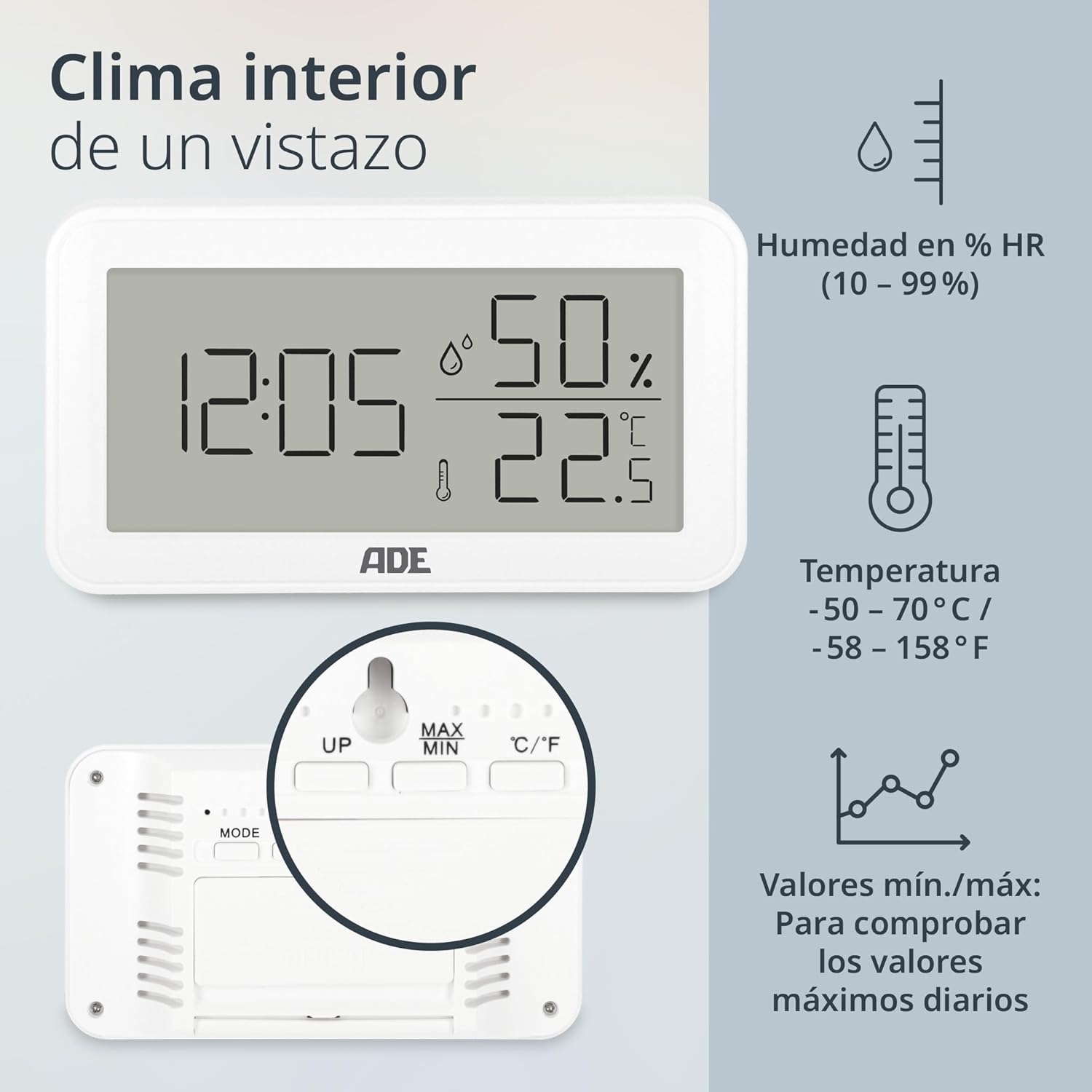
Imatge: Davant view of the ADE WS2322 display, illustrating current time, humidity percentage, and temperature in Celsius. The display also shows icons indicating humidity, temperature, and the min/max value tracking feature. This image highlights the primary information presented on the device's screen.
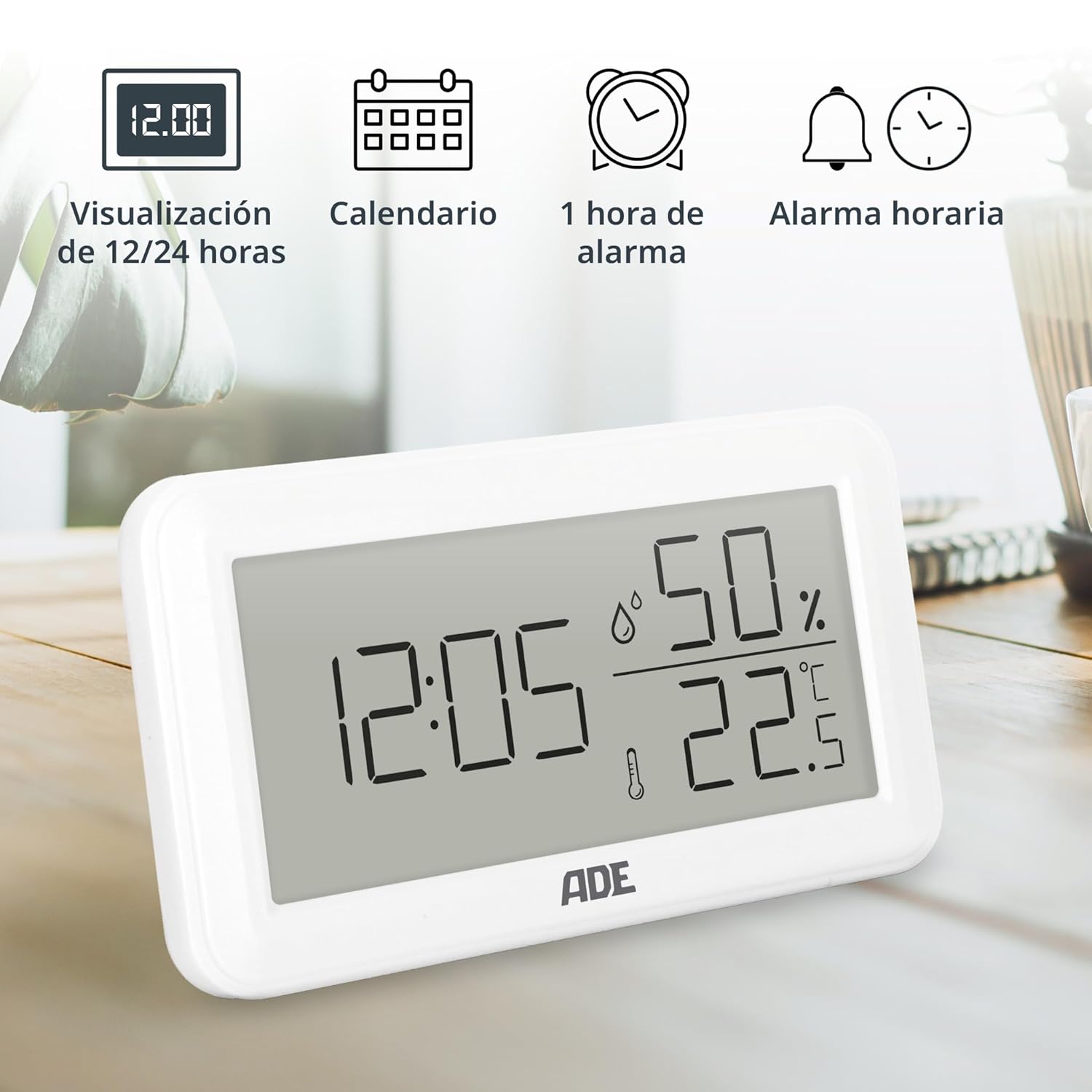
Imatge: The ADE WS2322 display, showcasing its various time-related functions. This includes the ability to switch between 12 and 24-hour time formats, a calendar display, a 1-hour alarm, and an hourly chime function. The image emphasizes the device's versatility beyond just temperature and humidity monitoring.
Configuració
1. Instal·lació de la bateria
- Localitzeu el compartiment de la bateria a la part posterior del dispositiu.
- Obriu la tapa del compartiment de la bateria.
- Insert one AAA battery, ensuring the correct polarity (+/-).
- Tanqueu bé la tapa del compartiment de la bateria.
2. Col·locació inicial
The device can be placed on a flat surface using its integrated stand or mounted on a wall using the hanging loop.

Imatge: posterior view of the ADE WS2322, highlighting its design for flexible placement. The image shows both the integrated stand for tabletop use and the hanging loop for wall mounting, demonstrating how the device can be adapted to various environments.
Instruccions de funcionament
1. Encendre/apagar
The device powers on automatically once batteries are inserted. There is no manual power off button; remove batteries to power off.
2. Configuració de l'hora i la data
- Manteniu premut el botó MODE durant 3 segons per entrar al mode de configuració de l'hora. Els dígits de les hores parpellejaran.
- Utilitza el UP or MAX/MIN botons per ajustar l'hora.
- Premeu MODE again to move to minute setting, then year, month, and day. Adjust each with UP or MAX/MIN.
- Premeu MODE una última vegada per sortir del mode de configuració.
3. Selecció de format de 12/24 hores
En el mode de visualització normal, premeu el botó UP botó per canviar entre els formats de 12 hores i 24 hores.
4. Selecció de la unitat de temperatura (°C/°F)
En el mode de visualització normal, premeu el botó ° C / ° F botó per canviar entre les unitats de temperatura Celsius i Fahrenheit.
5. Configuració d'alarma
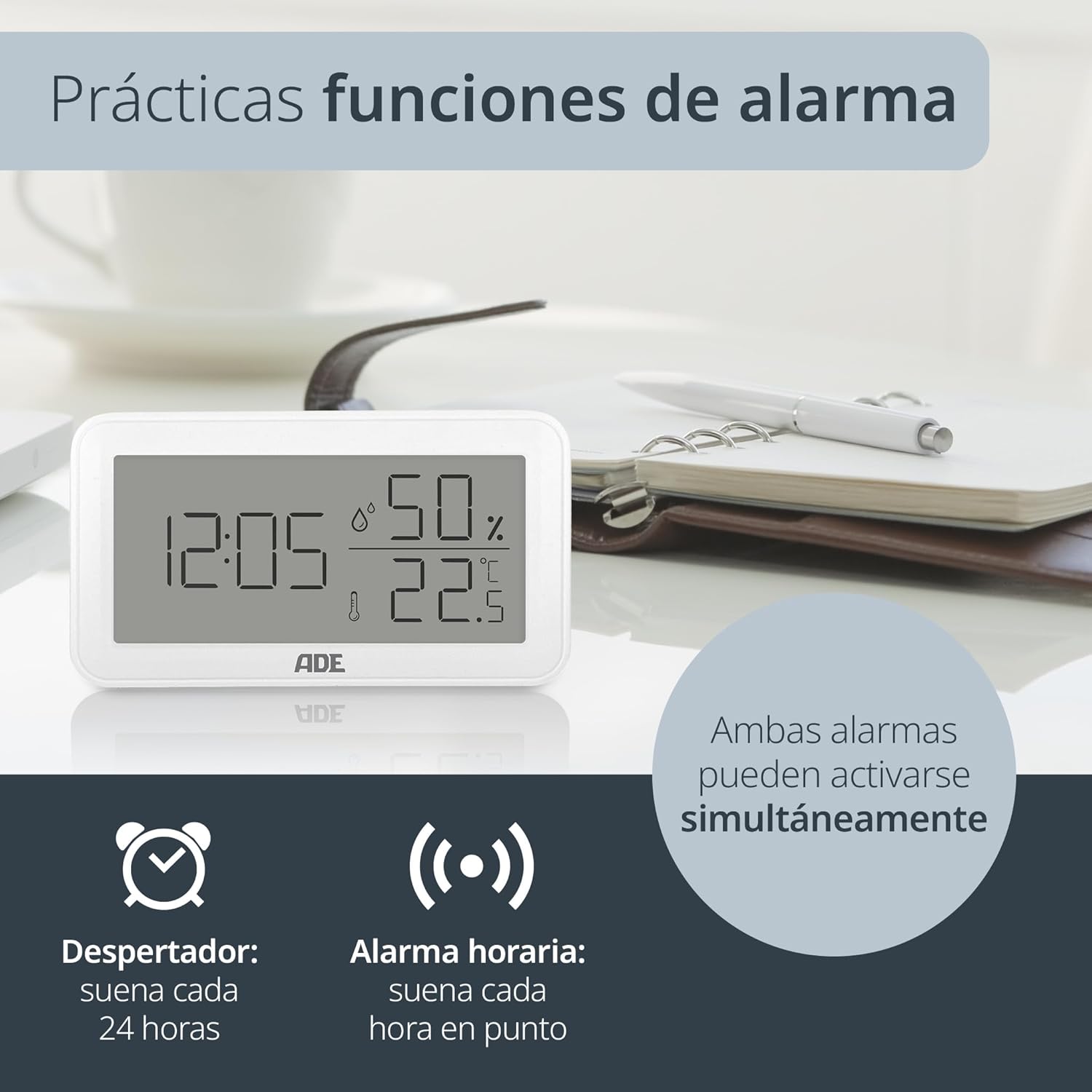
Imatge: The ADE WS2322 display, illustrating its practical alarm functions. It shows icons for both a daily alarm clock and an hourly chime, emphasizing that these two features can be activated concurrently to suit user preferences.
- Setting the Daily Alarm:
- Premeu el botó MODE button once to enter alarm display mode (AL).
- Mantén premut MODE for 3 seconds. The alarm hour digits will flash.
- Ús UP or MAX/MIN per ajustar l'hora de l'alarma.
- Premeu MODE again to set the alarm minute. Adjust with UP or MAX/MIN.
- Premeu MODE per confirmar i sortir.
- Activating/Deactivating Daily Alarm: In alarm display mode (AL), press the UP per activar/desactivar l'alarma. Apareixerà/desaparèixerà una icona d'alarma a la pantalla.
- Activació / desactivació de Hourli Campana: En el mode de visualització normal, premeu el botó MAX/MIN botó per canviar el hourly chime ON/OFF. A chime icon will appear/disappear.
6. Min/Max Temperature and Humidity Display
The device records the minimum and maximum temperature and humidity values over a period. To view these values:
- Premeu el botó MAX/MIN button once to display the maximum recorded temperature and humidity.
- Premeu MAX/MIN again to display the minimum recorded temperature and humidity.
- Premeu MAX/MIN a third time to return to the current temperature and humidity display.
- To reset the Min/Max values, press and hold the MAX/MIN botó durant 3 segons mentre viewing the Min/Max values.
Manteniment
Neteja
Wipe the device with a soft, dry cloth. Do not use liquid cleaners, aerosols, or abrasive materials, as these may damage the device.
Canvi de bateria
When the display becomes dim or the device stops functioning, replace the AAA battery. Follow the battery installation steps in the Setup section.
Resolució de problemes
| Problema | Causa possible | Solució |
|---|---|---|
| Sense pantalla o pantalla tènue | Low or dead battery; incorrect battery polarity. | Replace the AAA battery; ensure correct polarity. |
| Lectures incorrectes de temperatura/humitat | Device placed near heat/cold sources or in direct sunlight; sensor obstruction. | Relocate the device to a stable environment; ensure sensors are clear. |
| L'alarma no sona | L'alarma no està activada. | Ensure the alarm icon is displayed (refer to "Activating/Deactivating Daily Alarm"). |
| No es pot configurar l'hora/data | Not in setting mode; buttons not pressed correctly. | Manteniu premut el botó MODE botó durant 3 segons per entrar al mode de configuració. |
Especificacions

Imatge: The ADE WS2322 device, illustrating its compact dimensions. The image clearly labels the length (12 cm), height (6.8 cm), and depth (2.5 cm), emphasizing its suitability for various spaces due to its small footprint and clear, large-digit display.
- Model: WS2322
- Dimensions: 12 x 6.8 x 2.5 cm (Length x Height x Depth)
- Pes: 110 g
- Interval de temperatura: -50 °C a 70 °C (-58 °F a 158 °F)
- Precisió de la temperatura: ±1 °C
- Rang d'humitat: 10% a 99% HR
- Font d'alimentació: 1 x piles AAA (incloses)
- Funcions: Thermometer, Hygrometer, Digital Clock (12/24h), Daily Alarm, Hourly Chime, Min/Max Value Display
- Tipus de muntatge: Wall mount or tabletop stand
- País d'origen: Xina
Garantia i Suport
For warranty information or technical support, please refer to the official ADE website or contact your retailer. You can also find additional language manuals and support resources by scanning the QR code in the printed instructions or visiting the product page on Amazon.
Per obtenir més ajuda, visiteu el ADE Brand Store.