
1. Introducció
This manual provides essential information for the safe and effective use of your Philips OneBlade 360 Replacement Blades (Model QP440/50). These blades are designed for use with Philips OneBlade electric shavers and trimmers, offering versatile performance for trimming, edging, and shaving any hair length. The innovative 360 Blade can flex in all directions to adjust to the curves of your face, ensuring constant skin contact and control for a comfortable experience.
2. Setup: Replacing Your OneBlade 360 Blade
To ensure optimal performance and hygiene, it is recommended to replace your Philips OneBlade blade every four months, or when the replacement indicator appears on the blade. The replacement process is simple and requires no tools.
2.1 Removing the Old Blade
- Ensure your Philips OneBlade device is turned off.
- Grip the handle of the OneBlade firmly.
- Locate the small arrow or release mechanism on the back of the blade head.
- Push the blade head upwards or away from the handle until it detaches.
2.2 Attaching the New Blade
- Take a new Philips OneBlade 360 Replacement Blade from its packaging.
- Align the new blade with the slot on the OneBlade handle. The blade is designed to fit in only one orientation, preventing incorrect attachment.
- Push the new blade down onto the handle until you hear a click, indicating it is securely fastened.
- Gently test the blade to ensure it is firmly attached and does not wobble.
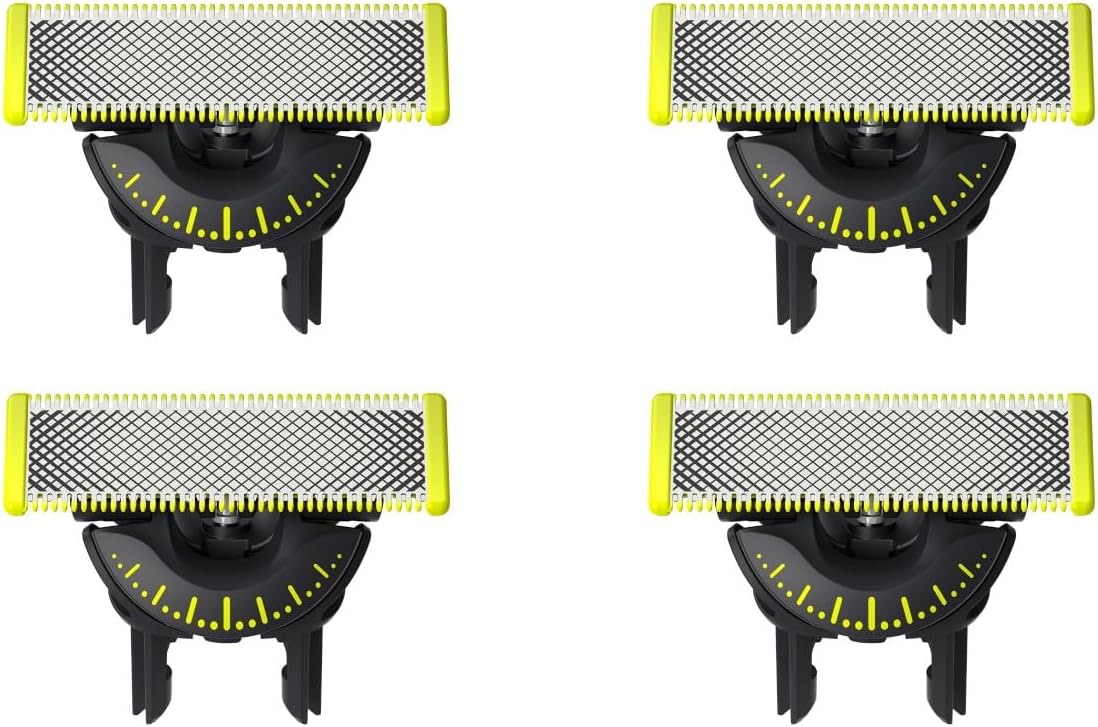
2.3 Visual Guide: Blade Replacement
3. Instruccions de funcionament
The Philips OneBlade 360 Replacement Blades are designed for versatile grooming, allowing for trimming, edging, and shaving. Its unique 360 Blade technology ensures constant skin contact and adapts to facial contours for an efficient and comfortable experience.
3.1 Shaving and Trimming
- The OneBlade can be used for both wet and dry shaving. No shaving foam is required for dry use, but it can be used with foam or gel for a wet shave. It is also safe for use in the shower.
- For shaving, place the blade flat against your skin and move it against the direction of hair growth. The dual-protection system with glide coating and rounded tips helps protect your skin from irritation.
- For trimming, attach the appropriate comb (sold separately with the OneBlade device) to achieve your desired hair length. Move the OneBlade against the direction of hair growth.
3.2 Bordes
- To create precise edges, use the blade without any comb attachments.
- Hold the OneBlade with the blade perpendicular to your skin and move it along the desired line to create sharp edges.
3.3 Blade Flexibility
The innovative 360 Blade pivots and flexes in all directions, allowing it to maintain constant contact with your skin even in hard-to-reach areas like the jawline and neck. This flexibility contributes to a smoother and more comfortable shave with fewer strokes.
4. Manteniment
Proper maintenance of your Philips OneBlade 360 Replacement Blades ensures longevity and consistent performance.
4.1 Neteja de la fulla
- After each use, rinse the blade under running water to remove any hair and debris.
- Ensure the blade is thoroughly dry before storing.
4.2 Blade Replacement Indicator
The Philips OneBlade 360 blades feature a wear indicator. A small eject icon will appear on the blade when it is time to consider changing it for the best shaving experience. For optimal performance, it is recommended to replace the blade every 4 months, based on 2 full shaves per week. Actual results may vary depending on usage.

5. Solució De Problemes
If you experience any issues with your Philips OneBlade 360 Replacement Blades, consider the following:
- Reduced Shaving Performance: If the blade feels dull or is not cutting effectively, check the wear indicator. It may be time to replace the blade.
- Irritation or Nicks: Ensure the blade is clean and properly attached. If the issue persists, the blade might be worn out and require replacement. Always use the blade flat against the skin.
- La fulla no s'enganxa correctament: Verify that the blade is aligned correctly with the shaver handle and pushed down until it clicks into place.
6. Especificacions
| Característica | Detall |
|---|---|
| Número de model | QP440/50 |
| Marca | Philips |
| Pes de l'article | 0.02 quilos |
| Number of Blades (per pack) | 4 |
| Compatibilitat de tipus de pell | Tots |
| Usos recomanats | Shaving, Trimming |
| Blade Lifespan | Up to 4 months (based on 2 full shaves/week) |
| Característiques especials | 360-degree flexible head, Dual-protection system, Glide coating, Rounded tips, Wear indicator |
7. Garantia i Suport
For warranty information, product registration, or further assistance, please visit the official Philips website or contact Philips customer support. Keep your purchase receipt as proof of purchase for any warranty claims.
Official Philips Weblloc: www.philips.com