
1. Introducció
This manual provides essential instructions for setting up, operating, and maintaining your PELADN HA-4 Mini PC. Please read this manual thoroughly before using the device to ensure proper function and longevity.
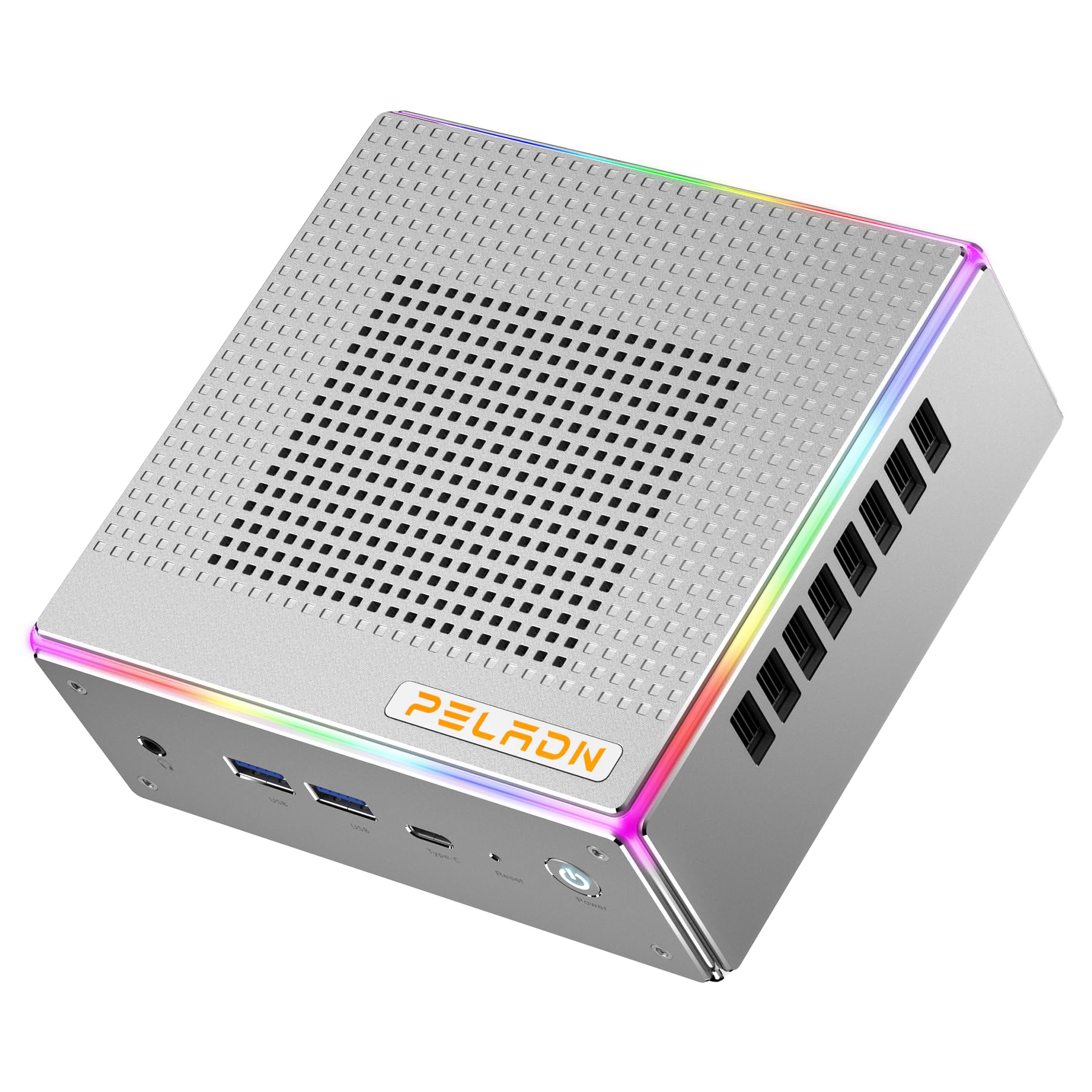
Imatge: Frontal view of the PELADN HA-4 Mini PC, showcasing el seu disseny compacte.
2. Informació de seguretat
- Ensure the device is placed on a stable, flat surface with adequate ventilation.
- Do not expose the Mini PC to water, moisture, or extreme temperatures.
- Feu servir només l'adaptador de corrent proporcionat per evitar danys.
- Avoid opening the casing unless performing authorized upgrades (e.g., RAM/SSD installation) as per instructions.
- Mantenir fora de l'abast dels nens.
3. Contingut del paquet
Verifiqueu que tots els elements siguin presents al paquet:
- PELADN HA-4 Mini PC
- Adaptador d'alimentació
- Cable HDMI
- Manual d'usuari (aquest document)
- VESA Mount (optional, may vary by package)
4. Producte acabatview
4.1 Ports del panell frontal

Image: Diagram illustrating the front and back ports of the PELADN HA-4 Mini PC.
- Audio Jack (HP&MIC): Per a auriculars i micròfon.
- USB 3.2 x 2: High-speed data transfer for peripherals.
- Type-C (data & video): Versatile port for data, display, and power delivery.
- Reset (Clear CMOS): Button to clear CMOS settings.
- Botó d'encesa: Per encendre o apagar el dispositiu.
4.2 Ports del panell posterior
- Port DC: Per connectar l'adaptador de corrent.
- Port USB 2.0: Per connectar dispositius USB estàndard.
- Port USB 3.2: Transferència de dades d'alta velocitat.
- LAN RJ45: 2.5G Ethernet port for wired network connection.
- HD Port x 2 (HDMI 2.0): Per connectar pantalles.
- Control de la il·luminació: Button to adjust RGB lighting.
5. Instruccions de configuració
- Connecteu els perifèrics: Connect your monitor(s) using HDMI or Type-C cables. Plug in your keyboard, mouse, and any other USB devices into the available USB ports.
- Connectar l'alimentació: Insert the power adapter into the DC port on the rear panel, then plug the adapter into a power outlet.
- Encès: Press the Power Button on the front panel. The system will boot up.
- Configuració inicial: Follow the on-screen instructions to complete the operating system setup (e.g., Windows 11 Pro).

Image: The PELADN HA-4 Mini PC connected to a monitor and peripherals, ready for use.
6. Instruccions de funcionament
6.1 Encès/Apagat
- Per encendre: Premeu el botó d'engegada una vegada.
- Per apagar: Click the Start menu in the operating system and select "Shut down." Alternatively, press and hold the Power Button for 5 seconds for a forced shutdown (not recommended for regular use).
6.2 Connexió de xarxa
- Connexió per cable: Connect an Ethernet cable to the RJ45 LAN port on the rear panel.
- Connexió sense fil (Wi-Fi 6): Access network settings in your operating system, select your Wi-Fi network, and enter the password.
6.3 Triple Display Output
The PELADN HA-4 supports up to three 4K@60Hz displays simultaneously using its two HDMI 2.0 ports and one Type-C port (which supports video output).
- Connect your primary monitor to one of the HDMI ports.
- Connect your second monitor to the other HDMI port.
- Connect your third monitor to the Type-C port using a compatible Type-C to DisplayPort/HDMI adapter or cable.
- Adjust display settings within your operating system to extend or duplicate your desktop across the connected monitors.

Image: The PELADN HA-4 Mini PC connected to three monitors, demonstrating its triple display output capability.
7. Manteniment i actualitzacions
7.1 Neteja
- Regularly clean the exterior of the Mini PC with a soft, dry cloth.
- Use compressed air to clear dust from ventilation openings to maintain optimal airflow.
- Assegureu-vos que el dispositiu estigui apagat i desconnectat abans de netejar-lo.
7.2 RAM and SSD Upgrades
The PELADN HA-4 supports dual-channel DDR5-5600MHz RAM up to 64GB and a single M.2 2280 PCIe 4.0 SSD up to 2TB. Refer to the diagram below for component location.

Imatge: Interna view of the PELADN HA-4 Mini PC, highlighting the dual-channel RAM slots and the M.2 SSD slot for upgrades.
Important: Disconnect the power adapter before performing any internal upgrades. If you are unsure about the upgrade process, consult a qualified technician.
8. Solució De Problemes
| Problema | Causa possible | Solució |
|---|---|---|
| Sense poder | L'adaptador de corrent no està connectat; problema amb la presa de corrent. | Ensure power adapter is securely connected to both the Mini PC and a working power outlet. |
| Sense sortida de visualització | Monitor not connected; incorrect input source on monitor; faulty cable. | Check HDMI/Type-C cable connections. Ensure monitor is set to the correct input source. Try a different cable or monitor. |
| Wi-Fi no connectat | Incorrect password; router issue; driver problem. | Verify Wi-Fi password. Restart your router. Check device manager for Wi-Fi driver status. |
| System slow/unresponsive | Too many applications running; insufficient RAM/SSD space; overheating. | Close unnecessary applications. Check available storage. Ensure proper ventilation. Consider RAM/SSD upgrade if consistently slow. |
9. Especificacions
| Característica | Detall |
|---|---|
| Model | PELADN HA-4 |
| Processador | AMD Ryzen 7 7840HS (8C/16T, up to 5.1 GHz) |
| Gràfics | Gràfics AMD Radeon 780M |
| RAM | 32GB DDR5-5600MHz (Dual Channel, upgradeable to 64GB) |
| Emmagatzematge | 1TB PCIe 4.0 SSD (M.2 2280, upgradeable to 2TB) |
| Sortida de vídeo | 2x HDMI 2.0, 1x Type-C (Triple 4K@60Hz output) |
| Treball en xarxa | 2.5G LAN, Wi-Fi 6 (802.11ax), Bluetooth 5.2 |
| Ports USB | 2x USB 3.2 (Front), 1x USB 3.2 (Rear), 1x USB 2.0 (Rear), 1x Type-C (Front) |
| Àudio | 1x Audio Jack (HP&MIC) |
| Sistema operatiu | Windows 11 Pro (preinstal·lat) |
| Dimensions | Aprox. 7.56 x 7.56 x 3.82 polzades (paquet) |
| Pes | Aprox. 3.76 lliures |

Imatge: Més deview of the PELADN HA-4 Mini PC's core features including CPU, GPU, RAM, SSD, connectivity, and cooling.
10. Garantia i Suport
For warranty information and technical support, please refer to the warranty card included with your product or visit the official PELADN weblloc web. Poseu-vos en contacte amb el servei d'atenció al client per obtenir ajuda amb qualsevol problema que no estigui tractat en aquest manual.