
1. Introducció
This manual provides detailed instructions for the installation, operation, and maintenance of your Vrabocry Mini Bluetooth LED Controller SP621E USB. This controller is designed for use with addressable LED strips such as WS2811, WS2812B, and SK6812, offering versatile lighting control via a smartphone application.
2. Producte acabatview
2.1 Característiques clau
- Supports 5V WS2812B and 12V/24V WS2811 LED strips or chains.
- USB input for convenient power supply (5V-24V operating voltagi).
- Compatible with iOS/Android app control via Bluetooth connection.
- Offers 18 music modes and 142 lighting effects.
- Music control timer function to synchronize lights with audio.
- Color calibration feature for consistent color display between app and LED strip.
- Certified by FCC, CE, RoHS, ensuring product quality and safety.
2.2 Especificacions
| Marca | Vrabocry |
| Número de model | SP621E |
| Estil | USB |
| Vol. Operatiutage | USB 5V ~ 24V |
| Corrent màxim | 2.9 A |
| Temperatura de funcionament | -20 ℃ ~ 60 ℃ |
| Dimensions (controlador) | Approx. 35mm x 14mm x 7mm (L x W x H) |
| Pes de l'article | 18.1 g |
| Color clar | RGB (Addressable Pixel) |
| Tipus de controlador | App Control (Bluetooth) |
| Ús interior/exterior | Interior |
3. Informació de seguretat
Si us plau, llegiu i comprengui totes les instruccions de seguretat abans d'utilitzar aquest producte. Si no segueix aquestes instruccions, es poden produir descàrregues elèctriques, incendis o altres perills.
- Assegureu-vos que la font d'alimentació voltage matches the requirements of your LED strip and controller (5V-24V).
- Do not exceed the maximum current rating of 2.9A for the controller. Overloading can cause damage or fire.
- This product is designed for indoor use only. Avoid exposure to moisture, water, or extreme temperatures.
- Do not attempt to open or modify the controller. This will void the warranty and may lead to safety risks.
- Mantenir fora de l'abast dels nens.
4. Contingut del paquet
El paquet inclou:
- 1 x Vrabocry Mini Bluetooth LED Controller SP621E USB
5. Configuració
5.1 Connexió de maquinari
- Connecteu la tira LED: Identify the data (D), ground (G), and positive (+) wires on your addressable LED strip. Connect them to the corresponding pins on the SP621E controller's output connector. Ensure correct polarity.
- Connectar l'alimentació: Plug the USB connector of the SP621E controller into a compatible USB power source (e.g., USB wall adapter, power bank, computer USB port) that provides 5V-24V.

Figure 1: Connection Diagram and Controller Dimensions. This image illustrates how to connect the USB power source to the controller and the controller to the LED light strip, along with the physical dimensions of the SP621E controller.
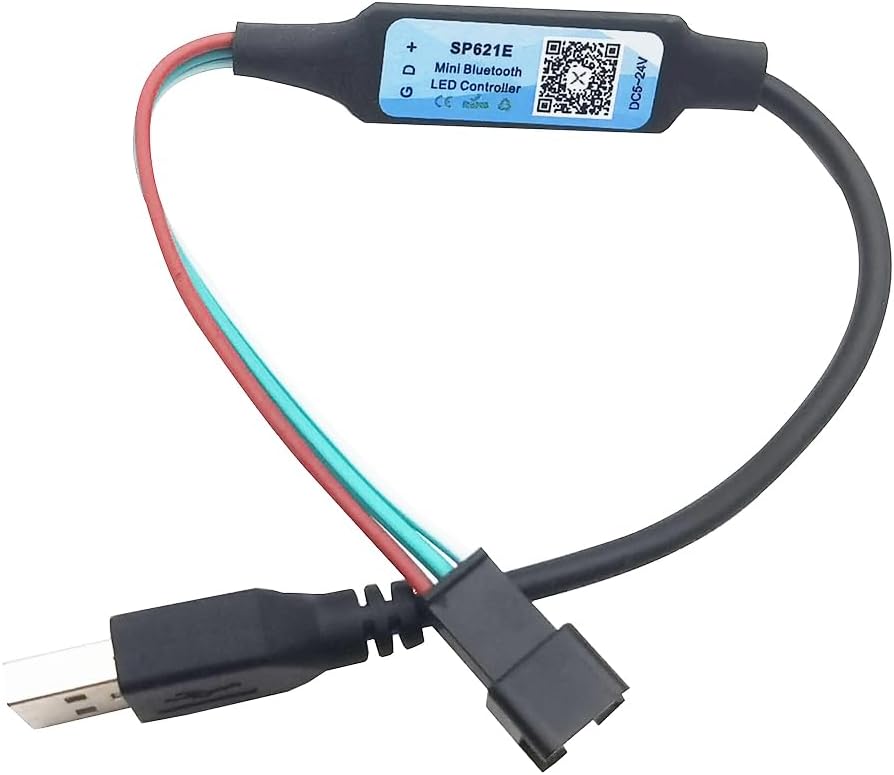
Figure 2: Vrabocry SP621E USB Controller. This image displays the compact design of the USB-powered LED controller with its input and output connectors.
5.2 Instal·lació i emparellament de l'aplicació
- Descarrega l'aplicació: Scan the QR code on the controller or visit https://download.ledhue.com/page/scenex/ to download the compatible control application for your iOS or Android device.
- Instal·leu l'aplicació: Seguiu les instruccions a la pantalla per instal·lar l'aplicació al vostre telèfon intel·ligent.
- Pair with Controller:
- Assegureu-vos que el Bluetooth estigui habilitat al vostre telèfon intel·ligent.
- Obriu l'aplicació de control.
- The app should automatically detect and list available SP621E controllers. Select your controller from the list to pair.
- Once paired, the app interface will become active, allowing you to control your LED strip.
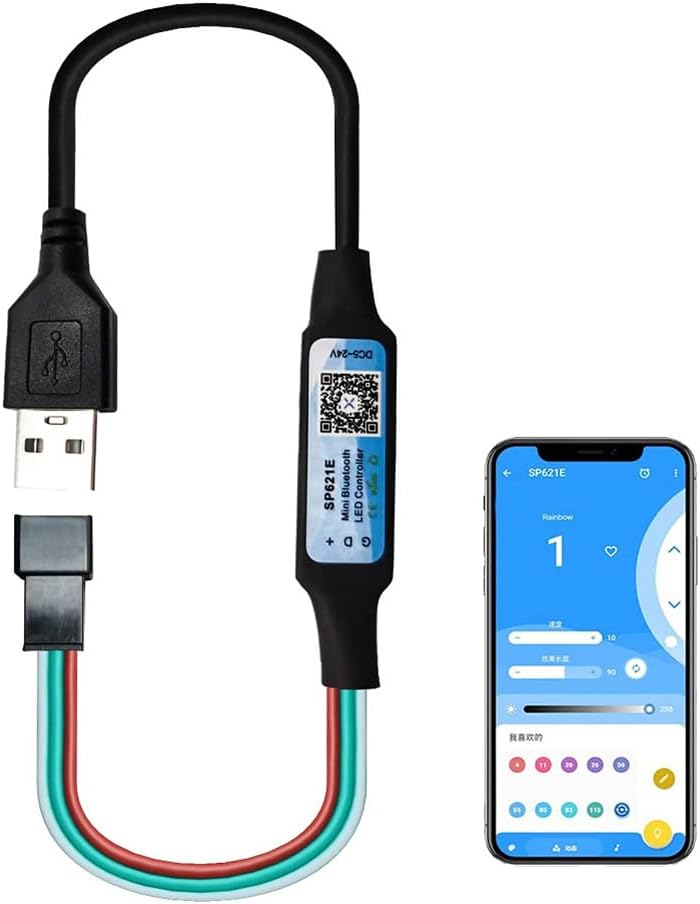
Figure 3: App Control Interface. This image shows the SP621E controller in operation, with a smartphone displaying the user interface of the control application, demonstrating how to manage lighting effects.
6. Instruccions de funcionament
6.1 Control bàsic
Once connected and paired, use the smartphone application to:
- Selecciona els efectes: Browse through 142 pre-programmed lighting effects.
- Ajusta la brillantor/la velocitat: Modify the brightness and speed of the selected effects.
- Tria els colors: Select static colors or color palettes.
6.2 modes de música
The controller features 18 music modes that synchronize your LED lights with audio. To use this function:
- Select a music mode within the application.
- The app can utilize your phone's microphone to pick up ambient sound or integrate with your music player to create dynamic light patterns.
- Adjust sensitivity or other parameters if available in the app for optimal synchronization.
6.3 Calibració del color
If the colors displayed on your LED strip do not match the colors selected in the app, perform a color calibration:
- Navigate to the color calibration section within the app settings.
- The app will typically display a series of colors (e.g., Red, Green, Blue).
- Match the displayed color in the app to the actual color shown on your LED strip by selecting the correct option in the app. This ensures accurate color representation.
7. Manteniment
To ensure the longevity and proper functioning of your Vrabocry SP621E controller:
- Neteja: Gently wipe the controller with a dry, soft cloth. Do not use liquid cleaners or solvents.
- Emmagatzematge: Guardeu el controlador en un lloc fresc i sec, allunyat de la llum solar directa i de temperatures extremes quan no l'utilitzeu.
- Inspecció: Periodically check connections for any signs of wear or damage.
8. Solució De Problemes
8.1 Problemes comuns i solucions
- Els LED no s'encenen:
- Check if the USB power source is active and providing sufficient power (5V-24V).
- Verify that the LED strip is correctly connected to the controller (data, ground, positive).
- Ensure the LED strip is compatible with the SP621E (WS2811, WS2812B, SK6812).
- Confirm the app is paired and an effect is selected.
- Controller not pairing with app:
- Assegureu-vos que el Bluetooth estigui habilitat al vostre telèfon intel·ligent.
- Assegureu-vos que el controlador estigui encès.
- Reinicia l'aplicació i intenta emparellar-ho de nou.
- Try restarting your smartphone.
- Els colors són incorrectes o inconsistents:
- Perform a color calibration as described in Section 6.3.
- Check the wiring of your LED strip for any loose connections or incorrect polarity.
- Music mode not responding:
- Ensure your phone's microphone is not blocked and has permission for the app.
- Adjust the sensitivity settings within the app.
9. Garantia i Suport
The Vrabocry SP621E controller is certified by FCC, CE, and RoHS, indicating compliance with relevant safety and environmental standards.
For technical support or further inquiries, please refer to the product's official support channels or the application download page at https://download.ledhue.com/page/scenex/.
Els detalls específics de la garantia poden variar segons la regió i el distribuïdor. Si us plau, conserveu el comprovant de compra per a qualsevol reclamació de garantia.