
Introducció
Thank you for choosing the eufy LR20 Robot Vacuum. This manual provides essential information for the safe operation, maintenance, and troubleshooting of your device. Please read it thoroughly before using the product and retain it for future reference.
Instruccions importants de seguretat
Before using this product, read all safety instructions. Failure to follow these instructions may result in electric shock, fire, or serious injury.
- Aquest aparell el poden utilitzar nens a partir de 8 anys i persones amb capacitats físiques, sensorials o mentals reduïdes o amb manca d'experiència i coneixements si han rebut supervisió o instruccions sobre l'ús de l'aparell d'una manera segura i entenen els perills que comporta. .
- Els nens han de ser supervisats per assegurar-se que no juguin amb l'aparell.
- La neteja i el manteniment dels usuaris no els han de fer els nens sense supervisió.
- Només feu servir l'adaptador de corrent original proporcionat pel fabricant.
- Do not use the appliance in wet environments or on wet surfaces.
- Mantingueu els cabells, la roba solta, els dits i totes les parts del cos lluny de les obertures i les parts mòbils.
- No agafeu res que estigui cremant o fumant, com ara cigarrets, llumins o cendres calentes.
- No l'utilitzeu sense el contenidor de pols i/o els filtres al seu lloc.
- Emmagatzemeu l’aparell a l’interior.
Contingut del paquet
Verifiqueu que tots els components siguin presents al paquet:
- eufy LR20 Robot Vacuum
- Base de càrrega
- Adaptador d'alimentació
- Pinzells laterals (x2)
- Eina de neteja
- Manual d'usuari
Producte acabatview
Familiarize yourself with the components of your eufy LR20 Robot Vacuum.
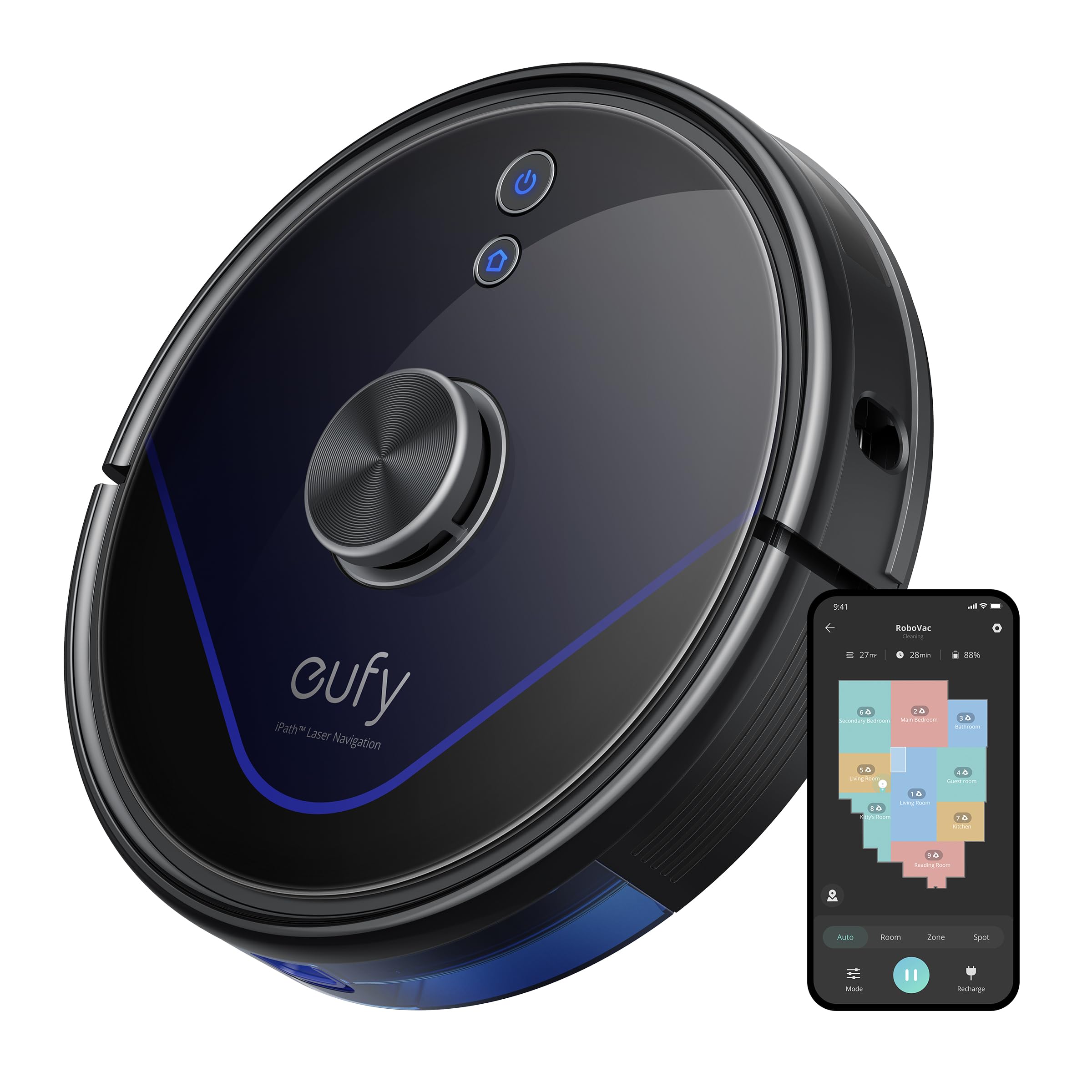
Image: The eufy LR20 Robot Vacuum shown with its charging base. The robot is black, circular, and features a laser navigation dome on top. The charging base is compact and designed for the robot to dock automatically.
Robot Vacuum Components:
- A dalt: Laser Navigation Sensor (LiDAR), Power/Clean Button, Wi-Fi Indicator.
- Davant: Bumper Sensor.
- A baix: Side Brushes, Main Brush, Driving Wheels, Universal Wheel, Drop Sensors, Charging Contacts.
- Polsera: Located under the top cover, includes a filter.
Charging Base Components:
- Pins de càrrega
- Indicador d'alimentació
- Port d'alimentació
Configuració
1. Prepare the Cleaning Area
- Remove power cords, small objects, and anything that could entangle the robot.
- Fold tasseled edges of area rugs underneath to prevent tangling.
- Avoid placing the robot on very dark-colored carpets or surfaces, as this may interfere with drop sensors.
2. Instal·leu els raspalls laterals
- Premeu els raspalls laterals contra els pals de la part inferior del robot fins que encaixin al seu lloc.
3. Place the Charging Base
- Place the charging base on a hard, level surface against a wall.
- Ensure there is at least 3 ft (1 m) of clear space to the front and 1 ft (0.3 m) to each side of the charging base.
- Connect the power adapter to the charging base and plug the other end into a wall outlet.
- Do not place the charging base near stairs or open doorways.
4. Càrrega inicial
- Place the robot onto the charging base, ensuring its charging contacts align with the pins on the base.
- The robot will automatically turn on and begin charging. The LED indicator on the robot will breathe orange while charging and turn solid blue when fully charged.
- Fully charge the robot before its first use (approximately 5-6 hours).
5. Download the EufyHome App
- Download the "EufyHome" app from the App Store (iOS devices) or Google Play (Android devices).
- Open the app and follow the on-screen instructions to create an account and add your LR20 robot vacuum.
- Ensure your Wi-Fi network is 2.4GHz, as the LR20 only supports 2.4GHz Wi-Fi.
Funcionament del robot aspirador
Inici d'un cicle de neteja
- Via robot: Press the Power/Clean button once to start cleaning in Auto mode. Press again to pause.
- Mitjançant l'aplicació: Open the EufyHome app, select your LR20, and tap "Start" or choose a specific cleaning mode.
Modes de neteja
- Neteja automàtica: The robot cleans automatically using iPath Laser Navigation, following a Z-shaped path for efficient coverage.
- Neteja de punts: Cleans a specific area intensely. Place the robot in the center of the desired area and select Spot Clean in the app.
- Neteja de la zona: Define a specific area on the map in the EufyHome app for the robot to clean.
BoostIQ Technology
The LR20 automatically increases suction power within 1.5 seconds when it detects extra vacuuming strength is needed, such as on carpets.
Multi-Floor Mapping and No-Go Zones
- The robot can recognize and store up to three different floor maps.
- Use the EufyHome app to set virtual boundaries or "No-Go Zones" on your map to prevent the robot from entering specific areas.
Programació
Set cleaning schedules through the EufyHome app for automated cleaning at preferred times.
Manteniment
Regular maintenance ensures optimal performance of your eufy LR20. Always turn off the robot and disconnect it from the charging base before performing any maintenance.
Emptying the Dust Bin (After each use)
- Press the dust bin release button and pull out the dust bin.
- Open the dust bin cover and empty its contents into a trash can.
Cleaning the Filter (Weekly)
- Traieu el filtre del contenidor de pols.
- Tap the filter to remove dust and debris. Do not wash the filter with water.
- Canvieu el filtre cada 3-6 mesos, depenent de l'ús.
Cleaning the Main Brush (Weekly)
- Remove the brush guard by pressing the release tabs.
- Aixequeu el raspall principal.
- Use the cleaning tool to remove hair and debris wrapped around the brush.
- Reinstall the main brush and brush guard.
Cleaning the Side Brushes (Monthly)
- Pull the side brushes off their posts.
- Traieu qualsevol cabell o residu.
- Substitueixi si està danyat o desgastat.
Cleaning Sensors and Charging Contacts (Monthly)
- Wipe the drop sensors, bumper sensor, and charging contacts on both the robot and the charging base with a dry cloth.
Resolució de problemes
If the robot vacuum encounters an issue, refer to the following table for common problems and solutions.
| Problema | Solució |
|---|---|
| El robot no s'encén. | Ensure the robot is fully charged. Check if the power switch is ON. |
| El robot no es pot carregar. | Verify the charging base is powered on. Clean the charging contacts on both the robot and the base. |
| El robot es queda encallat sovint. | Clear obstacles from the cleaning path. Use No-Go Zones in the app for problematic areas. Clean driving wheels. |
| La potència d'aspiració és feble. | Empty the dust bin. Clean or replace the filter. Clean the main brush. |
| El robot no es pot connectar a Wi-Fi. | Ensure your Wi-Fi is 2.4GHz. Restart your router and the robot. Follow app instructions for re-pairing. |
| Robot makes unusual noises. | Check the main brush and side brushes for tangled hair or debris. Inspect the universal wheel for obstructions. |
Especificacions
| Característica | Especificació |
|---|---|
| Model | LR20 |
| Potència d'aspiració | 3200Pa (Ultra-strong) |
| Sistema de navegació | iPath Laser Navigation (LiDAR) |
| Capacitat del contenidor de pols | 600 mil·lilitres |
| Tipus de bateria | Ió de liti |
| Durada de la bateria | Fins a 145 minuts |
| Nivell de soroll | 57.9 decibels |
| Suport Wi-Fi | Només 2.4 GHz |
| Mètode de control | App Control, Alexa, Google system |
| Característiques especials | BoostIQ Technology, Multi-Floor Mapping, HEPA Filtration |
Garantia i Suport
eufy provides a limited warranty for this product. For detailed warranty information, please refer to the warranty card included in your package or visit the official eufy weblloc.
For technical support, troubleshooting assistance, or to purchase replacement parts, please contact eufy customer service:
- Weblloc: www.eufylife.com
- Correu electrònic: Refer to your warranty card or weblloc web per a un correu electrònic de contacte específic.
- Telèfon: Refer to your warranty card or weblloc web per a un número de contacte específic.
Please have your model number (LR20) and purchase information ready when contacting support.