
Introducció
This manual provides detailed instructions for the assembly, operation, and maintenance of your FLEXISPOT E6 MAX Bamboo 72x30 Inch Dual Motor 3-Stage Heavy Duty Standing Desk. Please read this manual thoroughly before use to ensure proper function and safety.
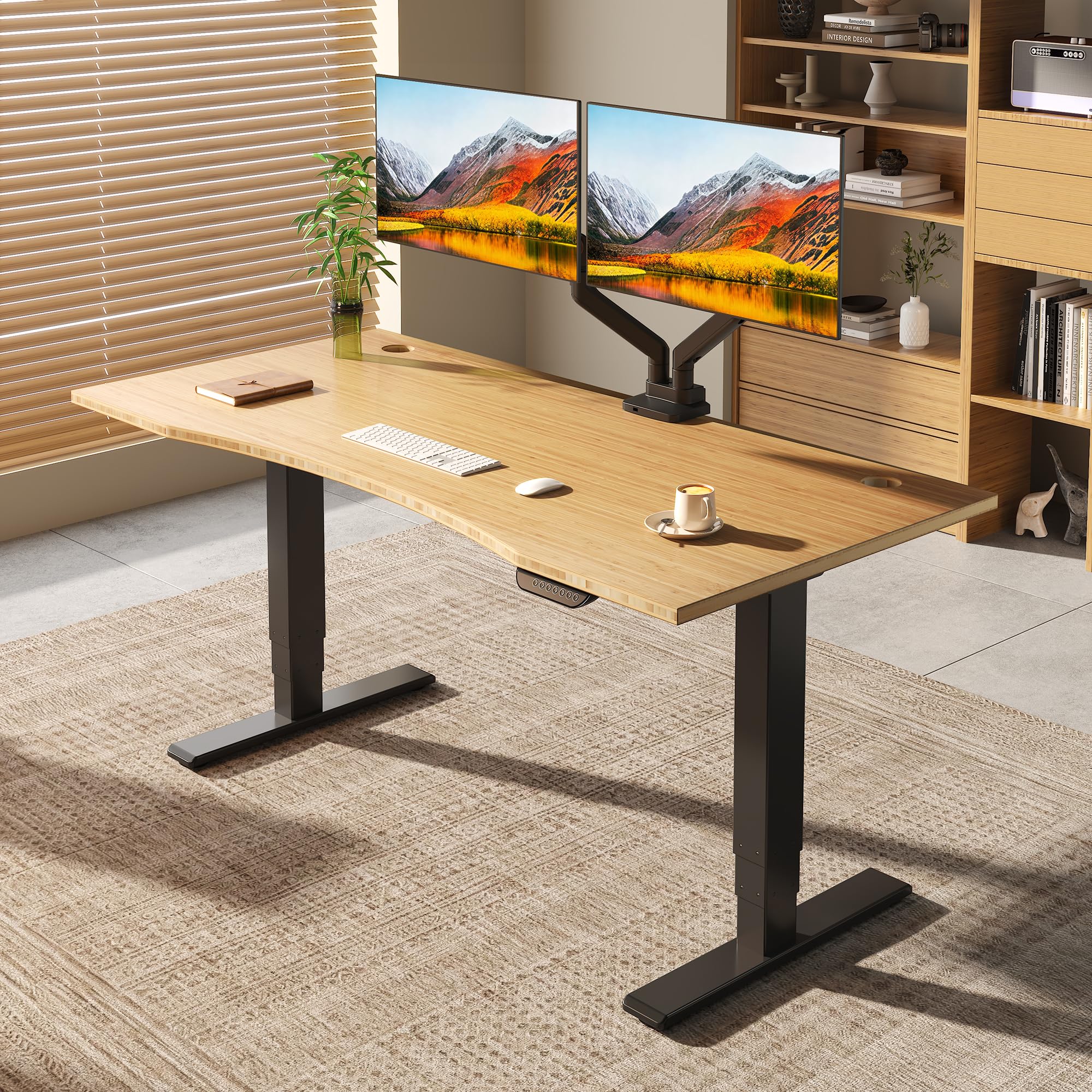
The FLEXISPOT E6 MAX standing desk, featuring a bamboo top and black frame, is designed for a modern home office environment.
Informació de seguretat
ADVERTIMENT:
- This desk is height-adjustable. Always use the controls with caution to prevent injury.
- No supereu el límit de pes màxim de 330 lliures.
- Ensure the desk is properly assembled and anchored to the floor to prevent tipping.
- Mantingueu els nens i les mascotes allunyats de l'escriptori durant els ajustos d'alçada.
Contingut del paquet
Verify that all components are present before beginning assembly. The package includes the desk frame, bamboo desktop, and the following accessories:
- Set of Wheels (4 units)
- Gestor de cables
- Corretges de velcro
- Totes les eines de muntatge necessàries

Complimentary accessories included with the FLEXISPOT E6 MAX desk, such as wheels, a cable manager, and velcro straps.
Instruccions de muntatge
Assembly instructions are included with the product. All necessary tools for assembly are provided. Please follow the step-by-step guide provided in the separate assembly manual for detailed instructions. Ensure all screws are tightened securely before use.
This video demonstrates the assembly process for a FlexiSpot desk, providing visual guidance for installation.
Configuració i funcionament
Ajust d'alçada
The FLEXISPOT E6 MAX features a dual-motor, three-stage leg design, allowing for continuous height adjustment from 24.4 inches to 50 inches. This broad range accommodates various user heights, from children to extra-tall adults.

Detail of the three-stage leg, showing continuous height adjustment from 24.4 inches to 50 inches.
Control Panel and Memory Presets
The intuitive digital control panel includes up/down buttons and four height memory settings. You can preset your preferred sitting and standing heights for quick and efficient adjustments.
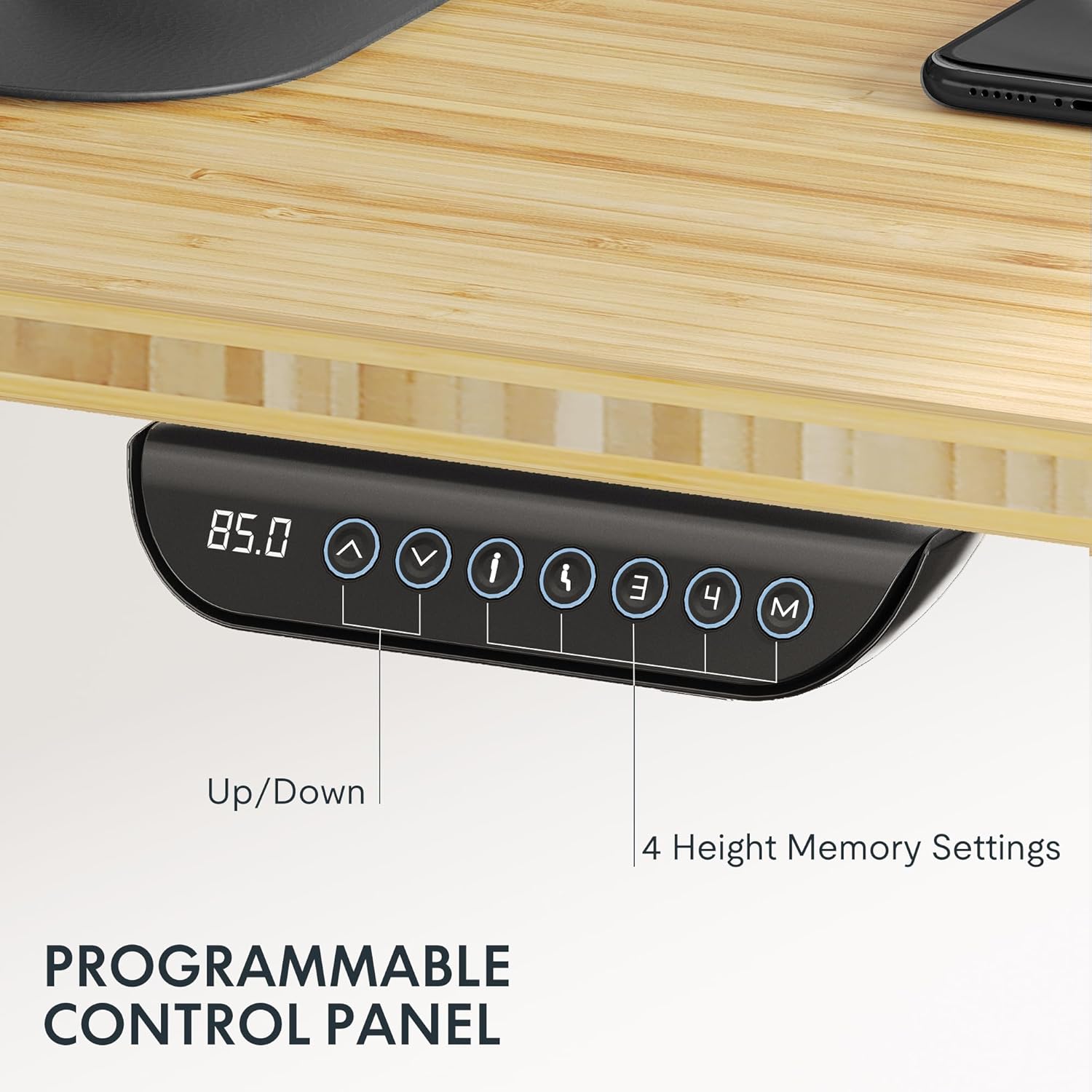
The programmable control panel features blue backlighting, up/down controls, and four memory buttons for personalized height settings.
Funció anticol·lisió
The desk includes a built-in anti-collision system to prevent accidents. This feature automatically stops and reverses the desk's movement if it encounters an obstruction during height adjustment, protecting users, children, and pets.

The anti-collision feature ensures safety by stopping desk movement upon detecting an obstruction.
Stability and Quiet Operation
The desk's strong steel structure and dual motors ensure smooth and steady movement, even at its highest level, with minimal wobble. The quiet dual motors operate at less than 50dB, allowing for adjustments without disturbing your surroundings.

Interna view of the powerful dual motor, highlighting its quiet and stable operation.
Aquest vídeo ofereix un finalview of the E6 MAX product features, including its stable and quiet operation.
Manteniment
To maintain your FLEXISPOT E6 MAX desk, regularly wipe the bamboo desktop with a soft, damp cloth. Avoid harsh chemicals that may damage the finish. Periodically check all screws and connections to ensure they remain tight. Keep the motor and electrical components free from dust and moisture.
Resolució de problemes
If you encounter any issues with your desk, please refer to the following common troubleshooting tips:
- L'escriptori no es mou: Check all power connections. Ensure the power cable is securely plugged into both the desk and the wall outlet.
- Moviment desigual: Ensure the desk is on a level surface. Check for any obstructions under the desk or in the leg mechanisms.
- Codis d'error: Consult the separate assembly manual for specific error code interpretations and solutions.
If problems persist, please contact FLEXISPOT customer support.
Especificacions
| Característica | Detall |
|---|---|
| Marca | FLEXISPOT |
| Nom del model | FLEXISPOT E6 MAX |
| Material d'escriptori | Bambú |
| Material del marc | Metall |
| Color (variant actual) | Black Frame + Curved Bamboo Top |
| Mida (variant actual) | 72"x30" Bamboo One-Piece |
| Dimensions del producte (P x A x A) | 47.5 "P x 29.5" W x 23.6" H |
| Interval d'ajust d'altura | 24.4" - 50" |
| Mecanisme d'elevació | Electric/Dual Motor |
| Capacitat màxima de pes | 330 lliures |
| Nivell de soroll | Menys de 50 dB |
| Tauler de control | Programmable with 4 Memory Settings |
| Característiques especials | Anti-collision system, Cable Management, Wheels |
| Muntatge obligatori | Sí (eines incloses) |
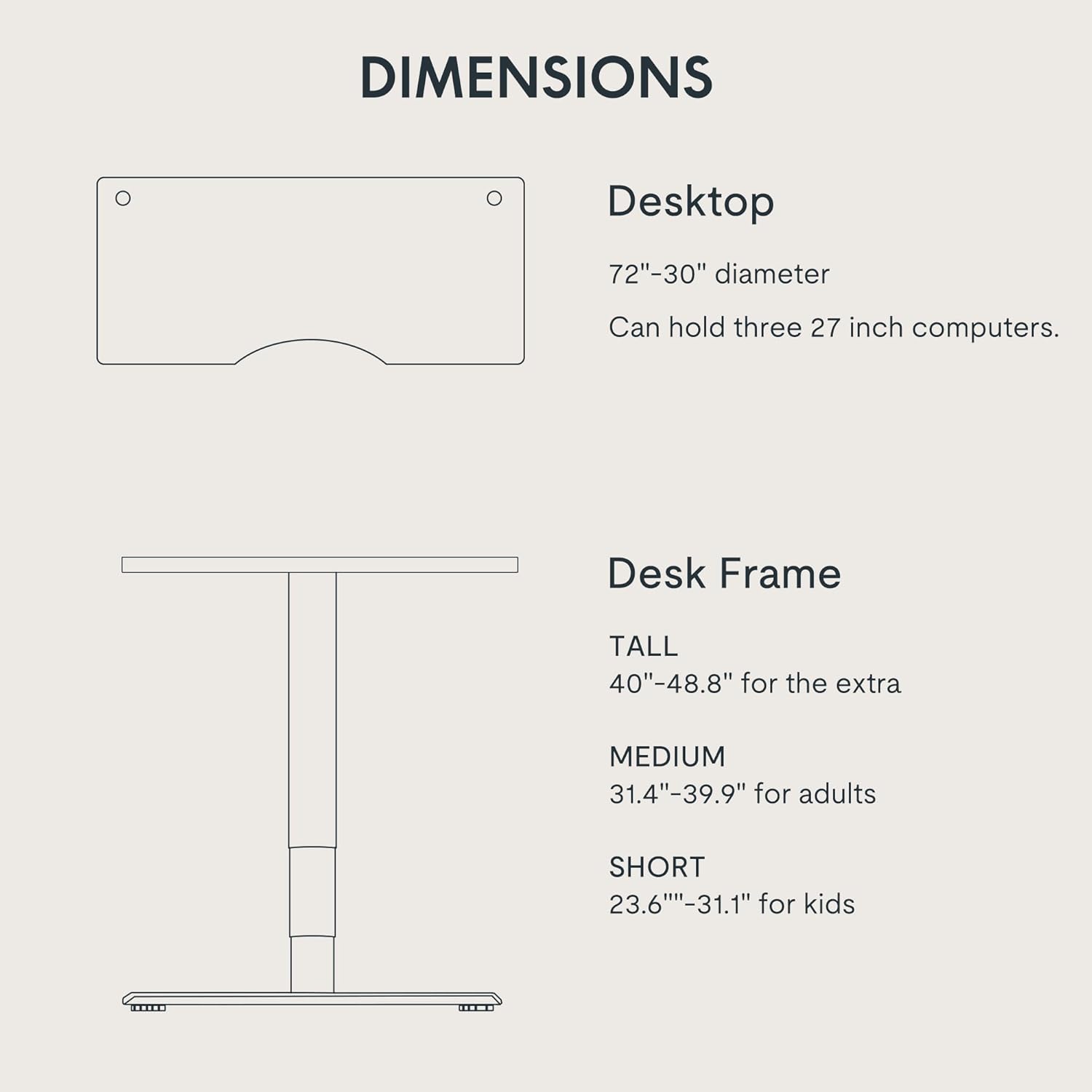
Detailed dimensions of the FLEXISPOT E6 MAX desk, showing desktop size and adjustable frame heights.
Garantia i Suport
Your FLEXISPOT E6 MAX desk comes with a comprehensive warranty:
- Cobertura de 10 anys: Desk frame and motor.
- Protecció de 2 anys: Control panel and electronics.
For any assistance, warranty claims, or further inquiries, please contact FLEXISPOT customer support directly. Refer to your purchase documentation for specific contact details.
This video highlights the key features and benefits of the FLEXISPOT E6 series, including its quality and design.