
1. Producte acabatview
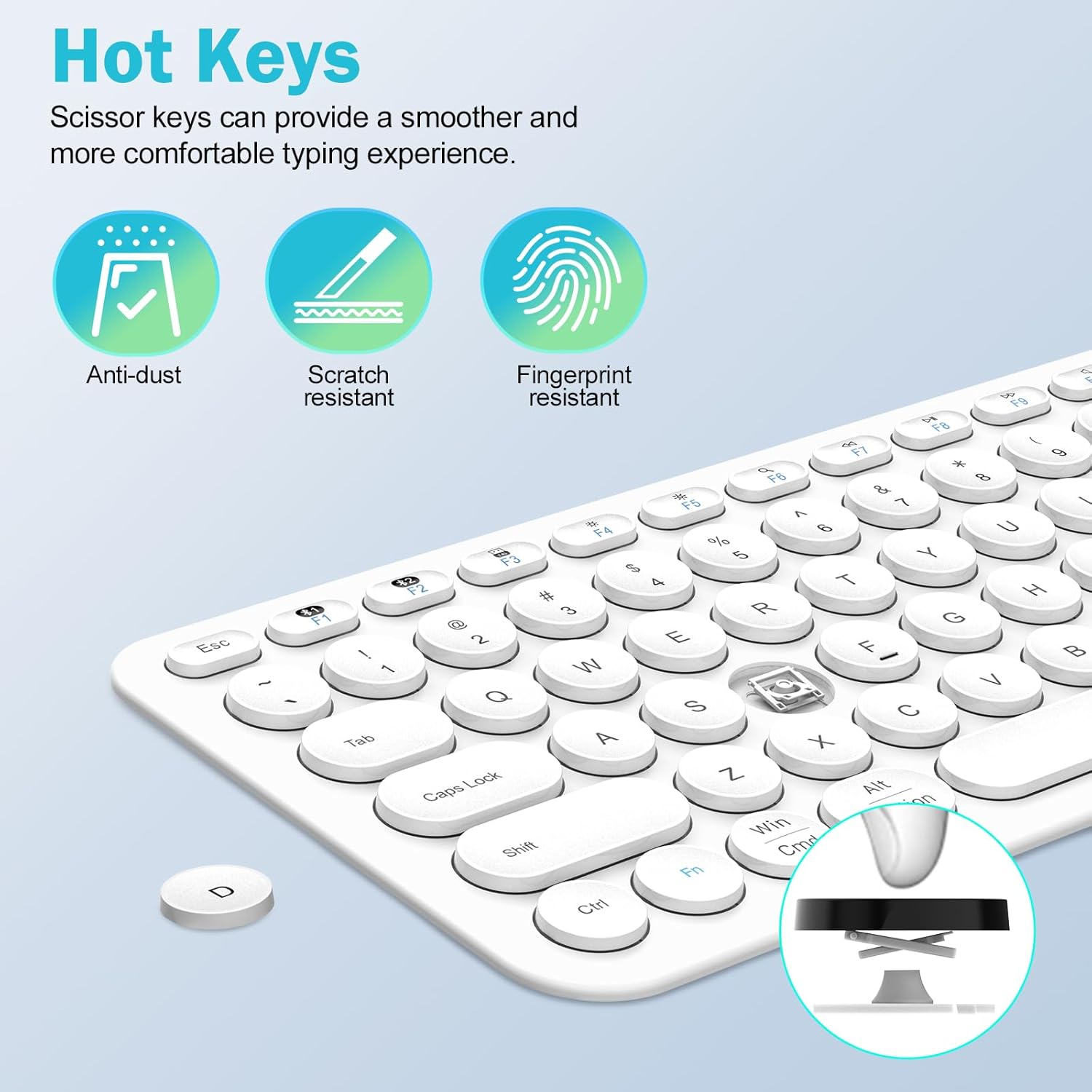
The cimetech KF007 is an ultra-slim, full-size keyboard designed for multi-device connectivity. It supports dual-mode operation, allowing connections via Bluetooth 5.1 and a 2.4GHz USB receiver. This keyboard features an independent number pad, multimedia function keys, and an ergonomic design for comfortable typing. Its rechargeable lithium-ion battery provides extended use on a single charge.

Característiques principals:
- Connectivitat de mode dual: Connects via Bluetooth 5.1 (2 channels) or 2.4GHz USB receiver (1 channel).
- Commutació multidispositiu: Seamlessly switch between up to 3 connected devices with a single button press.
- Disseny ultra prim: Compact and lightweight for portability and reduced desk clutter.
- Ergonomic Key Design: X-structure keys provide a comfortable, quiet, and responsive typing experience.
- Bateria recarregable: Built-in lithium-ion battery offers up to 90 hours of continuous use.
- Àmplia compatibilitat: Supports Mac OS/iOS 10.12+, Windows 8/10+, and Android 4.3+.
2. Contingut del paquet
Si us plau, comproveu el paquet per veure si hi ha els elements següents:
- 1 x cimetech KF007 Dual-Mode Bluetooth Keyboard
- 1 x 2.4GHz USB Receiver (often stored in the keyboard's battery compartment)
- 1 x cable de càrrega USB
- 1 x Manual d'usuari
3. Instruccions de configuració
3.1. Encendre i carregar
- Locate the power switch on the keyboard (usually on the side or back). Slide it to the 'ON' position.
- The keyboard uses a rechargeable lithium-ion battery. To charge, connect the provided USB cable to the keyboard's charging port and a USB power source (e.g., computer USB port, USB wall adapter). The charging indicator light will illuminate.
- When not in use, the keyboard will enter standby mode to conserve energy. Press any key to wake it up.
3.2. 2.4GHz USB Receiver Connection
This method uses the included USB receiver for a stable wireless connection.
- Locate the 2.4GHz USB receiver. It may be stored in a compartment on the back of the keyboard.
- Connecteu el receptor USB a un port USB-A disponible de l'ordinador o dispositiu.
- Switch the keyboard to the 2.4GHz mode (often indicated by a specific channel button or switch, refer to keyboard markings). The keyboard should automatically connect to your device.
3.3. Connexió Bluetooth 5.1
The keyboard supports two Bluetooth channels (BT1 and BT2) for connecting to multiple Bluetooth-enabled devices.
- Assegureu-vos que el Bluetooth del vostre dispositiu estigui activat.
- On the keyboard, press and hold the desired Bluetooth channel button (e.g., BT1 or BT2) for 3-5 seconds until the indicator light for that channel starts blinking rapidly. This indicates pairing mode.
- On your device, go to Bluetooth settings and search for new devices. Select "cimetech Keyboard" (or similar name) from the list of available devices.
- Once connected, the indicator light on the keyboard will stop blinking and remain solid for a few seconds before turning off.
- Repeat these steps to connect a second Bluetooth device using the other Bluetooth channel.

4. Instruccions de funcionament
4.1. Canviar entre dispositius connectats
To switch between your connected devices, simply press the corresponding channel button (2.4G, BT1, or BT2) on the keyboard. The keyboard will quickly switch its connection to the selected device.
4.2. Function Keys and Multimedia Controls
The keyboard features a row of function keys (F1-F12) that also serve as multimedia controls. To use the multimedia functions, press the 'Fn' key simultaneously with the desired F-key. For exampLI:
- Fn + F1: reproductor multimèdia
- Fn + F2: baixar el volum
- Fn + F3: Puja el volum
- Fn + F4: silenci
- Fn + F5: Pista anterior
- Fn + F6: Pista següent
- Fn + F7: Reproduir/Pausa
- Fn + F8: Atura
- Fn+F9: Web Navegador
- Fn + F10: correu electrònic
- Fn + F11: My Computer
- Fn + F12: Calculadora

5. Manteniment
5.1. Neteja
Per netejar el teclat, netegeu suaument la superfície amb un drap suau iamp cloth. Avoid using harsh chemicals or abrasive materials that could damage the finish or key legends. Ensure the keyboard is powered off before cleaning.
5.2. Cura de la bateria
The keyboard's built-in battery is designed for longevity. To maximize battery life:
- Carregueu el teclat completament abans del primer ús.
- Eviteu exposar el teclat a temperatures extremes.
- If the keyboard will not be used for an extended period, charge it to about 50% and store it in a cool, dry place.
- The keyboard automatically enters standby mode when idle to save power. Press any key to reactivate it.
6. Solució De Problemes
6.1. El teclat no es connecta
- Comproveu la potència: Assegureu-vos que el teclat estigui encès i que la bateria estigui prou carregada.
- Mode correcte: Verify the keyboard is switched to the correct connection mode (2.4G, BT1, or BT2) for your device.
- Receptor USB: For 2.4GHz mode, ensure the USB receiver is securely plugged into your device. Try a different USB port.
- Emparellament Bluetooth: For Bluetooth mode, ensure your device's Bluetooth is on and the keyboard is in pairing mode (blinking indicator light). Try re-pairing the keyboard.
- Compatibilitat del dispositiu: Confirm your device's operating system meets the compatibility requirements (Mac OS/iOS 10.12+, Windows 8/10+, Android 4.3+).
6.2. Keys Not Responding or Lagging
- Nivell de bateria: Low battery can cause performance issues. Charge the keyboard fully.
- Interferència: Acosteu el teclat al dispositiu i allunyeu-lo d'altres dispositius sense fil que puguin causar interferències.
- Restablir la connexió: Turn the keyboard off and on, or disconnect and reconnect the USB receiver/Bluetooth connection.
7. Especificacions
| Característica | Detall |
|---|---|
| Número de model | KF007 |
| Connectivitat | Bluetooth 5.1 (2 channels), 2.4GHz RF (USB-A receiver) |
| Dispositius compatibles | Laptop, PC, Smart TV, Smartphone, Tablet |
| Compatibilitat de sistemes operatius | Mac OS/iOS 10.12+, Windows 8/10+, Android 4.3+ |
| Tipus de bateria | 1 bateria de polímer de liti (inclosa) |
| Temps d'ús continu | Fins a 90 hores (amb una única càrrega) |
| Descripció del teclat | Ergonomic, Ultra-Slim, Full-Size |
| Característiques especials | Hotkeys and Media Keys, Lightweight, Portable, Rechargeable |
| Material | Plàstic |
| Pes de l'article | 1.06 lliures |
| Dimensions del paquet | 15.63 x 5.28 x 1.06 polzades |

8. Garantia i Suport
cimetech wireless keyboard products are backed by comprehensive technical support. Our dedicated customer service team is available to assist with any technical issues or questions you may encounter during the use of your KF007 keyboard.
For technical assistance or warranty claims, please refer to the contact information provided in your product packaging or visit the official cimetech weblloc.