
MUDDY MUD-MTC16XSD-3PK
MUDDY Pro Cam Trail Camera 16 MP Combo - Instruction Manual
Model: MUD-MTC16XSD-3PK
Producte acabatview
The MUDDY Pro Cam Trail Camera 16MP Combo provides a comprehensive solution for outdoor scouting and wildlife monitoring. This package includes three individual trail cameras, each designed for durability and high-performance image capture in various outdoor conditions.
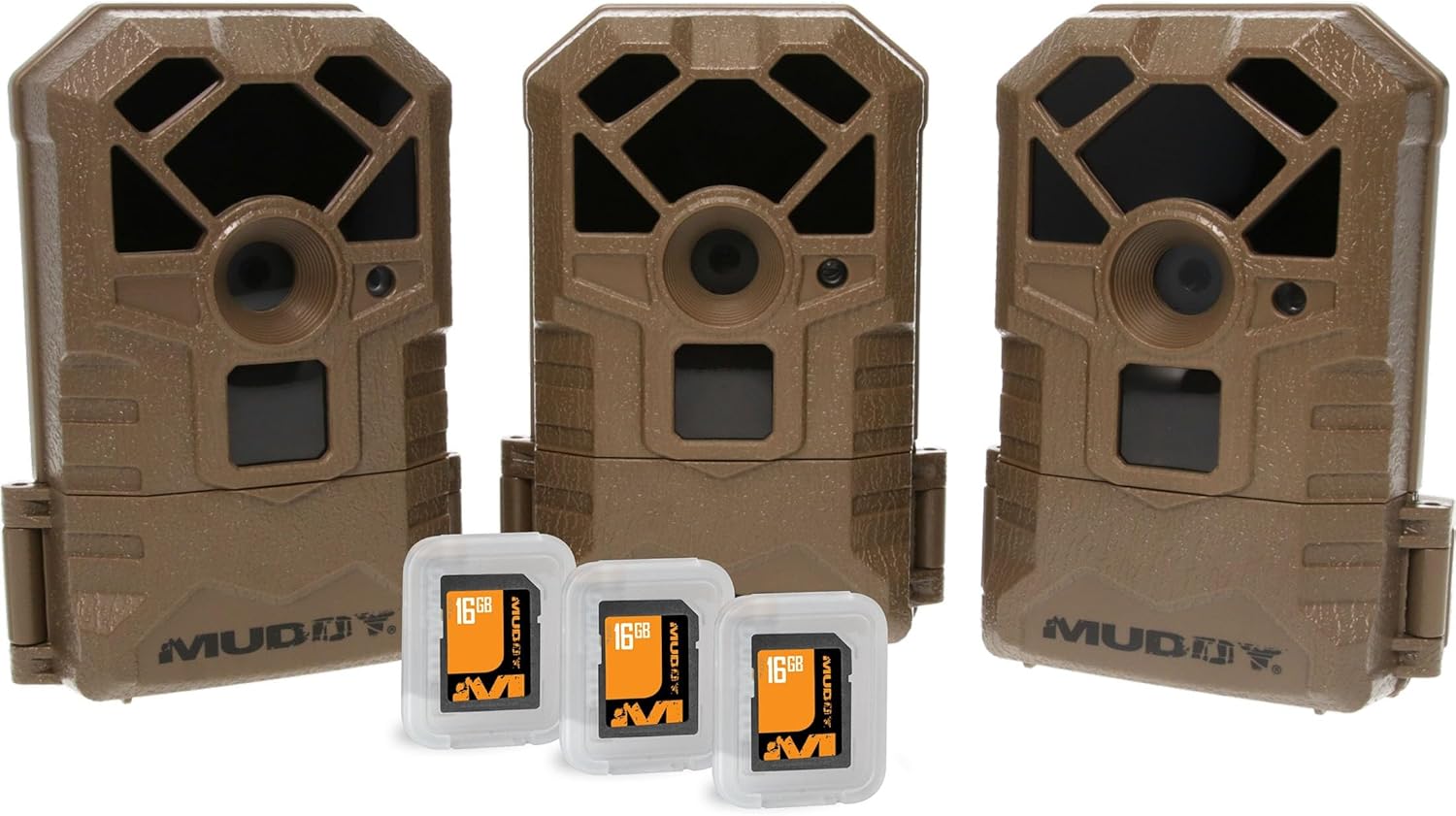
Image: Three MUDDY Pro Cam Trail Cameras, each accompanied by a 16GB SD card, showcasing the complete combo package.
Each Pro Cam features 16-megapixel resolution for clear still images, 18 infrared LEDs for night vision, a 60-foot detection and flash range, and a rapid 0.7-second trigger speed to capture fast-moving subjects. The robust design ensures reliable operation in outdoor environments.
Guia de configuració
1. Instal·lació de la bateria
The Pro Cam Trail Camera requires eight (8) AA batteries for operation. To install:
- Locate the latch at the bottom of the camera unit.
- Open the bottom compartment to reveal the battery slots.
- Insert eight AA batteries, ensuring correct polarity (+/-) as indicated within the compartment.
- Securely close the compartment latch.
2. Inserció de la targeta SD
A standard SD card is required to store images and videos. To insert the SD card:
- With the bottom compartment open, locate the SD card slot.
- Gently insert the SD card into the slot until it clicks into place. Ensure the card is oriented correctly.
- Close the bottom compartment.
3. Muntatge de la càmera
The Pro Cam offers versatile mounting options:
- Muntatge de la corretja: Utilize the integrated strap slots on the back of the camera to secure it to a tree or pole using the provided strap.
- Muntatge del trípode: The camera features a standard tripod attachment point at the bottom, allowing for stable placement on a tripod or other compatible mounting accessories.
Instruccions de funcionament
Once batteries and an SD card are installed, the camera is ready for operation. The camera is designed for motion-activated capture.
Encès/Apagat
Access the controls within the bottom compartment. Use the power switch to turn the camera ON or OFF. Refer to the on-screen display for mode selection and settings adjustment.
Captura d'imatges i vídeos
The camera automatically captures images or videos when motion is detected within its 60-foot detection range. The 0.7-second trigger speed ensures minimal delay in capturing subjects. The 18 infrared LEDs provide clear night vision capabilities without disturbing wildlife.
Accessing Captured Media
A view captured images and videos, remove the SD card from the camera (ensure the camera is OFF before removal) and insert it into a compatible SD card reader connected to a computer or other viewdispositiu d'ing.
Manteniment
- Substitució de la bateria: Replace all eight AA batteries when the low battery indicator appears or when performance degrades.
- Gestió de la targeta SD: Regularly check the SD card capacity. It is recommended to turn the camera OFF before removing or inserting the SD card to prevent data corruption or camera glitches.
- Neteja: Use a soft, dry cloth to clean the camera lens and infrared LEDs. Avoid abrasive materials or harsh chemicals.
- Emmagatzematge: When not in use for extended periods, remove batteries to prevent leakage and store the camera in a cool, dry place.
Resolució de problemes
| Problema | Causa possible | Solució |
|---|---|---|
| La càmera no s'encén. | Piles gastades o instal·lades incorrectament. | Ensure 8 AA batteries are installed with correct polarity. Replace with fresh batteries. |
| No images/videos captured. | SD card full, corrupted, or not inserted correctly; camera in wrong mode; no motion detected. | Format or replace SD card. Ensure SD card is fully inserted. Check camera settings for correct operating mode. Verify camera placement for motion detection. |
| Mala qualitat d'imatge/vídeo. | Dirty lens; low light conditions; subject too far. | Clean the camera lens. Ensure adequate lighting or proper night vision activation. Adjust camera placement closer to the subject. |
| Camera freezes or glitches. | Software issue; SD card issue. | Turn the camera OFF, remove the SD card, then reinsert the SD card and turn the camera ON. This can often resolve minor glitches. If issues persist, try a different SD card. |
Especificacions
| Característica | Detall |
|---|---|
| Nom del model | Pro Cam |
| Número de model | MUD-MTC16XSD-3PK |
| Resolució de fixes efectius | 16 MP |
| Detection/Flash Range | 60 peus. |
| LED infrarojos | 18 |
| Velocitat de desencadenament | 0.7 segons |
| Font d'alimentació | 8 piles AA (no incloses) |
| Emmagatzematge | Standard SD Card (included in combo) |
| Tipus de muntatge | Tree Mount, Tripod Mount |
| Dimensions (L x A x A) | 3 x 2 x 5 polzades |
| Pes de l'article | 4.5 pounds (for the combo pack) |
| UPC | 813628069713 |
Garantia i Suport
For warranty information, technical support, or service inquiries, please contact the manufacturer, GSM Outdoors, or refer to the official MUDDY weblloc. Conserveu el rebut de compra per a reclamacions de garantia.
Manufacturer: GSM Outdoors
Ask a question about this manual
Ask about setup, troubleshooting, compatibility, parts, safety, or missing instructions. Manuals+ will review the question and use this page’s manual context to help answer it.