
1. Introducció
The MINIWARE MHP50 is a compact and portable mini heating station designed for precision heating tasks, particularly in electronics soldering and preheating applications. Its small form factor, detachable design, and dual power input options make it a versatile tool for various work environments. This manual provides essential information for the safe and effective operation and maintenance of your MHP50 heating station.

Image 1.1: The MINIWARE MHP50 Mini Heating Station, showcasing its compact design and integrated display.
2. Informació de seguretat
Please read and understand all safety instructions before using the MINIWARE MHP50 heating station. Failure to follow these instructions may result in electric shock, fire, or serious injury.
- Perill d'alta temperatura: The heating plate reaches temperatures up to 350°C. Avoid direct contact with the heating surface during operation and cool-down. Use appropriate heat-resistant tools.
- Ventilació: Ensure adequate ventilation in your workspace to dissipate heat and any fumes generated during soldering.
- Font d'alimentació: Use only approved power adapters (DC 19-24V or USB Type-C PD 20V). Do not use both power inputs simultaneously.
- Materials inflamables: Keep flammable materials, liquids, and gases away from the heating station.
- Nens i animals de companyia: Mantingueu el dispositiu fora de l'abast dels nens i les mascotes.
- Humitat: Do not expose the device to moisture or operate it in wet conditions.
- Manteniment: Desconnecteu l'alimentació abans de netejar o realitzar qualsevol manteniment.
- Danys: Do not operate the device if it is damaged. Contact customer support for assistance.
3. Producte acabatview i Característiques
The MHP50 heating station is engineered for efficiency and portability, incorporating several key features:
- Disseny compacte: Its small size allows for easy transport and use in confined spaces.
- Parts desmuntables: The heating unit and controller base are separable, facilitating easier storage and potential future upgrades.
- Ventilació integrada: An internal fan automatically adjusts its speed based on temperature, ensuring efficient cooling and component protection.
- Indicadors d'il·luminació: The base unit features a display screen and a breathing light that changes color to indicate heating status and temperature levels.
- Doble font d'alimentació: Supports both DC 5525 (19-24V, max 150W) and USB Type-C PD (20V, max 100W) for flexible power options. Note: Do not use both simultaneously.
- Escalfament ràpid: Capable of heating from 28°C to 300°C in approximately 150 seconds.
- AL50 Heating Plate: Features an aluminum heating surface with an anodized finish for even heat distribution.

Image 3.1: The MHP50's split design, showing the detachable heating unit and controller base for flexible replacement and transport.
4. Configuració
4.1 Desembalatge i muntatge
- Carefully remove the MHP50 heating station from its packaging.
- Assegureu-vos que tots els components estiguin presents i sense danys.
- If the heating unit and controller base are separated, gently align and connect them. The connection is typically magnetic or uses a simple locking mechanism.
4.2 Connexió d'alimentació
The MHP50 supports two types of power input:
- DC 5525 Port: Connect a DC 19-24V power adapter (max 150W) to the DC 5525 port.
- USB Type-C PD Port: Connect a USB Type-C PD 20V power adapter (max 100W) to the Type-C port.
Important: Do not connect both DC and USB Type-C power sources simultaneously. Choose only one power input.

Image 4.1: Illustration of the dual power input options (DC 5525 and USB Type-C PD) for the MHP50, with a warning against simultaneous use.
5. Instruccions de funcionament
5.1 Engegada i visualització inicial
Once connected to a power source, the device will power on automatically. The integrated LED display will show the current temperature and other operational parameters.
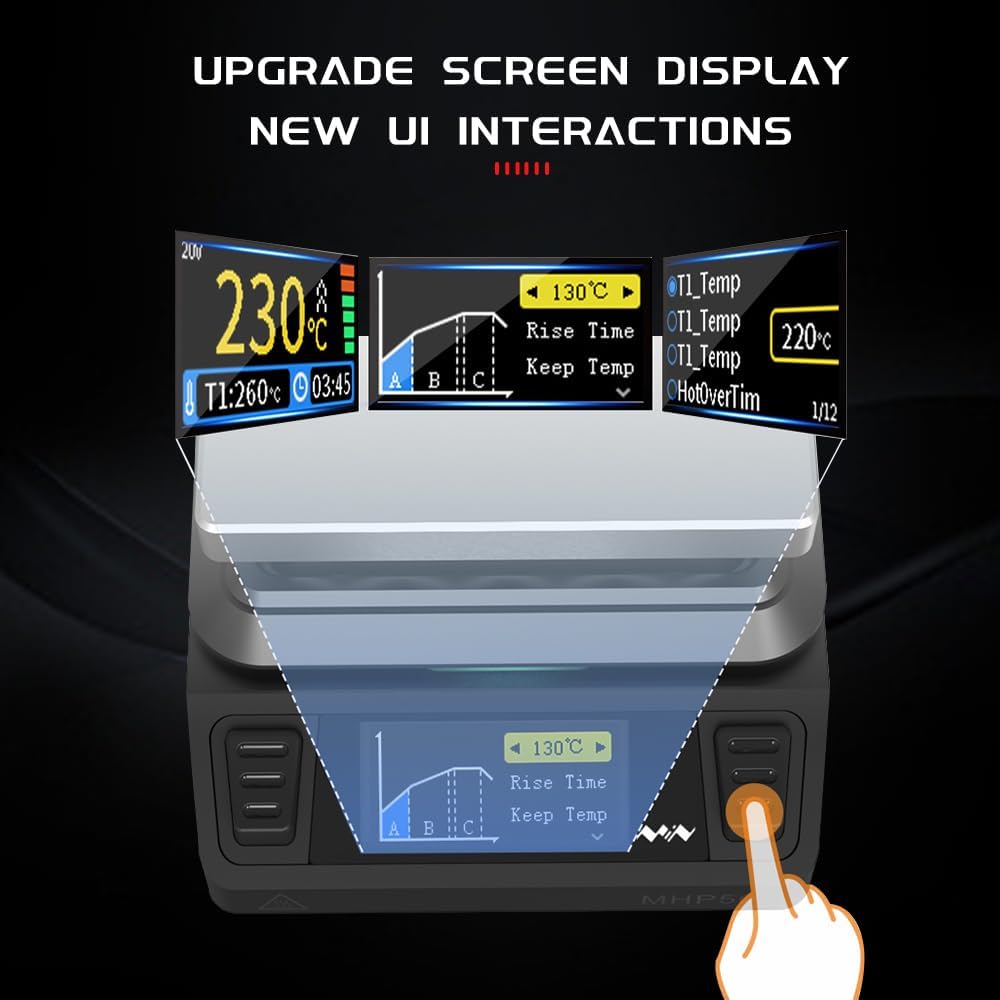
Image 5.1: The MHP50's upgraded screen display, showing temperature, rise time, and other user interface elements.
5.2 Configuració de la temperatura
Use the control buttons on the base unit to navigate the menu and set the desired heating temperature. Refer to the on-screen prompts for specific adjustments. The temperature range is typically 100°C to 350°C.
5.3 Heating Process and Indicators
Once the target temperature is set, the heating station will begin to warm up. The breathing light on the base unit provides visual feedback on the heating status:
- Llum verda: Indicates low temperature (below 50°C).
- Llum groga: Indicates increasintemperatura g.
- Llum blanca: Indicates temperature approaching target.
- Llum vermella: Indicates high temperature (above 200°C) or target temperature reached.
- Llum blava: May indicate firmware upgrade mode.
- Parpelleig vermell: Indica un avís o un error.

Image 5.2: Explanation of the MHP50's color light indications for temperature status and warnings.
5.4 Using the Heating Station
Place the component or PCB requiring heating directly onto the AL50 heating plate. Monitor the temperature on the display. Always use appropriate tools and safety precautions when handling hot items.
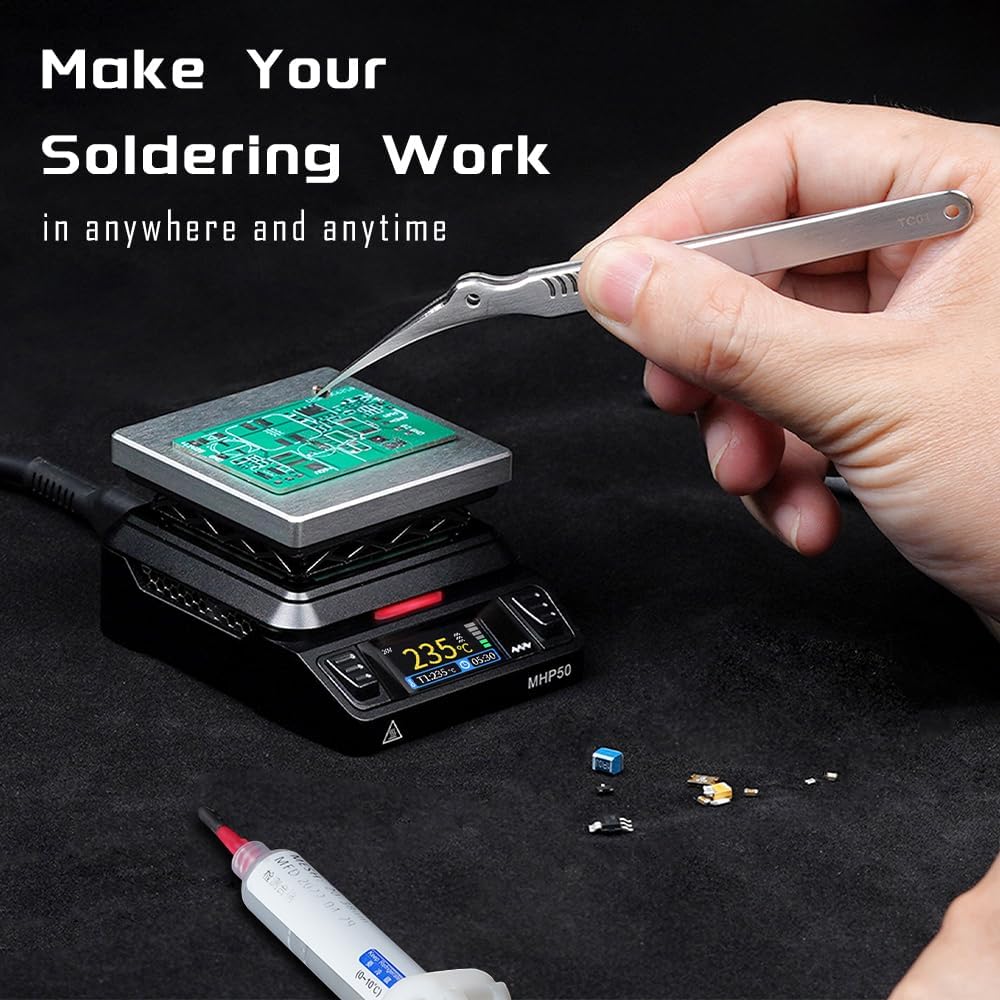
Image 5.3: The MHP50 in operation, demonstrating its use for soldering tasks on a circuit board.
6. Manteniment
Proper maintenance ensures the longevity and optimal performance of your MHP50 heating station.
- Neteja: Disconnect the power supply before cleaning. Allow the device to cool completely. Wipe the heating plate and body with a soft, dry cloth. Do not use abrasive cleaners or solvents.
- Emmagatzematge: Guardeu el dispositiu en un entorn sec i sense pols quan no l'utilitzeu.
- Inspecció: Periodically inspect the power cables and connectors for any signs of damage.
7. Solució De Problemes
If you encounter issues with your MHP50 heating station, refer to the following common problems and solutions:
- El dispositiu no s'encén:
- Ensure the power adapter is correctly connected and providing the correct voltage (DC 19-24V or USB PD 20V).
- Verify that only one power source is connected.
- Comproveu la presa de corrent.
- Heating plate not reaching temperature:
- Confirm the set temperature is within the operational range (100°C-350°C).
- Ensure the power supply meets the wattage requirements (150W for DC, 100W for USB PD).
- Check for any error messages on the display or a red flickering light.
- Red flickering light:
- This indicates a warning or error. Consult the device's on-screen error codes if available, or power cycle the device. If the issue persists, contact support.
8. Especificacions
| Característica | Especificació |
|---|---|
| Model | MHP50 (AL50) |
| Interval de temperatura | 100 °C - 350 °C |
| Estabilitat de temperatura | 350°C (Upper Rating) |
| Font d'alimentació | DC 5525 (19-24V, max 150W) / USB Type-C PD (20V, max 100W) |
| Voltage | 20 V (CC) |
| Wattage | 150W |
| Material de la placa calefactora | AL50 (Aluminum with anodized surface) |
| Tipus de visualització | LED |
| Pes de l'article | 4.9 unces (140 grams) |
| Dimensions del paquet | 5 x 5 x 4 polzades |
| Fabricant | MINIWARE |
| UPC | 756839844055 |
9. Garantia i Suport
For warranty information, technical support, or service inquiries, please contact MINIWARE customer support through their official website or the retailer from whom the product was purchased. Please have your product model (MHP50) and purchase details available when contacting support.


