
FOXSUR RED-25A
FOXSUR 25A Smart Car Battery Charger User Manual
Model: RED-25A
1. Introducció
This manual provides detailed instructions for the safe and efficient operation of your FOXSUR 25A Smart Car Battery Charger. This fully automatic 8-stage battery charger is designed to charge and maintain various 12V and 24V lead-acid batteries, including Calcium, Gel, AGM, WET, EFB, and LiFePO4 batteries. It features multiple charging modes, a repair function, and a booster mode for quick starts.
1.1 Què hi ha a la caixa
- FOXSUR 25A Smart Car Battery Charger (Model: RED-25A)
- Cable d'alimentació CA
- Bateria Clamps (Vermell per a positiu, Negre per a negatiu)
- Manual d'usuari

Figure 1: FOXSUR 25A Smart Car Battery Charger with included accessories.
Video 1: Unboxing and initial setup of the FOXSUR 25A Smart Car Battery Charger, demonstrating how to connect the AC power and battery clamps.
2. Informació de seguretat
Always prioritize safety when working with electrical equipment and batteries. Read all instructions before use.
- Utilitzeu protecció ocular i roba protectora quan treballeu amb piles.
- Ensure adequate ventilation in the charging area.
- No fumeu ni permeteu espurnes o flames a prop de la bateria o del carregador.
- No carregueu mai una bateria congelada.
- Eviteu curtcircuitar el cl de la bateriaamps.
- The charger includes multiple protection functions: overcharge, overheat, overvoltage, overcurrent, short circuit, and reverse connection protection.

Figure 2: Visual representation of the intelligent multiple protection features, including overheat, overcurrent, electric shock, short circuit, reverse connect, overvoltage, vol baixtage, i protecció contra incendis.
3. Configuració i connexió
- Connecteu l'alimentació de CA: Plug the AC power cord into the charger's input port, then plug the other end into a standard 100-240V AC, 50-60Hz electrical outlet. The charger display will illuminate.
- Connecteu la bateria Clamps:
- Connecteu el VERMELL positiu (+) clamp al terminal positiu (+) de la bateria.
- Connecteu el NEGRE cl negatiu (-)amp al terminal negatiu (-) de la bateria.

Figure 3: The charger's display showing options for charging current and mode selection.
4. Instruccions de funcionament
The FOXSUR charger features a large LCD color display for easy monitoring and control.
4.1 Comprensió de la pantalla

Figure 4: Diagram illustrating the various indicators on the charger's LCD display, including selected battery voltage, winter/summer mode, current state, and mode selection.
- Selected Battery Voltage: Displays 12V or 24V.
- Mode Hivern/Estiu: Automatically adjusts charging based on ambient temperature.
- Estat actual: Shows charging progress percentage, voltage, i corrent.
- Selecció del mode: Icons for Car/Boat, AGM, LiFePO4, Repair, and Booster modes.
4.2 Selecting Charging Current
Premeu el botó "CURRENT" button to cycle through available charging current options: 2A, 8A, Automatic, 20A, and 25A. Choose the current suitable for your battery's capacity.
4.3 Selecting Charging Mode
Premeu el botó "MODE" button to select the appropriate battery type or function:
- CAR/BOAT: Standard mode for most lead-acid batteries in cars, motorcycles, trucks, etc.
- AGA: Specific mode for Absorbed Glass Mat batteries.
- LiFePO4: Mode for Lithium Iron Phosphate batteries.
- REPARACIÓ: For restoring drained or sulfated batteries. Long press to activate.
- AMPLIFICADOR: Provides a high current boost for 12V batteries to aid starting.
Video 2: Demonstrates connecting the charger to a battery, selecting charging current, and choosing different charging modes (Car/Boat, AGM, LiFePO4, Repair, Booster).
5. Modes especials
5.1 Repair Mode
If a battery has been idle for a long time, is aged, or cannot be charged, select the "Repair" mode. This mode automatically detects and activates the battery during the charging process and uses 8-stage trickle charging to help repair damaged batteries and extend their life. Nota: This function cannot repair completely exhausted or severely damaged batteries.

Figure 5: Illustration of the pulse reconditioning feature for battery maintenance, designed to address issues like battery feeding and large internal resistance.
5.2 Booster Mode
The "Booster" mode is specifically for 12V batteries. When selected, the charging current will reach its maximum value for 200 seconds. After this period, the display will show "on", indicating that you can attempt to start the vehicle. This mode is designed to provide a quick charge to assist with engine starting.
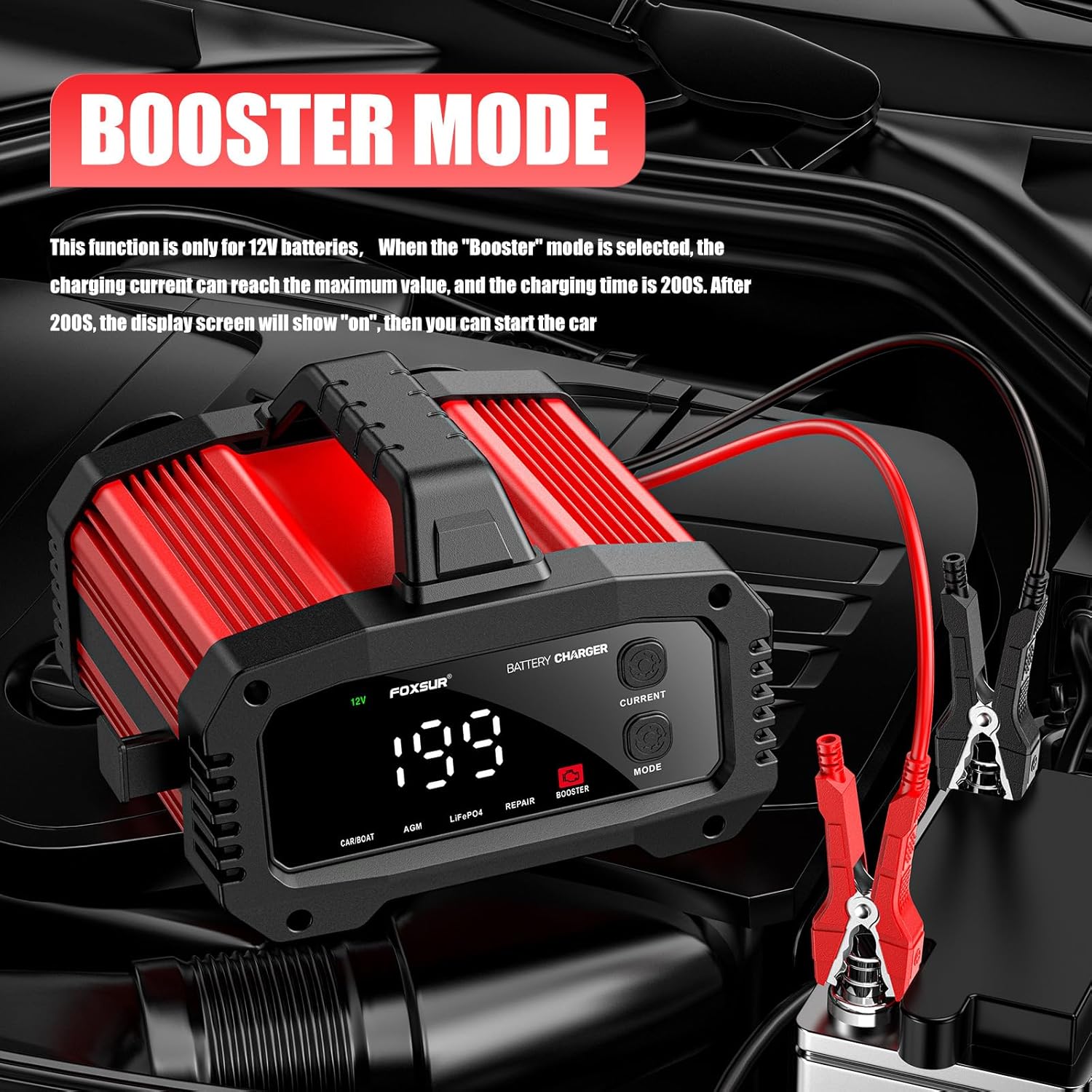
Figure 6: The charger operating in Booster Mode, connected to a car battery, showing the countdown timer.
6. Manteniment
- Neteja: Disconnect the charger from both AC power and the battery before cleaning. Wipe the exterior with a soft, damp tela. No utilitzeu productes químics agresivs o abrasius.
- Emmagatzematge: Store the charger in a cool, dry place when not in use. The winding cable design on the back allows for convenient storage of the power cord and clamps.
- Dissipació de calor: The aluminum alloy shell and internal fan ensure efficient heat dissipation during operation. Ensure the fan vents are not obstructed.

Figure 7: The durable aluminum alloy shell of the charger, designed for high temperature and corrosion resistance.

Figure 8: The unique winding cable design on the back of the charger for organized storage of the power cord and clamps.
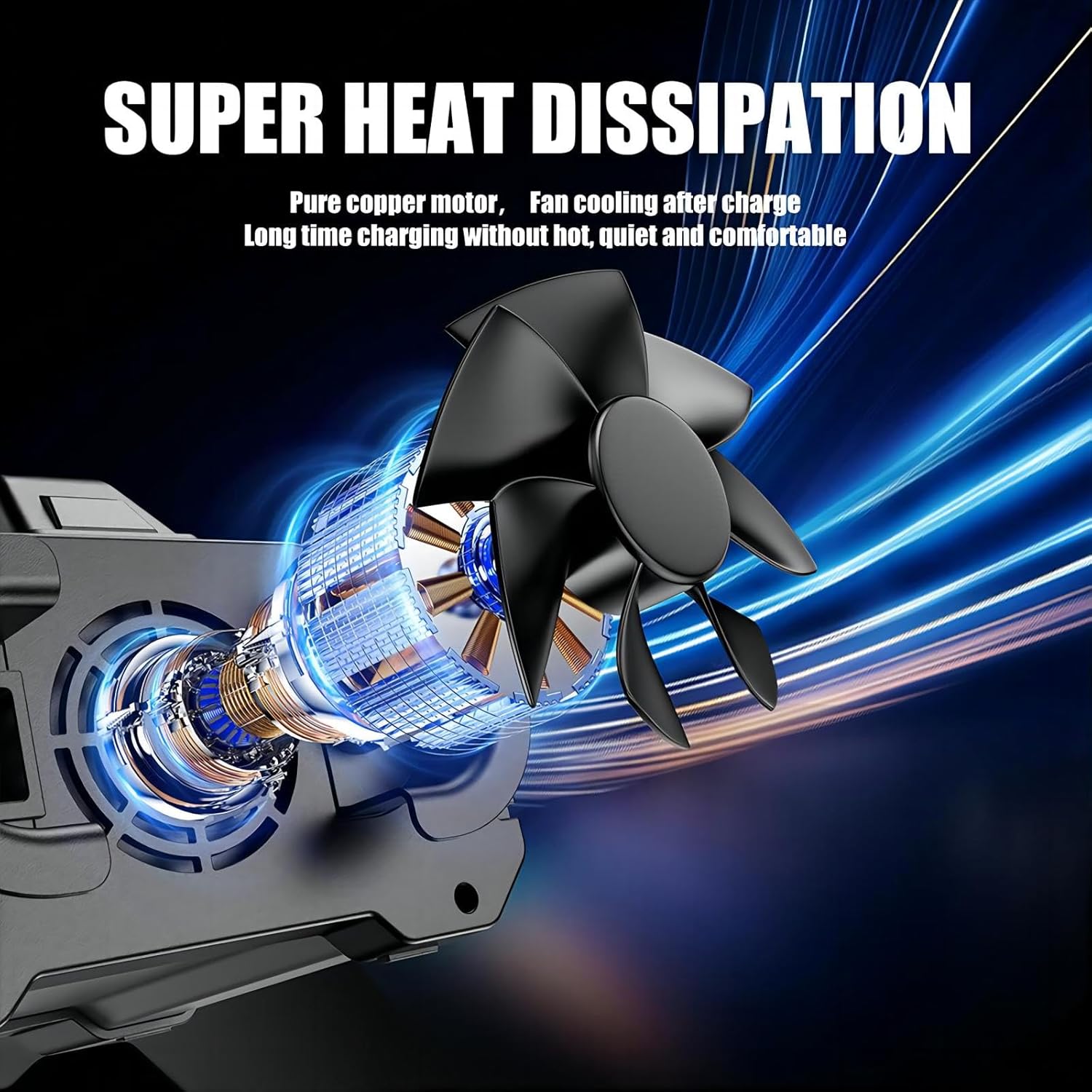
Figure 9: Illustration of the pure copper motor and fan cooling system for super heat dissipation, ensuring quiet and comfortable long-time charging.
7. Solució De Problemes
| Problema | Causa possible | Solució |
|---|---|---|
| El carregador no s'encén. | No AC power, loose connection. | Check AC power outlet and ensure power cord is securely plugged into both the charger and the outlet. |
| El carregador no carrega la bateria. | Incorrect battery connection, battery severely damaged/dead, incorrect mode selected. | Assegureu-vos que la bateria clamps are correctly connected (red to positive, black to negative). Try "Repair" mode for drained batteries. If battery is completely dead or severely damaged, it may not be recoverable. |
| Display shows error code/protection activated. | Overcharge, overheat, overvoltage, overcurrent, short circuit, or reverse connection. | Disconnect charger, check connections, allow charger to cool if overheated, and re-attempt charging. Refer to safety information. |
8. Especificacions
| Característica | Detall |
|---|---|
| Model de producte | RED-25A |
| Entrada Voltage | 100-240V CA, 50-60Hz |
| Sortida nominal | 12 V 25Amp, 24V 15Amp |
| Volum inicial mínimtage | 5.0 V |
| Gamma de bateria | 6-400Ah |
| Tipus de bateria compatibles | Calcium, Gel, AGM, WET, EFB, LiFePO4 |
| Protecció tèrmica | 65 °C +/- 5 °C |
| Eficiència | App. 85% |
| Refrigeració | Ventilador |
| Estàndards conformes | CE, UKCA, FCC |
| Dimensions (L x A x A) | 7.56 x 8.51 x 4.92 polzades (192 x 216 x 125 mm) |
| Pes net | 3.31 lliures (1500 g) |
9. Garantia i Suport
For warranty information and technical support, please contact the manufacturer, FOXSUR, directly or refer to their official weblloc web. Conserveu el rebut de compra com a comprovant de compra.
Ask a question about this manual
Ask about setup, troubleshooting, compatibility, parts, safety, or missing instructions. Manuals+ will review the question and use this page’s manual context to help answer it.