
1. Introducció
This manual provides detailed instructions for the setup, operation, and maintenance of your iDance Party Groove Karaoke System. Please read this manual thoroughly before using the product to ensure proper function and to maximize your enjoyment of its features. Keep this manual for future reference.
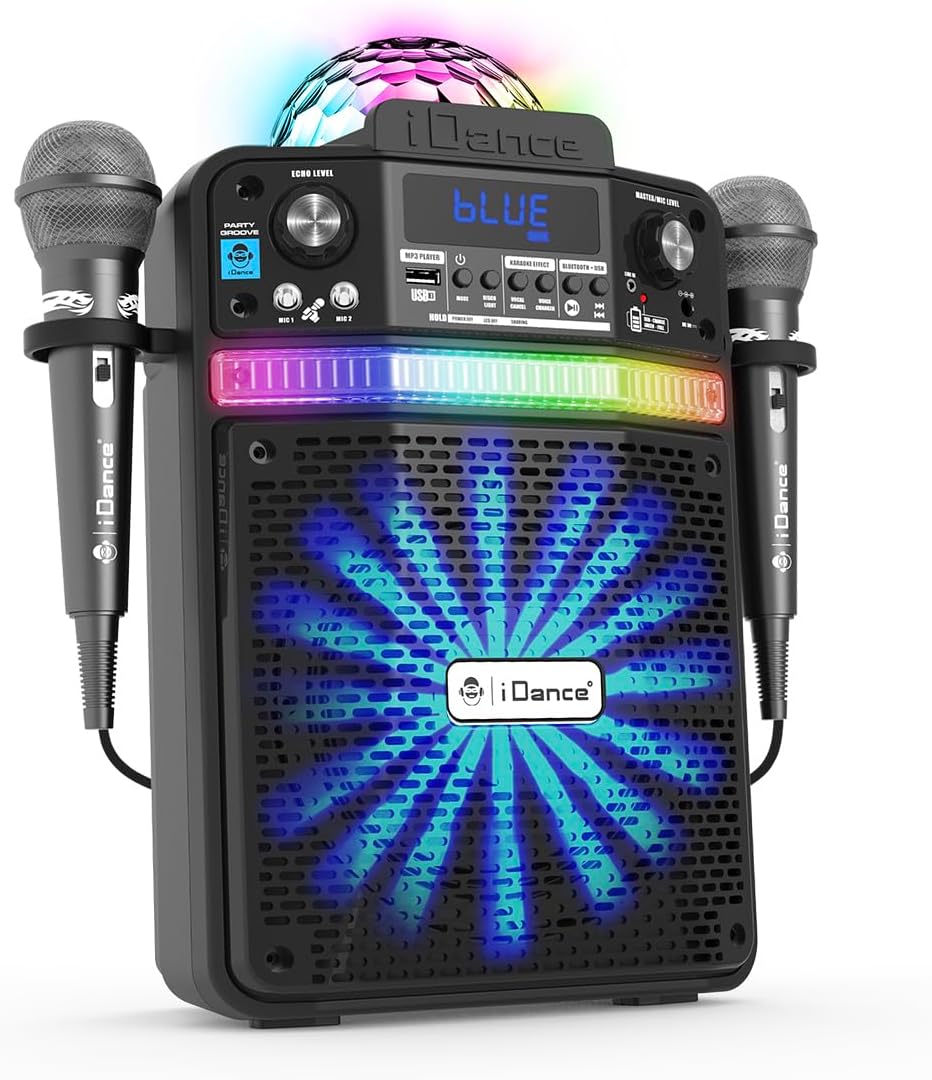
Figure 1.1: The iDance Party Groove Karaoke System, showcasing its integrated microphones and vibrant disco lighting effects.
2. Característiques del producte
The iDance Party Groove is a versatile 9-in-1 portable karaoke system designed for entertainment. Key features include:
- Wireless Bluetooth Speaker: Seamlessly stream audio from your Bluetooth-enabled devices.
- Reproductor de MP3 USB: Play your favorite MP3 tracks directly from a USB device.
- Dynamic Disco Lighting: Features a disco ball projection and RGB LEDs in the subwoofer that synchronize with music.
- Sortida d'àudio potent: Delivers 200 watts of audio with enhanced bass for clear, robust sound.
- Canviador de veu: Transform your voice with effects such as female, child, robot, and pitch adjustments.
- Vocal Reduction (Voice Appointment): Reduces the original singer's voice in tracks for karaoke.
- Microphone Echo Effect: Adjustable echo effect for microphones to enhance vocal performance.
- Dual Wired Microphones: Includes two wired microphones with integrated holders for multi-user karaoke.
- Bluetooth Audio Sharing: Connect multiple Party Groove systems to a single Bluetooth audio source.
- Tablet/Smartphone Stand: Integrated stand to securely hold your device.
- Entrada AUX: Connect external audio devices via a standard AUX cable.
- Bateria recarregable: Provides 4 to 8 hours of playback on a single charge.
- Disseny compacte i portàtil: Easy to transport for use at home or on the go.

Figure 2.1: Visual representation of the Party Groove's key features, highlighting its versatility.
3. Contingut del paquet
Si us plau, comproveu el paquet per veure si hi ha els elements següents:
- iDance Party Groove Karaoke System Unit
- Micròfon amb cable (x2)
- Adaptador d'alimentació
- Extra Cable (likely AUX cable)
- Manual d'instruccions (aquest document)

Figure 3.1: The product packaging, illustrating the main unit and included accessories.
4. Controls i connexions
Familiarize yourself with the various controls and connection ports on your Party Groove system.

Figura 4.1: Frontal view of the Party Groove, detailing the control panel and input options.
Controls del panell frontal:
- Botó d'encesa: Encén o apaga la unitat.
- Botó de mode: Canvia entre els modes d'entrada Bluetooth, USB i AUX.
- Master/Mic Level Knob: Adjusts the overall volume and microphone volume.
- Echo Level Knob: Controls the intensity of the microphone echo effect.
- Voice Changer Buttons: Activates and cycles through various voice effects (Female, Child, Robot, Pitch).
- Vocal Reduction Button: Reduces the lead vocals in a track.
- Port USB: For connecting USB drives for MP3 playback.
- Entrades de micròfon (MIC 1, MIC 2): Connect the wired microphones.
- Entrada AUX: Per connectar fonts d'àudio externes.
- Pantalla de visualització: Mostra el mode actual i la informació de la pista.
Connexions del panell posterior:
- Port DC IN: Per connectar l'adaptador de corrent per carregar la unitat.
5. Configuració
5.1 Càrrega inicial
- Connect the provided power adapter to the DC IN port on the rear of the Party Groove unit.
- Connecteu l'adaptador de corrent a una presa de corrent adequada.
- Allow the unit to charge fully before first use. The charging indicator will typically change color or turn off when charging is complete.
5.2 Connexió de micròfons
- Insert the microphone cables into the MIC 1 and MIC 2 input jacks on the front panel.
- Place the microphones into the integrated holders on the sides of the unit when not in use.
5.3 Engegada/apagada
- Press and hold the Power Button on the front panel to turn the unit on.
- Repeat the action to turn the unit off.
6. Instruccions de funcionament
6.1 Vinculació Bluetooth
- Turn on the Party Groove unit. It will automatically enter Bluetooth pairing mode, indicated by a flashing "BLUE" on the display.
- Activa el Bluetooth al teu telèfon intel·ligent, tauleta o altre dispositiu d'àudio.
- Cerca "iDance Party Groove" (or similar name) in your device's Bluetooth settings.
- Select the device to pair. Once connected, the "BLUE" indicator will stop flashing.
- You can now play audio from your paired device through the Party Groove system.
Reproducció de MP3 USB 6.2
- Inseriu una unitat flash USB que contingui àudio MP3 files al port USB del panell frontal.
- Press the Mode Button until "USB" or "MP3" is displayed. The unit will automatically begin playing tracks from the USB drive.
- Use the playback control buttons (Play/Pause, Next Track, Previous Track) on the unit to manage your music.
6.3 Entrada AUX
- Connect one end of the provided AUX cable (or a standard 3.5mm audio cable) to the AUX input port on the Party Groove.
- Connect the other end of the cable to the headphone jack or audio output of your external audio device (e.g., MP3 player, laptop).
- Press the Mode Button until "AUX" is displayed.
- Controla la reproducció i el volum des del teu dispositiu d'àudio extern.
6.4 Karaoke Functions
- Volum del micròfon: Adjust the Master/Mic Level knob to control the volume of the connected microphones.
- Efecte d'eco: Rotate the Echo Level knob to add or reduce the echo effect on your vocals.
- Canviador de veu: Press the Voice Changer buttons to cycle through different vocal effects (e.g., female, child, robot, pitch). Press again to turn off.
- Vocal Reduction: Press the Vocal Reduction button to minimize the lead vocals in a playing track, allowing you to sing along more prominently. Press again to restore original vocals.
6.5 Funcionament de les llums de discoteca
The Party Groove features integrated disco lighting. The disco ball projects patterns onto surfaces, and the RGB LEDs in the subwoofer create a light show that synchronizes with the music. These lights activate automatically when the unit is powered on and music is playing.
6.6 Multi-user Connection (Bluetooth Audio Sharing)
To connect multiple Party Groove systems to the same Bluetooth audio source:
- Ensure all Party Groove units are powered on and in Bluetooth pairing mode.
- Pair the first Party Groove unit with your audio device as described in section 6.1.
- On the first paired unit, activate the Bluetooth audio sharing mode (refer to specific button if available, otherwise it might be automatic or require a specific sequence not detailed in provided data).
- The other Party Groove units should then be able to connect to the first unit's shared audio stream.
Note: Specific instructions for activating Bluetooth audio sharing mode may vary. Consult the on-device display or quick start guide for precise steps if not immediately apparent.
7. Manteniment
7.1 Neteja
- Apagueu i desendolleu sempre la unitat abans de netejar-la.
- Feu servir un drap suau i sec per netejar les superfícies exteriors.
- No utilitzeu netejadors líquids, aerosols ni materials abrasius, ja que poden danyar l'acabat o els components interns.
7.2 Cura de la bateria
- To prolong battery life, fully charge the unit before its first use.
- Eviteu esgotar completament la bateria amb freqüència.
- If storing the unit for an extended period, charge it to approximately 50% every few months.
- No exposeu la unitat a temperatures extremes.
8. Solució De Problemes
| Problema | Causa possible | Solució |
|---|---|---|
| La unitat no s'encén. | La bateria està esgotada. L'adaptador de corrent no està connectat. |
Connect the power adapter and charge the unit. Assegureu-vos que l'adaptador de corrent estigui connectat correctament tant a la unitat com a una presa de corrent que funcioni. |
| No hi ha so de l'altaveu. | Volum massa baix. S'ha seleccionat el mode d'entrada incorrecte. Bluetooth no emparellat. AUX cable not fully inserted. |
Increase the Master/Mic Level knob. Press the Mode Button to select the correct input (Bluetooth, USB, AUX). Ensure your device is paired via Bluetooth (see section 6.1). Check AUX cable connection on both the unit and external device. |
| Els micròfons no funcionen. | Microphone cables not connected. Volum del micròfon massa baix. |
Ensure microphones are securely plugged into MIC 1/MIC 2 jacks. Increase the Master/Mic Level knob. |
| L'aparellament de Bluetooth falla. | Unit not in pairing mode. Device too far from unit. Interferència. |
Ensure the unit is in Bluetooth mode and "BLUE" is flashing. Move your device closer to the Party Groove. Desactiveu altres dispositius Bluetooth que hi hagi a prop. |
| La reproducció per USB no funciona. | USB drive not inserted correctly. Files are not MP3 format. Mode incorrecte seleccionat. |
Reinsert the USB drive. Assegureu-vos fileestan en format MP3. Press the Mode Button to select USB/MP3 mode. |
9. Especificacions
| Model: | PARTYGROOVE |
| Marca: | iDance |
| Potència de sortidatage: | 200 watts |
| Dimensions del producte (L x A x A): | 19.5 x 33 x 37.5 cm (7.68 x 12.99 x 14.76 polzades) |
| Pes de l'article: | 1.6 kg (3.53 lliures) |
| Tecnologia de connectivitat: | Bluetooth, USB, AUX |
| Font d'alimentació: | Battery Powered (Internal Rechargeable), AC Adapter |
| Components inclosos: | Karaoke System Unit, 2 Wired Microphones, Power Adapter, Extra Cable |
| Temps de reproducció de la bateria: | 4-8 hours (approximate, depending on usage) |
| Tipus de muntatge: | Muntanya de pols |
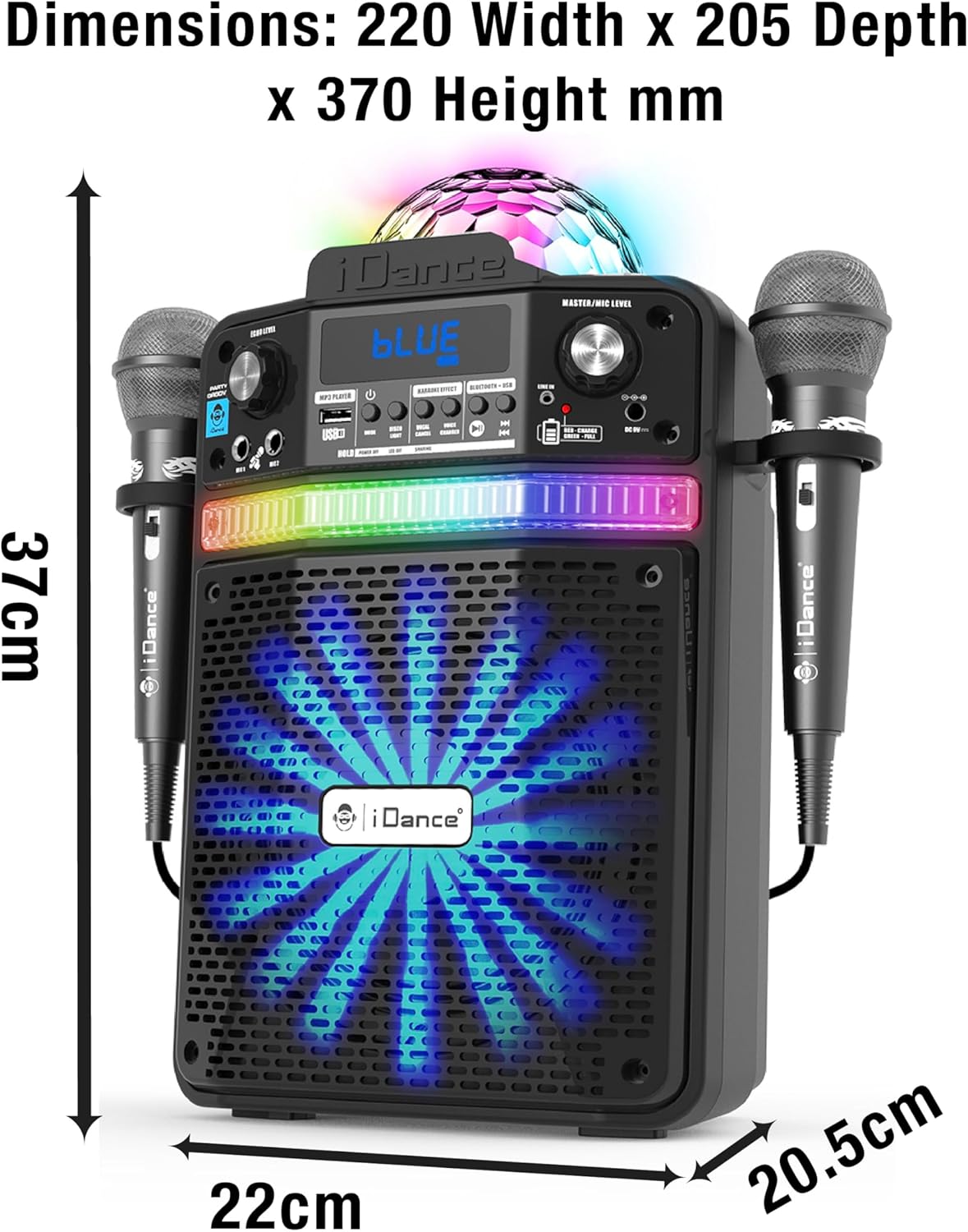
Figure 9.1: Detailed dimensions of the iDance Party Groove unit.
10. Informació de seguretat
- No exposeu la unitat a l'aigua ni a una humitat excessiva.
- Eviteu col·locar la unitat a prop de fonts de calor o sota la llum solar directa.
- No intenteu obrir ni reparar la unitat vosaltres mateixos. Encarregueu tot el manteniment a personal qualificat.
- Feu servir només l'adaptador de corrent proporcionat per carregar.
- Mantenir fora de l'abast dels nens.
- Assegureu-vos que hi hagi una ventilació adequada al voltant de la unitat durant el funcionament.
11. Garantia i Suport
For warranty information and technical support, please refer to the warranty card included with your product or visit the official iDance weblloc web. Conserveu el comprovant de compra per a qualsevol reclamació de garantia.
If you encounter any issues not covered in this manual, please contact iDance customer support for assistance.