
EONON VWA13
Eonon Android 13 CarPlay Car Stereo User Manual
Model: VWA13 | Brand: EONON
Introducció
This manual provides comprehensive instructions for the installation, operation, and maintenance of your Eonon Android 13 CarPlay Car Stereo (Model VWA13). Please read this manual thoroughly before use to ensure proper functionality and safety.
Models de cotxes aplicables
The VWA13 Android 13 car radio is compatible with most Volkswagen Golf MK5/MK6, Jetta, Passat, SEAT, and Skoda car models. It supports most original functions including Steering Wheel Controls (SWC), Dynaudio & Fender audio system, air conditioning information, radar sensors, and vehicle information via CANBUS.
Refer to the table below for specific compatible models. If your factory car radio differs from the pictures listed, please contact customer support for compatibility verification.

Image: Table detailing compatible car models for Volkswagen, SEAT, and Skoda vehicles. Below the table are images of various factory car radios, indicating compatibility.
Configuració i instal·lació
The VWA13 unit is designed for plug-and-play installation, requiring no additional frame or cable changes for compatible models. For factory backup camera retention, an optional Eonon A501 decoder box (not included) is required.
Esquema de cablejat
Familiarize yourself with the wiring connections before installation.
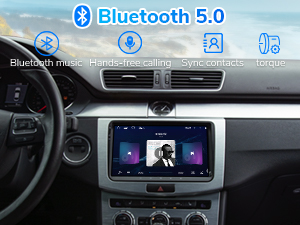
Image: Detailed wiring diagram showing various input and output connections for the Eonon VWA13 head unit.
Accessoris inclosos
The package includes all necessary cables and accessories for standard installation.

Image: Visual representation of all accessories included with the Eonon VWA13, such as power cables, USB cables, GPS antenna, and user manual.
Procés d'instal·lació acabatview
This video provides a visual guide to the unboxing and installation process of the VWA13 unit.
Video: Unboxing and installation guide for the Eonon VWA13 car stereo.
Instruccions de funcionament
Wireless CarPlay & Android Auto Setup
Experience hands-free convenience by connecting your smartphone wirelessly.
Video: Guide on how to connect your iPhone to the Eonon A13 series car stereo for wireless CarPlay.
Video: Guide on how to set up wireless Android Auto on the Eonon car stereo.
Wired CarPlay & Android Auto Setup
For wired connections, use the provided USB cables.
Video: Guide on how to connect your iPhone to the Eonon A13 series car stereo for wired CarPlay.
Video: Guide on how to set up wired Android Auto on the Eonon car stereo.
Mirall de pantalla
Mirror your phone's screen directly onto the head unit display.
Video: Guide on how to set up wireless screen mirroring for iPhone on the Eonon car stereo.
Video: Guide on how to set up wireless screen mirroring for Android on the Eonon car stereo.
Video: Guide on how to set up wired screen mirroring for iPhone on the Eonon car stereo.
Video: Guide on how to set up wired screen mirroring for Android on the Eonon car stereo.
Funcions bàsiques
- Bluetooth 5.0: Supports smooth hands-free calls, music streaming, and quick phonebook searches.
- Ràdio FM/AM: Listen to music, news, and traffic information.
- DSP Chips: Built-in DSP chips, 4x45W output, and 36-band equalizer adjustment for richer sound.
- Ports USB: Includes 3 USB ports for external devices and supports multiple audio/video formats.

Image: Display of the Eonon VWA13 head unit highlighting Bluetooth 5.0, FM/AM Radio, and Enhanced Entertainment features.
Manteniment
Actualitzacions del sistema
Eonon offers convenient online firmware updates (FOTA) to keep the unit up-to-date by fixing software issues and enhancing security. You do not need a USB stick to upgrade.
Video: Guide on how to perform a system upgrade on the Eonon car stereo.
Resolució de problemes
- Connectivity Issues (Wi-Fi/Bluetooth/CarPlay/Android Auto): Ensure your phone's hotspot is active and the head unit is connected to it. Check Bluetooth pairing. For wired connections, ensure USB cables are properly connected.
- Càmera de marxa enrere no es mostra: Access camera settings in the head unit's menu. Adjust the camera type (NTSC/PAL) to match your camera's output. Ensure the A501 decoder box is correctly installed if using a factory backup camera.
- Els comandaments del volant no funcionen: Verify CANBUS connection and settings. The unit supports most original functions including SWC.
- Lagging Performance/Freezing: Perform a system update via FOTA. Ensure sufficient storage space is available.
Video: A user demonstrating issues with Android Auto connectivity and steering wheel controls. This video highlights common troubleshooting scenarios.
Especificacions
| Característica | Detall |
|---|---|
| Dimensions del producte | 8.67 x 5.12 x 1.34 polzades |
| Pes de l'article | 3.43 lliures |
| Número de model | VWA13 |
| Sistema operatiu | Android 13 |
| RAM + ROM | 2 GB de RAM + 32 GB de ROM |
| Mida de la pantalla | IPS de 9 polzades |
| Resolució | 1280 x 720 HD |
| Viewangle ing | 178° |
| Connectivitat | Bluetooth 5.0, Dual-band Wi-Fi (2.4G/5G), USB |
| Sortida d'àudio | 4x45W |
Garantia i Suport
For any issues or support, please contact Eonon customer service. Online firmware updates are available for ongoing support.
Protection plans are available for purchase:
- Pla de protecció de 2 anys
- Pla de protecció de 3 anys
- Protecció completa (renovació mensual)
Ask a question about this manual
Ask about setup, troubleshooting, compatibility, parts, safety, or missing instructions. Manuals+ will review the question and use this page’s manual context to help answer it.