
1. Informació important de seguretat
Please read this manual carefully before assembly and operation to ensure safe and correct use of your FLEXISPOT Electric Standing Desk. Keep this manual for future reference.
- Assegureu-vos que tots els components siguin presents i no estiguin danyats abans del muntatge. No utilitzeu el producte si hi falta alguna peça o si està danyada.
- Mantingueu els nens i les mascotes allunyats de l'escriptori durant el funcionament, especialment durant els ajustos d'alçada.
- Do not place hands or other objects near moving parts during operation to prevent injury.
- Assegureu-vos que el cable d'alimentació no estigui pessigat ni danyat.
- Do not overload the desk. The maximum load capacity is 100 kg.
- Only use the desk indoors in a dry environment.
2. Producte acabatview i Dimensions
The FLEXISPOT Electric Standing Desk provides an adjustable workspace for both sitting and standing positions. It features a maple wood desktop and an electric height adjustment system.
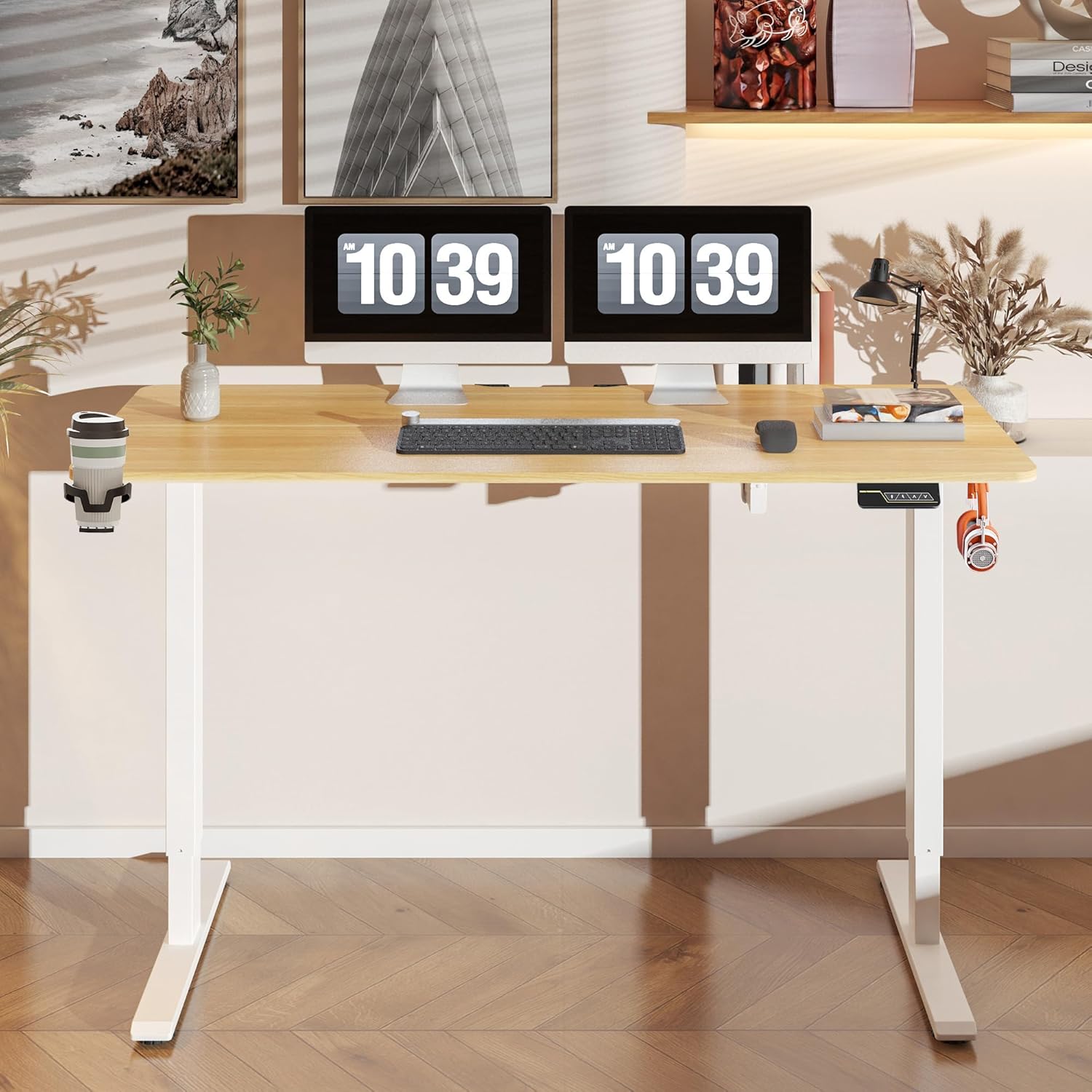
Figura 2.1: Mésview of the FLEXISPOT Electric Standing Desk.

Figure 2.2: Desk dimensions and key specifications. The desk has a width of 140 cm, a depth of 60 cm, and an adjustable height range of 73.5 cm to 118 cm.
3. Muntatge i muntatge
Assembly of the FLEXISPOT Electric Standing Desk is required. Please refer to the separate assembly guide included in your product packaging for detailed step-by-step instructions. Ensure you have adequate space and the necessary tools before beginning assembly.
3.1 Gestió de cables
The desk includes a cable management tray to help organize power cords and other cables, contributing to a tidy workspace.

Figure 3.1: Integrated cable management tray for organizing wires.
3.2 Accessoris
The desk comes with additional accessories to enhance functionality.

Figure 3.2: Included hooks and cup holder for convenience.
4. Instruccions de funcionament
The desk is operated via a smart control panel located on the underside of the desktop.

Figure 4.1: Smart Control Panel layout.
4.1 Ajust d'alçada
- Utilitza el Up i Avall arrow buttons to manually adjust the desk height. The current height will be displayed on the LED screen.
- The desk operates quietly, with noise levels below 50 decibels during adjustment.
- The adjustable height range is between 73 cm and 118 cm.
4.2 Funció de memòria
The desk features a two-position memory function, allowing you to save and recall your preferred sitting and standing heights.
- To save a height: Adjust the desk to your desired height using the Up/Down buttons. Press the M button, then press one of the numbered preset buttons (1 or 2) within 3 seconds. The LED display will show 'S-' followed by the number, indicating the height is saved.
- To recall a saved height: Press the corresponding numbered preset button (1 or 2). L'escriptori es mourà automàticament a l'alçada desada.
4.3 Bloqueig de seguretat infantil
The control panel includes a child safety lock function to prevent accidental adjustments.
- To activate the child safety lock: Press and hold the M button for approximately 5 seconds until 'LOC' appears on the LED display. All buttons will be disabled.
- To deactivate the child safety lock: Press and hold the M button again for approximately 5 seconds until 'LOC' disappears from the LED display. The control panel will resume normal operation.
5. Manteniment
Un manteniment regular garanteix la longevitat i el rendiment òptim del vostre escriptori.
- Neteja: Netegeu la superfície i el marc de l'escriptori amb un drap suau iamp tela. Eviteu netejadors abrasius o productes químics durs que puguin danyar l'acabat.
- Inspecció: Reviseu periòdicament tots els cargols i perns per assegurar-vos que estiguin ben ajustats. Torneu a apretar-los si cal.
- Gestió de cables: Ensure cables are neatly organized and not interfering with the desk's movement.
6. Solució De Problemes
If you encounter issues with your FLEXISPOT Electric Standing Desk, refer to the following common troubleshooting steps:
- L'escriptori no es mou: Check if the power cord is securely plugged into both the desk and the wall outlet. Ensure the child safety lock is not activated.
- Moviment desigual: Ensure the desk is not overloaded beyond its maximum capacity of 100 kg. Check that all feet are level on the floor.
- Codis d'error que es mostren: If an error code appears, unplug the desk from the power outlet for 10 minutes, then plug it back in. If the error persists, contact customer support.
- Soroll durant el funcionament: A slight motor sound is normal during height adjustment. If the noise is excessive or unusual, ensure no objects are obstructing the lifting columns.
7. Especificacions
| Característica | Especificació |
|---|---|
| Marca | FLEXISPOT |
| Número de model | FQ1M-1460-IE05-FS-EF |
| Dimensions de l'escriptori | 140 cm (Amplada) x 60 cm (Profunditat) |
| Interval d'ajust d'altura | 73 cm - 118 cm |
| Capacitat de càrrega màxima | 100 kg |
| Nivell de soroll | < 50 dB |
| Tipus de material superior | Fusta d'auró |
| Muntatge obligatori | Sí |
| Característiques especials | Adjustable Height, Memory Function, Child Safety Lock, Cable Management Tray, Hooks, Cup Holder |
8. Garantia i Suport
For warranty information, please refer to the documentation included with your purchase or visit the official FLEXISPOT website. If you require technical assistance, have questions about assembly, or need to report a defect, please contact FLEXISPOT customer support directly.
You can typically find contact information on the FLEXISPOT official weblloc web o a través de la vostra plataforma de compra.