
FLEXISPOT FQ1B-2080-IE05-FS-EF
FLEXISPOT Electric Height Adjustable Standing Desk User Manual
Model: FQ1B-2080-IE05-FS-EF
1. Introducció
Thank you for choosing the FLEXISPOT Electric Height Adjustable Standing Desk. This manual provides essential information for the safe and efficient assembly, operation, and maintenance of your new desk. This desk is designed to offer a stable and ergonomic workspace, allowing seamless transitions between sitting and standing positions. It features a robust design, quiet operation, and convenient memory functions to enhance your productivity and well-being.
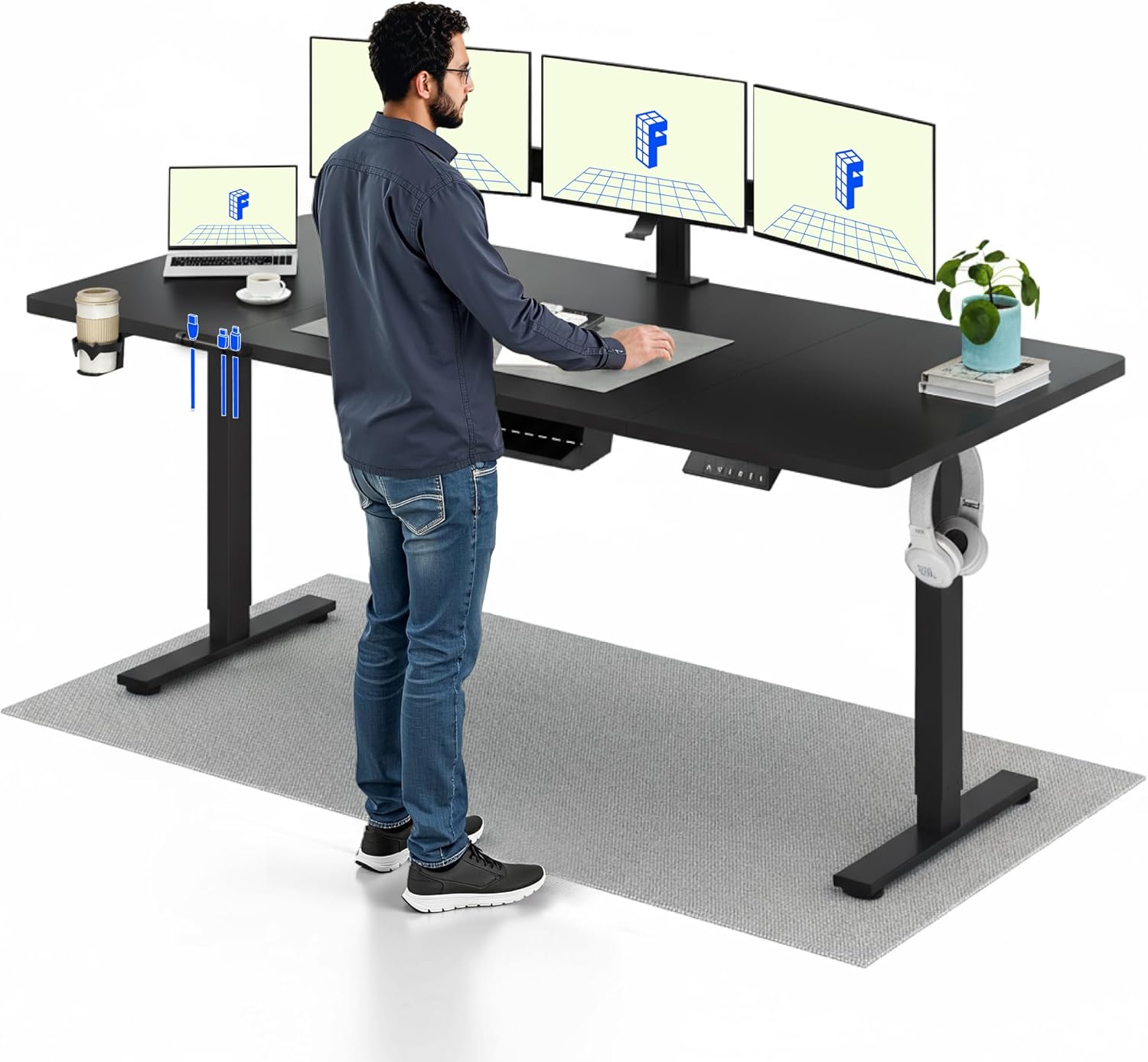
Image 1.1: A user standing comfortably at the FLEXISPOT electric height adjustable desk, demonstrating its ergonomic benefits for a dynamic workspace. The desk is equipped with multiple monitors and accessories.
2. Instruccions de seguretat
- Read all instructions carefully before assembly and operation.
- Assegureu-vos que tots els components estiguin ben subjectats abans d'utilitzar-los.
- Mantingueu els nens i les mascotes allunyats de l'escriptori durant l'ajust d'alçada.
- Do not overload the desk beyond its specified weight capacity of 70 kg.
- Eviteu col·locar líquids directament sobre el tauler de control o a prop de components elèctrics.
- Desconnecteu l'alimentació abans de la neteja o el manteniment.
- If any unusual noise or movement occurs, stop operation immediately and consult the troubleshooting section or contact support.
3. Contingut del paquet
Before beginning assembly, verify that all parts are present and undamaged. The desk consists of four main parts for the desktop, along with the frame components.

Image 3.1: This image illustrates the main components of the FLEXISPOT desk in an exploded view, highlighting its modular design for straightforward assembly. Key parts include the desktop, frame, and lifting columns.
Components típics:
- Desktop sections (4 parts)
- Lifting columns (legs)
- Coixinets de peu
- Components de la barra transversal/marc
- Caixa de control
- Handset/Control panel
- Adaptador d'alimentació i cable
- Cable management accessories (e.g., hooks, ties)
- Assembly hardware (screws, Allen wrenches)
4. Muntatge i muntatge
Assembly is designed to be straightforward. Follow the detailed instructions provided in the separate assembly guide included with your product. Ensure you have adequate space and assistance if needed, as the desk components can be heavy.
Passos de l'Assemblea General:
- Desempaquetar components: Traieu amb cura totes les peces de l'embalatge i col·loqueu-les sobre una superfície neta i suau per evitar ratllades.
- Muntar el marc: Attach the lifting columns to the foot pads and then connect them with the crossbar.
- Adjunta l'escriptori: Secure the desktop sections to the assembled frame using the provided screws.
- Instal·leu la caixa de control i el comandament a distància: Mount the control box and handset to the underside of the desktop in the designated locations.
- Connectar els cables: Connect the motor cables from the lifting columns to the control box, and then connect the handset cable and power cable to the control box.
- Gestió de cables: Use the included cable management accessories to organize and secure all cables.
- Engegada inicial: Plug the desk into a power outlet. The desk may require an initial reset as per the assembly guide.

Image 4.1: The FLEXISPOT desk is shown with a complete workstation setup, including a monitor, lamp, and accessories, emphasizing its suitability for a productive environment. The image also displays certifications for ergonomic comfort and performance.
5. Instruccions de funcionament
Your FLEXISPOT desk offers intuitive controls for height adjustment and memory functions.
5.1 Ajust d'alçada
- Botons amunt / avall: Utilitza el â–² (Amunt) i â–¼ (Down) buttons on the control panel to smoothly adjust the desk height. The desk can be adjusted between 73 cm and 118 cm.
- Fast Transitions: The desk features a lifting speed of 20 mm/s, allowing for quick changes between sitting and standing positions.
- Funcionament silenciós: The motor operates at a noise level of less than 50 dB, ensuring a quiet working environment.

Image 5.1: This image features two individuals using FLEXISPOT desks at different heights – one sitting and one standing – to illustrate the desk's versatile height adjustment range (735mm to 1180mm), accommodating various user preferences and ergonomic needs.
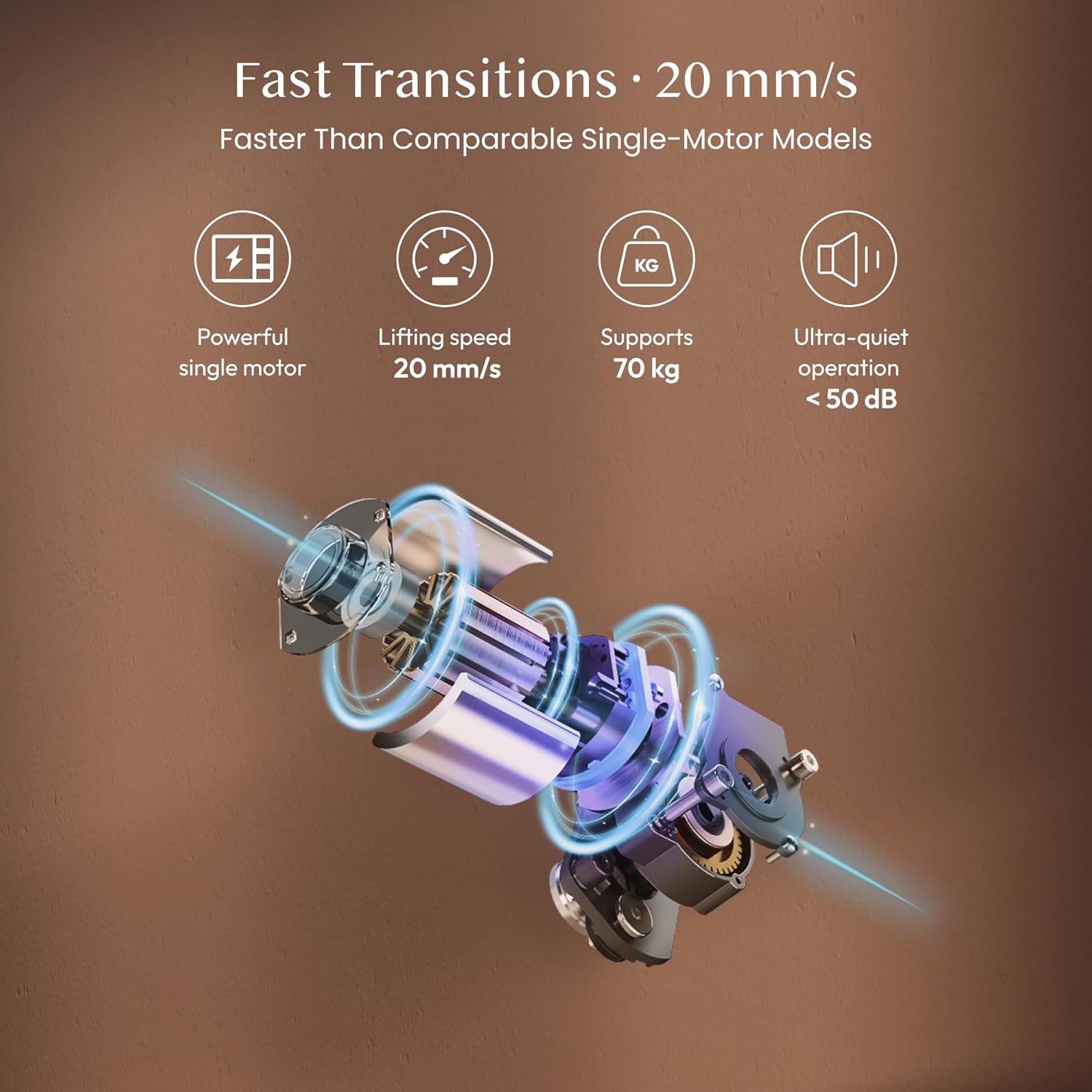
Image 5.2: This diagram showcases the advanced features of the FLEXISPOT desk's lifting mechanism, including a powerful single motor, a fast lifting speed of 20 mm/s, a weight capacity of 70 kg, and ultra-quiet operation below 50 dB.
5.2 Preajustos de memòria
The desk features a two-position memory function to save your preferred sitting and standing heights.
- Establir una posició de memòria: Ajusteu l'escriptori a l'alçada desitjada amb els botons Amunt/Avall. Premeu el botó M button, then press a number button (1 or 2) en 3 segons per desar l'alçada actual.
- Recordar una posició de memòria: Premeu el botó numèric corresponent (1 or 2) per moure automàticament l'escriptori a l'alçada desada.

Image 5.3: The image depicts a user working at the FLEXISPOT desk in a calm, focused environment, illustrating the desk's quiet operation, which is ideal for shared spaces or concentrated work without disturbance. The control panel with memory buttons is visible.
5.3 Bloqueig de seguretat infantil
To prevent accidental adjustments, the desk includes a child safety lock function.
- Activa el bloqueig: Manteniu premut el botó M button for 5 seconds until a lock indicator appears on the display (if available) or the desk stops responding to other button presses.
- Desactiva el bloqueig: Manteniu premut el botó M button again for 5 seconds to unlock the desk.
6. Manteniment
Regular maintenance ensures the longevity and optimal performance of your FLEXISPOT desk.
- Neteja: Netegeu l'escriptori i el marc amb un drap suauamp cloth. Avoid abrasive cleaners or harsh chemicals that could damage the surface.
- Inspecció del cable: Reviseu periòdicament tots els cables per detectar qualsevol signe de desgast, esfilagarsament o danys. Assegureu-vos que estiguin connectats correctament i que no estiguin pinçats.
- Estancament del cargol: Occasionally check and tighten any loose screws on the frame or desktop connections.
- Motor and Lifting Mechanism: The electric motor and lifting mechanism are designed to be maintenance-free. Do not attempt to lubricate or disassemble these components.
7. Solució De Problemes
Si teniu algun problema amb el vostre escriptori, consulteu els passos habituals següents per a la resolució de problemes:
| Problema | Causa possible | Solució |
|---|---|---|
| L'escriptori no es mou | Power cable disconnected; Child safety lock active; Overload; Motor error | Check power connection; Deactivate child safety lock; Reduce weight on desk; Perform a reset (refer to assembly guide for reset procedure). |
| Uneven movement or wobbling | Loose screws; Uneven floor; Obstruction | Tighten all assembly screws; Ensure desk is on a level surface; Check for any obstructions under the desk. |
| La funció de memòria no funciona | Incorrect setting procedure | Ensure you press 'M' then the number button within 3 seconds to save. |
| Soroll inusual durant el funcionament | Obstruction; Loose components | Check for obstructions; Tighten screws. If noise persists, contact support. |
If the problem persists after attempting these solutions, please contact FLEXISPOT customer support for further assistance.
8. Especificacions
| Característica | Especificació |
|---|---|
| Marca | FLEXISPOT |
| Número de model | FQ1B-2080-IE05-FS-EF |
| Color | Black Frame + Black Top |
| Dimensions de l'escriptori (L x A) | 200 cm x 80 cm |
| Interval d'ajust d'altura | 73 cm - 118 cm |
| Velocitat d'elevació | 20 mm/s |
| Capacitat de pes | 70 kg |
| Nivell de soroll | < 50 dB |
| Material d'escriptori | Engineered Wood (Laminated finish) |
| Material del marc | Acer reforçat |
| Característiques especials | Electric Height Adjustment, 2-Position Memory Function, Child Safety Lock |

Imatge 8.1: Una imatge detallada view of the FLEXISPOT desk highlights its robust construction, featuring a high-quality, scratch-resistant tabletop, a reinforced steel frame, and a central support beam designed for enhanced stability at any height.
9. Informació de la garantia
The FLEXISPOT Electric Height Adjustable Standing Desk comes with a 5 anys de garantia. This warranty covers defects in materials and workmanship under normal use. Please retain your proof of purchase for warranty claims. For specific terms and conditions, refer to the warranty card included with your product or visit the official FLEXISPOT weblloc.

Image 9.1: This image presents the FLEXISPOT desk in a contemporary office setup, emphasizing its comprehensive features for comfortable working, including a 5-year warranty, AAA+ stability rating, and its position as one of the fastest desks in its category.
10. Suport i contacte
For further assistance, technical support, or warranty inquiries, please contact FLEXISPOT customer service through the following channels:
- Oficial Weblloc: Visit the FLEXISPOT official weblloc web amb preguntes freqüents, recursos d'assistència i formularis de contacte.
- Suport per correu electrònic: Consulteu l'embalatge del producte o la fitxa oficial weblloc web per a l'adreça de correu electrònic d'atenció al client.
- Suport telefònic: Check the official FLEXISPOT weblloc web per a números de telèfon d'assistència regional.
Please have your model number (FQ1B-2080-IE05-FS-EF) and proof of purchase ready when contacting support.
Ask a question about this manual
Ask about setup, troubleshooting, compatibility, parts, safety, or missing instructions. Manuals+ will review the question and use this page’s manual context to help answer it.