
Introducció
Thank you for choosing the ACEMIC G6 2.4G Wireless Microphone Audio Transmitter and Receiver System. This system is designed to convert your traditional dynamic XLR microphone into a wireless setup, offering freedom of movement and high-quality audio transmission. It is ideal for various applications including live performances, presentations, and studio recording. Please read this manual thoroughly to ensure proper setup and operation.

Image: The ACEMIC G6 wireless transmitter (TX) and receiver (RX) units.
Producte acabatview
Contingut del paquet
- 1 x ACEMIC G6 Wireless Transmitter (TX)
- 1 x ACEMIC G6 Wireless Receiver (RX)
- 1 x Cable de càrrega dual USB-C
- 1 x Manual d'usuari
Característiques clau
- Tecnologia sense fil 2.4G: Provides stable and reliable audio transmission.
- XLR Plug-on Design: Easily converts dynamic XLR microphones to wireless.
- 6 Selectable Channels: Allows for multiple units to operate simultaneously without interference.
- Àmplia compatibilitat: Works with dynamic microphones, audio mixers, and PA systems.
- Llarga vida útil de la bateria: Built-in rechargeable lithium polymer batteries offer up to 10 hours of continuous working time.
- Rang de transmissió ampliat: Fins a 30 metres (100 peus) en zones obertes.
- Latència baixa: Audio latency of less than 5ms ensures real-time performance.
- Àudio d'alta qualitat: 24-bit/48kHz sampling rate for clear sound reproduction.
- Lleuger i portàtil: Each unit weighs approximately 40g for easy handling.
- Operació amb una sola tecla: Simple power on/off and mute/unmute functions.
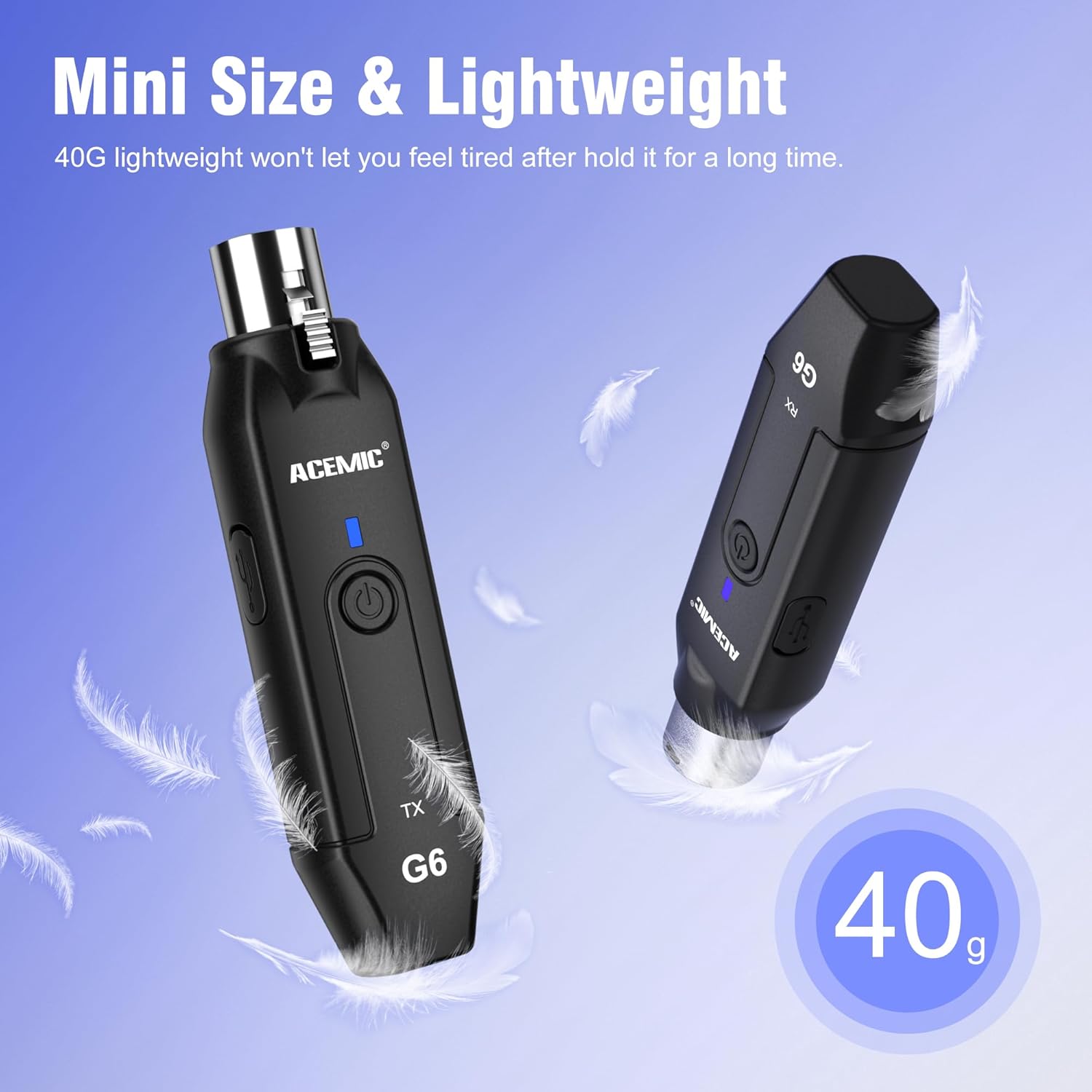
Image: The lightweight design of the ACEMIC G6, weighing 40 grams per unit.
Identificació de components
Each unit (Transmitter and Receiver) features:
- XLR Plug/Socket: For connecting to microphones or audio equipment.
- Lock Design (Transmitter): Secures the unit to the microphone.
- Port de càrrega tipus C: Per recarregar la bateria interna.
- Botó d'encesa: Long press to power on/off, short press for mute/unmute.
- Power/Pairing Indicator: LED light indicating power status, charging status, and pairing status.

Image: The ACEMIC G6 system demonstrating one-key pairing and connectivity with various audio devices.
Instruccions de configuració
1. Càrrega inicial
Before first use, fully charge both the transmitter and receiver. Use the provided dual USB-C charging cable to connect both units to a USB power adapter (not included). The status indicator will be red during charging and turn blue when fully charged. A full charge typically takes 3-4 hours.

Image: ACEMIC G6 units indicating charging status with LED lights.
2. Encès / apagat
Long press the power button on both the transmitter (TX) and receiver (RX) for 3 seconds to turn them on or off. The power indicator will light up.
3. Maridatge
The transmitter and receiver are designed to automatically pair when powered on. If they do not connect automatically, or if you need to re-pair them:
- Assegureu-vos que les dues unitats estiguin apagades.
- Long press the power button on both units simultaneously for 5 seconds.
- The system will enter pairing mode, and the power indicator will flash.
- Once successfully paired, the power indicator will stay blue.
4. Connecting to Equipment
- Transmissor (TX): Plug the XLR end of the transmitter directly into the XLR output of your dynamic microphone. Ensure it is securely locked.
- Receptor (RX): Plug the XLR end of the receiver into the XLR input of your audio mixer, PA system, or other audio interface.
Important Note: This system does not support phantom power. It is designed for use with dynamic microphones only. Do not attempt to use it with condenser microphones that require phantom power.

Image: A dynamic microphone made wireless with the ACEMIC G6 transmitter.
Instruccions de funcionament
Funció de silenci
While the unit is powered on, a short press of the power button on either the transmitter or receiver will mute the audio. The power indicator will flash. Short press again to unmute, and the indicator will return to a solid blue.
Multiple Sets Operation
The ACEMIC G6 system supports 2-3 sets operating simultaneously in the same location. Each set will automatically select an available channel upon pairing to minimize interference.

Image: The ACEMIC G6 system supporting multiple wireless microphone setups simultaneously.
Rendiment òptim
For best performance, ensure a clear line of sight between the transmitter and receiver. Avoid placing units near strong electromagnetic interference sources (e.g., Wi-Fi routers, microwave ovens) which may affect signal quality and range.
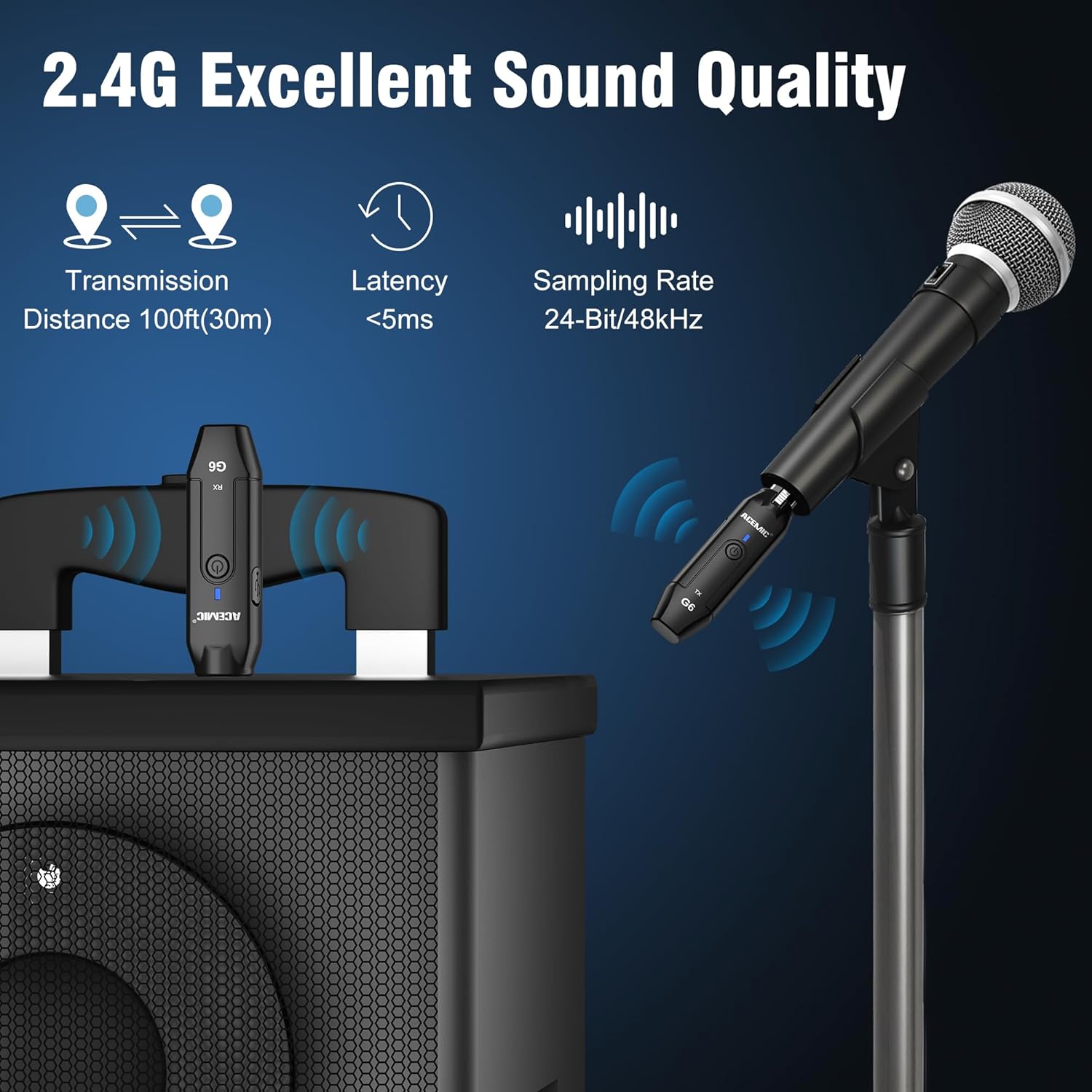
Image: Key performance specifications of the ACEMIC G6 system.
Manteniment
Cura de la bateria
- Recharge the units when the power indicator shows low battery (flashing red).
- Eviteu esgotar completament la bateria amb freqüència per allargar-ne la vida útil.
- If storing for an extended period, charge the units to approximately 50% every few months.
Neteja
Wipe the units with a soft, dry cloth. Do not use liquid cleaners or solvents, as they may damage the device.
Emmagatzematge
Guardeu el sistema en un lloc fresc i sec, allunyat de la llum solar directa i de temperatures extremes.
Resolució de problemes
- Sense so:
- Ensure both transmitter and receiver are powered on and paired (solid blue indicator).
- Check if the microphone is properly connected to the transmitter.
- Verify the receiver is correctly connected to your audio input device.
- Confirm the microphone is a dynamic type and does not require phantom power.
- Check volume levels on your mixer/PA system.
- Interferències/Mala qualitat del so:
- Move closer to the receiver to reduce distance.
- Assegureu-vos que no hi hagi obstacles entre l'emissor i el receptor.
- Avoid operating near other 2.4G wireless devices (e.g., Wi-Fi routers, Bluetooth devices).
- Re-pair the units to allow them to select a different channel.
- Unitats que no s'aparellen:
- Ensure both units are fully charged.
- Follow the re-pairing instructions in the Setup section.
- Durada de la bateria curta:
- Assegureu-vos que les unitats estiguin completament carregades abans d'utilitzar-les.
- El rendiment de la bateria pot degradar-se amb el temps amb un ús extensiu.
Especificacions
| Característica | Especificació |
|---|---|
| Model | G6 |
| Banda de freqüència | 2.4 GHz |
| Resposta de freqüència | 20Hz-20KHz |
| Font d'alimentació | Funciona amb piles (2 piles de polímer de liti incloses) |
| Capacitat de la bateria de liti | 600mAh (each unit) |
| Temps de treball continu | Fins a 10 hores |
| Temps de càrrega | 3-4 hores |
| Distància de transmissió | Up to 100ft (30m) in open area |
| Latència d'àudio | <5 ms |
| SampTarifa ling | 24 bits / 48 kHz |
| Ràtio senyal / soroll | 48 dB |
| Nombre de canals | 6 |
| Dimensions (L x A x A) | 0.98 x 0.71 x 4.13 polzades |
| Pes de l'article | 7 ounces (total for both units, approx. 40g each) |
| Material | Plàstic |
Garantia i Suport
ACEMIC products are designed for reliability and performance. This product comes with a standard manufacturer's warranty against defects in materials and workmanship. For specific warranty details, please refer to the warranty card included in your package or contact ACEMIC customer support.
If you encounter any issues or have questions regarding your ACEMIC G6 system, please contact our customer support team. You can find contact information on the ACEMIC official weblloc web o a través del vostre distribuïdor.