
Introducció
The FEITIAN SlimTag is a compact Bluetooth location tracker designed to help you locate your personal items using the Apple Find My network. Its credit-card form factor allows it to fit easily into wallets, bags, or attach to other belongings. This device is compatible with iOS devices and leverages the extensive Apple Find My network for secure and private location tracking.
El SlimTag features a range of up to 300 feet, a waterproof rating of IPX8, and a dustproof rating of IP6X, ensuring durability in various environments.
Contingut del paquet
- FEITIAN SlimTag Bluetooth Location Tracker
- Guia d'inici ràpid
Producte acabatview
El SlimTag is designed for discreet and efficient item tracking.
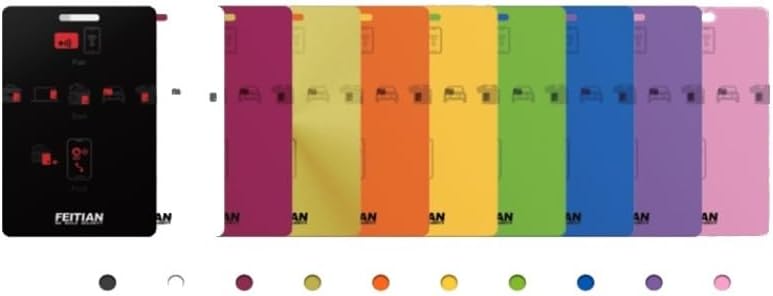
Image Description: This image displays the FEITIAN SlimTag. On the left, a black SlimTag shows its front and back, highlighting the power/location icon. On the right, a row of SlimTags in various colors (magenta, yellow, orange, light yellow, green, light green, purple, light purple, pink) demonstrates the available color options.
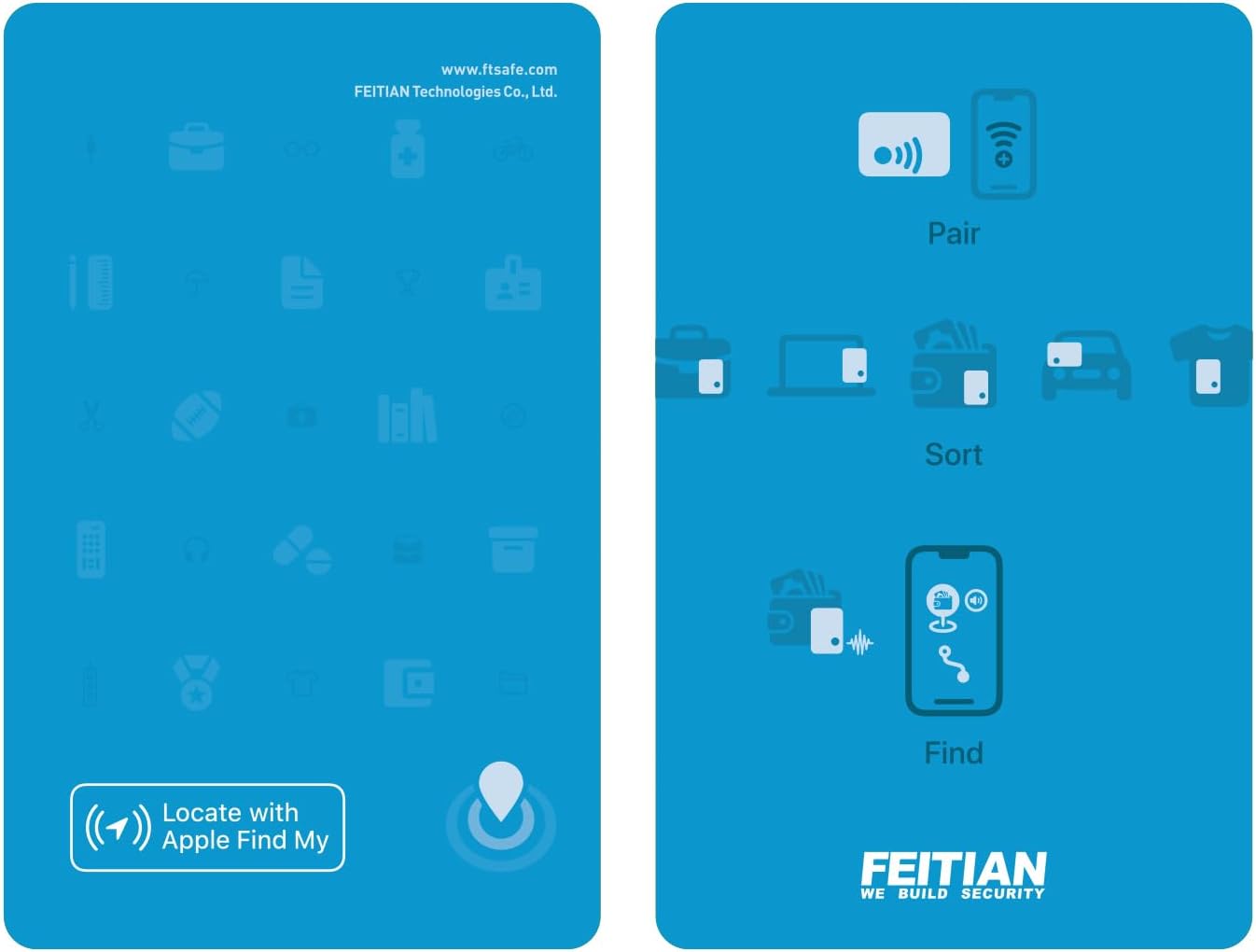
Image Description: This diagram illustrates the three main functions of the FEITIAN SlimTag. The top section shows "Pair" with an icon of a SlimTag connecting to a phone. The middle section shows "Sort" with icons of the SlimTag being used with a briefcase, laptop, wallet, car, and backpack. The bottom section shows "Find" with a phone displaying a map and a SlimTag icon, indicating its location. The bottom left corner also shows "Locate with Apple Find My" and the FEITIAN logo is visible at the bottom right.
Configuració
- Powering On/Off and Pairing:
To power on or off the device, and to initiate Bluetooth pairing, press and hold the "location icon" located at the lower-right corner on the backside of the card for 3 seconds.
- Connecting to Apple Find My:
The FEITIAN SlimTag is designed to work directly with the Apple Find My application. No additional apps are required.
On your iOS device, open the Find My application.
Navegueu fins a la pestanya "Elements".
Tap the "(+)" sign.
Select "Add Other Item".
Seguiu les instruccions a la pantalla per completar el procés de vinculació.
- Personalització:
After pairing, you can personalize the item name and select an icon for your SlimTag within the Find My application.
Instruccions de funcionament
- Locating Items:
Use the Apple Find My application to view the location of your SlimTag en un mapa.
If the SlimTag is within Bluetooth range (up to 60 meters or approximately 200 feet), you can trigger a sound (up to 95 dB) from the device to help pinpoint its exact location.
- "Left Behind" Reminders:
El SlimTag can notify you if it disconnects from your Apple device's Bluetooth connection. This "left behind reminder" feature helps prevent items from being forgotten.
- Identifying Found Items:
If you find a lost SlimTag, you can use the "Identify Found Item" feature within the Find My application to get information about the owner (if they have enabled lost mode and shared contact information).
Manteniment
- Durada de la bateria: El SlimTag has a long-life battery, lasting up to 2 years. The battery is built-in and not user-replaceable.
- Neteja: Netegeu el dispositiu amb un drap suau i sec. Eviteu utilitzar productes químics agressius o materials abrasius.
- Resistència a l'aigua i a la pols: The device has an IPX8 waterproof rating and an IP6X dustproof rating. While resistant to water and dust, avoid prolonged submersion or exposure to extreme conditions to ensure longevity.
Resolució de problemes
- Dispositiu no s'està emparellant:
Ensure the SlimTag is powered on by pressing and holding the location icon for 3 seconds.
Make sure your iOS device's Bluetooth is enabled.
Bring the SlimTag closer to your iOS device.
Try restarting your iOS device.
- No puc sentir el so:
Ensure the SlimTag is within the 60-meter Bluetooth range of your iOS device.
Check the volume settings on your iOS device.
- Ubicació incorrecta:
The accuracy of the location depends on the Apple Find My network coverage. In areas with fewer Apple devices, location updates might be less frequent or precise.
Ensure your iOS device has a stable internet connection.
Especificacions
- Número de model: EsveltTag
- Dimensions: 3.37" L x 2.13" W x 0.08" Th (85.6 mm x 54.1 mm x 2.0 mm)
- Pes: 0.529 unces (15 grams)
- Connectivitat: Bluetooth
- Bateria: 1 Lithium Ion battery (built-in, included)
- Durada de la bateria: Fins a 2 anys
- Nivell de so: Fins a 95 dB
- Interval: Up to 300 feet (Bluetooth tracking range up to 60 meters for sound trigger)
- Resistència a l'aigua: IPX8
- Resistència a la pols: IP6X
- Material: Plàstic
- Compatibilitat: iOS devices (Apple Find My network)
- Fabricant: FEITIAN Technologies Co., Ltd.
Informació de la garantia
Specific warranty details are not provided in the product description. Please refer to the manufacturer's official weblloc web o poseu-vos en contacte amb l'atenció al client per obtenir els termes i condicions detallats de la garantia.
Suport
For further assistance or technical support, please visit the official FeiTian weblloc o poseu-vos en contacte amb el seu departament d'atenció al client.
Manufacturer: FEITIAN Technologies Co., Ltd.
Botiga de marca: FeiTian Store on Amazon