
1. Introducció
This manual provides detailed instructions for the safe and effective use of your AWEI T25 Wireless Earbuds. Please read this manual thoroughly before using the product and retain it for future reference.
2. Contingut del paquet
Assegureu-vos que tots els elements siguin presents al paquet:
- AWEI T25 Wireless Bluetooth Headset (Left and Right Earbuds)
- AWEI T25 Wireless Bluetooth Headset Charging Case
- Cable de càrrega USB-C
- Instruccions d'ús (aquest manual)
3. Producte acabatview
Familiarize yourself with the components of your AWEI T25 Wireless Earbuds.
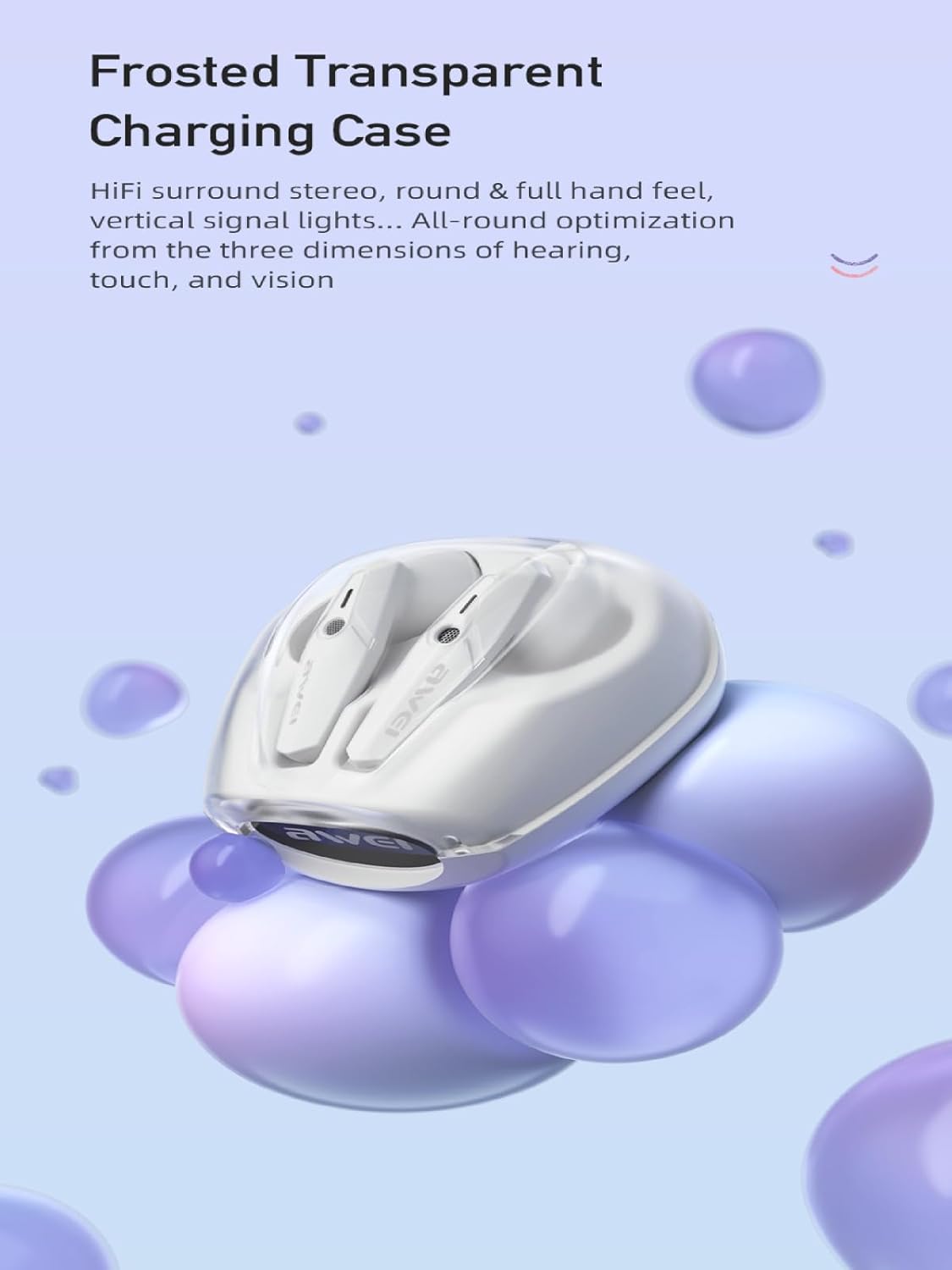
Image: AWEI T25 Wireless Earbuds housed within their frosted transparent charging case, showcasinel disseny i els contactes de càrrega.
The earbuds feature an in-ear design for a comfortable and secure fit. The charging case protects the earbuds and provides additional battery life.
4. Configuració
4.1 Charging the Earbuds and Charging Case
Abans del primer ús, carregueu completament els auriculars i l'estoig de càrrega.
- Col·loca els auriculars a l'estoig de càrrega, assegurant-te que estiguin correctament col·locats.
- Connecteu el cable de càrrega USB-C al port de càrrega de la funda i l'altre extrem a un adaptador de corrent USB (no inclòs) o al port USB d'un ordinador.
- Els indicadors lluminosos de la funda mostraran l'estat de càrrega. Una càrrega completa de la funda triga aproximadament 1.5 hores.
- The earbuds will charge automatically when placed in the powered case.
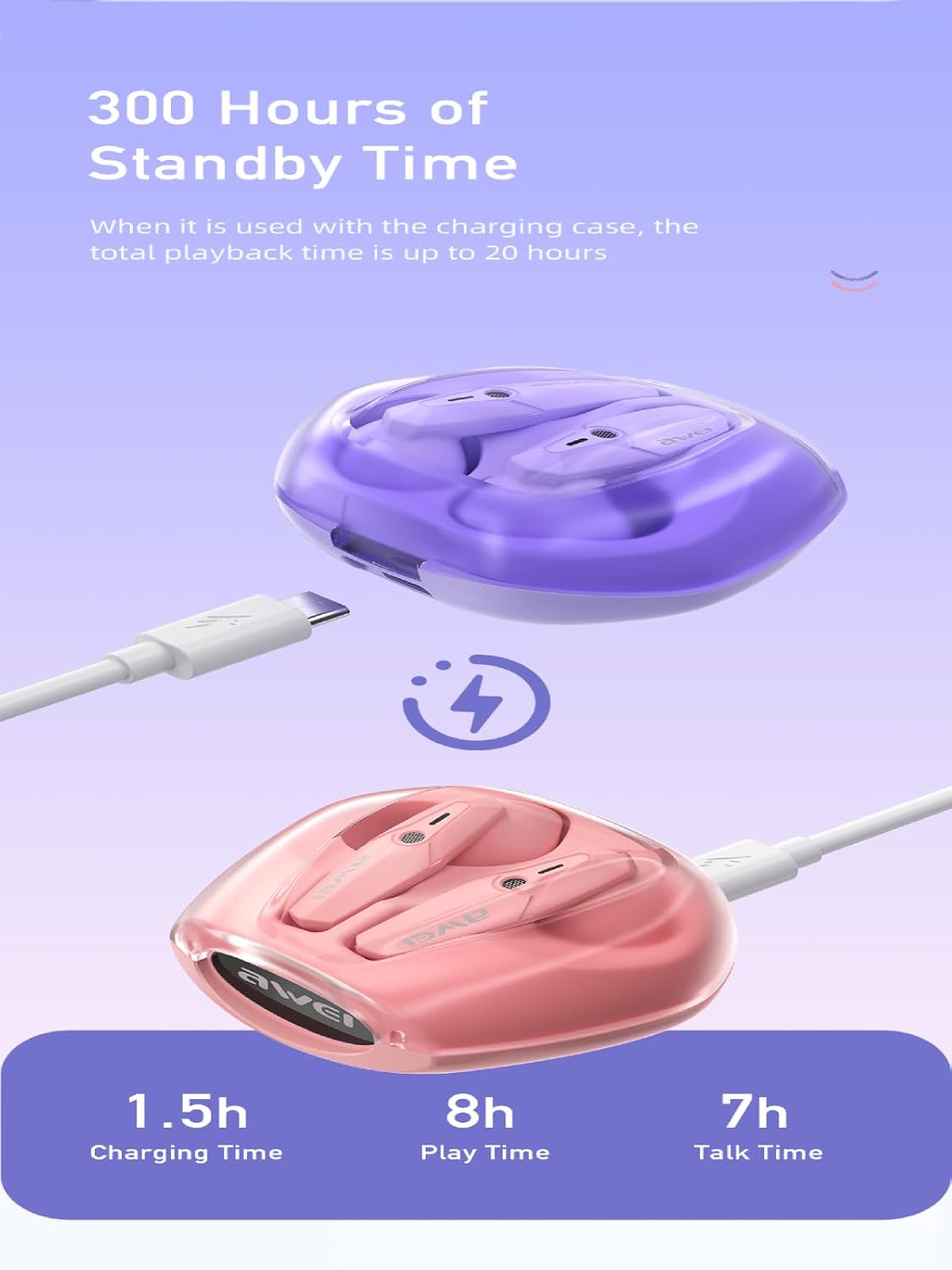
Image: The AWEI T25 charging case connected via a USB-C cable, illustrating the charging process and indicating charging time (1.5h), play time (8h), and talk time (7h).
A fully charged case provides multiple charges for the earbuds, extending total playback time up to 38 hours in dual-ear mode, or 76 hours in single-ear mode by alternating earbuds.
4.2 Emparellament amb un dispositiu Bluetooth
The AWEI T25 earbuds utilize Bluetooth 5.3 technology for a stable connection.
- Obre l'estoig de càrrega. Els auriculars s'encendran automàticament i entraran en mode d'emparellament.
- Al dispositiu (telèfon intel·ligent, tauleta, ordinador portàtil), activeu el Bluetooth.
- Cerca "AWEI T25" a la llista de dispositius Bluetooth disponibles.
- Seleccioneu "AWEI T25" per connectar-vos. Un cop connectat, sentireu un to de confirmació.
- Els auriculars es tornaran a connectar automàticament a l'últim dispositiu emparellat quan es treguin de l'estoig, si el Bluetooth està activat al dispositiu.

Image: A visual representation of the Bluetooth 5.3 chipset, highlighting its role in stable and smooth wireless transmission with low power consumption.
5. Instruccions de funcionament
5.1 Encès/Apagat
- Encès: Obriu l'estoig de càrrega o premeu llargament la zona tàctil dels dos auriculars durant 3 segons.
- Apagar: Torneu a col·locar els auriculars a l'estoig de càrrega i tanqueu la tapa o premeu llargament la zona tàctil d'ambdós auriculars durant 5 segons.
5.2 Controls tàctils
The AWEI T25 earbuds feature smart touch controls on each earbud. The functions are as follows:
| Acció | Auricular esquerre (L) | Auricular dret (R) |
|---|---|---|
| Reproducció/pausa de música | Un sol toc | Un sol toc |
| Següent Cançó | Triple toc | Fes doble toc |
| Cançó anterior | Fes doble toc | Triple toc |
| Puja el volum | Premsa llarga | - |
| Baixa el volum | - | Premsa llarga |
| Respondre/Finalitzar la trucada | Un sol toc | Un sol toc |
| Rebutja la trucada | Premsa llarga | Premsa llarga |
| Activa l'Assistent de veu | Toc quàdruple | Toc quàdruple |
The earbuds offer a low-latency mode, beneficial for gaming, providing synchronized sound and picture. This feature is automatically managed by the Bluetooth 5.3 chipset.

Image: A user engaged in mobile gaming while wearing AWEI T25 earbuds, illustrating the low-latency feature for an enhanced audio-visual experience.
Mode d'auricular únic 5.3
You can use either the left or right earbud independently. Simply take one earbud out of the case, and it will automatically connect to your device if previously paired. The other earbud can remain in the case or be used later.
6. Manteniment
6.1 Neteja
- Netegeu regularment els auriculars i l'estoig de càrrega amb un drap suau, sec i sense borrissol.
- No utilitzeu netejadors abrasius, alcohol ni dissolvents químics.
- Ensure charging contacts on both earbuds and case are clean and free of debris for optimal charging.
6.2 Emmagatzematge
- Quan no els utilitzeu, guardeu els auriculars a la seva funda de càrrega per protegir-los i mantenir-los carregats.
- Emmagatzemar en un lloc fresc i sec, allunyat de temperatures extremes i de la llum solar directa.
6.3 Resistència a l'aigua (IPX5)
The AWEI T25 earbuds are rated IPX5 waterproof, meaning they are protected against low-pressure water jets from any direction. This makes them suitable for sports and protection against sweat and light rain.
- No submergiu els auriculars a l'aigua.
- Do not expose them to strong water jets or wear them while swimming or showering.
- La funda de càrrega no és impermeable.
- Assegureu-vos que els auriculars estiguin secs abans de tornar-los a col·locar a l'estoig de càrrega per evitar que es facin malbé.
7. Solució De Problemes
If you encounter issues with your AWEI T25 earbuds, refer to the following common problems and solutions:
- Auriculars que no s'emparellan:
- Assegureu-vos que els dos auriculars estiguin carregats.
- Desactiva el Bluetooth del dispositiu i torna'l a activar.
- Oblida't de "AWEI T25" de la llista Bluetooth del teu dispositiu i intenta tornar a emparellar-lo.
- Torneu a col·locar els auriculars a la funda, tanqueu la tapa, espereu uns segons i, a continuació, obriu-la per reiniciar el mode d'emparellament.
- Només funciona un auricular:
- Assegureu-vos que els dos auriculars estiguin carregats.
- Place both earbuds back into the charging case, close the lid, and then take them out together.
- Prova de restablir els auriculars (consulta les instruccions específiques de restabliment si n'hi ha o prova de deixar de banda el dispositiu i tornar-los a emparellar).
- Sense so:
- Check the volume level on your device and on the earbuds.
- Assegureu-vos que els auriculars estiguin connectats correctament al dispositiu.
- Prova de reproduir àudio des d'una altra aplicació o dispositiu.
- Problemes de càrrega:
- Assegureu-vos que el cable USB-C estigui connectat correctament tant a la carcassa com a la font d'alimentació.
- Proveu un cable USB-C o un adaptador d'alimentació diferent.
- Netegeu els contactes de càrrega dels auriculars i de l'interior de la funda.
8. Especificacions
Key technical specifications for the AWEI T25 Wireless Earbuds:
| Característica | Detall |
|---|---|
| Model | T25 |
| Marca | Awei |
| Tecnologia de connectivitat | Sense fil (Bluetooth 5.3) |
| Versió Bluetooth | 5.3 |
| Col·locació de l'orella | A l'orella |
| Tipus de control | Control tàctil |
| Mida de l'altaveu | 13mm (Moving-Coil Horns) |
| Durada de la bateria dels auriculars | Up to 8 hours (continuous use per charge) |
| Caixa de càrrega Capacitat de la bateria | 300 mAh |
| Temps total de reproducció (amb estoig) | Fins a 38 hores (mode de doble orella), 76 hores (mode d'una sola orella) |
| Temps de càrrega (cas) | Aprox. 1.5 hores (via tipus C) |
| Nivell de resistència a l'aigua | IPX5 (només auriculars) |
| Material | Silicona |
| Pes de l'article | 90 g |
| Dispositius compatibles | Smartphones, PCs, Tablets, Laptops, TVs |

Imatge: Una explosió view diagram illustrating the 13mm moving-coil horns within the AWEI T25 earbuds, responsible for dynamic treble, full mid-range, and deep bass sound.
9. Garantia i Suport
For warranty information or technical support, please refer to the warranty card included with your product or contact AWEI customer service through their official website or the retailer from whom you purchased the product. Please have your model number (T25) and purchase details ready.