
Dreo CLF513
Dreo Ceiling Fan with Lights (Model: CLF513) - Instruction Manual
La vostra guia d'instal·lació, funcionament i manteniment.
1. Introducció
The Dreo Ceiling Fan with Lights (Model CLF513) is designed to provide optimal air circulation and versatile lighting for your home. Featuring a low-profile black design, this 44-inch fan is suitable for various rooms including bedrooms, living rooms, and kitchens. It boasts a quiet DC motor, multiple speed settings, dimmable lighting with adjustable color tones, and convenient remote control operation.

Figure 1: Dreo 44-inch Low Profile Black Ceiling Fan with Lights and Remote Control.

Figure 2: Dreo Ceiling Fan installed in a modern living room, showcasing its sleek design and effective air circulation.
2. Configuració i instal·lació
The Dreo Ceiling Fan is designed for simplified installation with preassembled parts. However, it is crucial to follow all safety guidelines and ensure proper electrical connections.
2.1 Precaucions de seguretat
- ADVERTIMENT: El ventilador de sostre ha d'estar connectat a terra. Si el cable de terra per al lloc d'instal·lació no està present, Atureu immediatament la instal·lació i consulteu un electricista qualificat.
- Disconnect power by turning off circuit breakers before beginning installation.
- Ensure the ceiling electrical box is securely fastened to a building structure and is acceptable for fan support of 15.9 kg (35 lbs) or less.
- Tighten all screws in place using a screwdriver for your safety.
2.2 Passos d'instal·lació
For a detailed visual guide, please refer to the official installation video below.
Video 1: Official Installation Guide for Dreo Ceiling Fan CLF513. This video provides step-by-step instructions for safely installing your new ceiling fan.
- Prepare the Ceiling Bracket: Gently loosen three out of the four screws on the ceiling fan body. Keep them approximately 0.16 inches away from the bracket. Completely unscrew the remaining fourth screw for later use.
- Hang the Ceiling Fan Body: Hang the ceiling fan body in place on the ceiling bracket. Release your grip once the fan is securely hung. Position the ceiling fan body facing upward, align its oval-shaped screw slot with the L-shaped hook on the ceiling bracket. Slightly rotate counterclockwise to securely fasten them. Ensure that every screw is firmly seated within the L-shaped slots.
- Connecteu el cablejat:
- Fil verd: Connect to the ground wire.
- Fil negre: Connecteu-vos al cable viu.
- Filferro blanc: Connecteu-vos al cable neutre.
- Secure the Fan Body: Carefully unhook the ceiling fan body from the L-shaped hook. Align and secure the previously removed fourth screw with the oval-shaped screw slot on the ceiling bracket. Tighten all four screws in place using a screwdriver.
- Assemble the Blades: Make sure that the two blade slots align with the vertical tabs of the ceiling fan body. Partially insert the screws and washers into the blade's holes and then use a screwdriver to securely tighten them. Repeat for all four blades.
- Assemble the Light Kit: Connect the ports of the wires from the ceiling fan body to the light kit. Rotate the light kit clockwise to ensure you hear a 'click' sound, indicating it is securely fastened.

Figure 3: The innovative preassembled design of the Dreo Ceiling Fan simplifies installation.
3. Com fer funcionar el ventilador de sostre
The Dreo Ceiling Fan comes with a remote control for convenient operation of all its features.
3.1 Funcions de control remot
Figure 4: The remote control for the Dreo Ceiling Fan.
- Ajust de velocitat del ventilador: The fan offers 6 speed settings. Use the numbered buttons (1-6) on the remote to select your desired airflow.
- Ajust del nivell de brillantor: The integrated LED light has 6 brightness levels (up to 2400 lumens). Use the light intensity buttons (+/-) to adjust the brightness.
- Ajust de temperatura de color: Choose from 5 light tones (2700K to 6500K) to match your ambiance. Use the color temperature buttons on the remote to cycle through the options.
- Soft Light Mode: Activate a gentle, soft light setting for nighttime use.
- Reversible Effect: Change the fan's blowing direction with a single touch. In summer, the fan blows cool air downwards. In winter, it moves cold air upwards to redistribute warm air.
- Funció de temporitzador: Configura el ventilador perquè s'apagui automàticament després de 1, 4 o 8 hores.
- Funció de memòria: The fan remembers your last used settings for fan speed and light options.
- Botó de silenci: Press the mute button on the remote control to eliminate operational sounds (beeps) when making adjustments.
3.2 Remote Control Holder Installation
The remote control comes with a holder for convenient storage. You can install it using either 3M glue or wall-mounted screws.
- Option 1 (3M Glue): Peel off the protective film from the 3M adhesive on the back of the holder and firmly press it onto a clean, dry wall surface.
- Option 2 (Wall-mounted Screws): Drill two corresponding holes in your desired wall location. Insert two screws into the holes, leaving them slightly protruding. Slide the backboard of the holder upward onto the screws to secure it.
Vídeo 2: Acabatview of Dreo Ceiling Fan features and remote control usage. This video demonstrates the various functions of the fan and its remote.
4. Manteniment
To ensure optimal performance and longevity of your Dreo Ceiling Fan, regular maintenance is recommended.
- Neteja: Periodically wipe down the fan blades and motor housing with a soft, damp tela. Eviteu utilitzar productes químics aggressivs o netejadors abrasius.
- Estancament de la fulla: Check the tightness of the blade screws regularly to prevent wobbling and noise.
- Kit de llum: The LED light kit is integrated and designed for long-term use. If issues arise, consult customer support.
5. Solució De Problemes
If you encounter any issues with your Dreo Ceiling Fan, refer to the following common troubleshooting tips:
| Problema | Causa possible | Solució |
|---|---|---|
| El ventilador no funciona. | No power to the fan; loose wiring; remote control battery low. | Check circuit breaker. Ensure all wire connections are secure. Replace remote control battery. |
| El ventilador es trontolla. | Cargols de la fulla solts; fulles desequilibrades; suport de muntatge solt. | Tighten all blade screws. Ensure blades are balanced (use balancing kit if provided). Verify mounting bracket is securely installed. |
| La llum no funciona. | Loose light kit connection; LED failure. | Check light kit wire connections. If LED is faulty, contact customer support. |
| El comandament a distància no funciona. | Low battery; remote not paired. | Replace battery. Refer to remote pairing instructions in the full user manual (if applicable). |
6. Especificacions
- Marca: Dreo
- Nom del model: CLF513
- Color: Negre
- Dimensions del producte: 44 "P x 44" W x 9.67" H
- Font d'alimentació: DC
- Wattage: 50 watts
- Nombre de fulles: 4
- Capacitat de flux d'aire: 3171 CFPH
- Nombre de nivells de potència: 6 (velocitats del ventilador)
- Tipus de llum: LED (6 brightness levels, 5 color tones)
- Mètode de control: Control remot
- Components inclosos: 1 LED Integrated Light Kit, 4 Blades, 1 Ceiling Fan Body, 1 Remote and Holder (Equipped with battery), Balancing Weight and Clips
- Pes de l'article: 15.17 lliures
- País d'origen: Xina
- Any de fabricació: 2024
- Certificacions: FCC, DOE, ETL
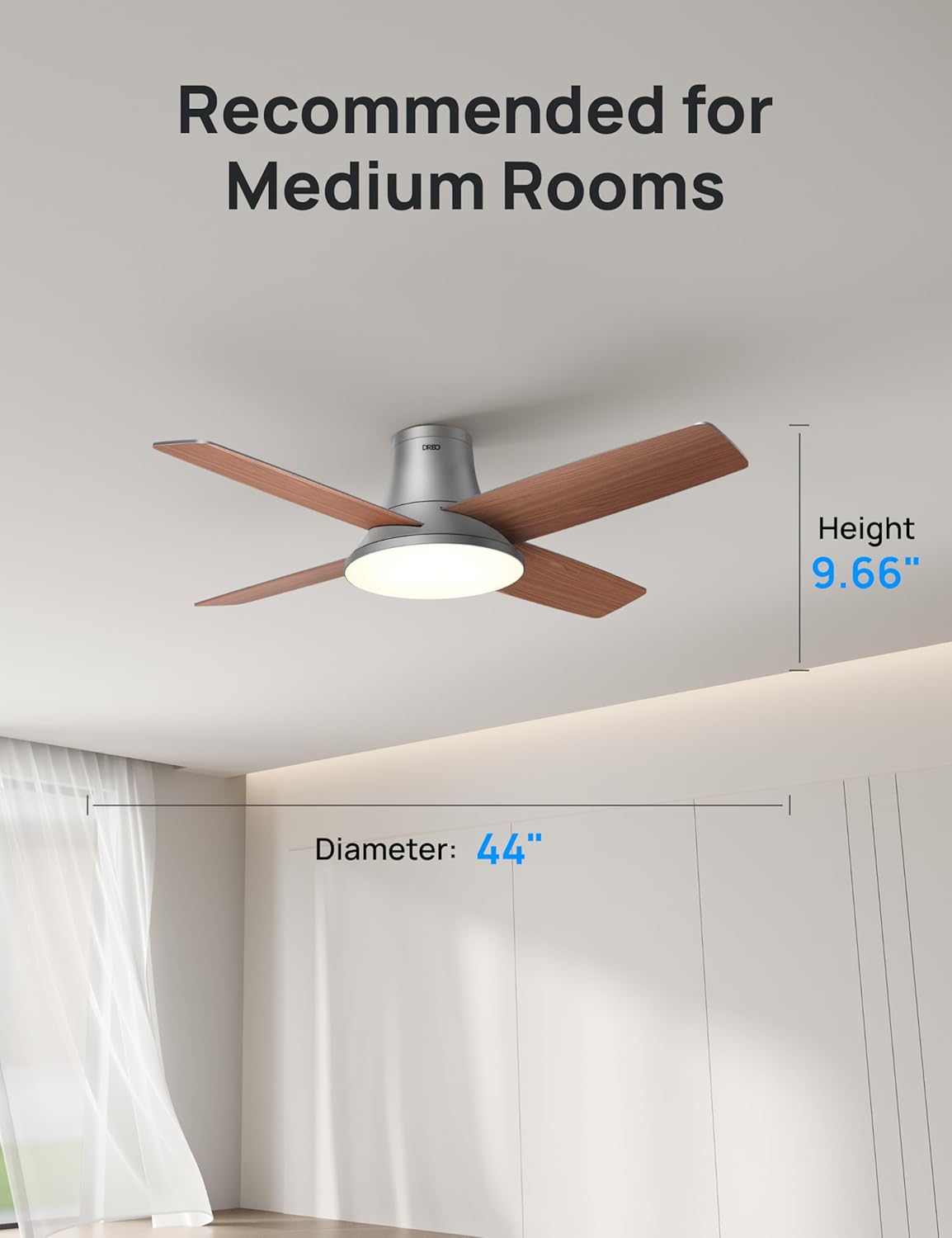
Figure 5: Key dimensions of the Dreo Ceiling Fan.
7. Garantia i Suport
Your Dreo Ceiling Fan (Model CLF513) comes with a 12 mesos de garantia des de la data de compra.
For technical support, troubleshooting assistance, or warranty claims, please contact Dreo Customer Service. Refer to the official user manual for contact details or visit the Dreo weblloc.
You can also find the official Instructions for Use (IFU) in PDF format aquí.
Ask a question about this manual
Ask about setup, troubleshooting, compatibility, parts, safety, or missing instructions. Manuals+ will review the question and use this page’s manual context to help answer it.