
Introducció
This manual provides essential information for the safe and efficient use of your MEDION E16423 MD62571 laptop. Please read these instructions carefully before operating your device and retain them for future reference.
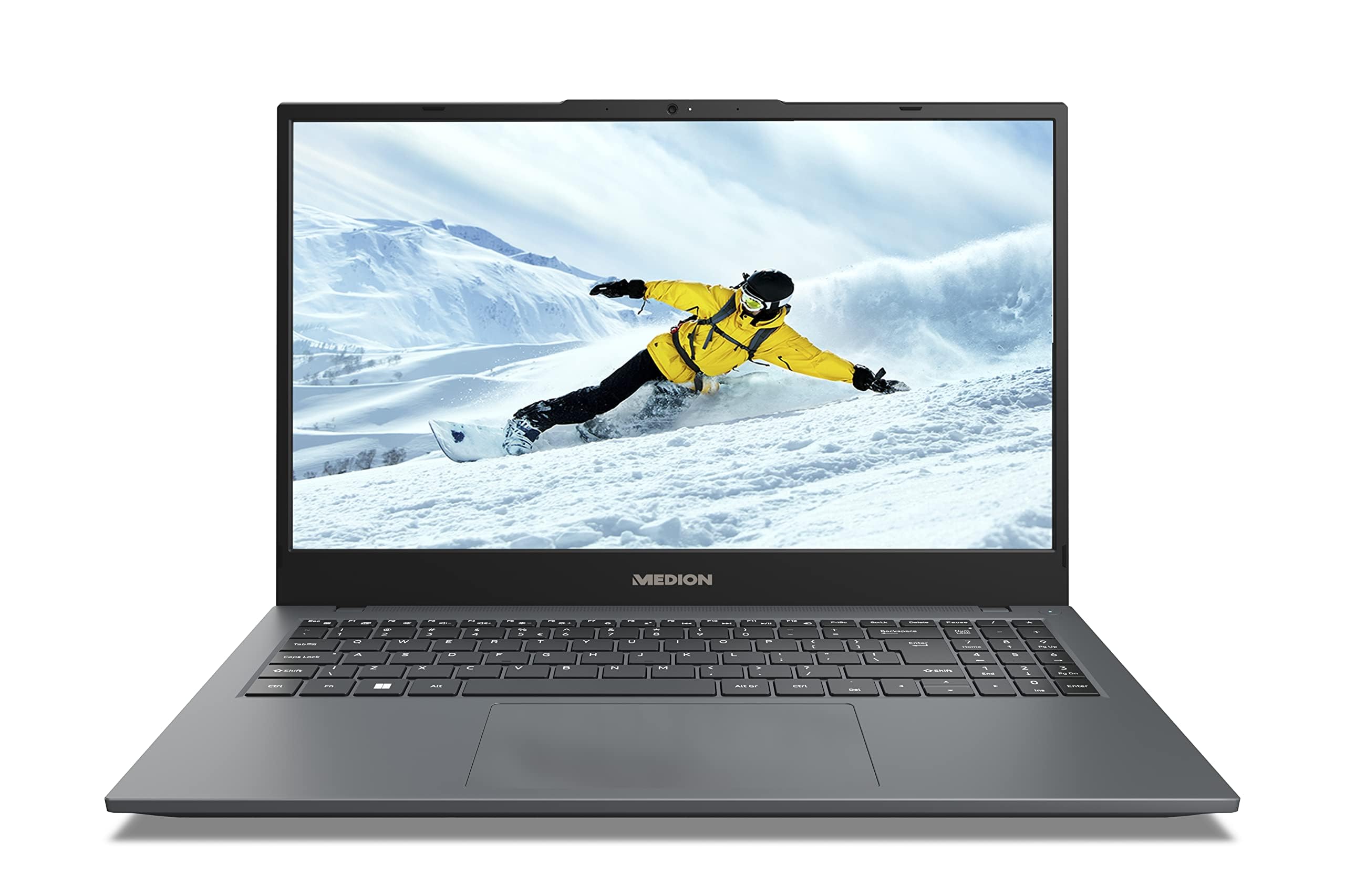
Image: The MEDION E16423 MD62571 laptop, showcasing its sleek design and 16-inch display.
1. Configuració
1.1 Desembalatge i inspecció inicial
Traieu amb cura tots els components de l'embalatge. La caixa ha de contenir els elements següents:
- MEDION E16423 MD62571 Laptop
- Adaptador/carregador de corrent
- Manual d'instruccions (aquest document)
Inspect all items for any signs of damage. If any item is damaged or missing, contact customer support immediately.
1.2 Connexió de l'adaptador de corrent
Connect the power adapter to the laptop's power input port and then plug the adapter into a wall outlet. It is recommended to fully charge the laptop before initial use.
1.3 Engegada inicial i configuració del sistema operatiu
Press the power button to turn on your laptop. The device comes pre-installed with Windows 11 Home. Follow the on-screen instructions to complete the initial setup, which includes:
- Selecció de la vostra regió i idioma.
- Connexió a una xarxa Wi-Fi.
- Acceptació de l'acord de llicència.
- Creació d'un compte d'usuari.
2. Com fer servir el portàtil
2.1 Funcionament bàsic
Your laptop features an AZERTY keyboard layout and a responsive touchpad for navigation. Familiarize yourself with the key functions and gestures for the touchpad.
2.2 Connectivitat
The MEDION E16423 MD62571 supports various connectivity options:
- Sense fil: Integrated 802.11ac Wi-Fi for internet access and Bluetooth for connecting wireless peripherals.
- Ports USB: The laptop is equipped with 3 USB ports for connecting external devices such as mice, keyboards, or external storage.
2.3 Pantalla
The laptop features a 16-inch LCD display with a resolution of 1920 x 1200 pixels (Full HD+). You can adjust display settings such as brightness and resolution through the Windows 11 settings menu.
3. Manteniment i cura
3.1 Neteja general
To clean the laptop, use a soft, lint-free cloth. For the screen, use a specialized screen cleaner. Avoid using harsh chemicals or abrasive materials.
3.2 Actualitzacions de programari
Regularly check for and install Windows updates to ensure optimal performance and security. You can find update options in the Windows Settings.
3.3 Gestió d'emmagatzematge
Your laptop uses an SSD (Solid State Drive) for storage. Periodically manage your files and uninstall unused applications to maintain performance. The laptop includes Microsoft Office 365 for automatic backup software.
4. Solució De Problemes
This section addresses common issues you might encounter. For more complex problems, please refer to the official MEDION support weblloc o contacteu amb el servei d'atenció al client.
4.1 Problemes d'energia
- El portàtil no s'encén: Assegureu-vos que l'adaptador de corrent estigui connectat correctament tant al portàtil com a una presa de corrent que funcioni. Comproveu si la bateria està carregada.
- La bateria no es carrega: Verifiqueu que l'adaptador de corrent funciona correctament. Proveu una altra presa de corrent.
4.2 Problemes de visualització
- La pantalla està en blanc: Ensure the laptop is powered on. Adjust screen brightness. Connect an external monitor to check if the issue is with the laptop's display or graphics output.
4.3 Problemes de connectivitat
- No es pot connectar a Wi-Fi: Comproveu si el Wi-Fi està habilitat a la configuració de Windows. Reinicieu el router i el portàtil. Assegureu-vos que esteu introduint la contrasenya Wi-Fi correcta.
- El dispositiu Bluetooth no es connecta: Assegureu-vos que el Bluetooth estigui habilitat tant al portàtil com al dispositiu. Poseu el dispositiu en mode d'emparellament.
5. Especificacions
Below are the detailed technical specifications for the MEDION E16423 MD62571 laptop:
| Característica | Detall |
|---|---|
| Marca | MEDIÓ |
| Nom del model | E16423 MEDION MD62571 FR |
| Mida de la pantalla | 16 polzades |
| Resolució de visualització | 1920 x 1200 pixels (Full HD+) |
| Tipus de visualització | LCD |
| Model de CPU | Intel Core i5 (Intel i5-1155G7 2.5GHz 12W SRKSD) |
| Velocitat de la CPU | 8 GHz (Base), 4.7 GHz (Max Boost) |
| Mida de la memòria RAM | 8 GB DDR4 |
| Tipus d'emmagatzematge | SSD |
| Sistema operatiu | Windows 11 Home |
| Graphics Description | Gràfics Intel integrats |
| Tecnologia sense fils | Wi-Fi 802.11ac, Bluetooth |
| Ports USB | 3 Total USB Ports |
| Disposició del teclat | AZERTY |
| Dispositiu d'entrada | Touchpad |
| Programari inclòs | Microsoft Office 365 (backup software) |
| Dimensions (L x A x A) | 3.66L x 2.43W x 0.2H meters |
| Model de l'any | 2024 |
6. Informació de la garantia
Your MEDION E16423 MD62571 laptop is covered by a 2 any de garantia del fabricant. This warranty covers defects in materials and workmanship under normal use. For full terms and conditions, please refer to the warranty card included with your product or visit the official MEDION weblloc.
Conserveu el vostre comprovant de compra per a reclamacions de garantia.
7. Suport
For technical assistance, driver downloads, or further support, please visit the official MEDION support weblloc web. També hi podeu trobar preguntes freqüents i informació de contacte per al servei d'atenció al client.
MEDION Official Weblloc: https://www.medion.com/fr/service/ (Exampl'enllaç, l'enllaç real pot variar)