
1. Introducció
Thank you for choosing the UGREEN CM565 USB-C to HDMI 2.1 8K 60Hz Cable. This high-performance cable is designed to deliver superior audio and video quality, providing vibrant colors and clear sound without compression. It is ideal for connecting your USB-C enabled devices, such as computers, laptops, tablets, or phones, to HDMI displays like TVs or projectors, supporting resolutions up to 8K at 60Hz.
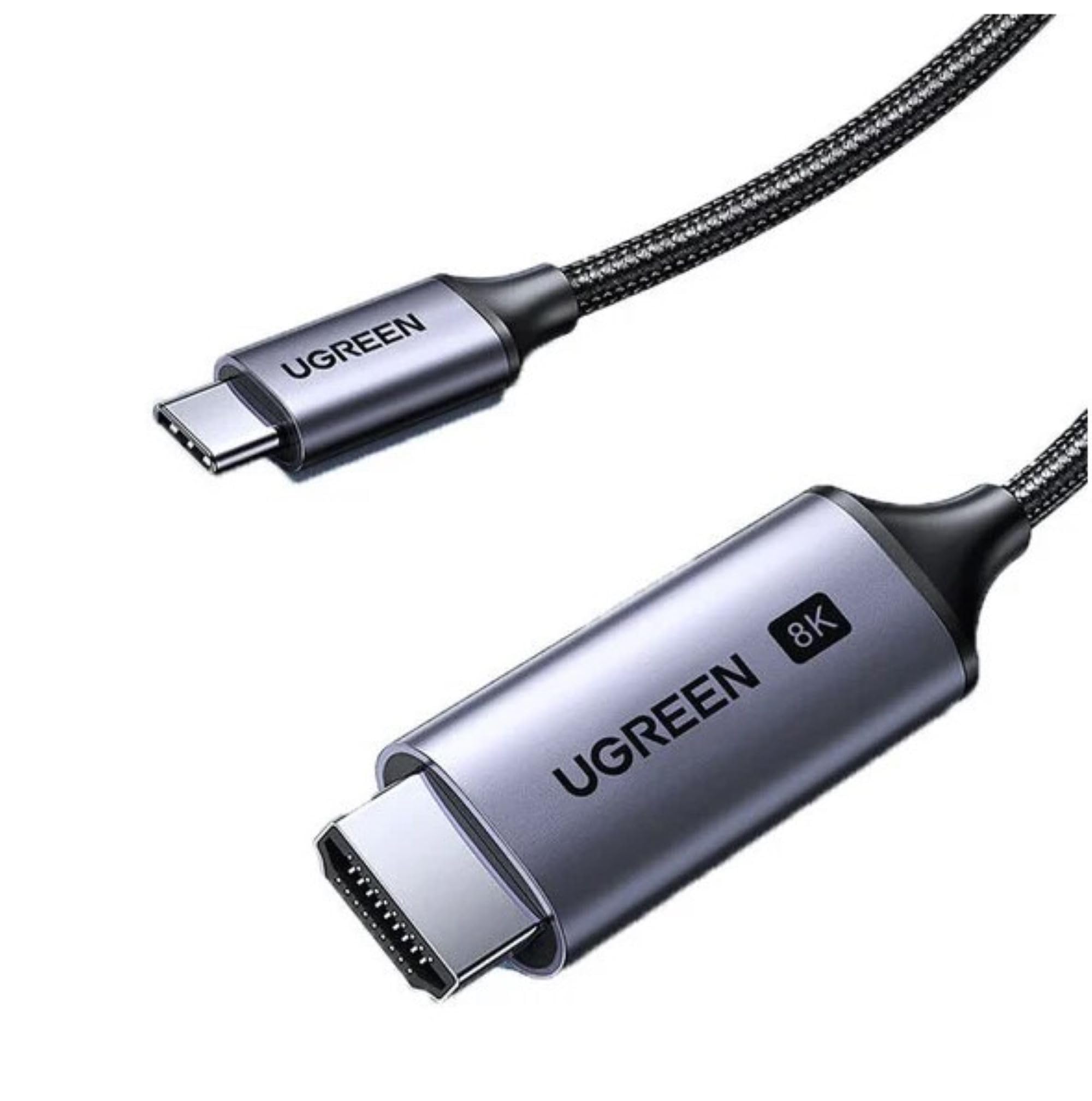
Image 1.1: UGREEN USB-C to HDMI 2.1 cable connected to a television.
2. Característiques del producte
- Suport d'alta resolució: Supports resolutions up to 8K (7680x4320) at 60Hz, ensuring crisp and detailed visuals.
- HDMI 2.1 Standard: Compliant with HDMI 2.1 specifications for enhanced bandwidth and features.
- Visuals vibrants: Delivers vibrant and vivid colors for an immersive viewexperiència.
- Àudio clar: Transmits clear, noise-free audio alongside video.
- Uncompressed Transmission: Ensures audio and video are transmitted without compression, preserving the highest quality.
- Compatibilitat versàtil: Ideal for connecting computers, laptops, tablets, and phones to TVs or projectors.

Imatge 2.1: Frontal view of the UGREEN USB-C to HDMI 2.1 cable.
3. Contingut del paquet
- 1 x UGREEN CM565 USB-C to HDMI 2.1 8K 60Hz Cable (1.5m)
4. Instruccions de configuració
Follow these steps to connect your UGREEN CM565 cable:
- Identifica els ports: Locate the USB-C port on your source device (e.g., laptop, tablet, phone) and an available HDMI input port on your display device (e.g., TV, projector, monitor).
- Connecteu l'USB-C: Insert the USB-C connector of the UGREEN cable into the USB-C port on your source device. Ensure the USB-C port on your device supports DisplayPort Alternate Mode (Alt Mode) for video output.
- Connecta HDMI: Insert the HDMI connector of the UGREEN cable into the HDMI input port on your display device.
- Seleccioneu l'entrada: Al dispositiu de visualització, seleccioneu la font d'entrada HDMI correcta amb el comandament a distància o el menú en pantalla.
- Verifica la pantalla: Your device's screen should now be mirrored or extended to the connected display.
Nota important: For 8K 60Hz resolution, your source device's USB-C port must support DisplayPort 1.4 Alt Mode, and your display device must support HDMI 2.1.
5. Instruccions de funcionament
Once connected, the UGREEN CM565 cable operates as a plug-and-play device. Here are some tips for optimal use:
- Configuració de la pantalla: Access your source device's display settings to configure screen mirroring, extended display, or primary display options. You can also adjust resolution and refresh rate settings here.
- Sortida d'àudio: Ensure your source device's audio output is set to the HDMI display if you wish to hear sound through the connected TV or monitor speakers.
- Resolució i freqüència d'actualització: For the best experience, ensure both your source device and display device are capable of the desired resolution and refresh rate (e.g., 8K 60Hz).

Image 5.1: UGREEN USB-C to HDMI cable in use with a laptop and external monitor.
6. Manteniment
To ensure the longevity and optimal performance of your UGREEN CM565 cable, follow these maintenance guidelines:
- Neteja: Feu servir un drap suau i sec per netejar suaument el cable i els connectors. Eviteu utilitzar productes químics agressius o materials abrasius.
- Emmagatzematge: When not in use, store the cable in a cool, dry place, away from direct sunlight and extreme temperatures. Avoid tightly coiling or bending the cable at sharp angles.
- Manipulació: Always grasp the connectors when plugging or unplugging the cable. Avoid pulling on the cable itself, as this can damage the internal wires.
- Protecció: Keep the cable away from liquids, dust, and excessive force.
7. Solució De Problemes
If you encounter issues with your UGREEN CM565 cable, refer to the following troubleshooting tips:
- Sense senyal a la pantalla:
- Ensure both the USB-C and HDMI connectors are fully inserted into their respective ports.
- Verifiqueu que el dispositiu de visualització estigui configurat a la font d'entrada HDMI correcta.
- Check if your source device's USB-C port supports DisplayPort Alt Mode for video output. Not all USB-C ports support video.
- Try connecting the cable to a different HDMI port on your display or a different display altogether.
- Reinicieu el dispositiu d'origen.
- Low Resolution or Refresh Rate:
- Ensure your source device's graphics card and drivers are up to date and support the desired resolution and refresh rate (e.g., 8K 60Hz).
- Verify that your display device also supports the desired resolution and refresh rate via its HDMI input.
- Check your source device's display settings to manually adjust the resolution and refresh rate.
- Confirm that your USB-C port supports DisplayPort 1.4 Alt Mode for 8K 60Hz output.
- Sense sortida d'àudio:
- Check your source device's sound settings and ensure the HDMI output is selected as the default playback device.
- Verify that the volume on both your source device and display device is turned up and not muted.
- Pantalla parpellejant o inestable:
- Assegureu-vos que les connexions dels cables siguin segures.
- Reduce the resolution or refresh rate in your source device's display settings to see if the issue resolves.
- Test the cable with another device or display to rule out compatibility issues.
8. Especificacions
| Marca | UGREEN |
| Número de model | CM565 (Part Number: 6957303894512) |
| Tipus de cable | USB-C a HDMI |
| Tipus de connector | USB-C Male to HDMI Male |
| Estàndard HDMI | HDMI 2.1 |
| Resolució màxima | 8K (7680x4320) |
| Freqüència màxima d'actualització | 60 Hz (at 8K) |
| Longitud del cable | 1.5 metres |
| Color | Gris |
| Pes de l'article | 40 grams |
| Dispositius compatibles | Projector, Personal Computer, Tablet, Laptop |
| Usos recomanats | Connecting to TVs or projectors for video output |

Image 8.1: Connector dimensions of the UGREEN CM565 cable.
9. Informació de la garantia
This UGREEN CM565 USB-C to HDMI 2.1 8K 60Hz Cable comes with a UGREEN Standard Warranty. For specific details regarding warranty coverage, duration, and claims process, please refer to the official UGREEN website or contact UGREEN customer support directly. Please retain your proof of purchase for warranty service.
10. Suport
For further assistance, technical support, or inquiries regarding your UGREEN CM565 cable, please visit the official UGREEN website or contact their customer service department. You can typically find contact information, FAQs, and additional resources on their support pages.
Oficial d'UGREEN Weblloc: www.ugreen.com