
Introducció
This manual provides comprehensive instructions for the Dpofirs Wired Keyboard with Touchpad. It covers setup, operation, maintenance, troubleshooting, and product specifications. Please read this manual thoroughly before using the product to ensure proper function and longevity.
Característiques del producte
- Wired USB Touchpad Keyboard: Mini design for space-saving and portability.
- Scissor Foot Mechanical Structure: Ensures even force distribution on keys for a smooth typing experience and prevents finger slippage.
- Anti-slip Mat: Provides stability on various surfaces, reducing keyboard movement during use.
- 1.4 Meter USB Cable: Offers stable signal transmission and flexible connectivity.
- Touchpad integrat: Allows computer operation without an external mouse, ideal for limited space environments.
Instruccions de configuració
The Dpofirs Wired Keyboard with Touchpad is designed for simple plug-and-play functionality. Follow these steps to connect your keyboard:
- Descomprimir el teclat: Traieu amb cura el teclat del seu embalatge.
- Localitza un port USB: Identify an available USB port on your computer (desktop, laptop, or other compatible device).
- Connecteu el cable USB: Insert the USB-A connector of the keyboard's cable into the USB port on your computer.
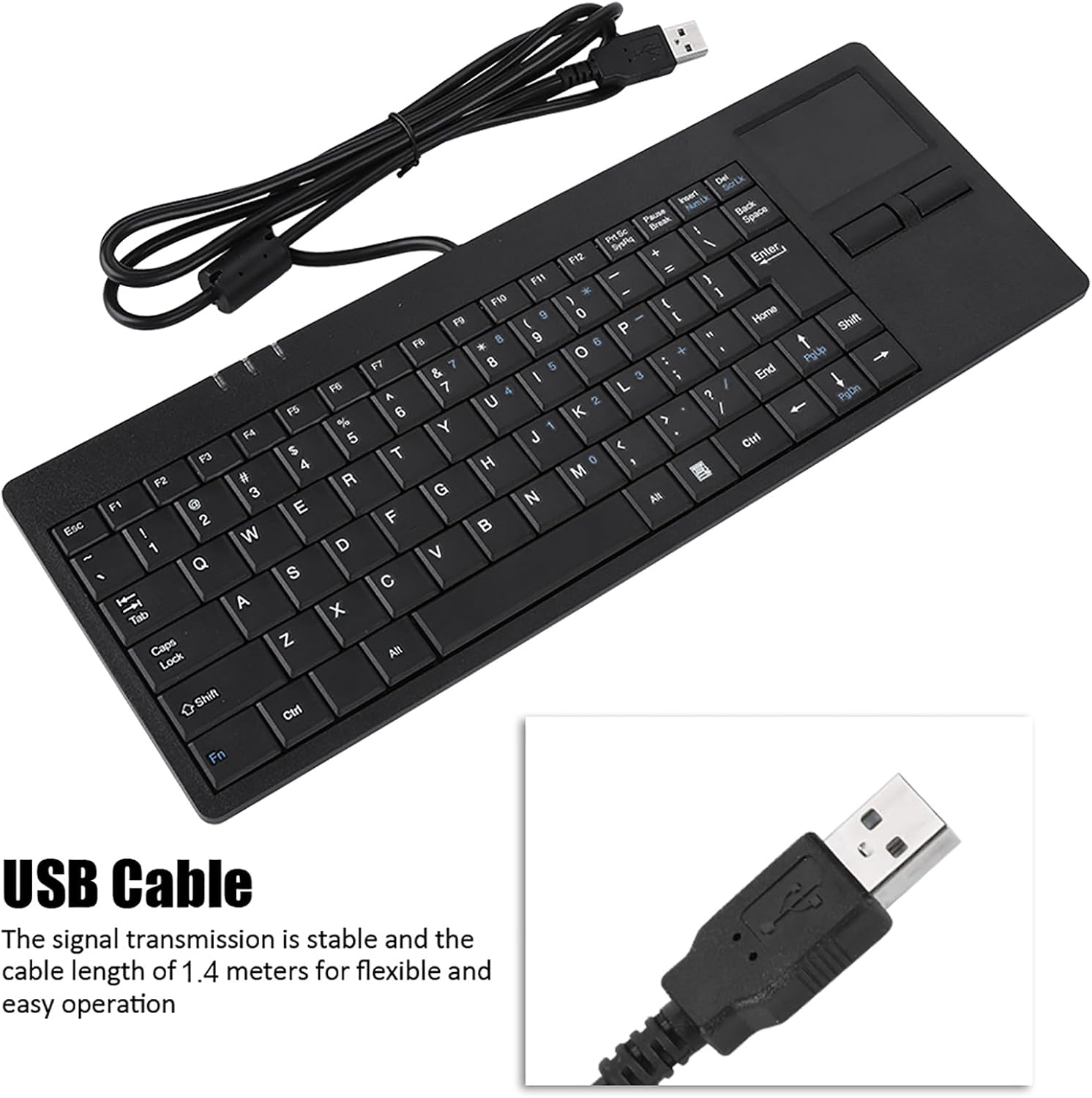
Image: The Dpofirs Wired Keyboard with Touchpad, showing the integrated USB cable ready for connection. The cable length is 1.4 meters.
- Reconeixement del sistema: Your operating system should automatically detect and install the necessary drivers. This process usually takes a few seconds.
- Començar a utilitzar: Once recognized, the keyboard and touchpad are ready for immediate use. No additional software installation is required.

Image: The Dpofirs Wired Keyboard with Touchpad connected to a desktop computer, illustrating its plug-and-play functionality.
Video: A demonstration of connecting the Dpofirs Wired Keyboard with Touchpad to a computer and testing its basic functions. This video highlights the ease of setup and immediate usability.
Instruccions de funcionament
Ús del teclat
The keyboard features 86 keys with a standard QWERTY layout. The scissor foot mechanical structure ensures a comfortable and responsive typing experience.
- Mecanografia estàndard: Feu servir les tecles alfanumèriques per introduir text.
- Tecles de funció (F1-F12): Aquestes tecles realitzen diverses funcions del sistema, sovint en combinació amb Fn key. Refer to your operating system's documentation for specific function key assignments.
- Tecles modificadores: Utilitzar Canvi, Ctrl, Alt, i Bloqueig de majúscules as you would with any standard keyboard.

Imatge: Vista de dalt a baix view of the Dpofirs Wired Keyboard with Touchpad, showcasing the 86-key layout and the integrated touchpad on the right side.

Image: Hands typing on the Dpofirs Wired Keyboard, illustrating the comfortable and smooth typing experience provided by its scissor foot mechanical structure.
Ús del touchpad
The integrated touchpad functions as a mouse, allowing navigation and interaction with your computer.
- Moviment del cursor: Slide your finger across the touchpad surface to move the cursor on the screen.
- Clic esquerre: Press the left button below the touchpad, or tap the touchpad surface once.
- Clic dret: Press the right button below the touchpad, or tap the touchpad surface with two fingers (if supported by your operating system settings).
- Desplaçament: Use two fingers to scroll vertically or horizontally on the touchpad (if supported by your operating system settings).

Image: A hand demonstrating interaction with the built-in touchpad of the Dpofirs Wired Keyboard, showing the area for cursor control.
Manteniment
To ensure the longevity and optimal performance of your Dpofirs Wired Keyboard with Touchpad, follow these maintenance guidelines:
- Neteja:
- Desconnecteu el teclat de l'ordinador abans de netejar-lo.
- Utilitzeu un drap suau i sense pelusa lleugerament dampesbandida amb aigua o una solució netejadora suau per netejar la superfície.
- Eviteu utilitzar productes químics agressius, netejadors abrasius o humitat excessiva, ja que poden danyar el teclat.
- Per a la pols i les restes entre les tecles, feu servir aire comprimit.
- Emmagatzematge: Store the keyboard in a clean, dry environment away from extreme temperatures and direct sunlight when not in use.
- Manipulació: Avoid dropping the keyboard or placing heavy objects on it. Do not pull the USB cable forcefully.
- Anti-slip Mat: Ensure the anti-slip mats on the bottom are clean to maintain stability.
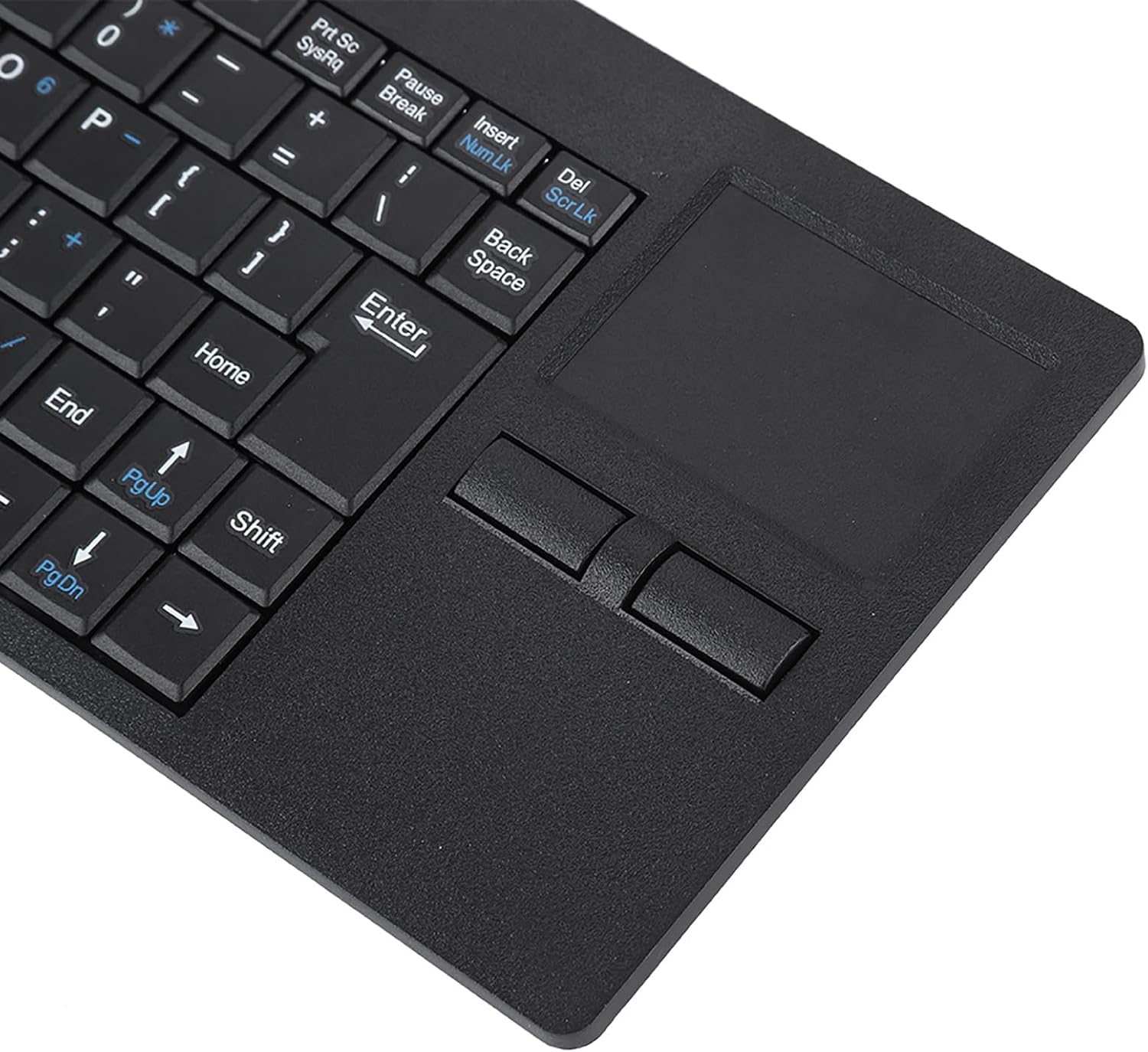
Image: The underside of the Dpofirs Wired Keyboard, showing the anti-slip mats designed to provide stability during use.
Resolució de problemes
If you encounter issues with your Dpofirs Wired Keyboard with Touchpad, refer to the following common problems and solutions:
| Problema | Causa possible | Solució |
|---|---|---|
| El teclat o el touchpad no responen |
|
|
| Les tecles són enganxoses o no responen |
|
|
| Touchpad cursor moves erratically |
|
|
Especificacions
| Característica | Detall |
|---|---|
| Marca | Dpofirs |
| Model | B0CZ13F24B |
| Tecnologia de connectivitat | USB (per cable) |
| Característica especial | Touchpad integrat |
| Dispositius compatibles | Personal Computer (Desktop, Laptop) |
| Descripció del teclat | Mechanical (Scissor Foot Structure) |
| Nombre de claus | 86 |
| Longitud del cable | 1.4 metres |
| Font d'alimentació | Elèctric amb cable (alimentat per USB) |
| Dimensions (aproximades) | 31cm (12.2in) Length x 11.5cm (4.5in) Width x 2cm (0.8in) Height Image: The Dpofirs Wired Keyboard with Touchpad showing its approximate dimensions: 31cm (12.2in) length, 11.5cm (4.5in) width, and 2cm (0.8in) height. |
Informació de la garantia
The Dpofirs Wired Keyboard with Touchpad comes with a manufacturer's warranty for 90 days from the date of purchase. This warranty covers defects in materials and workmanship under normal use. It does not cover damage caused by misuse, accidents, unauthorized modifications, or external causes.
For warranty claims or further details, please retain your proof of purchase and contact the seller or manufacturer directly.
Suport
For technical assistance, troubleshooting beyond this manual, or general inquiries, please contact Dpofirs customer support.
- Assistència en línia: Visit the official Dpofirs store on Amazon for product information and support resources.Dpofirs Amazon Store
- Contacte del venedor: You may also contact the seller, Xinxakk, directly through the Amazon platform for assistance.