
Introducció
Thank you for choosing the EMANER Smart Security Light Motion Sensor. This advanced flood light combines powerful illumination with smart control features, including motion sensing, adjustable color temperature, dimmable brightness, and compatibility with smart home systems like Alexa and Google Home. This manual provides detailed instructions for installation, operation, maintenance, and troubleshooting to ensure optimal performance and safety.
Característiques del producte
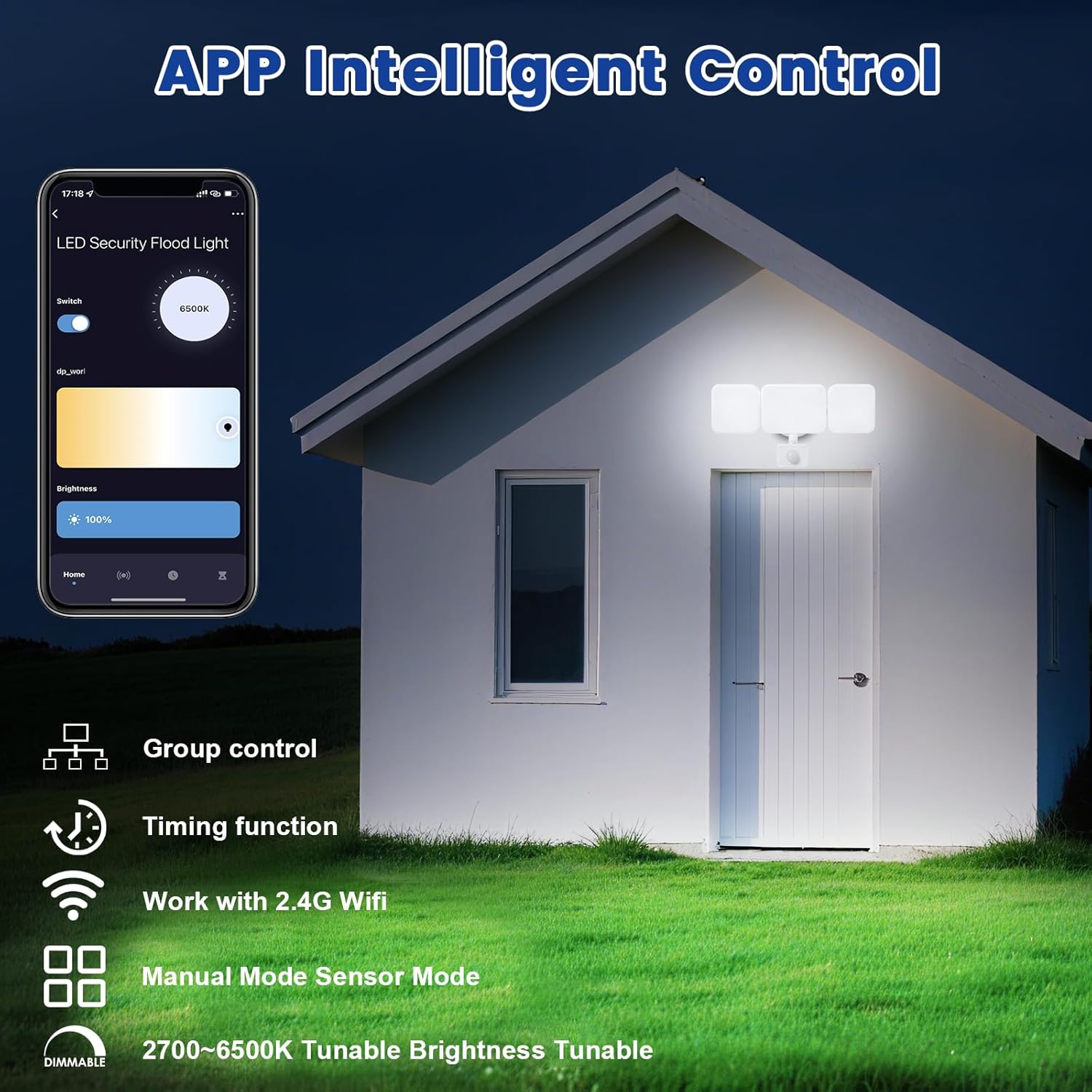
- Control remot de l'aplicació: Connects to "Smart Life" and "Tu Ya Smart" APP via 2.4Ghz WIFI for comprehensive control over brightness, color temperature, sensing distance, and light duration. Eliminates the need for manual adjustments on the fixture.
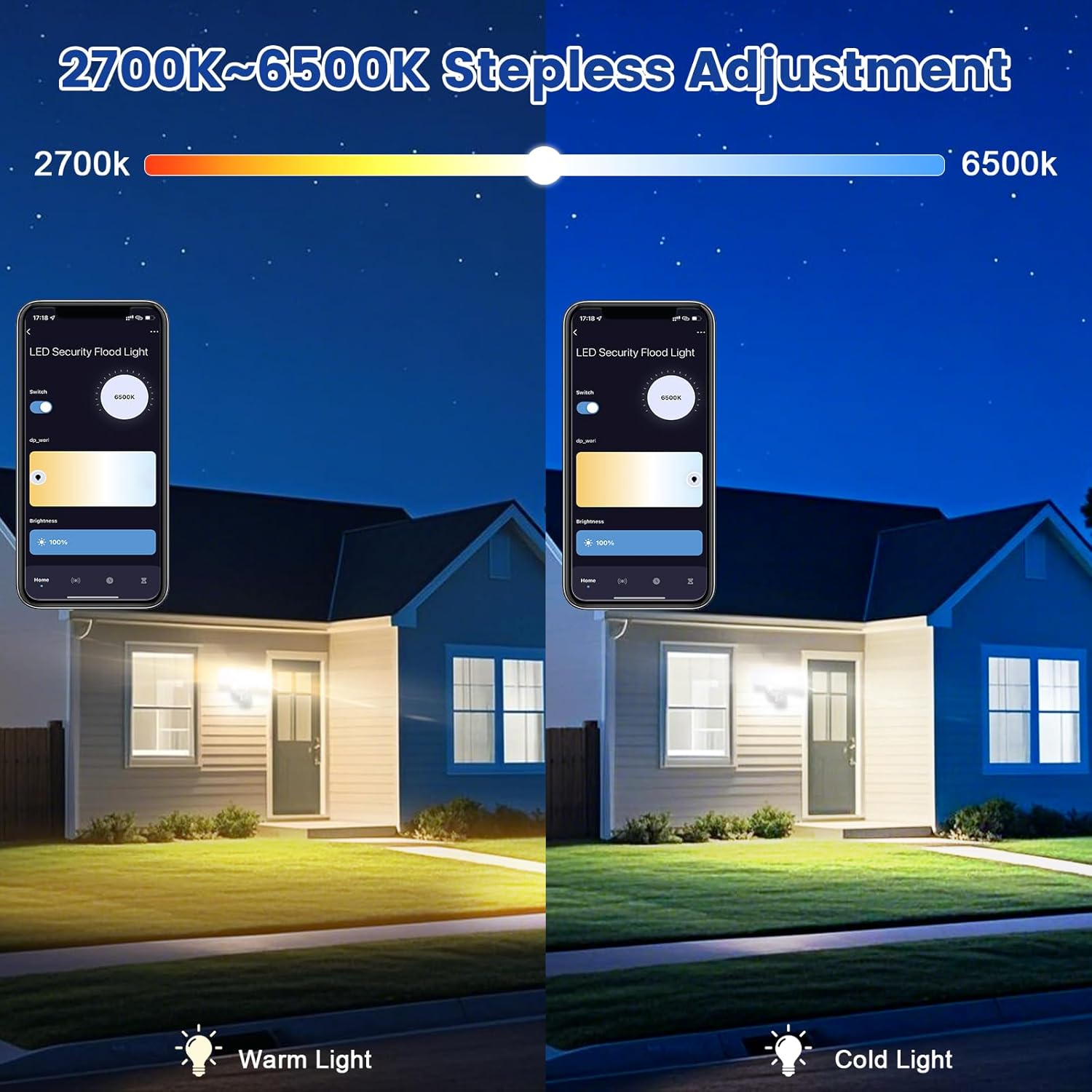
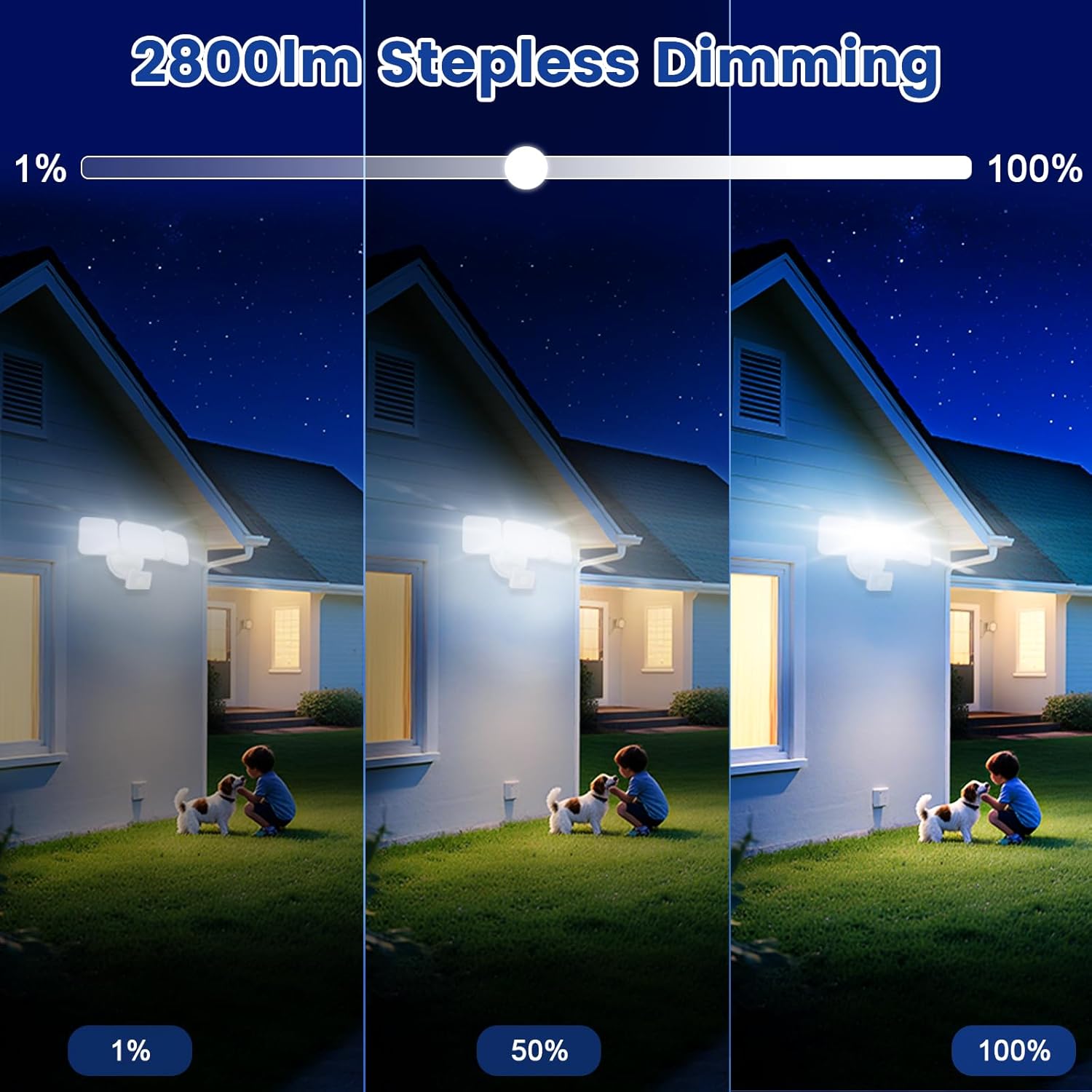
- Tunable White and Dimmable: Stepless adjustment of color temperature from 2700K (Warm White) to 6500K (Cool White). Brightness is adjustable from 1% to 100%. Features a memory function for preferred settings.
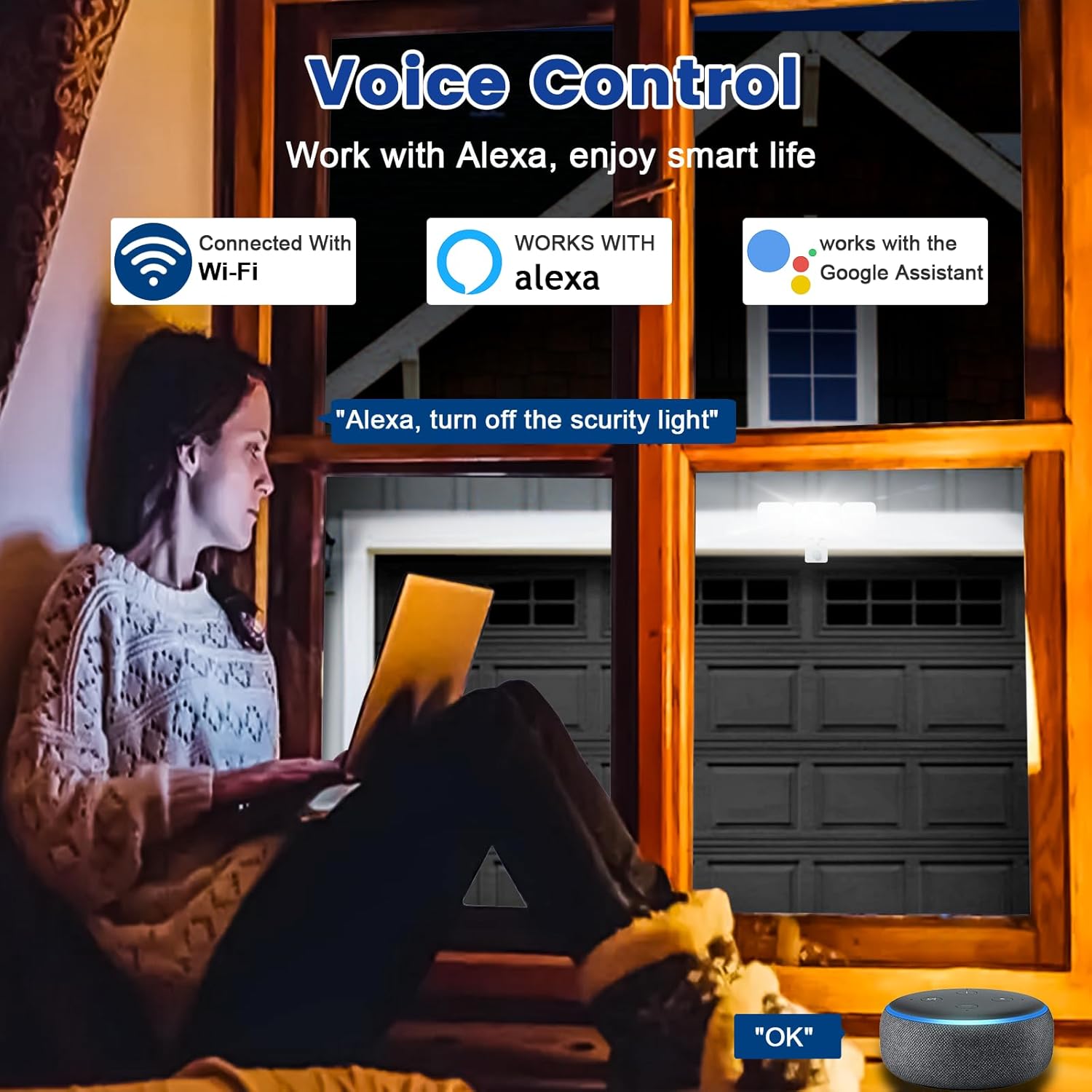
- Compatibilitat de control de veu: Works seamlessly with Amazon Alexa (Echo/Dot/Tap) and Google Assistant for hands-free operation using simple voice commands.
- Two Operational Modes:
- Mode manual: Functions as a normal light, can be set to turn on/off at specific times with adjustable brightness and color temperature.
- Mode de sensor: Activates the PIR motion sensor, allowing customization of sensor settings via the APP.
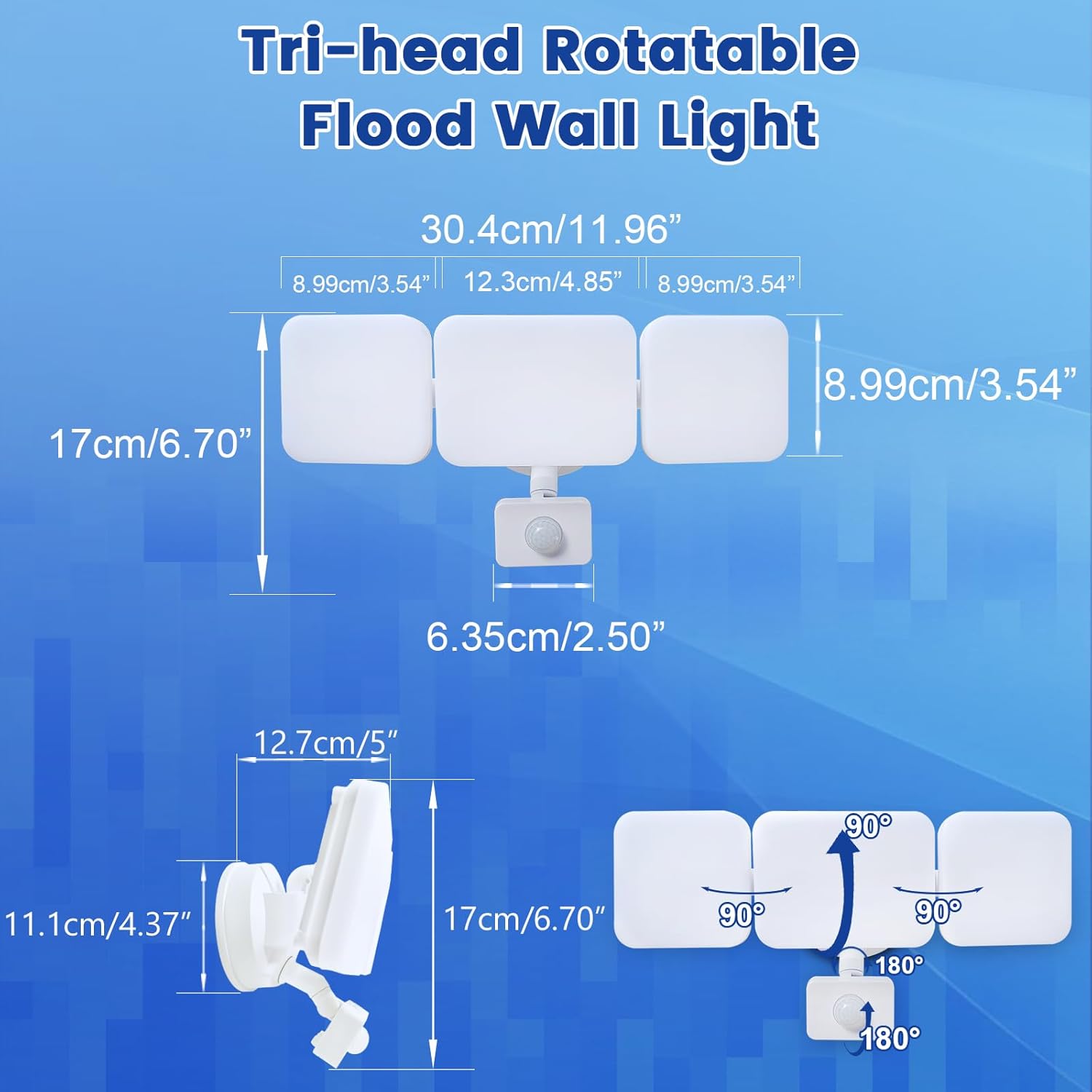
- Motion Sensor & Adjustable Design: PIR sensor detects motion up to 26ft. Full light duration is adjustable from 5 seconds to 60 minutes. The three light heads and motion detector head are flexibly adjustable to desired angles.
- Group Control & Linked Devices: Control multiple lights with one mobile phone and create connections for synchronized operation (e.g., one light activating another). Device pairing can be shared with family members.
- Super Bright & Energy Saving: Delivers a maximum of 2800 lumens at 28W, equivalent to a 150W halogen light, resulting in over 80% electricity savings.
- Easy Installation & Weatherproof: Simple wiring steps for wall, eave, or soffit mounting. IP65 waterproof rating ensures durability against rain, sleet, and snow for outdoor use.
Contingut del paquet
The EMANER Smart Security Light Motion Sensor package includes the following items:
- EMANER Smart Security Light Motion Sensor (1 unit)
- Manual d'instruccions (Aquest document)
- Maquinari de muntatge (cargols, femelles, etc.)
Especificacions
| Especificació | Valor |
|---|---|
| Marca | EMANER |
| Tipus de llum | LED |
| Característica especial | Temperatura de color ajustable |
| Wattage | 28 watts |
| Mida de la forma del bulb | PAR14 |
| Base del bulb | Amb brides |
| Wat equivalent incandescenttage | 280 watts |
| Usos específics per al producte | Casa |
| Color clar | Blanc |
| Voltage | 120 Volts |
| Recompte d'unitats | 1.0 recompte |
| Temperatura de color | 2700K-6500K (ajustable) |
| Nombre d'articles | 1 |
| Brillantor | Max 2800 lumen (Dimmable) |
| Forma | Reflector (R) |
| Material | Plàstic |
| Nom del model | White 1Pack |
| Tecnologia de connectivitat | Wi-Fi (2.4 GHz) |
| Ús interior/exterior | A l'aire lliure |
| Tipus de controlador | Google Assistant, Amazon Alexa, App |
| Font d'alimentació | Elèctric amb cable |
| Índex de reproducció cromàtica | 80 |
| Freqüència | 60 Hz |
| Angle del feix | 120 graus |
| Pes de l'article | 2 lliures |
| Dimensions del producte | 12 cm d'amplada x 6.7 cm d'alçada |
Guia d'instal·lació
Before beginning installation, ensure the power supply to the installation area is turned off at the circuit breaker to prevent electrical shock. It is recommended to consult a qualified electrician for installation if you are not familiar with electrical wiring.
- Prepareu la ubicació de muntatge: Choose a suitable outdoor location such as a wall, under an eave, or soffit. Ensure the surface is stable and can support the light fixture.
- Muntar l'aparell: Use the provided mounting hardware to securely attach the light fixture to the chosen surface. Ensure all connections are tight and stable.
- Connexions de cable: Connect the light's wires to your household electrical wiring according to local electrical codes. Typically, this involves connecting live, neutral, and ground wires. Use appropriate wire nuts to secure connections.
- Seal the Base: For outdoor use and IP65 waterproofing, ensure the lamp base between the wall and the fixture is properly sealed to prevent water ingress.
- Ajustar els capçals de llum i el sensor: Once mounted, adjust the three light heads and the motion detector head to cover the desired area. The heads are rotatable for flexible positioning.

Instruccions de funcionament
The EMANER Smart Security Light is primarily controlled via its dedicated mobile application. Basic operation involves powering on the device after installation.
Encès inicial
After successful installation and restoring power, the light will typically turn on. Proceed to the "App Control & Voice Control" section to pair your device and customize settings.
App Control & Voice Control
The EMANER Smart Security Light offers extensive control through the "Smart Life" or "Tu Ya Smart" mobile applications, available for both iOS and Android devices. It also integrates with popular voice assistants.
App Pairing and Setup
- Descarrega l'aplicació: Cerca "Smart Life" or "Tu Ya Smart" in your device's app store and install it.
- Registra't/Iniciar sessió: Creeu un compte nou o inicieu sessió al vostre compte existent.
- Afegeix un dispositiu: Follow the in-app instructions to add a new device. Ensure your phone is connected to a 2.4GHz Wi-Fi network. The app will guide you through the pairing process, which may involve putting the light into pairing mode (refer to app for specific steps).
- Personalitza la configuració: Once paired, you can adjust all light settings, including:
- Brightness (1% to 100%)
- Color Temperature (2700K Warm White to 6500K Cool White)
- Operating Modes (Manual or Sensor)
- Motion Sensor Sensitivity and Duration
- Programació i temporitzadors
- Group Control with other EMANER smart lights
Integració de control de veu
To enable voice control, link your "Smart Life" or "Tu Ya Smart" account with Amazon Alexa or Google Assistant through their respective apps. Once linked, you can use commands such as:
- "Alexa, turn on the smart security light."
- "Hey Google, set the security light to warm white."
- "Alexa, dim the security light to 50%."
Official Product Video: Outdoor Security Lighting Motion Sensor Dusk to Dawn
Video 1: This video demonstrates the EMANER Smart Security Light's motion sensing capabilities and its performance in outdoor settings, showcasing its ability to illuminate areas from dusk till dawn.
Motion Sensor Configuration
The integrated PIR motion sensor can be configured to suit your security and lighting needs. All adjustments are made through the mobile application.
- Access Sensor Settings: In the "Smart Life" or "Tu Ya Smart" app, navigate to the device settings and select "Sensor Mode".
- Ajustar la distància de detecció: Customize the detection range of the motion sensor. The maximum sensing range is approximately 26 feet.
- Set Full Light Duration: Determine how long the light stays on after motion is detected. This duration can be set from 5 seconds to 60 minutes.
- Ajust de sensibilitat: Some app versions may allow for sensitivity adjustments. If the light is triggering too frequently or not enough, adjust this setting.


Manteniment
Regular maintenance ensures the longevity and optimal performance of your EMANER Smart Security Light.
- Neteja: Netegeu periòdicament la làmpada i la lent del sensor de moviment amb un drap suau i sec.amp drap. No utilitzeu productes de neteja abrasius ni dissolvents. Assegureu-vos que l'aparell estigui desconnectat abans de netejar-lo.
- Inspeccioneu el cablejat: Annually inspect the wiring and connections for any signs of wear, damage, or corrosion. Ensure the lamp base remains properly sealed against the wall to maintain its IP65 rating.
- Actualitzacions de programari: Keep the "Smart Life" or "Tu Ya Smart" app updated to the latest version to ensure compatibility and access to new features or bug fixes.
Resolució de problemes
If you encounter issues with your EMANER Smart Security Light, refer to the following common troubleshooting steps:
| Problema | Causa possible | Solució |
|---|---|---|
| La llum no s’encén. | No power, loose wiring, faulty fixture. | Check circuit breaker. Ensure all wiring connections are secure. If problem persists, contact support. |
| Light does not respond to app/voice commands. | Wi-Fi connectivity issue, app not paired, incorrect voice command. | Ensure light is connected to 2.4GHz Wi-Fi. Re-pair device in app. Verify voice command syntax with Alexa/Google Home. |
| Motion sensor not detecting or detecting too often. | Incorrect sensitivity setting, obstruction, environmental factors. | Adjust motion sensor sensitivity in the app. Clear any obstructions from the sensor's field of view. |
| Light flickers or changes brightness unexpectedly. | Unstable power supply, internal component issue. | Ensure stable power. If problem persists, contact EMANER support. |
Garantia i Suport
EMANER products are designed for reliability and performance. For warranty information or technical assistance, please contact EMANER customer support.
You can typically find contact information on the EMANER brand store page or through the retailer where you purchased the product. Please have your model number (EMR-8030) and purchase details ready when contacting support.
For additional resources and product information, visit the official EMANER store: EMANER Store on Amazon.