
nubia nubia Flip
Manual d'usuari de la nubia Flip 5G
Model: nubia Flip
Introducció
Welcome to the nubia Flip 5G user manual. This guide provides comprehensive instructions for setting up, operating, maintaining, and troubleshooting your new foldable smartphone. The nubia Flip 5G combines innovative foldable technology with powerful performance, featuring a dual-screen design, a 50MP AI dual camera, and a robust 4310 mAh battery with 33W fast charging.
Please read this manual carefully to ensure proper use and to maximize your device's potential.
1. Configuració
1.1 Què hi ha a la caixa
- Telèfon intel·ligent nubia Flip 5G
- Clear phone case
- Carregador
- Cable de dades tipus C
1.2 Càrrega inicial
Before first use, fully charge your nubia Flip 5G using the provided charger and Type-C data cable. The device supports 33W fast charging, allowing for a rapid charge.
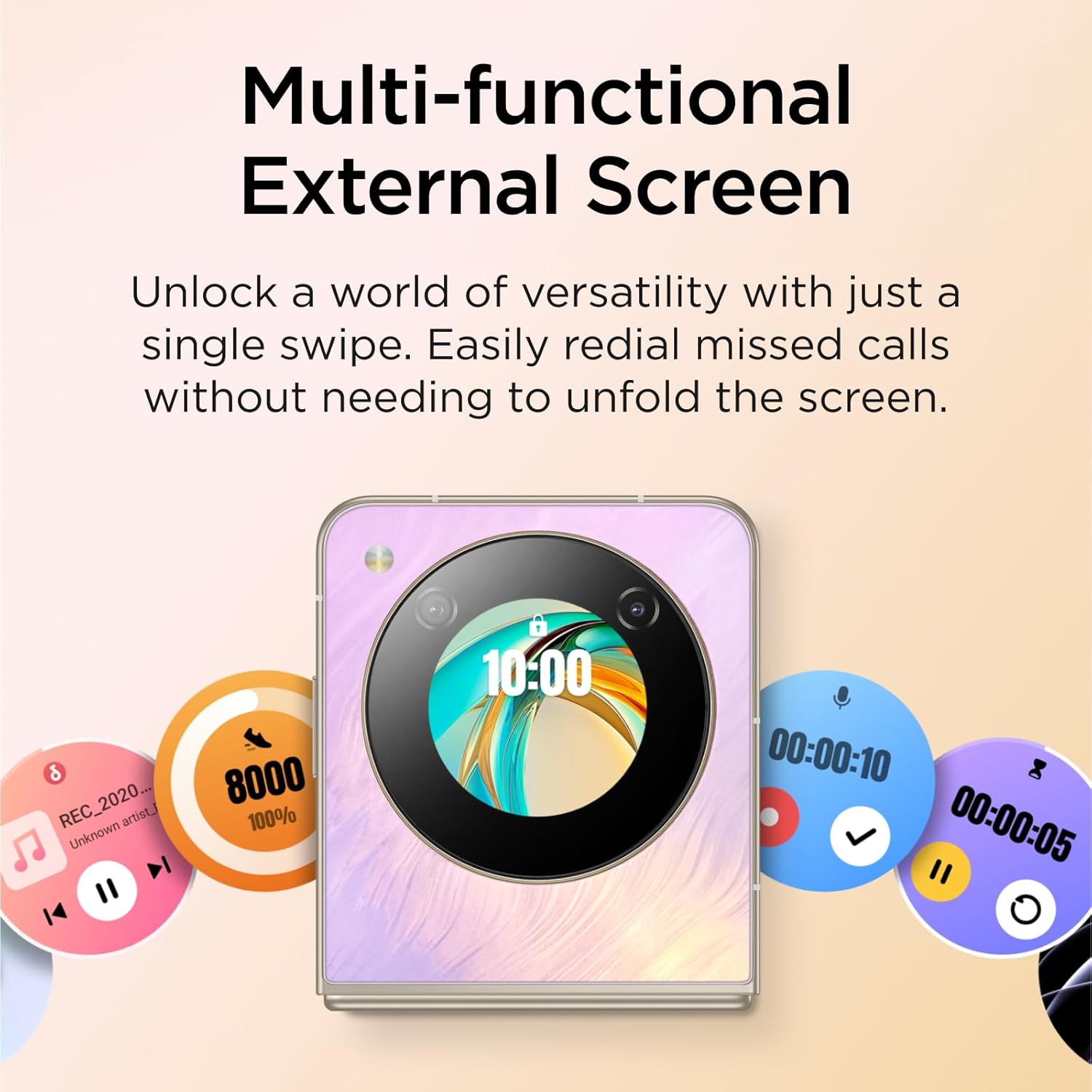
Image: The nubia Flip 5G in its folded state, connected to a charging cable, illustrating the charging process.
1.3 Inserció de la targeta SIM
Locate the SIM card tray on the side of the device. Use the SIM ejector tool (not explicitly listed in box contents, but standard) to open the tray. Insert your Nano-SIM card(s) into the designated slots. Ensure the card is correctly oriented before reinserting the tray.
1.4 Engegada/apagada
- Encès: Press and hold the Power button (located on the side) until the nubia logo appears.
- Apagar: Mantingueu premut el botó d'engegada i, a continuació, seleccioneu "Apagar" de les opcions que apareixen a la pantalla.
- Reinicia: Mantingueu premut el botó d'engegada i, a continuació, seleccioneu "Reiniciar" de les opcions.
1.5 Assistent de configuració inicial
Upon first power-on, the device will guide you through an initial setup process. This includes selecting your language, connecting to a Wi-Fi network, setting up your Google account, and configuring security options like fingerprint and face unlock.
2. Funcionament del vostre dispositiu
2.1 Foldable Design and Displays
The nubia Flip 5G features a revolutionary foldable design, allowing it to transform from a compact, pocket-sized device to a full-sized smartphone. It has two main displays:
- Main Internal Display: A 6.9-inch FHD+ screen that unfolds for an immersive viewexperiència.
- External OLED Display: A 1.43-inch interactive display accessible when the phone is folded.
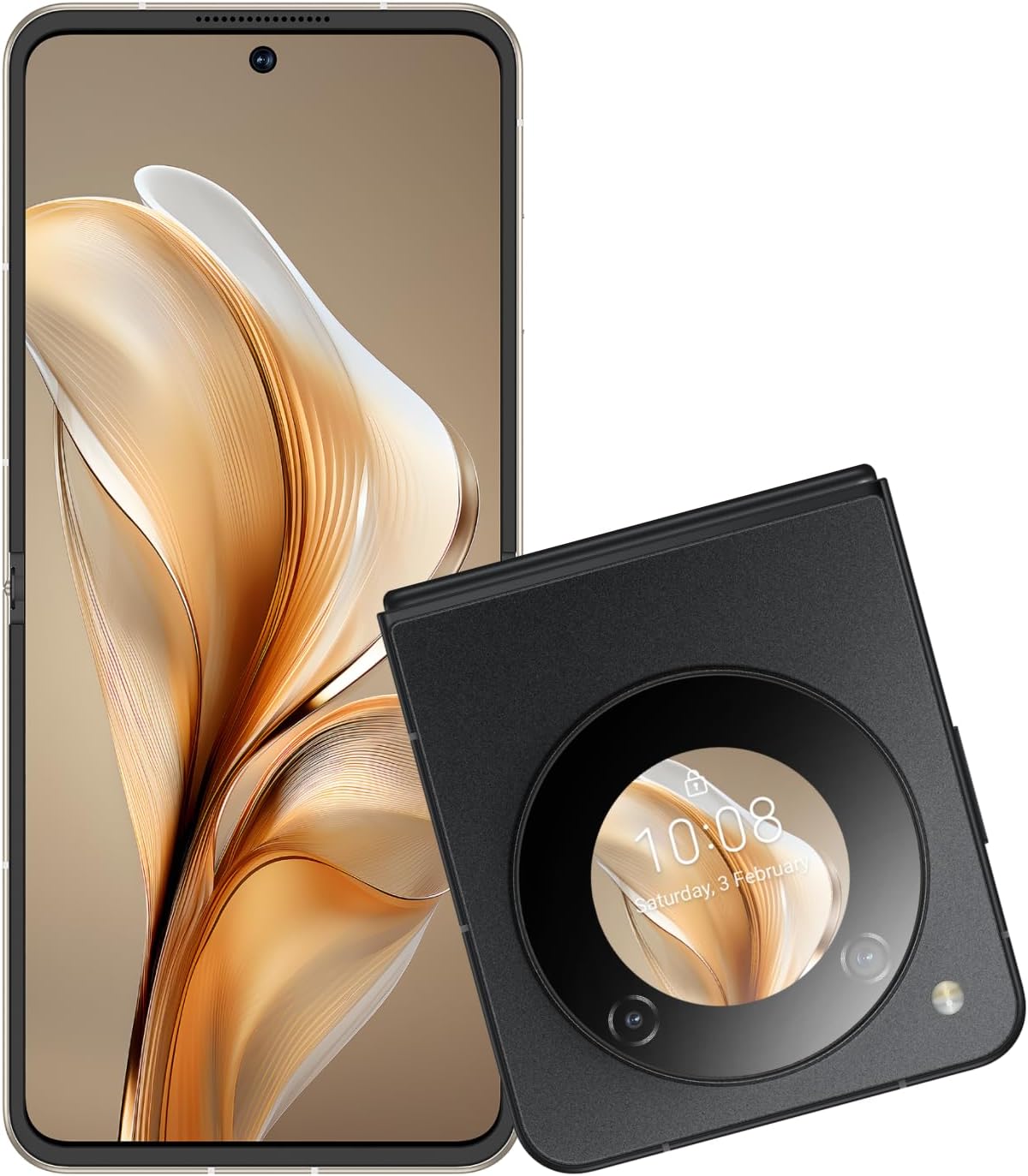
Image: The nubia Flip 5G shown both unfolded and folded, highlighting its dual-screen capability.

Image: A hand holding the folded nubia Flip 5G, illustrating its compact and pocket-friendly design.
2.2 External Display Functions
The 1.43-inch external OLED display provides quick access to essential information and controls without unfolding the phone. Swipe across the external screen to:
- View missed notifications and messages.
- Reply to texts (limited functionality).
- Controla la reproducció de música.
- Answer or redial calls.
- Access quick settings.
- Interact with a virtual animated 'pet'.

Image: The external display of the nubia Flip 5G showcasing its multi-functional capabilities with various interactive widgets.
2.3 Ús de la càmera
The nubia Flip 5G is equipped with a versatile camera system:
- Càmeres posteriors: 50MP Main Camera (f/1.8) and a 2MP Depth Lens.
- Càmera frontal: 16MP.
The foldable design allows for unique photography angles. You can stand the phone at multiple angles for hands-free shooting.
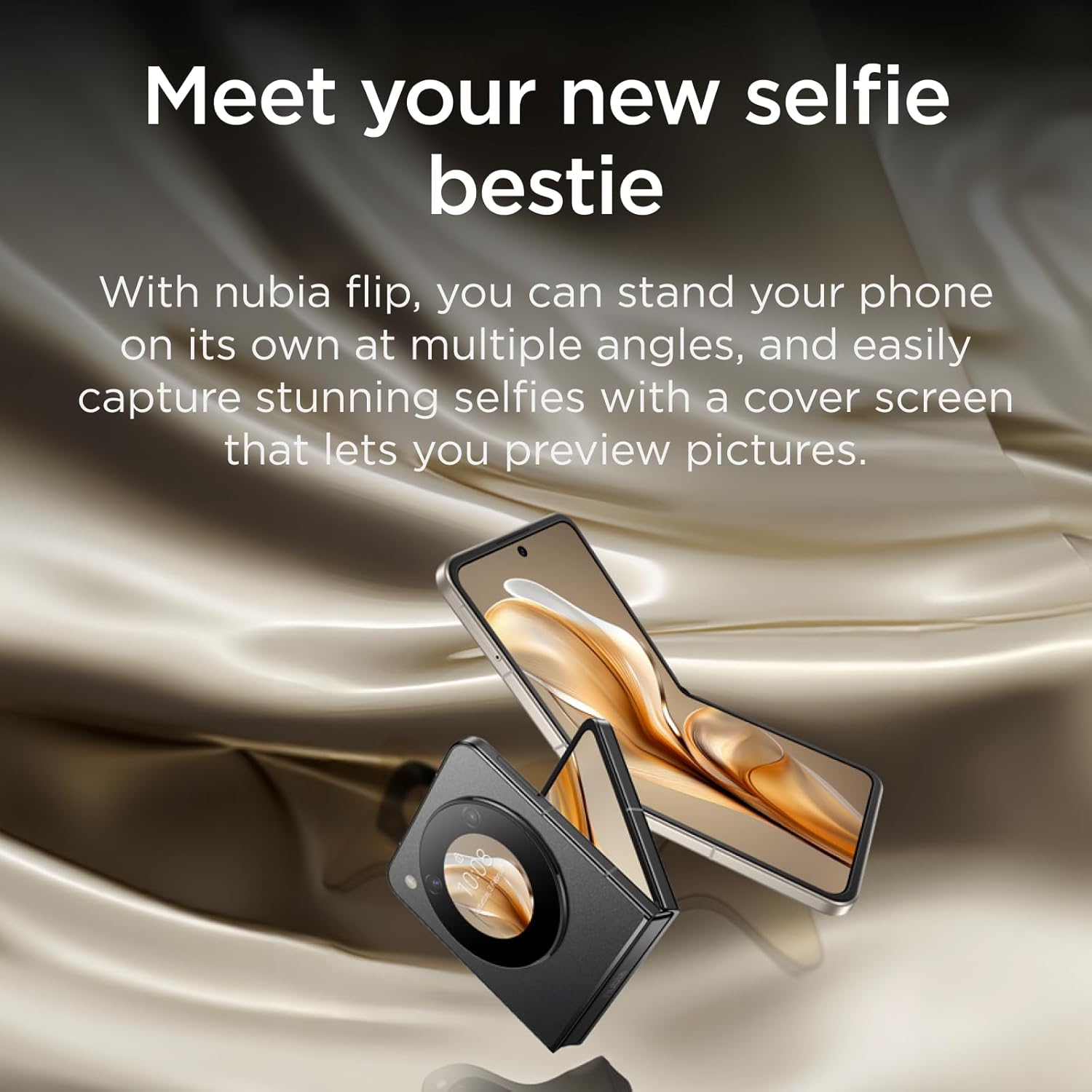
Image: A person using the nubia Flip 5G's external display for a selfie, demonstrating the camera's capabilities.

Image: The nubia Flip 5G in a partially folded position, used as a stand for taking a selfie, showcasing its flexible design for photography.
2.4 Mètodes de desbloqueig
Your nubia Flip 5G offers multiple secure unlocking options:
- Sensor d’empremta digital: The power button integrates a fast and accurate fingerprint sensor. Register your fingerprints in the Security settings.
- Face Wake-up: Use facial recognition to unlock your device. Set this up in the Security settings.
- PIN/Patró/Contrasenya: Opcions de seguretat estàndard d'Android.

Image: Visual representation of the dual unlocking methods: Face Wake-up and Fingerprint Unlock.
2.5 MyOS 13 Features
The nubia Flip 5G runs on MyOS 13, offering a straightforward and convenient user experience with various customization options:
- Animation Speed Adjustment: Customize system animation speeds for a smoother or faster feel.
- Wallpaper Color Picker: Easily select and apply colors from your wallpaper to theme your interface.
- Pantalla dividida: Multitask efficiently by running two apps side-by-side on the main display.
2.6 Connectivitat
El dispositiu admet una àmplia gamma d'opcions de connectivitat:
- Xarxa 5G: Enjoy lightning-fast 5G network speeds for browsing, streaming, and gaming.
- Wi-Fi: Connecteu-vos a xarxes sense fil per accedir a Internet.
- Bluetooth: Emparella amb accessoris Bluetooth com ara auriculars i altaveus.
- USB tipus C: For charging, data transfer, and connecting peripherals.
3. Manteniment
3.1 Neteja del vostre dispositiu
To keep your nubia Flip 5G in optimal condition:
- Feu servir un drap suau i sense borrissol per netejar la pantalla i la carcassa.
- Eviteu utilitzar productes químics agressius, netejadors abrasius o aerosols.
- No exposeu el dispositiu a una humitat excessiva.
3.2 Actualitzacions de programari
Comproveu i instal·leu regularment si hi ha actualitzacions de programari per assegurar-vos que el dispositiu tingui les darreres funcions, pegats de seguretat i millores de rendiment. Aneu a Configuració > Sistema > Actualització del sistema per comprovar si hi ha actualitzacions.
3.3 Cura de la bateria
Per allargar la durada de la bateria:
- Eviteu temperatures extremes.
- No deixeu que la bateria s'esgoti completament abans de tornar-la a carregar sovint.
- Feu servir el carregador i el cable originals per a una càrrega òptima.
4. Solució De Problemes
4.1 Problemes comuns i solucions
| Problema | Solució |
|---|---|
| El dispositiu no s'encén | Assegureu-vos que la bateria estigui carregada. Premeu i manteniu premut el botó d'engegada durant almenys 10 segons per forçar el reinici. |
| Sense connexió de dades mòbils | Check SIM card insertion. Verify APN settings (consult your carrier). Ensure mobile data is enabled in settings. Confirm your SIM card's frequency bands are supported by the device. |
| La pantalla no respon | Restart the device. If the issue persists, consider a factory reset (backup data first). |
| Les aplicacions es bloquegen/es bloquegen | Clear app cache/data (Settings > Apps). Update the app. Reinstall the app. |
4.2 Restabliment de fàbrica
Un restabliment de fàbrica esborrarà totes les dades del dispositiu i el restaurarà a la configuració original de fàbrica. Feu una còpia de seguretat de totes les dades importants abans de continuar.
Per restablir la configuració de fàbrica: aneu a Configuració > Sistema > Opcions de restabliment > Esborra totes les dades (restabliment de fàbrica)Seguiu les instruccions que apareixen a la pantalla.
5. Especificacions
| Característica | Detall |
|---|---|
| Nom del model | nubia Flip |
| Sistema operatiu | Android 13.0 |
| Mida de la pantalla principal | 6.9 polzades |
| Main Screen Resolution | 2790*1188 |
| Freqüència d'actualització | 120 Hz |
| External Screen Size | 1.43 Inches (OLED) |
| Processador | Qualcomm Snapdragon 7 Gen 1 (up to 2.4GHz) |
| RAM | 8 GB |
| Capacitat d'emmagatzematge | 256 GB |
| Càmera posterior | Càmera dual d'IA de 50MP |
| Càmera frontal | 16MP |
| Capacitat de la bateria | 4310 mAh |
| Carregant | Càrrega ràpida de 33 W |
| Dimensions (plegades) | Approx. 8.7 x 7.55 x 1.4 cm (estimated from unfolded dimensions) |
| Dimensions (desplegades) | 17 x 7.55 x 0.7 cm |
| Pes | 209 g |
| Supported Bands (NR) | n1/n3/n5/n8/n28A/n41/n78 |
| Supported Bands (FDD) | B1/B2/B3/B4/B5/B7/B8/B12/B17/B20 |
| Supported Bands (TDD) | B34/B38/39/40/41 |
| Supported Bands (UMTS) | B1/B2/B4/B5/B8 |
| Supported Bands (CDMA) | BC0 |
| Supported Bands (GSM) | B2/B3/B5/B8 |
6. Garantia i Suport
6.1 Informació de la garantia
Your nubia Flip 5G comes with a standard manufacturer's warranty. Please refer to the warranty card included in your product packaging or visit the official nubia weblloc web per obtenir informació detallada sobre els termes i condicions de la cobertura i la durada de la garantia.
6.2 Atenció al client
For technical assistance, troubleshooting beyond this manual, or warranty claims, please contact nubia customer support through their official website or the contact information provided in your product documentation. Ensure you have your product model number and purchase details ready when contacting support.
També podeu visitar el nubia Store on Amazon per obtenir informació addicional sobre el producte i recursos d'assistència.